
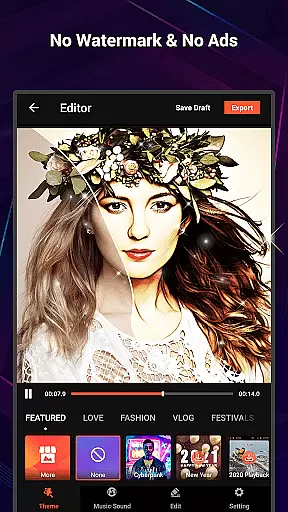
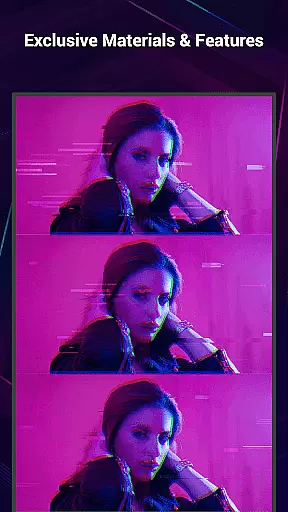
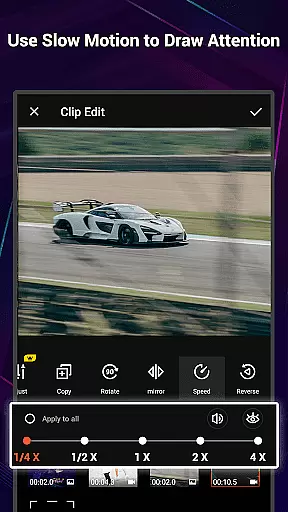
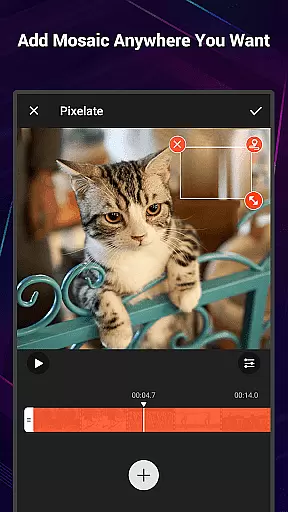
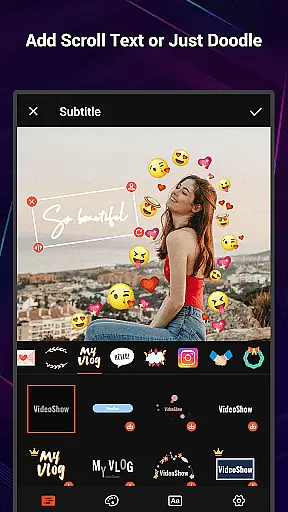
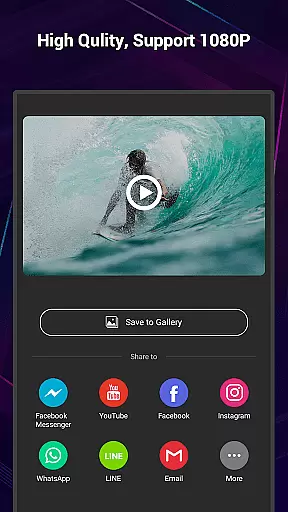
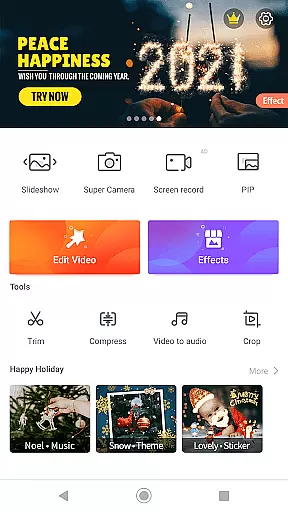
VideoShow Pro is a premium video editing application designed for both amateur and professional content creators. This app offers advanced features such as no watermark, ad-free interface, and support for exporting videos in 1080p and 4K resolutions. With an extensive library of exclusive materials and up to 20 FX effects per video, it provides users with everything needed to create stunning videos.
The app allows seamless integration of photos and videos, enabling users to produce creative content with minimal effort. Its intuitive interface includes tools for adding texts, stickers, music, filters, transitions, and sound effects. Whether you're looking to make engaging social media clips or professional-grade video projects, VideoShow Pro delivers the functionality and flexibility required for excellent video production.
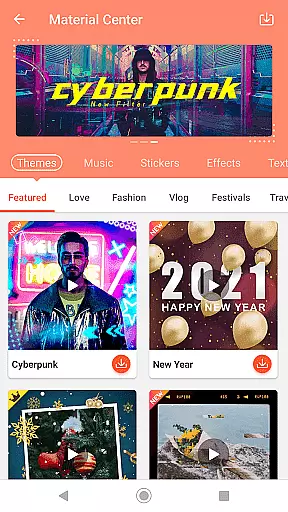
VideoShow Pro stands out with its powerful yet user-friendly feature set. The app supports advanced video editing capabilities like zooming, rotating, and mixing videos with photos without pre-transcoding. It also offers a fantastic Materials Store where users can access themes, music, text styles, stickers, sound effects, and fonts.
One of the key highlights is the availability of elaborate themes tailored for different occasions such as love, birthdays, and friendships. Additionally, the app supports square themes and modes, online and local music integration, and multi-music tracks in one video. Users can apply stunning filters, use various text styles for subtitles, and share their creations directly on social networks.
Beyond basic editing, VideoShow Pro includes a toolbox with Ultra Cut, Fast Trim, Video Compression, and Video to MP3 conversion features. These tools ensure that users can refine their videos efficiently while maintaining high-quality output.
VideoShow Pro stands out with its exceptional video format compatibility, ensuring that users can work seamlessly with a wide range of video types. This feature is crucial for video editors who deal with diverse media sources and require flexibility in their editing process.
The application supports high-resolution formats, including 1080p and 4K video exports, making it suitable for professional projects. The ability to handle such formats without the need for pre-transcoding simplifies the workflow and saves valuable time during video production.
Users benefit from the app's capability to integrate various media elements effortlessly. Whether combining videos and photos or applying effects, the format compatibility ensures smooth processing. This versatility empowers creators to focus on storytelling rather than technical limitations.
With this robust compatibility, VideoShow Pro caters to both amateur and professional editors. The app's comprehensive format support enhances creativity and productivity, allowing users to produce stunning videos with minimal constraints.
VideoShow Pro incorporates advanced AI-powered editing features that revolutionize the video creation process. These intelligent tools assist users in producing high-quality content by automating complex tasks and providing smart suggestions throughout the editing journey.
The AI capabilities extend to various aspects of video production, including automatic scene detection, smart cropping, and enhanced stabilization. These features help maintain professional standards while reducing manual effort, particularly beneficial for creators working on tight deadlines.
Additionally, the app offers AI-driven effects and filters that adapt to video content, ensuring optimal visual enhancement. Users can access unique materials and themes powered by AI, enabling them to create distinctive videos that stand out on social platforms.
By leveraging these sophisticated AI-powered tools, VideoShow Pro significantly lowers the barrier to professional-grade video editing. Creators can now achieve remarkable results with greater efficiency, regardless of their technical expertise.
Ad-free experience
4K video export
Exclusive materials
Multi-track editing
User-friendly interface
Paid version only
High device requirements
Limited free materials
No collaborative features
Occasional bugs

Video Player - Unlimited features, 30 days money back guarantee.
 4.60
4.60
Create photo video with music & template. AI video maker for stunning slideshow.
4.60
Video player with powerful streaming playback and various convenient features.
2.10
High-Quality USB Camera Viewer & HDMI Display
4.70
All in one HD video downloader & player for multiple formats with full privacy
4.70
All in one multi protocols stream receiver for AirPlay, Cast and DLNA.
3.60
Connect EasyCap or UVC devices for recording and broadcast video/audio stream
3.60
Cast movies, tv shows and live streams to Chromecast, Roku, DLNA, Fire TV & more
4.60
Viddo: Generate Action Figure, AI Anime, AI kiss, AI hug Video from image & text
4.40
Pro video editor app for Instagram, edit video with song, AI, effect & slowmo.
4.80
?100% FREE! Download & save videos? safely in this app. All formats supported.
4.60
IPTV Loader, loads your own Playlist. DOES NOT CONTAIN ANY LIST OR CHANNELS
4.60
Video Downloader is an utility that can save videos and music from web sites
4.20
All format media Player, no need video converter any more!
4.00
Capture images & record videos for USB Camera, Webcam, Microscopes, Endoscopes
3.80
Watch full episodes of your favorite Cartoon Network and Cartoonito shows!
3.50
This app is an emulator of some specific IPTV boxes
3.50
Client application for NextPVR software
3.00
The essential companion to your Blue Iris PC software
2.50


User Reviews