
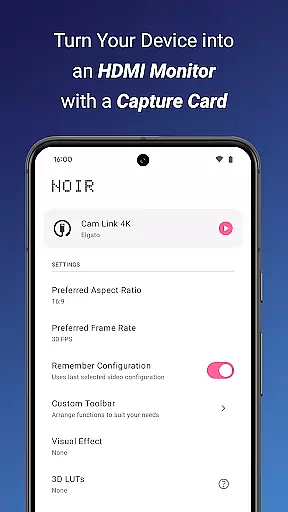
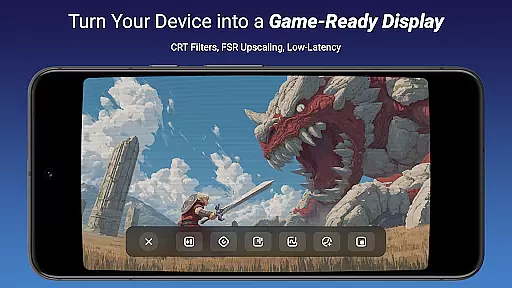
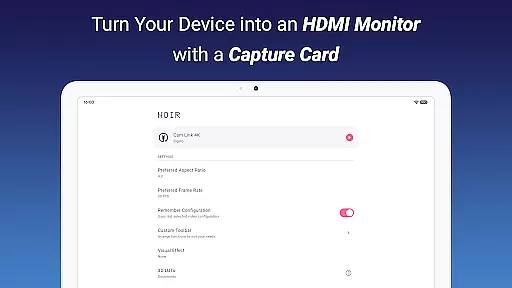
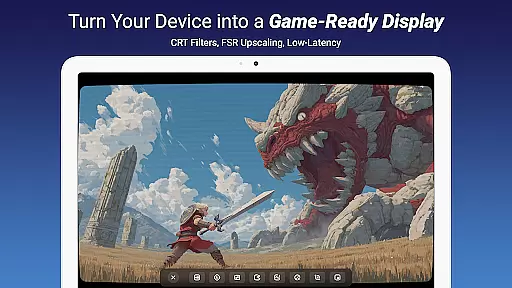
Noir Pro is a versatile video player and editor designed for users who need advanced monitoring and display capabilities. The app transforms your mobile device into a portable monitor for various HDMI-output devices, including gaming consoles, laptops, and cameras. With support for UVC video streaming and UAC audio streaming, Noir Pro offers multiple graphics backend options such as OpenGL ES and Vulkan, ensuring optimal performance across different devices.
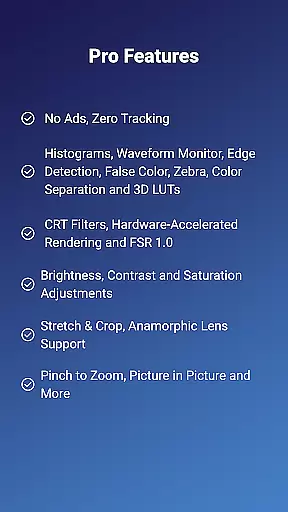
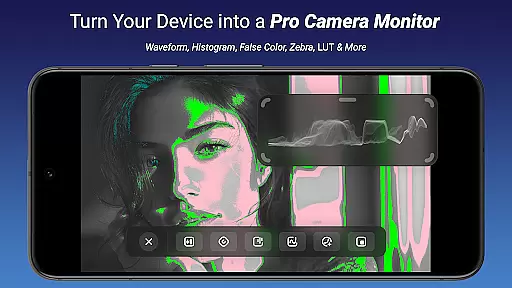
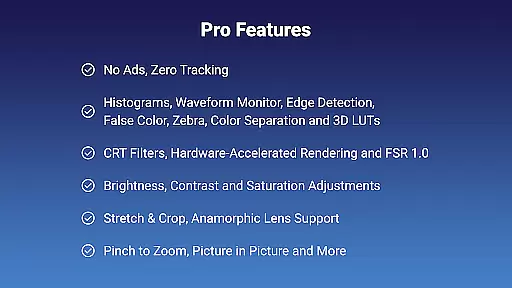
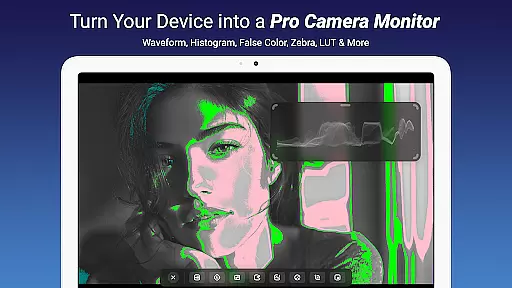
Key features include professional tools like 3D LUTs, Waveform Monitor, Histogram, and Edge Detection, alongside practical functionalities such as brightness, contrast, and saturation adjustments. Whether you're using it as a camera monitor, primary display for gaming consoles, or secondary monitor for laptops, Noir Pro provides a reliable and customizable solution for all your video monitoring needs.
Noir Pro stands out with its comprehensive suite of professional-grade features tailored for videographers and tech enthusiasts. The app includes advanced monitoring tools such as False Color, Zebra, and Color Separation, which are essential for precise video analysis and calibration. Additionally, the inclusion of CRT Filters and FSR 1.0 enhances the visual experience by providing retro aesthetics and improved image quality.
Practical functionalities like pinch to zoom, stretch and crop, and anamorphic lens support make it easy to adjust the viewing area to your preference. App-specific volume control and picture-in-picture mode further enhance usability, allowing for seamless multitasking. These robust features ensure that whether you're calibrating footage, gaming, or conducting remote meetings, Noir Pro delivers a superior and adaptable user experience.
Video format compatibility is a crucial feature for any video player and editor, ensuring that users can work with a wide range of video files without conversion hassles. Noir Pro supports UVC video streaming and offers users the flexibility to choose between OpenGL ES and Vulkan for the graphics backend, catering to different performance and quality needs.
The application's support for various formats allows seamless playback and editing of videos captured through HDMI-output devices or USB streaming cameras, endoscopes, and microscopes. Whether you're using it as a monitor for gaming consoles, laptops, drones, or other video output devices, its broad compatibility ensures that most standard video streams will play without issues.
For users employing USB-C capture cards, such as the recommended Hagibis UHC07(P) or Genki ShadowCast 2, this compatibility extends to MJPEG streams up to 1080p50fps when using USB 2.0 capture cards. This makes sure that even with varying USB standards, your video monitoring experience remains smooth and lag-free.
By supporting diverse video formats and providing solutions for potential HDCP restrictions, Noir Pro empowers creators and professionals to focus on their content rather than technical limitations, enhancing productivity and creative freedom.
AI-powered editing features are revolutionizing how we interact with video content by automating complex processes and enabling high-quality edits with minimal effort. Noir Pro incorporates advanced AI tools like 3D LUTs, Waveform Monitor, Histogram, Edge Detection, False Color, Zebra, and Color Separation to provide users with professional-grade video adjustments at their fingertips.
These intelligent features allow for precise control over brightness, contrast, saturation, and other visual parameters, ensuring that every frame meets exacting standards. The inclusion of CRT Filters and FSR 1.0 further enhances the creative possibilities, allowing users to apply stylistic effects that evoke nostalgia or enhance visual clarity.
Noir Pro's sophisticated AI doesn't stop at image enhancement; it also includes practical functionalities such as pinch-to-zoom, stretch and crop options, anamorphic lens support, and app-specific volume control. These features collectively contribute to an intuitive and powerful editing environment where creativity can flourish without being hindered by technical constraints.
With these capabilities, users can efficiently produce polished and visually stunning videos, making Noir Pro an indispensable tool for both amateur enthusiasts and seasoned professionals in the realm of video production and editing.
Advanced Monitoring Tools
Customizable Graphics Backend
Comprehensive Video Support
Professional Calibration Features
Versatile Device Compatibility
Requires Compatible Hardware
Premium Price Point
Complex for Beginners
Limited Free Features
Occasional Connectivity Issues

Connect 2 UVC devices for recording and broadcast video/audio stream
 3.90
3.90
You can play SWF format file!
2.50
Stream high quality video from your camera over NDI protocol
4.0
VLC Remote lets you control your VLC Media Player on Mac, PC or Linux.
4.60
AirMirror is Receiver for Screen Mirroring and Casting from Apple Devices.
3.60
Fast & easy HD video downloader for all formats, support 4K playback & download.
4.60
Browser for Sony TV to stream web videos, online movies and live tv
3.20
Download Hub, easy and private way to download and enjoy your videos offline
4.80
Enjoy your favorite videos and channels with the official YouTube app.
3.90
Pro video editor app for Instagram, edit video with song, AI, effect & slowmo.
4.80
Watch a large amount of high-definition short drama content
4.60
Search & download videos from net with all video downloader, auto-detect & safe.
4.60
Video Downloader, Multiple Resolution Options, Video Player
4.50
AirMirror Receiver - Screen mirroring/cast web videos to Android TV by AirPlay.
4.40
Browser for Samsung TV to stream webvideos, online movies and livestreams in HD
4.10
Capture images & record videos for USB Camera, Webcam, Microscopes, Endoscopes
3.80
Live TV, anywhere in your home
3.80
Manage your IPTV live channels and VOD playlists (no playlist included)
3.80
Mix with Virtual DJ directly from your phone or tablet !
3.10


User Reviews