
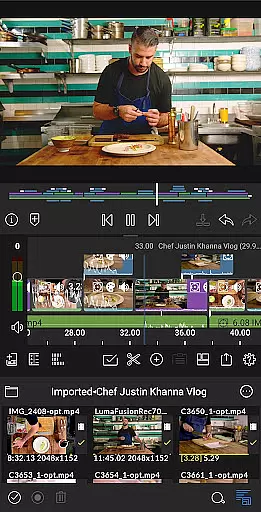
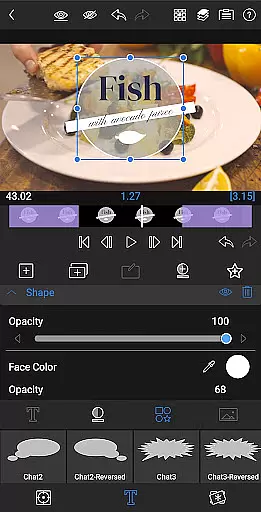
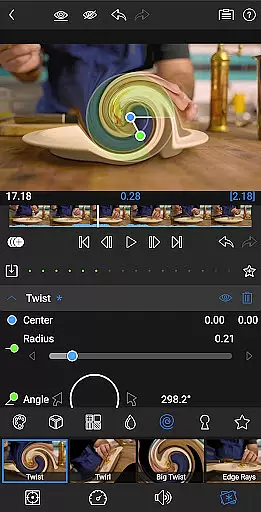
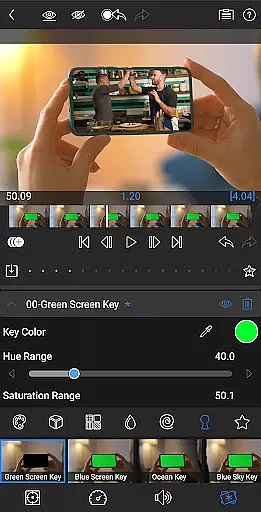
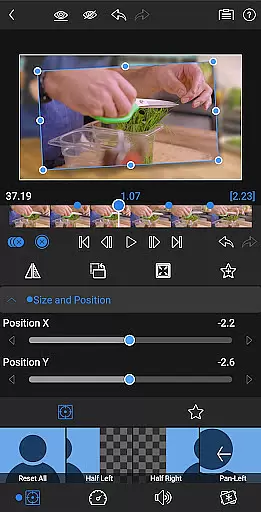
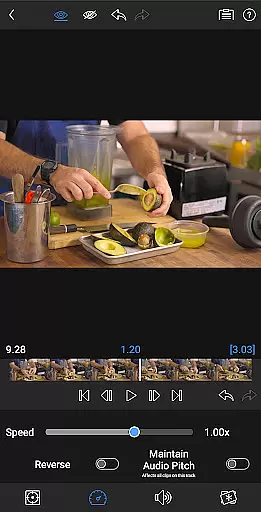
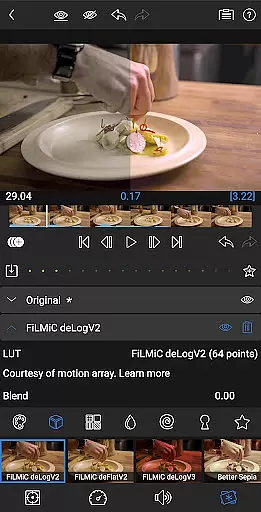
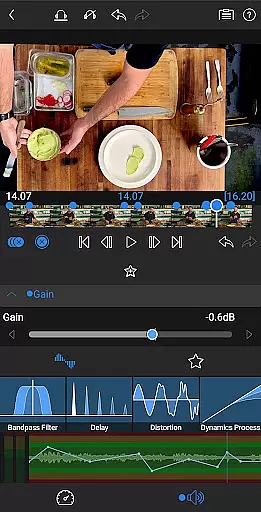
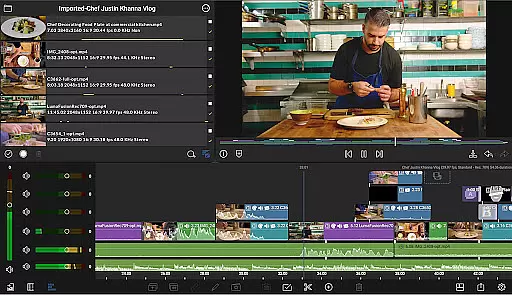
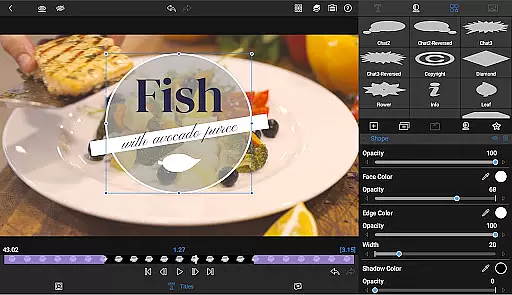
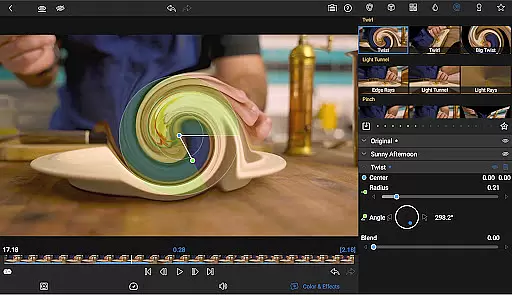
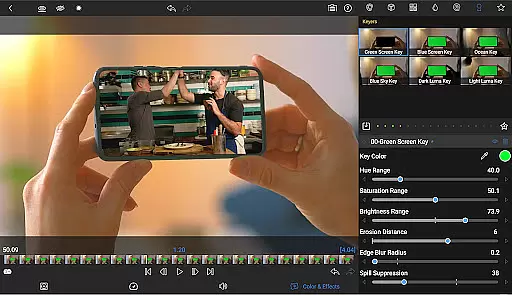
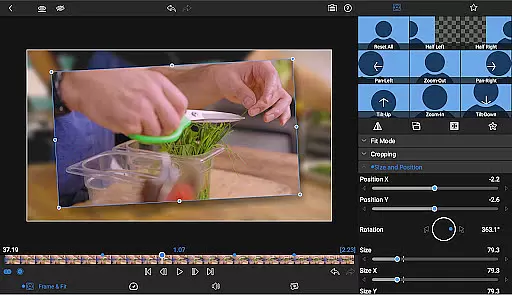
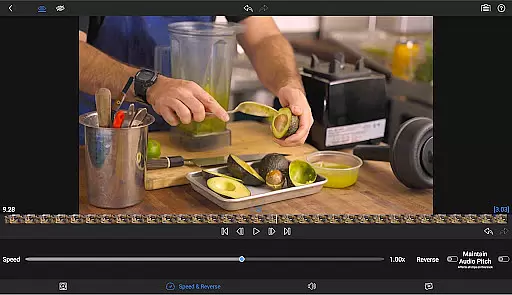
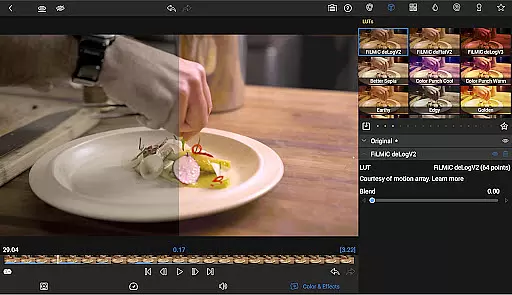
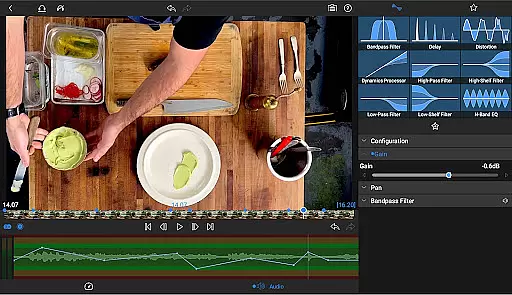
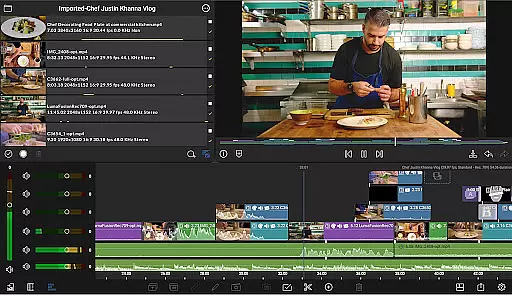
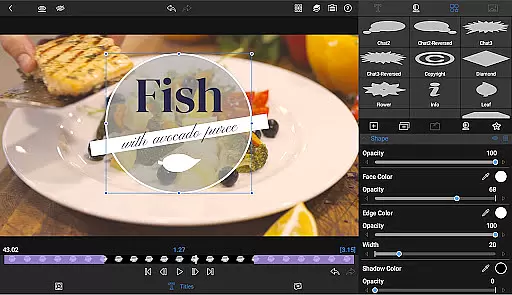
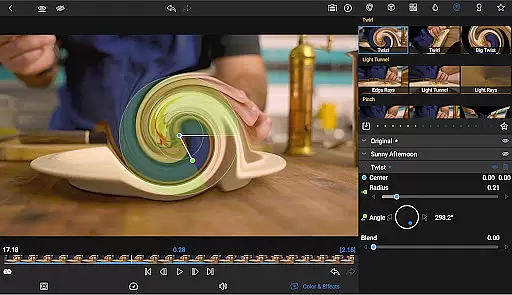
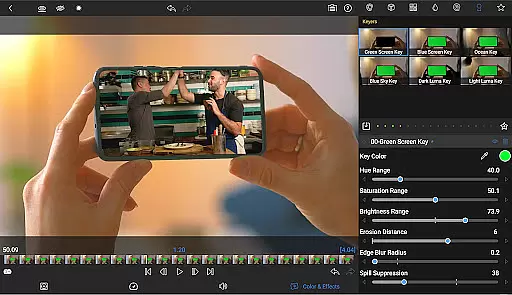
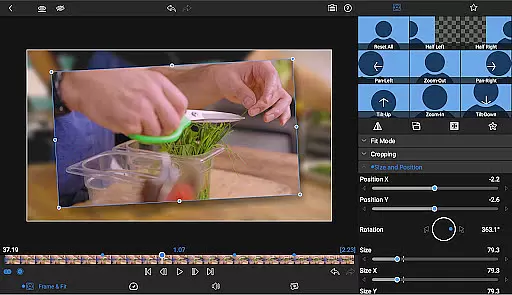
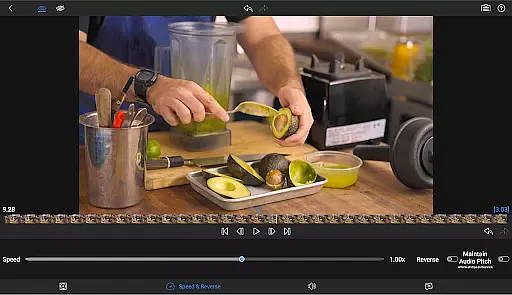
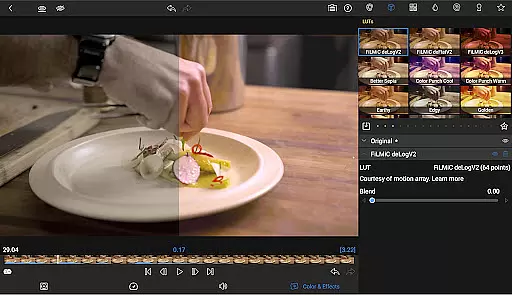
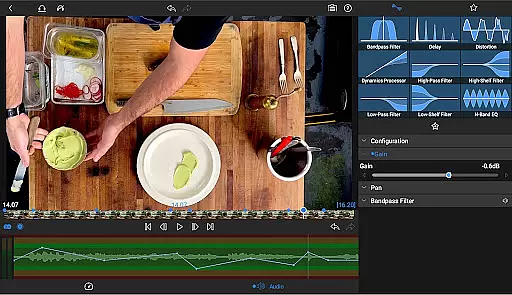
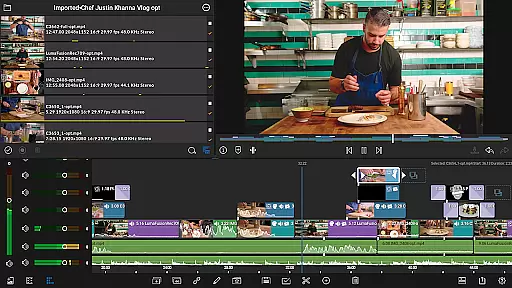
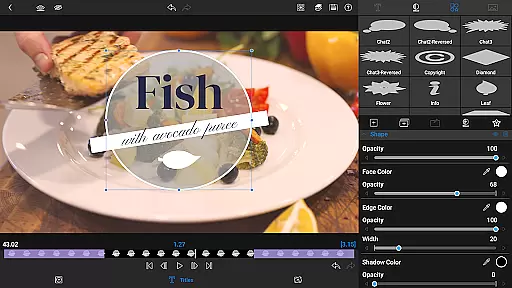
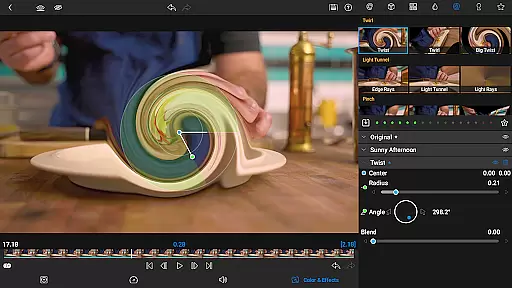
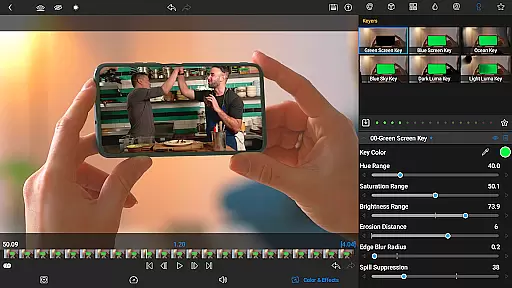
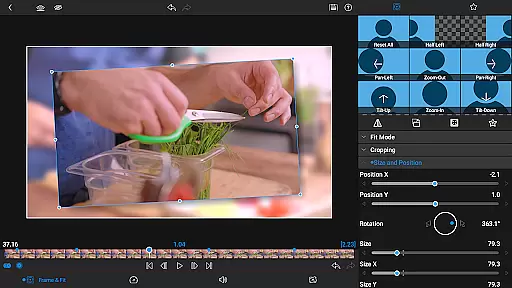

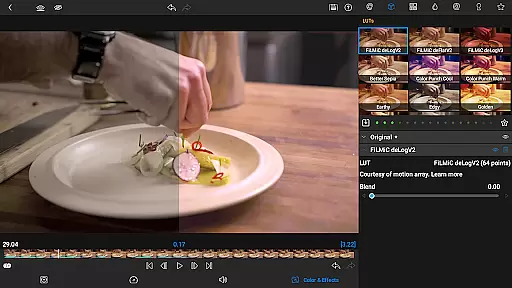
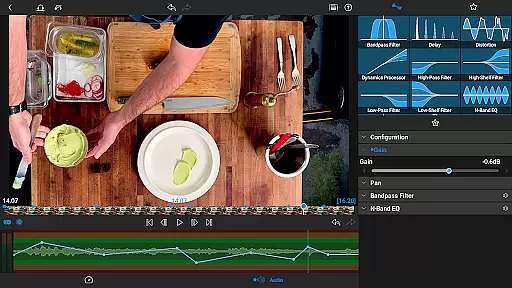
LumaFusion is the gold standard for storytellers, offering a fluid, intuitive touch-screen editing experience. With professional editing tools, it allows creators to work on up to six video-with-audio or graphic tracks and six additional audio-only tracks, handling media up to 4K with ease. The app's flexible timeline, layered effects, and advanced audio controls make it ideal for producing high-quality video content.
Designed for both mobile and tablet use, LumaFusion supports creative compositing, color correction, and multilayer text options. Its project flexibility and extensive media library integration enable editors to seamlessly switch between devices and access content from various sources. Whether crafting social media clips or cinema-grade films, LumaFusion provides all the necessary tools in one comprehensive package.
LumaFusion stands out with its professional-grade features tailored for video editors. It offers a unique combination of track-based and magnetic timelines, providing smooth media handling and precise editing capabilities. Editors can utilize green screen, luma, and chroma keys alongside powerful color correction tools, ensuring every frame matches their creative vision.
The app excels in audio control, featuring graphic EQ, parametric EQ, and keyframe adjustments for seamless sound mixing. Additionally, its multilayer text options allow users to design eye-catching titles with customizable fonts and effects. With support for speed ramping, Bézier curves, and advanced keyframing available via in-app purchase, LumaFusion empowers creators to produce dynamic, visually stunning videos.
Video format compatibility is a crucial feature for any video editing application, and LumaFusion excels in this area. The app supports a wide range of video formats, allowing creators to import and edit media without worrying about conversion issues. This flexibility ensures that users can work with footage from various sources, including professional cameras, smartphones, and stock video libraries.
LumaFusion's robust handling of different file types extends beyond just basic support. The application maintains high-quality rendering throughout the editing process, regardless of the original format. This means that whether you're working with 4K footage or older HD clips, the integrity of your video remains intact, providing consistently excellent output quality.
The app also enables direct editing from USB-C drives and cloud storage services, streamlining the workflow for content creators who need to access large video files. This feature significantly reduces preparation time before editing sessions and allows for more efficient project management across multiple devices. With LumaFusion's comprehensive format support, editors can focus on their creative vision rather than technical limitations.
While LumaFusion primarily focuses on professional-grade manual editing tools, it incorporates several intelligent features that enhance the editing process through advanced technology. These AI-powered capabilities help streamline workflows and improve efficiency without compromising creative control. One notable example is the automatic audio ducking feature, which intelligently adjusts background music levels when dialogue is present.
The application's sophisticated keyframe animation system demonstrates another aspect of intelligent editing assistance. While not strictly AI-driven, the implementation of bu00e9zier curves and ease-in/ease-out functionality provides natural motion paths for titles and graphics. These features enable creators to produce professional-looking animations with minimal effort, saving valuable production time while maintaining high-quality results.
LumaFusion's integration with Storyblocks through the Creator Pass subscription offers access to millions of royalty-free assets, effectively leveraging AI curation to provide relevant media suggestions. Additionally, the app's advanced color correction tools and waveform analysis features incorporate intelligent processing elements that help editors achieve precise visual adjustments. These smart features complement traditional editing techniques, creating a powerful hybrid approach to video post-production.
Intuitive interface
Professional tools
Flexible timeline
Advanced audio controls
Extensive media support
Subscription required
Complex for beginners
High cost
Limited free features
Device compatibility issues

Auto video maker with music & exclusive filters. Video editing made simple.
 4.50
4.50
Connect 2 UVC devices for recording and broadcast video/audio stream
3.90
?100% FREE! Download & save videos? safely in this app. All formats supported.
4.60
Create & edit videos with AI
4.30
Capture images & record videos for USB Camera, Webcam, Microscopes, Endoscopes
3.80
All in one HD video downloader & player for multiple formats with full privacy
4.70
Flud is a simple and beautiful BitTorrent client for Android.
4.80
#1 Torrent App on Android ** No Ads Ever + Battery Saver **
4.80
Video&Drama Player All Format is a HD video player, music player
3.00
Pro video editor app for Instagram, edit video with song, AI, effect & slowmo.
4.80
Download Hub, easy and private way to download and enjoy your videos offline
4.80
Video Player - Unlimited features, 30 days money back guarantee.
4.60
Add date and time watermark to photos and videos
4.50
Browser for Fire TV to stream webvideos, online movies, livestreams in HD
4.40
This app was created to edit the metadata of music files.
4.20
HD video & music player - All format support with floating & PIP mode!
3.80
IPTV Player - Watch live TV from m3m & m3u8 playlist, stream IPTV on mobile
3.30
Mix with Virtual DJ directly from your phone or tablet !
3.10
Video player with powerful streaming playback and various convenient features.
2.10


User Reviews