
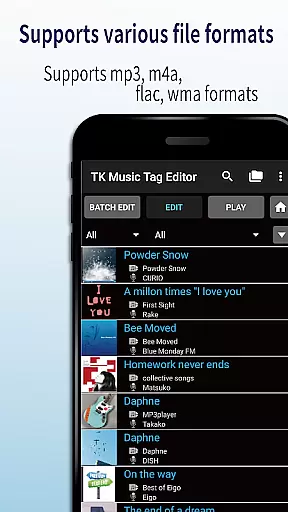
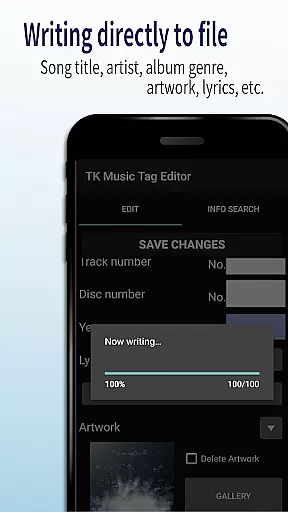
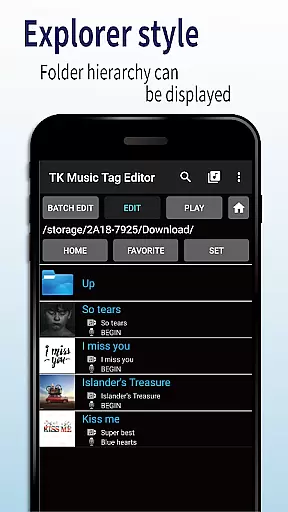
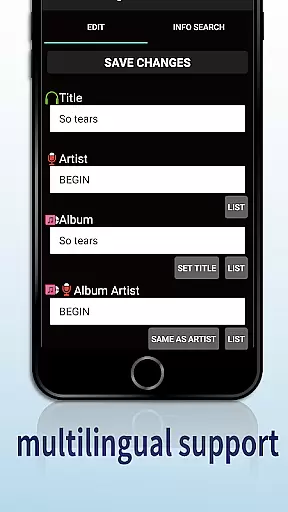
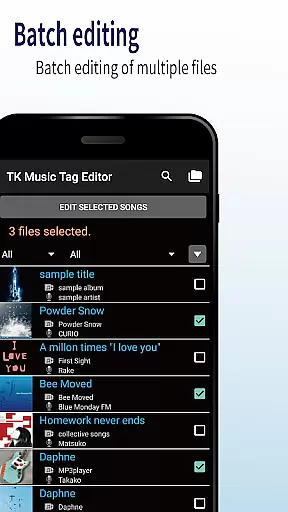
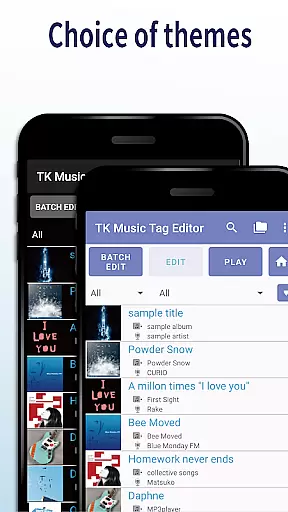
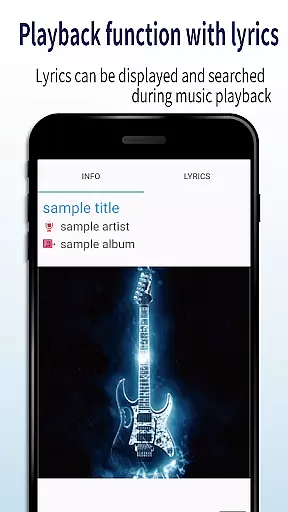
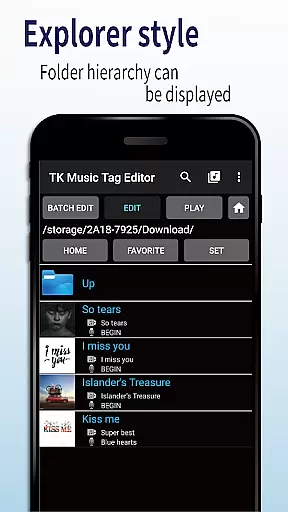
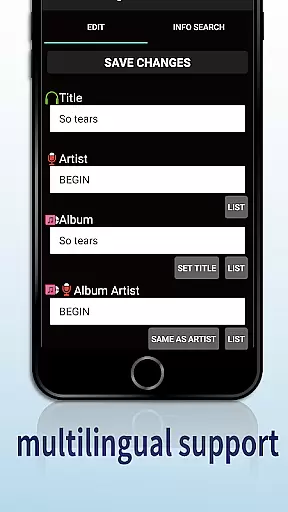
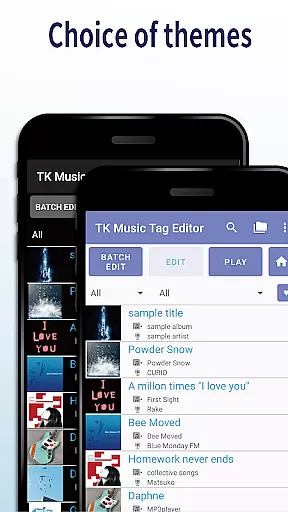
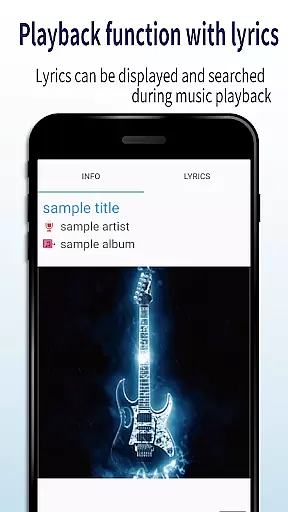
TK Music Tag Editor -Complete- is a comprehensive metadata editing tool designed specifically for music enthusiasts who need precise control over their audio files. This application allows users to directly modify essential metadata fields such as artist, album, cover art, and lyrics within mp3, m4a, flac, and wma files. The changes are written directly into the music files themselves, ensuring that the metadata remains intact regardless of the device or platform used to access the files.
In addition to basic tag editing, the app offers advanced features like simultaneous filename editing, which allows users to standardize their music library's file naming conventions. It also includes playlist creation capabilities, giving users the power to curate custom listening experiences. With support for multiple file formats and planned future enhancements, TK Music Tag Editor -Complete- is an indispensable tool for organizing and managing digital music collections.
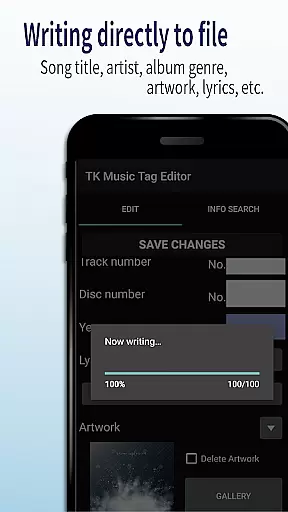
One of the standout features of TK Music Tag Editor -Complete- is its ability to write tags directly into music files. This ensures that all metadata modifications, including title, artist, album, and cover art details, remain permanently attached to the file itself. This functionality provides users with consistent metadata access across different devices and platforms.
The app also supports simultaneous editing of music filenames, allowing users to establish standardized naming conventions for their audio files. Additionally, it offers robust playlist creation tools that make it easy to build and manage custom playlists. With support for various file formats including mp3, m4a, flac, and wma, and the ability to detect and correct mislabeled file extensions, this application provides a comprehensive solution for all your music metadata editing needs.
Looking ahead, the developers plan to introduce additional editable metadata fields, further enhancing the app's already impressive feature set. These continuous improvements demonstrate the developer's commitment to providing users with the most versatile and powerful music tag editing tool available on the market today.
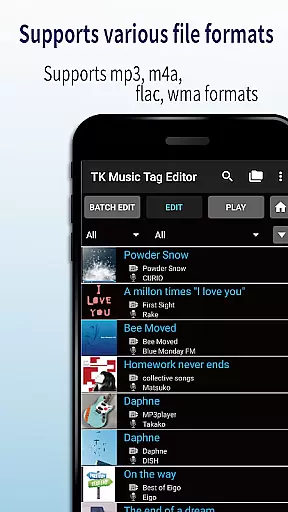
Video Players & Editors like TK Music Tag Editor -Complete- excel in video format compatibility, ensuring users can work with a wide range of file types. This app supports mp3, m4a, flac, and wma formats, making it versatile for various audio editing needs.
The application's ability to detect mp3 files with m4a formats and convert them to the correct .m4a extension showcases its robust compatibility features. This ensures that files are not only editable within the app but also universally accessible on any PC, enhancing cross-device usability.
By providing comprehensive support for different formats, users gain the flexibility to manage their audio libraries without format restrictions. This compatibility empowers creators and editors to focus on content refinement rather than technical limitations.
TK Music Tag Editor -Complete- incorporates AI-powered editing features that streamline metadata management for audio files. The app allows direct writing of tags such as title, artist, album, cover art, and lyrics into the music files themselves, ensuring metadata persistence across devices.
One innovative feature is the simultaneous editing of music filenames, enabling users to customize filenames based on song attributes. Additionally, the playlist creation functionality leverages AI to simplify the organization of music libraries, allowing users to curate personalized listening experiences effortlessly.
These intelligent editing capabilities reduce manual effort and enhance accuracy, making metadata management more efficient. Users benefit from an intuitive editing process that maintains data integrity and improves overall workflow productivity.
User-friendly interface
Comprehensive format support
Direct file writing
Playlist management
Filename editing
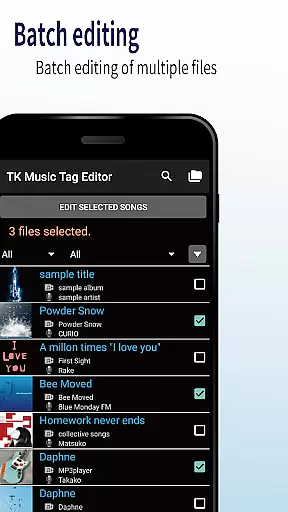
No batch editing
Limited advanced options
Occasional bugs
Interface not modern
Learning curve

Auto video maker with music & exclusive filters. Video editing made simple.
 4.50
4.50
Video Player - Unlimited features, 30 days money back guarantee.
4.60
Save photos and videos from social apps in one tap.
3.60
Watch a large amount of high-definition short drama content
4.60
Live TV, anywhere in your home
3.80
Play and download HD videos from all sources — fast, simple, and all-in-one.
4.1
#1 Torrent App on Android ** No Ads Ever + Battery Saver **
4.80
Browser for Fire TV to stream webvideos, online movies, livestreams in HD
4.40
Viddo: Generate Action Figure, AI Anime, AI kiss, AI hug Video from image & text
4.40
Download Hub, easy and private way to download and enjoy your videos offline
4.80
Download videos and play them offline
4.70
?100% FREE! Download & save videos? safely in this app. All formats supported.
4.60
Search & download videos from net with all video downloader, auto-detect & safe.
4.60
Cast to Chromecast, Xbox, Fire Stick, Roku, DLNA, Smart TV & No Feature Limited!
4.50
Photo and Music Video Creator into Stunning Videos—Effortlessly
4.40
VLC for Android is the best open source video and music player, fast and easy!
4.10
Livestream, news, & gaming content. Watch, chat, and upload. Join Rumble today!
3.80
Kodi media center, a free and open source cross-platform entertainment hub
3.60
Mix with Virtual DJ directly from your phone or tablet !
3.10


User Reviews