


MX Player is a powerful video and music player designed for Android devices, offering advanced hardware acceleration and comprehensive subtitle support. With features like the HW+ decoder, it ensures smooth playback even for high-resolution videos.
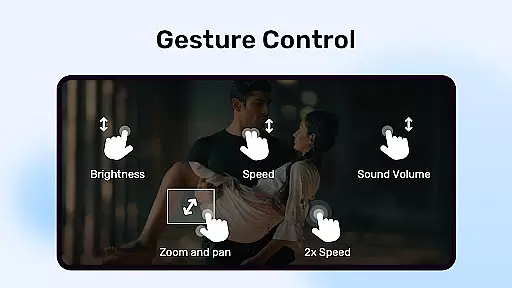
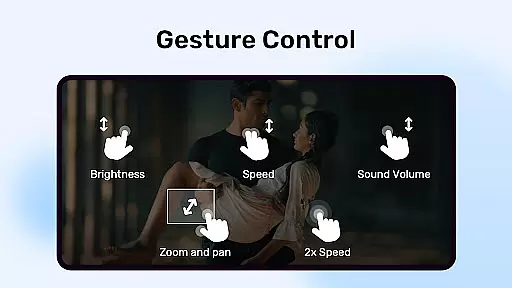
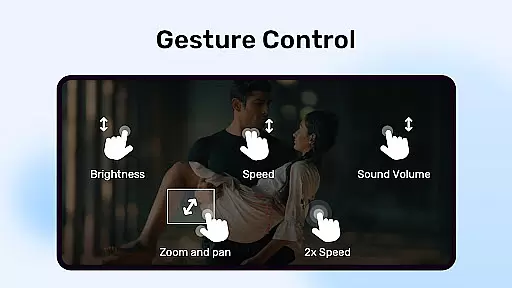
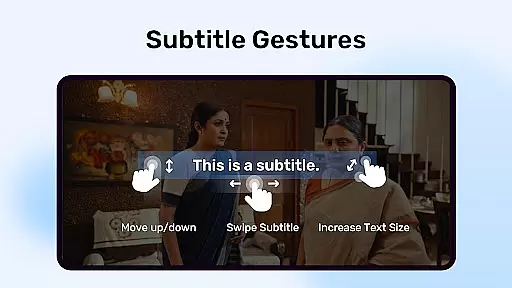
The app stands out with multi-core decoding, which significantly boosts performance on multi-core devices by up to 70%. It also provides user-friendly controls such as pinch-to-zoom, zoom and pan options, and intuitive subtitle gestures, making it versatile for various viewing preferences.
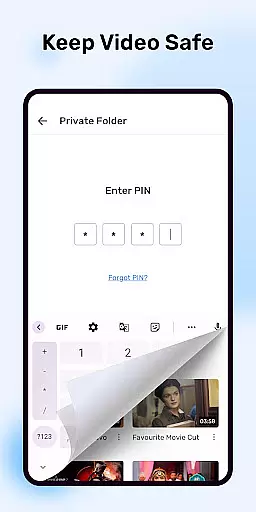
Perfect for users who need both functionality and privacy, MX Player includes a Privacy Folder feature to hide personal videos. Its Kids Lock feature allows parents to let children watch cartoons safely without accessing other apps or making accidental calls.
MX Player boasts an array of sophisticated features tailored for an enhanced media experience. The inclusion of hardware acceleration through the new HW+ decoder allows more video formats to be played smoothly, while multi-core decoding optimizes performance on modern devices.
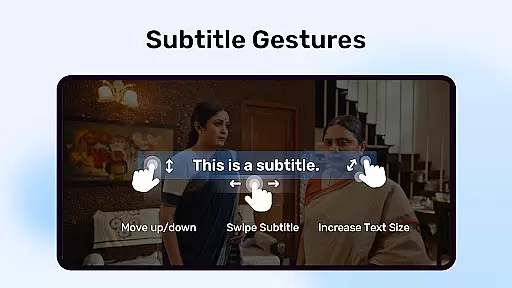
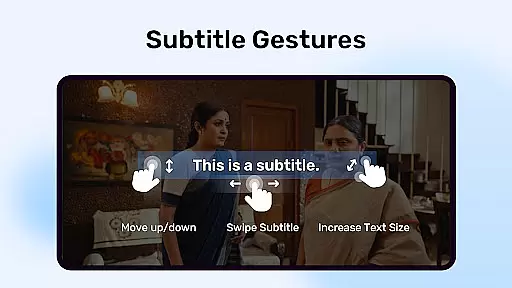
User experience is further enriched with interactive controls such as pinch-to-zoom and swipe gestures, alongside advanced subtitle handling that supports numerous formats including SubStation Alpha, SAMI, and SubRip. These ensure precise customization of how subtitles are displayed.
Additional standout features include the Privacy Folder for securing private content and the Kids Lock mode, which safeguards children's viewing experience. Such innovations not only cater to diverse user needs but also reinforce MX Player’s position as a top-tier multimedia application.
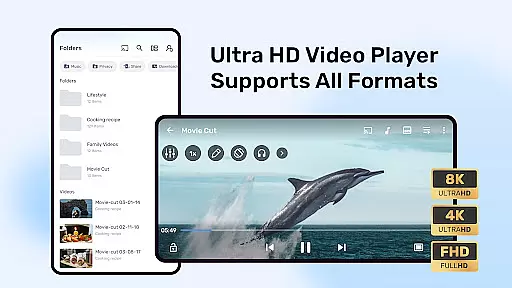
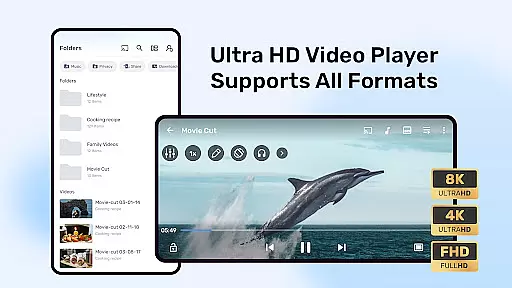
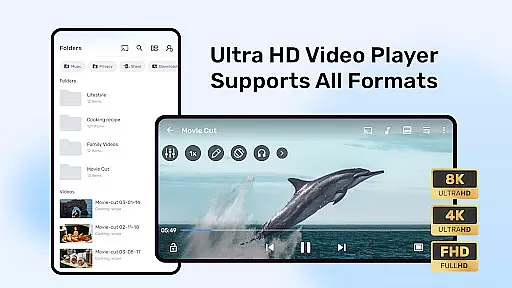
MX Player stands out with its extensive video format compatibility, ensuring users can play nearly any video file they encounter. The app supports a wide array of formats including but not limited to AVI, MKV, MP4, and FLV.
This versatility is powered by advanced hardware acceleration and multi-core decoding, which not only broadens the range of supported formats but also enhances playback performance on multi-core devices by up to 70% compared to single-core ones.
Users benefit from seamless playback without the need for prior conversion or additional codecs, making it an ideal choice for those who handle various video types regularly.
The inclusion of specialized decoders like HW+ further extends this capability, allowing MX Player to tackle more challenging video files with ease while maintaining smooth playback.
While primarily known for its playback capabilities, MX Player also incorporates AI-powered features that enhance user interaction with media content. These smart functionalities include intuitive gesture controls for subtitles, allowing users to scroll, zoom, and adjust text size effortlessly.
The app's pinch-to-zoom and pan feature is another example of intelligent design, enabling viewers to focus on specific parts of a scene without losing video quality. This level of control is particularly beneficial during detailed or fast-paced sequences.
Additionally, the Kids Lock feature demonstrates thoughtful integration of AI by intelligently restricting access to other apps while children are using the player, ensuring a safe and contained entertainment environment.
These AI-driven enhancements collectively contribute to a more engaging and personalized viewing experience, setting MX Player apart in the realm of video players and editors.
Advanced hardware acceleration
Multi-core decoding support
Comprehensive subtitle support
User-friendly gesture controls
Privacy protection features
Occasional compatibility issues
Ads in free version
Complex permission requirements
Limited iOS availability
Heavy resource usage

HD Video player all format, HD Videos, Cast & Subtitle. No annoying ads.
 4.60
4.60
Your media, on your terms.
4.10
High-Quality USB Camera Viewer & HDMI Display
4.70
AI Video Editor:AI Music, Text to Video,Text to Speech,Auto Caption,Video Effect
4.00
Manage your IPTV live channels and VOD playlists (no playlist included)
3.80
All in one multi protocols stream receiver for AirPlay, Cast and DLNA.
3.60
Flud is a simple and beautiful BitTorrent client for Android.
4.80
Browser for Samsung TV to stream webvideos, online movies and livestreams in HD
4.10
AI Video Editor with Music, Filter, Slideshow, Effect, Merge & Trim Video.
4.80
Pro video editor app for Instagram, edit video with song, AI, effect & slowmo.
4.80
An easy-to-use and all-round screen recorder with audio
4.80
All in one HD video downloader & player for multiple formats with full privacy
4.70
Find, download, and play torrents with the official BitTorrent® Pro app
4.70
A Simple app to download Video & Music from the Internet.
4.70
Download website videos fast&privacy
4.40
1)AirPlay/DLNA Mirroring/Streaming, up to 4 connections; 2)Samba/NAS/DMS Player.
4.00
Stream Web Videos to Chromecast, Samsung, LG, Sony, Roku, Fire TV, DLNA + more
4.00
Fast private browser with secure, seamless access & supported video downloads!
4.00
Powerful HD video player with support for all formats & subtitles.
4.1


User Reviews