
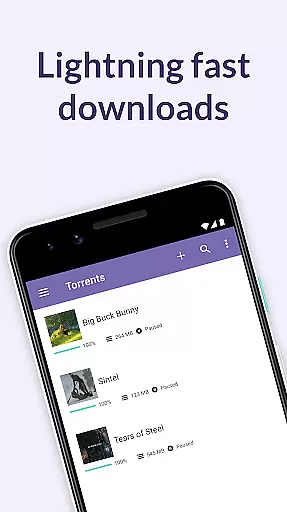
BitTorrent Pro is an advanced torrent client designed specifically for Android users who require efficient and uninterrupted downloading capabilities. As the world's leading torrent client, it offers a seamless experience for downloading and managing torrent files directly on mobile devices. The app stands out with its ad-free interface, ensuring a clutter-free environment while downloading media files.
This application is ideal for users who wish to download torrents without being tethered to their desktop computers. With features like battery saver and auto-shutdown, BitTorrent Pro ensures optimal device performance even during extensive download sessions. Whether you're downloading music, videos, or other large files, this app provides a reliable solution for managing your media needs on the go.
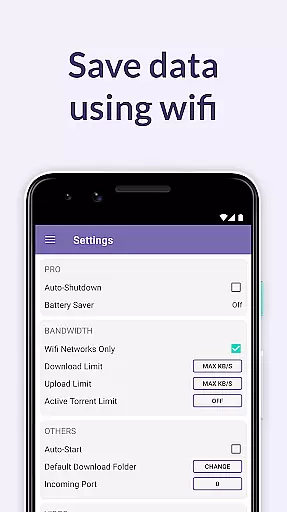
BitTorrent Pro boasts an array of sophisticated features tailored for avid torrent users. One of its standout functionalities is the battery saver mode, which intelligently suspends torrent activities when the device's battery falls below a certain threshold. Additionally, the auto-shutdown feature helps conserve both battery life and data usage by halting torrent operations once downloads are complete and the app is running in the background.
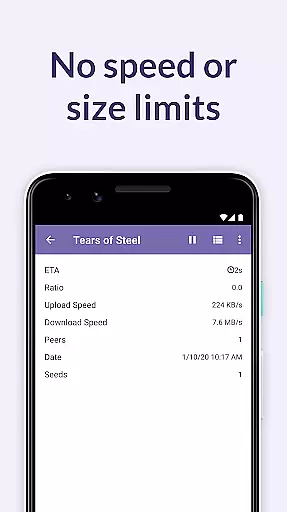
The app also offers a clean and intuitive user interface, making navigation effortless. Users can take advantage of the WiFi-only mode to prevent excessive mobile data consumption. Furthermore, BitTorrent Pro supports unlimited download speeds and sizes, providing unparalleled flexibility. Integrated music and video libraries allow for easy access and playback of downloaded media, enhancing the overall user experience.
BitTorrent Pro stands out in video format compatibility, ensuring users can download and play a wide range of video files without hassle. The app supports virtually all popular video formats, allowing you to enjoy your media on the go without worrying about conversion or compatibility issues.
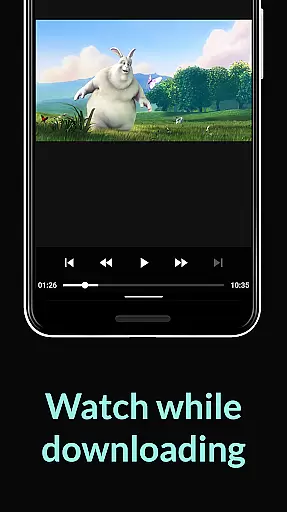
The integrated video player within BitTorrent Pro enhances the playback experience by offering smooth streaming and playback options. This feature eliminates the need for additional video players, as you can directly access and watch your downloaded content within the app. Whether it's MP4, AVI, or MKV files, BitTorrent Pro handles them all with ease.
Moreover, the app provides easy access to your media through integrated music and video libraries. This organization simplifies navigation and ensures that your downloaded videos are readily available for viewing. With no speed limits and no size limits, you can download large video files and enjoy uninterrupted playback.
By supporting a broad spectrum of video formats and providing an integrated player, BitTorrent Pro delivers a seamless media consumption experience. Users benefit from the flexibility to download and watch various video content types, making it an ideal choice for those who value convenience and versatility in their mobile video players.
While BitTorrent Pro focuses primarily on torrent downloading and media playback, its AI-powered editing features add an extra layer of functionality for users looking to manage their media files efficiently. Although not a traditional video editor, the app incorporates intelligent tools that enhance file management and organization.
One notable feature is the ability to select specific files to download within a torrent, minimizing storage footprint and optimizing download efficiency. This smart selection process uses AI algorithms to analyze and prioritize files based on user preferences and available storage space. By choosing only the necessary files, users can maintain an organized media library without cluttering their device.
Additionally, BitTorrent Pro offers improved download performance and stability through advanced technologies like Canonical Peer Priority. These innovations reduce the hop length between peers in the torrent swarm, resulting in faster downloads and more reliable connections. The app continuously updates its core torrenting technology to maximize performance and provide users with the best possible experience.
Although BitTorrent Pro may not offer traditional video editing capabilities, its intelligent file management and enhanced download features demonstrate how AI can improve overall media handling. Users benefit from optimized storage usage, faster downloads, and a streamlined media management process, making it a valuable tool for managing digital content on mobile devices.
No banner advertisements
Advanced battery management
Auto-shutdown functionality
Unlimited download speeds
Integrated media players
Paid subscription required
Limited free features
Occasional connectivity issues
High battery usage
Large app size

A full editing room to accompany your Insta360 cameras and handheld gimbals.
 3.30
3.30
Snaptubè Video Downloader app allows to download videos and music in Snaptube. .
4.60
KMPlayer Plus (Divx Codec) officially support Divx codec.
4.30
An easy-to-use and all-round screen recorder with audio
4.80
Video Downloader, Multiple Resolution Options, Video Player
4.50
All in one multi protocols stream receiver for AirPlay, Cast and DLNA.
3.60
The essential companion to your Blue Iris PC software
2.50
Browser + Remote for Roku to stream webvideos, online movies and livestreams
4.60
convenient, safe and fast at Video Downloader & Player
4.60
Video Trimmer, Video to MP3 Converter. Extract music from video, Easy & Fast.
4.80
A Quick and Pro Video Editor
4.70
High-Quality USB Camera Viewer & HDMI Display
4.70
Cast Videos from Web Browser, IPTV to Roku, Chromecast, DLNA, Smart TV +more
4.60
Seamlessly connect and control your smart devices, anytime, anywhere with ease.
4.60
Cast movies, tv shows and live streams to Chromecast, Roku, DLNA, Fire TV & more
4.60
Download website videos fast&privacy
4.40
Cast to Smart TV, Fire TV. Cast video, photo - Fast & Stable!
3.90
Kodi media center, a free and open source cross-platform entertainment hub
3.60
Stream high quality video from your camera over NDI protocol
4.5


User Reviews