
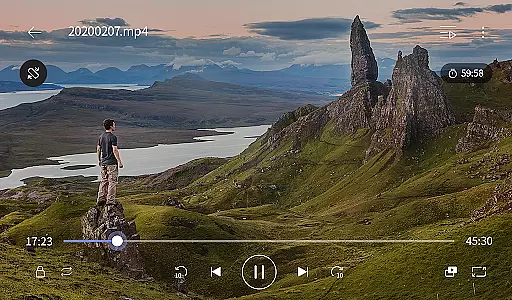
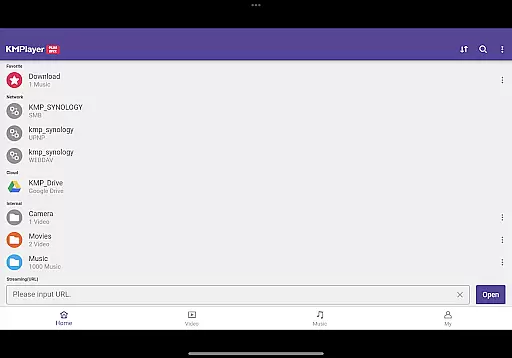
KMPlayer Plus (Divx Codec) is an advanced video player designed for users who need extensive codec support and premium playback features. This app supports a wide range of video formats including AVI and MKV files encoded with Divx codecs like DXMF, DX50, DIVX, DIV4, DIV3, and MP4V. With its powerful functionality, users can enjoy high-definition video playback ranging from HD to 8K resolution.
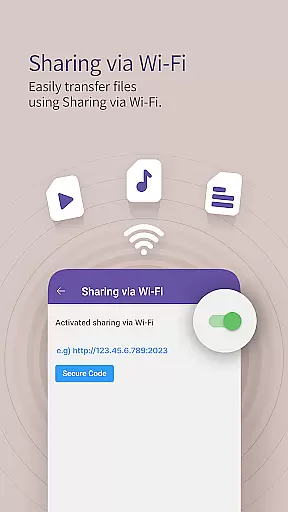
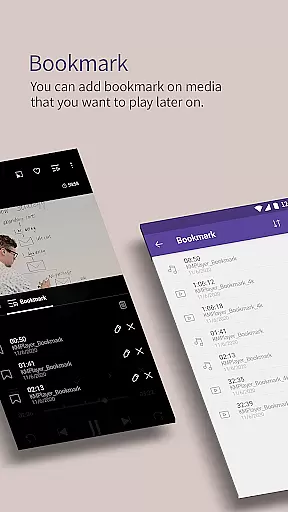
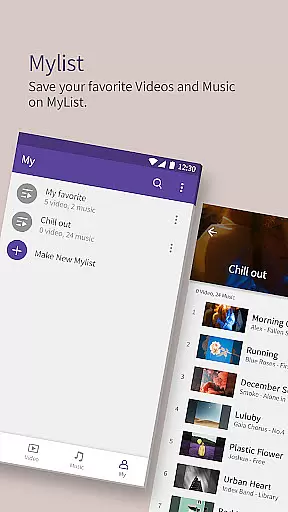
The application offers various customization options such as color adjustment, zooming, section repeat, and video inversion. Additionally, users can take advantage of practical features like bookmarking, popup play, equalizer settings, and speed control. Whether you are managing playlists or streaming online content, KMPlayer Plus ensures a seamless experience across multiple devices through Wi-Fi sharing, cloud integration, and external storage support.
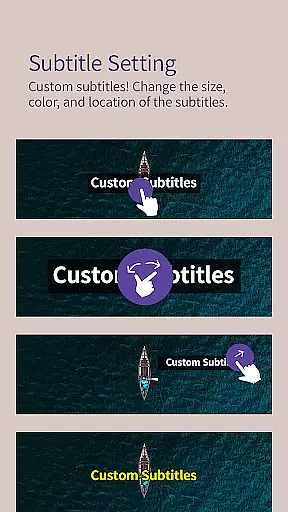
KMPlayer Plus stands out with its comprehensive feature set tailored for both casual viewers and tech-savvy users. The media player function includes advanced options like bookmarking specific playback positions, adjusting video colors, zooming capabilities, and customizable subtitles. Users can also benefit from unique functionalities such as section repeats, mirror mode, and timer functions that enhance viewing flexibility.
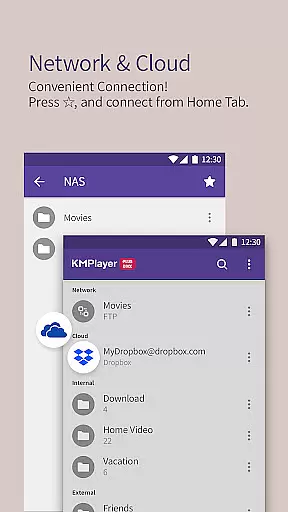
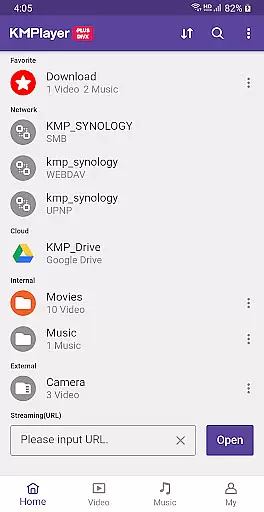
Beyond basic playback, KMPlayer Plus offers network connectivity features including FTP, UPNP, SMB, and WebDAV protocols for private server connections. Cloud services like Dropbox and OneDrive are supported, allowing users to stream their stored content directly. Moreover, the VIP subscription unlocks exclusive tools like torrent client, video cropping, audio editing, GIF creation, and MP3 conversion, providing an all-in-one multimedia solution.
One of the most crucial aspects of any video player is its ability to support a wide range of video formats. KMPlayer Plus (Divx Codec) excels in this area by officially supporting Divx codec, making it versatile for users with diverse video file types.
The application supports various codecs including DXMF, DX50, DIVX, DIV4, DIV3, and MP4V for Avi and MKV files. This extensive codec support ensures that users can play most of their video files without the need for additional software or conversions.
Moreover, KMPlayer Plus provides clarity on unsupported codecs like DTS, EAC3, and TrueHD, helping users manage their expectations and understand the limitations. By listing both supported and unsupported codecs, the app empowers users to make informed decisions about their media consumption.
This comprehensive codec support translates into a seamless user experience, allowing individuals to enjoy their media collections without technical hindrances. Whether you're watching HD, 4K, or even 8K videos, KMPlayer Plus ensures high-definition playback across supported formats.
In today's digital age, having access to advanced editing features can significantly enhance the video viewing experience. KMPlayer Plus (Divx Codec) incorporates AI-powered functionalities that cater to both casual viewers and tech-savvy users.
Among these features are color adjustment options that allow users to modify brightness, contrast, hue, saturation, and gamma settings. Such capabilities ensure that viewers can customize their experience to match their preferences or compensate for suboptimal source material.
Additionally, the app offers innovative tools like section repeat, video inversion, and speed control ranging from 0.25 to 4 times the original playback speed. These functions provide users with unprecedented control over how they consume content, whether they're learning new skills, practicing language listening, or simply enjoying media at their preferred pace.
KMPlayer Plus also includes practical utilities such as subtitle settings, timer functions, and equalizer options for optimizing audio quality. These AI-driven enhancements collectively create a more engaging and personalized entertainment environment, setting KMPlayer Plus apart from conventional video players.
Extensive codec support
High-definition playback
VIP exclusive features
Cloud integration
User-friendly interface
Limited free trial
Premium features locked
Subscription required
Complex settings
Occasional bugs

Fast, private downloading, video saving, social media
 4.50
4.50
Powerful, professional, versatile teleprompter. Developed by an active film crew
4.00
Search & download videos from net with all video downloader, auto-detect & safe.
4.60
Full HD Video mp3 Player, MP4 player play 1080p, File manager, Video Downloader
4.40
Powerful HD video player with support for all formats & subtitles.
4.0
All format media Player, no need video converter any more!
4.00
Fast & Private Video Downloader App. Save all videos easily from the Internet.
4.40
All in one multi protocols stream receiver for AirPlay, Cast and DLNA.
3.60
Photo editor & video maker with music and slideshows.
4.10
Support 1000+ Video Format, Subtitle Download, mp3 & Background Play, Cast On TV
4.60
Viddo: Generate Action Figure, AI Anime, AI kiss, AI hug Video from image & text
4.40
Create & edit videos with AI
4.30
This app was created to edit the metadata of music files.
4.20
Powerful video player with advanced hardware acceleration and subtitle supports
4.20
LumaFusion: The Ultimate Storytelling Experience for Video Editing
4.10
Stream Web Videos to Chromecast, Samsung, LG, Sony, Roku, Fire TV, DLNA + more
4.00
Connect EasyCap or UVC devices for recording and broadcast video/audio stream
3.60
Browser for Sony TV to stream web videos, online movies and live tv
3.20
Client application for NextPVR software
3.00


User Reviews