
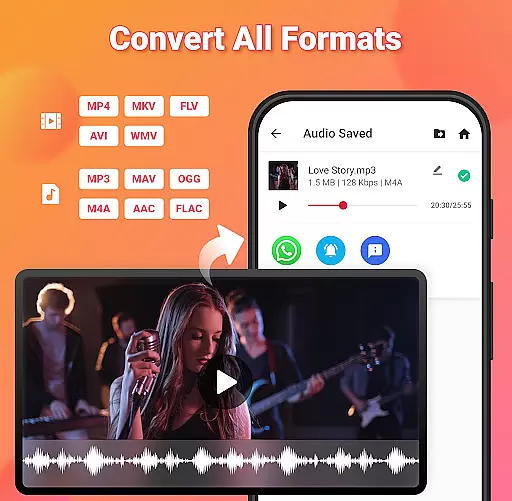
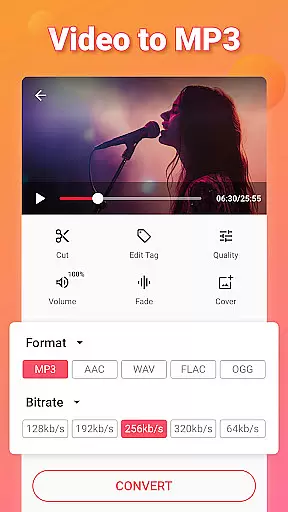
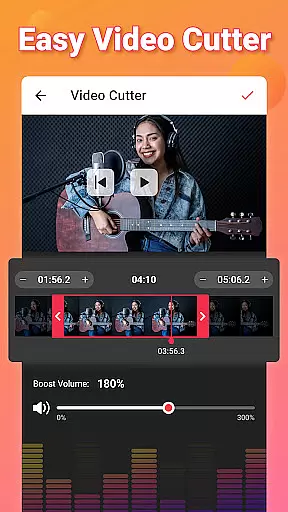
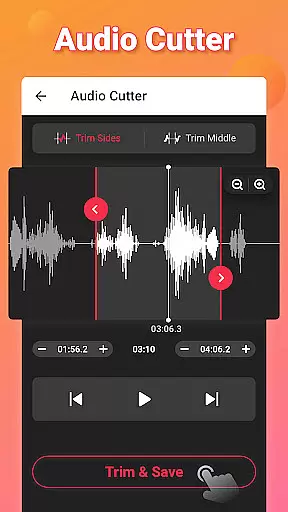
Video to MP3 is a versatile media converter that allows users to convert video files to high-quality audio formats quickly and easily. The app supports batch conversion, enabling users to process up to 15 videos at once, while offering various output options including MP3, AAC, and M4A. With additional features like video trimming, audio merging, and sound boosting, it provides an all-in-one solution for managing multimedia content.
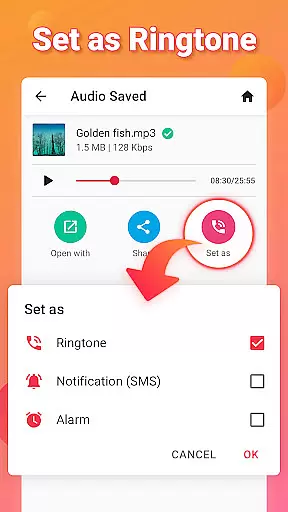
Beyond basic conversion, the app includes advanced editing tools such as fade-in and fade-out effects, bitrate customization, and metadata tagging for audio files. Users can also create personalized ringtones and notification sounds, making it a practical tool for both casual and professional use. Its compatibility with multiple file formats ensures seamless performance across different devices and platforms.
Whether you're looking to extract music from videos or edit audio files, Video to MP3 delivers a streamlined experience with its intuitive interface and robust functionality. By combining speed, flexibility, and ease of use, this app proves to be an essential tool for anyone seeking efficient media management solutions.
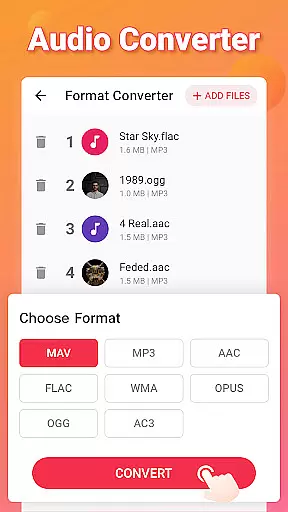
Video to MP3 stands out with its comprehensive suite of features designed to handle diverse multimedia tasks. One of its core capabilities is the ability to convert videos into multiple audio formats, supporting popular extensions like MP3, WAV, and FLAC. This ensures maximum compatibility across devices while maintaining high audio quality throughout the conversion process.
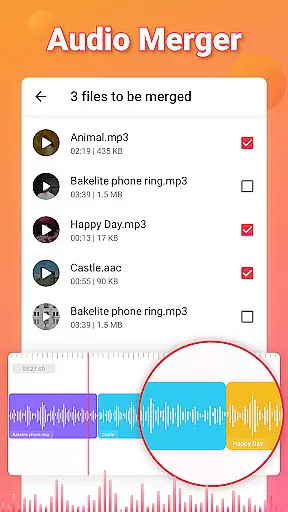
In addition to format conversion, the app offers specialized tools for precise editing. Users can trim and cut video clips, merge separate audio tracks, and apply sound enhancement features such as volume boosting. Advanced options like fade effects, bitrate adjustments, and album art embedding provide further customization, allowing users to tailor their audio files to specific preferences. These functionalities make the app suitable for creating professional-grade content or personal projects alike.
The app's support for batch processing significantly enhances productivity by enabling simultaneous conversions of multiple files. Moreover, its user-friendly design simplifies navigation, ensuring that even beginners can utilize its full potential without a steep learning curve. With these innovative features, Video to MP3 establishes itself as a reliable choice for efficient media handling.
Video to MP3 stands out with its extensive video format compatibility, ensuring users can convert nearly any video file to audio. The app supports a wide array of video formats including MP4, MKV, FLV, AVI, and WMV, making it versatile for various user needs.
This broad compatibility is crucial for users who work with different video sources, allowing them to focus on content creation rather than format limitations. Whether you're converting videos from social media, recorded meetings, or personal footage, Video to MP3 handles the technical aspects seamlessly.
The application's ability to convert multiple files simultaneously further enhances its utility. Users can batch process up to 15 videos at once, significantly reducing waiting time and increasing productivity when working with large media collections.
Moreover, the app maintains high conversion quality across all supported formats, ensuring that the resulting audio files retain their original clarity and impact. This consistency in performance makes Video to MP3 an essential tool for anyone needing reliable video-to-audio conversion.
Beyond basic conversion, Video to MP3 incorporates advanced AI-powered editing features that elevate it above standard video converters. The app's intelligent algorithms enable precise cutting and trimming of both video and audio files, allowing users to extract exact segments they need with frame-perfect accuracy.
The AI-driven sound enhancement feature automatically optimizes audio quality during conversion. This includes volume normalization and optional sound boost functionality, ensuring consistent audio levels across different files without manual adjustment.
Additional smart editing tools include fade-in and fade-out effects, automatic bitrate optimization, and intelligent format conversion suggestions based on the source material. These features work together to streamline the editing process while maintaining professional-grade output quality.
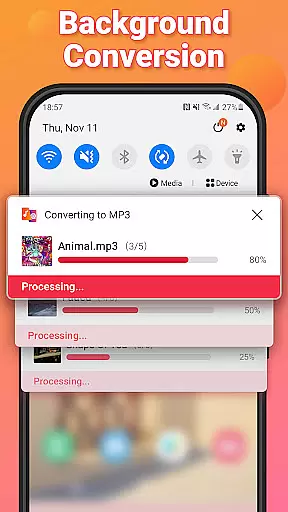
Furthermore, the app's background processing capability, powered by efficient AI management, allows these complex editing operations to run smoothly without noticeable performance impact on the device. This ensures that even older devices can handle sophisticated media processing tasks effectively.
User-friendly interface
Fast batch conversion
High-quality audio output
Wide format compatibility
Free to use
Limited advanced editing
No cloud integration
Ads in free version
Occasional bugs
Basic video editing

Snaptubè Video Downloader app allows to download videos and music in Snaptube. .
 4.60
4.60
Search & download videos from net with all video downloader, auto-detect & safe.
4.60
KineMaster, Your Ultimate Video Editor!
4.40
1)AirPlay/DLNA Mirroring/Streaming, up to 4 connections; 2)Samba/NAS/DMS Player.
4.00
Fast & easy HD video downloader for all formats, support 4K playback & download.
4.60
Mix with Virtual DJ directly from your phone or tablet !
3.10
Livestream, news, & gaming content. Watch, chat, and upload. Join Rumble today!
3.80
Download Hub, easy and private way to download and enjoy your videos offline
4.80
Viddo: Generate Action Figure, AI Anime, AI kiss, AI hug Video from image & text
4.40
Pro video editor app for Instagram, edit video with song, AI, effect & slowmo.
4.80
GENRAL PRO - General Pro is the best video player that fully supports all formats.
4.70
Find, download, and play torrents with the official BitTorrent® Pro app
4.70
A Simple app to download Video & Music from the Internet.
4.70
Video Player - Unlimited features, 30 days money back guarantee.
4.60
Cast movies, tv shows and live streams to Chromecast, Roku, DLNA, Fire TV & more
4.60
Add date and time watermark to photos and videos
4.50
All format media Player, no need video converter any more!
4.00
Live TV, anywhere in your home
3.80
Download videos easily & play them all in one smart, powerful video manager.
3.40


User Reviews