
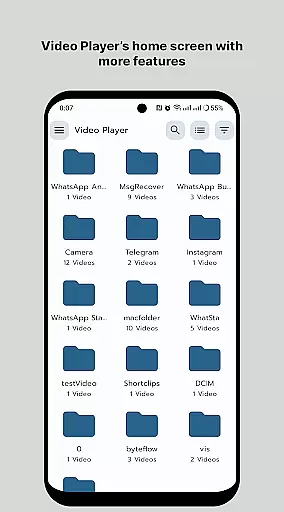
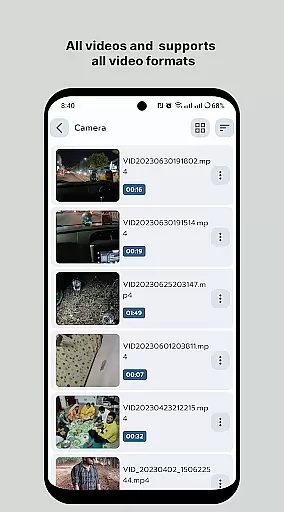
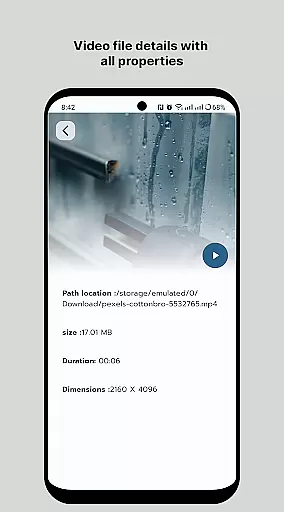
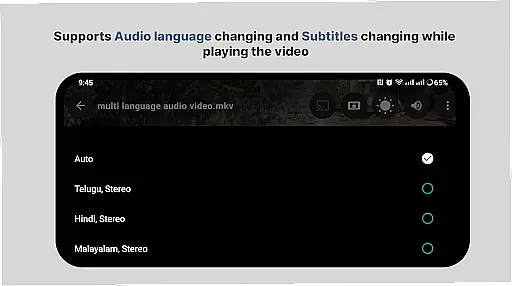
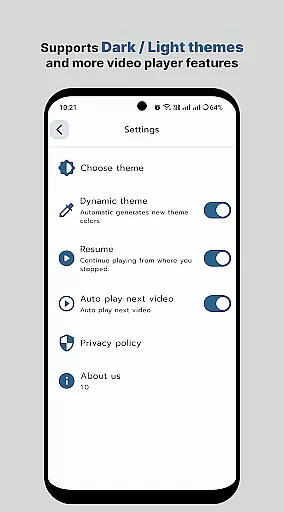
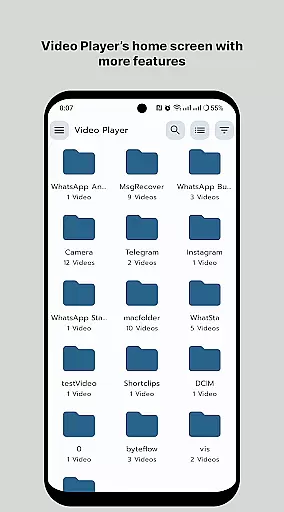
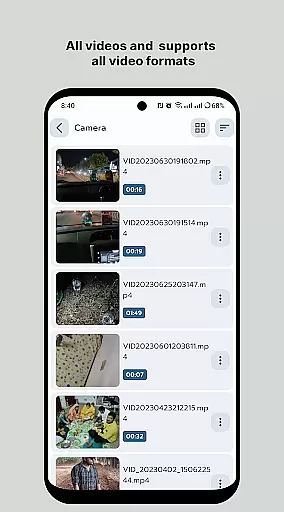
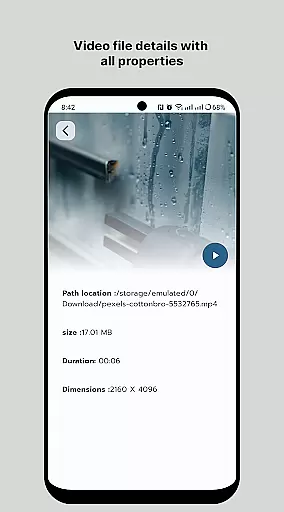
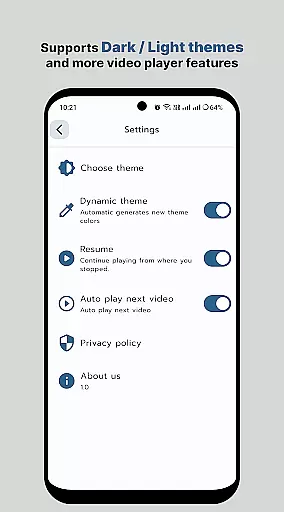
HD Video Player All Format is a versatile video player for Android devices, offering support for all popular video formats including 4K and ultra HD resolutions. The app stands out with its smooth playback capabilities, subtitle support, and an ad-free experience. Designed for both smartphones and tablets, it ensures high-quality video playback with advanced features like multi-track audio, smart media library organization, and aspect-ratio adjustments.
This video player is optimized for performance, providing users with quick start times and efficient file handling. Its intuitive interface allows easy navigation while supporting professional-grade functionalities such as gesture controls for volume and brightness, playback speed adjustments, and folder browsing. Whether you're watching movies or managing video files, this app delivers a seamless experience tailored to meet the needs of all users.
Perfect for anyone seeking a reliable media player, HD Video Player All Format enhances your viewing experience by combining powerful technical features with user-friendly design. From playing high-resolution videos to organizing your media library, this app provides everything needed to enjoy multimedia content on Android devices.
HD Video Player All Format boasts an impressive array of features designed to elevate your video playback experience. One standout feature is its comprehensive format compatibility, supporting virtually all video file types, including 4K and ultra HD resolutions. This ensures that no matter what kind of video file you have, the app can handle it effortlessly while maintaining exceptional quality.
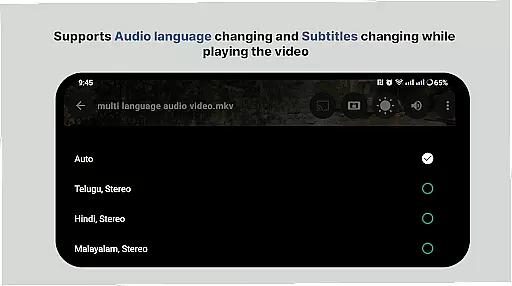
The app also includes advanced playback controls, such as adjustable playback speeds, multi-track audio options, and customizable subtitle settings. These tools allow users to tailor their viewing experience according to personal preferences. Additionally, the smart media library organizes your video files efficiently, making it easier than ever to locate and manage your content. With intuitive folder browsing and bookmarking capabilities, navigating through large collections becomes hassle-free.
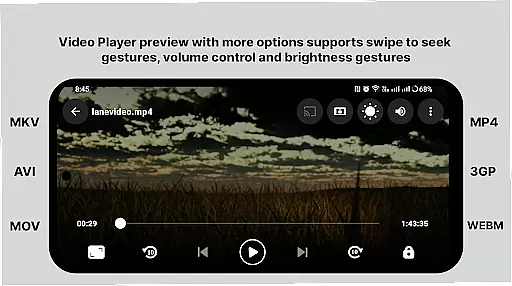
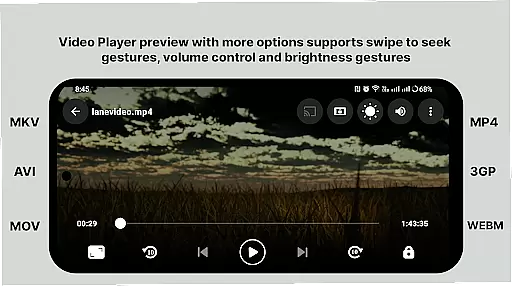
Another key highlight is the app's gesture-based control system, which lets users adjust volume, brightness, and progress directly from the playback screen. Combined with support for auto-rotation and aspect-ratio adjustments, these features ensure maximum convenience and flexibility. Whether you're a casual viewer or a power user, HD Video Player All Format offers the tools you need for an unparalleled multimedia experience.
Video format compatibility is a crucial feature for any video player application, ensuring that users can enjoy their media files regardless of the format. HD Video Player - All Format Video Player Pro 2024 supports an extensive range of video formats, including but not limited to MP4, AVI, MKV, and FLV. This versatility allows users to play videos without the need for format conversion, which often requires additional software and technical know-how.
The application's ability to handle 4K/ultra HD video files with high-definition playback is particularly noteworthy. Users can expect crisp, clear visuals that maintain the quality of the original file. Whether it's a high-resolution movie or a home video, the player ensures that every detail is vividly presented on both Android tablets and phones.
Moreover, the inclusion of multi-track audio and subtitle support enhances the viewing experience. Users can easily switch between different audio tracks or enable subtitles, making it an ideal choice for those who enjoy foreign films or require accessibility options. The smart media library further simplifies the process of locating and playing back media files, streamlining the user experience.
While HD Video Player focuses primarily on playback, its AI-powered editing features offer users additional value by enhancing the overall media experience. Although not as comprehensive as dedicated video editing software, these features provide basic yet powerful tools that allow users to make quick adjustments to their video files directly within the player.
One of the standout capabilities is the playback speed control, enabling users to accelerate or decelerate video playback according to their preference. This feature is particularly useful for reviewing content at faster speeds or analyzing scenes in slow motion. Additionally, the player supports gestures to control volume and brightness, offering intuitive touch-based interactions that adapt to individual viewing conditions.
For users interested in managing or sharing their videos, the app provides straightforward options to organize media libraries and distribute content across platforms. While advanced editing such as cutting, merging, or applying visual effects may not be available, the emphasis on simplicity and efficiency ensures that even casual users can take advantage of these functionalities without feeling overwhelmed.
User-friendly interface
Wide format support
Smooth playback performance
Advanced customization options
No annoying ads
Limited iOS availability
Occasional bugs reported
Premium version required for some features
High storage usage
Complex settings for beginners

A full editing room to accompany your Insta360 cameras and handheld gimbals.
 3.30
3.30
Client application for NextPVR software
3.00
Connect 2 UVC devices for recording and broadcast video/audio stream
3.90
AirMirror Receiver - Screen mirroring/cast web videos to Android TV by AirPlay.
4.40
Mix with Virtual DJ directly from your phone or tablet !
3.10
Browser for Sony TV to stream web videos, online movies and live tv
3.20
Manage your IPTV live channels and VOD playlists (no playlist included)
3.80
This app is an emulator of some specific IPTV boxes
3.50
convenient, safe and fast at Video Downloader & Player
4.60
Video Trimmer, Video to MP3 Converter. Extract music from video, Easy & Fast.
4.80
Find, download, and play torrents with the official BitTorrent® Pro app
4.70
VLC Remote lets you control your VLC Media Player on Mac, PC or Linux.
4.60
Video player, file manager for all formats, 4K/HD media player supports subtitle
4.30
Powerful Video Editor & Photo Editing App —— Quick Edits & Stunning Effects!
4.30
Browser for Samsung TV to stream webvideos, online movies and livestreams in HD
4.10
1)AirPlay/DLNA Mirroring/Streaming, up to 4 connections; 2)Samba/NAS/DMS Player.
4.00
Fast private browser with secure, seamless access & supported video downloads!
4.00
Kodi media center, a free and open source cross-platform entertainment hub
3.60
Download videos easily & play them all in one smart, powerful video manager.
3.40


User Reviews