
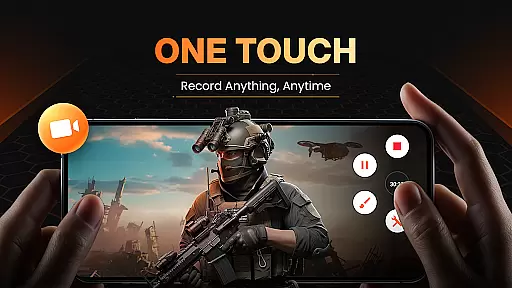
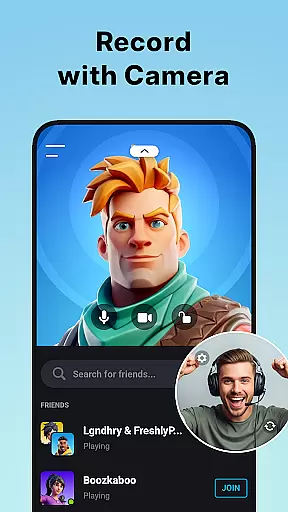
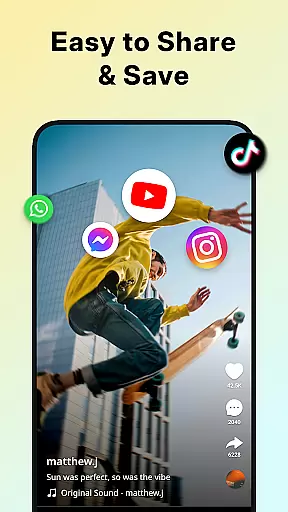
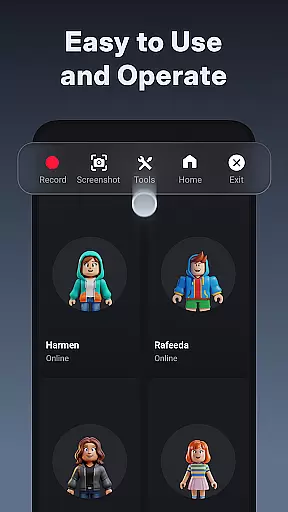
XRecorder is a versatile screen recording tool designed for capturing high-quality video content on Android devices. It offers advanced features like internal audio recording, facecam support, and customizable floating controls.
The app excels in recording gameplay videos, video tutorials, and live streams without watermarks or time limits. Users can leverage professional-grade editing tools including trimming, cropping, and speed adjustment functionalities.
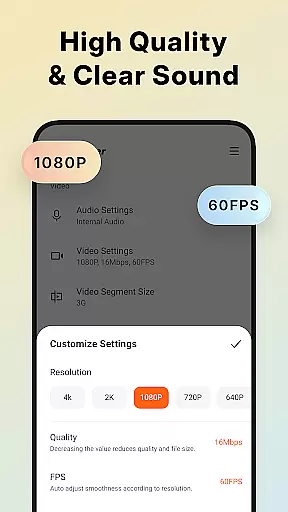
With support for Full HD 1080p recording at 60FPS and bitrate up to 12Mbps, XRecorder ensures crystal-clear video quality. Its intuitive interface and comprehensive feature set make it ideal for gamers, content creators, and educators.
XRecorder stands out with its comprehensive feature set tailored for both casual and professional users. The app supports multiple recording modes including gameplay capture, video calls, and live streaming to platforms like YouTube.
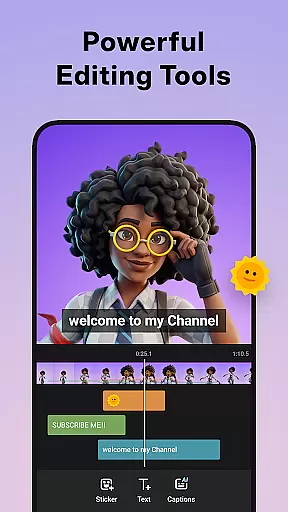
Advanced customization options allow users to adjust resolution from 240p to 1080p, FPS from 15 to 60, and bitrate settings. The built-in editor provides robust tools for trimming, adding music, applying filters, and controlling playback speed.
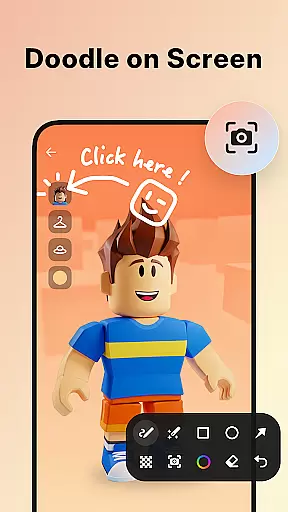
Unique capabilities include facecam functionality for reaction videos, brush tools for annotations, and a trash bin feature for recovering deleted recordings within three days. These features collectively enhance user experience while maintaining professional-grade quality.
Video format compatibility is a crucial feature for any video player and editor, ensuring that users can work with a wide range of video files without the need for conversion. Screen Recorder - XRecorder supports an impressive array of formats, from standard 240p to high-definition 1080p, accommodating various frame rates between 15FPS to 60FPS. This flexibility allows creators to import footage from different sources and devices, streamlining the editing process.
The application's ability to export videos in Full HD ensures that the final product maintains a professional look, regardless of where it will be viewed. With custom settings available for bitrate up to 12Mbps, users have control over the quality and file size of their recordings. Whether creating content for YouTube, social media, or personal archives, XRecorder provides the necessary tools to produce high-quality videos tailored to specific platforms' requirements.
Moreover, support for high frame rate recording at 60FPS offers smooth motion ideal for fast-paced gaming sessions or action-packed sequences. The absence of recording time limits means that even longer events can be captured in their entirety without degradation in performance or quality. By offering such comprehensive video format compatibility, Screen Recorder - XRecorder empowers users to focus on their creative vision rather than technical limitations.
AI-powered editing features are revolutionizing how we approach video post-production by automating complex tasks and providing intelligent suggestions. Screen Recorder - XRecorder incorporates several AI-driven tools designed to enhance productivity and creativity during the editing process. For instance, its video trimmer not only allows precise cutting and splitting but also intelligently recommends optimal trimming points based on scene changes or audio cues.
In addition to basic trimming, XRecorder offers advanced functionalities like speed adjustment, which uses AI algorithms to maintain visual clarity even when accelerating or decelerating playback. This ensures that sped-up tutorials remain comprehensible while slow-motion replays retain their impact. Furthermore, the app includes stylish filtersu2014such as Story, Vintage, Lomou2014that leverage machine learning to apply artistic effects that complement the mood of each clip seamlessly.
Another standout feature is the music video maker, which utilizes AI to match popular tracks with appropriate sections of your footage automatically. Users can further personalize their creations using funny stickers and text overlays, all optimized through smart placement suggestions. These AI-powered capabilities enable both novice editors and seasoned professionals alike to achieve polished results efficiently, making Screen Recorder - XRecorder an indispensable tool for modern content creators.
High-quality 1080p recording
No watermark on videos
Built-in video editor
Facecam support
Internal audio recording
Complex for beginners
Some features Android 10+
Occasional performance lag
Editing tools basic
Interface cluttered

Client application for NextPVR software
 3.00
3.00
Cast Videos from Web Browser, IPTV to Roku, Chromecast, DLNA, Smart TV +more
4.60
This app was created to edit the metadata of music files.
4.20
All in one HD video downloader & player for multiple formats with full privacy
4.70
IPTV Loader, loads your own Playlist. DOES NOT CONTAIN ANY LIST OR CHANNELS
4.60
Watch IPTV on your Android device
4.60
Browser for Fire TV to stream webvideos, online movies, livestreams in HD
4.40
Livestream, news, & gaming content. Watch, chat, and upload. Join Rumble today!
3.80
Download Hub, easy and private way to download and enjoy your videos offline
4.80
Pro video editor app for Instagram, edit video with song, AI, effect & slowmo.
4.80
Video Player - Unlimited features, 30 days money back guarantee.
4.60
Snaptubè Video Downloader app allows to download videos and music in Snaptube. .
4.60
Full HD Video mp3 Player, MP4 player play 1080p, File manager, Video Downloader
4.40
AirMirror Receiver - Screen mirroring/cast web videos to Android TV by AirPlay.
4.40
Create & edit videos with AI
4.30
Powerful, professional, versatile teleprompter. Developed by an active film crew
4.00
Make your own Animations, Video and Photo Edits, Visual Effects, and more!
4.00
HD video & music player - All format support with floating & PIP mode!
3.80
Watch full episodes of your favorite Cartoon Network and Cartoonito shows!
3.50


User Reviews