
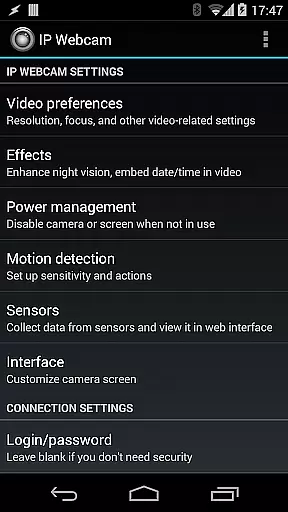
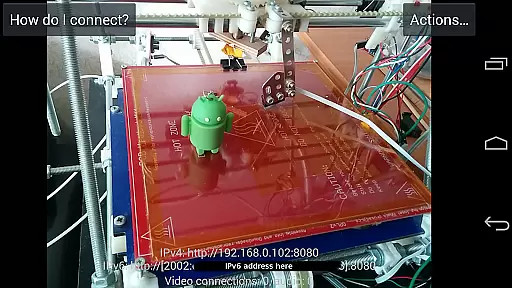
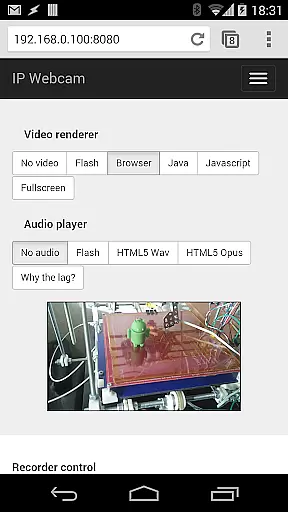
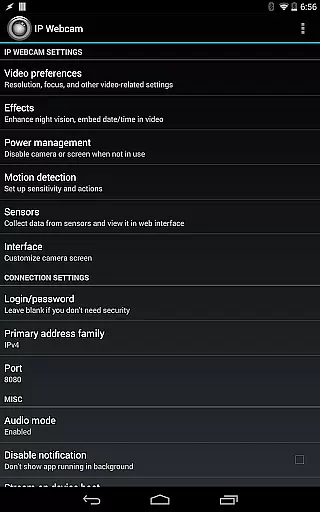
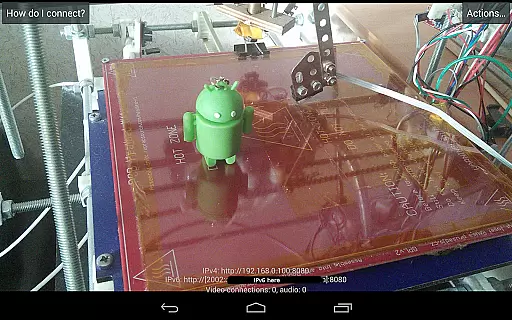
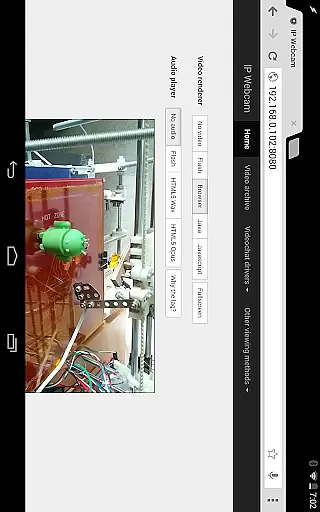
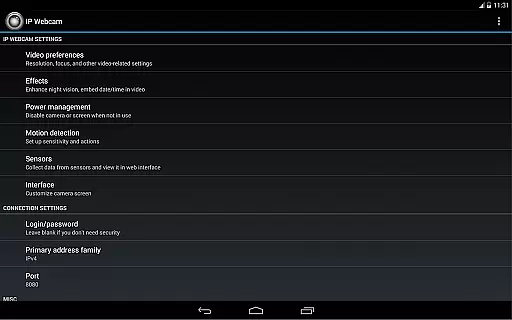
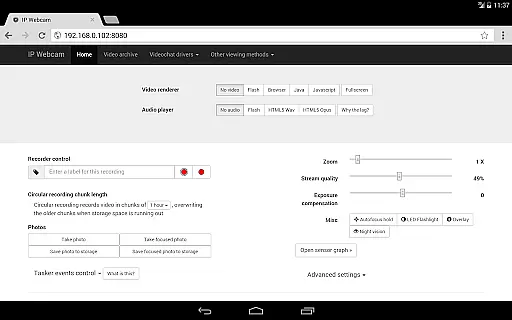
IP Webcam Pro transforms your smartphone into a versatile network camera, enabling real-time video streaming across multiple platforms. With support for VLC player and web browsers, it facilitates seamless viewing within local WiFi networks without requiring internet access.
The application stands out with its compatibility with third-party MJPG software, making it suitable for video surveillance systems and security monitors. Its optional Ivideon cloud broadcasting feature ensures instant global access to your video streams, enhancing accessibility and convenience.
Designed for both personal and professional use, IP Webcam Pro is ideal for creating advanced monitoring solutions such as baby or pet monitoring systems. The app's night vision, motion detection, and sound detection capabilities make it an invaluable tool for ensuring safety and security.
IP Webcam Pro boasts an impressive array of features that cater to diverse user needs. One standout capability is the video upload functionality, which supports Dropbox, SFTP, FTP, and Email through the Filoader plugin, allowing users to store and share their recordings effortlessly.
The app provides several web renderers, including Flash, Javascript, and built-in options, giving users flexibility in how they view their streams. Additionally, it supports various video formats like WebM, MOV, MKV, and MPEG4 (on Android 4.1+), along with audio streaming in wav, opus, and AAC formats (AAC requires Android 4.1+).
Advanced functionalities include motion detection with sound triggers, Tasker integration, and sensor data acquisition with online web graphing. These features not only enhance security but also provide valuable insights through data visualization, making IP Webcam Pro a comprehensive solution for modern surveillance needs.
IP Webcam Pro excels in video format compatibility, ensuring users can stream and record in multiple formats. The app supports WebM, MOV, MKV, or MPEG4 (on Android 4.1+), catering to a wide range of user preferences and device capabilities.
This flexibility in video formats allows users to choose the best option for their specific needs, whether it's for quality, file size, or compatibility with other software and devices. Such versatility is crucial for both personal and professional video projects.
Moreover, the ability to switch between different formats easily means that users are not locked into a single type, offering greater freedom and adaptability in various scenarios. This feature significantly enhances the user experience by providing options that suit diverse requirements.
While IP Webcam Pro focuses primarily on video streaming and surveillance, it incorporates AI-powered features that enhance its utility. Although not a traditional video editor, the app includes functionalities like motion detection with sound triggers, which utilize advanced algorithms to monitor and alert users of any activity.
The app also offers sensor data acquisition with online web graphing, allowing users to track environmental changes visually. These smart features provide an interactive way to manage and interpret data captured by the camera, making it more than just a video tool.
Additionally, cloud push notifications on motion and sound, along with cloud recording for motion-triggered events, demonstrate how AI enhances security and convenience. Users receive instant alerts and can access recordings from anywhere, showcasing the app's innovative approach to integrating AI in practical ways.
User-friendly interface
Extensive format support
Flexible viewing options
Advanced motion detection
Cloud broadcasting
Paid version required
Limited free features
Internet not supported
Complex setup process
High battery usage

HD Video player all format, HD Videos, Cast & Subtitle. No annoying ads.
 4.60
4.60
Cast Videos from Web Browser, IPTV to Roku, Chromecast, DLNA, Smart TV +more
4.60
Play ALL formats in 4K & HD. Video downloader, MP3 player, Chromecast & more.
4.80
HD video maker with no watermark, no ads & vlog maker with music, PIP, text
4.50
This app was created to edit the metadata of music files.
4.20
Seamlessly connect and control your smart devices, anytime, anywhere with ease.
4.60
Cast to Smart TV, Fire TV. Cast video, photo - Fast & Stable!
3.90
Flud is a simple and beautiful BitTorrent client for Android.
4.80
#1 Torrent App on Android ** No Ads Ever + Battery Saver **
4.80
Pro video editor app for Instagram, edit video with song, AI, effect & slowmo.
4.80
Download videos and play them offline
4.70
Video Player - Unlimited features, 30 days money back guarantee.
4.60
Browser + Remote for Roku to stream webvideos, online movies and livestreams
4.60
Video Downloader, Multiple Resolution Options, Video Player
4.50
Fast & Private HD Video Downloader with Built-in Proxy Browser and Video Player.
4.50
Your media, on your terms.
4.10
Fast private browser with secure, seamless access & supported video downloads!
4.00
Manage your IPTV live channels and VOD playlists (no playlist included)
3.80
A full editing room to accompany your Insta360 cameras and handheld gimbals.
3.30


User Reviews