
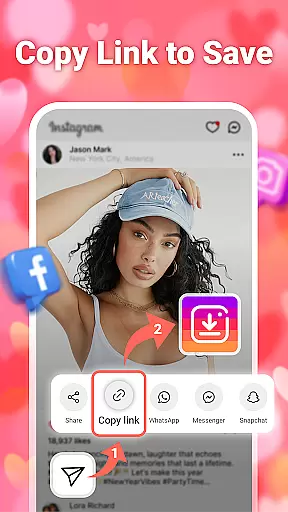
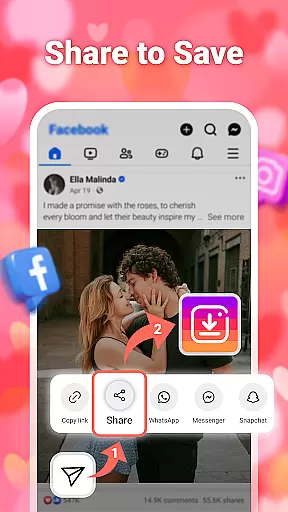

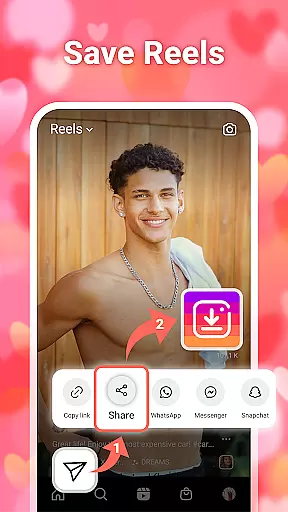
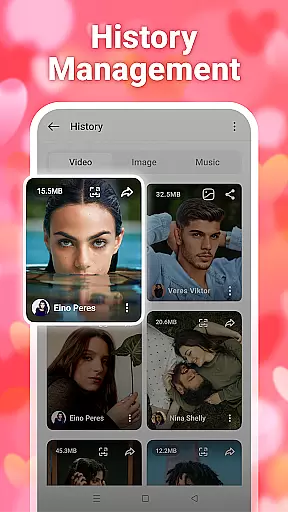

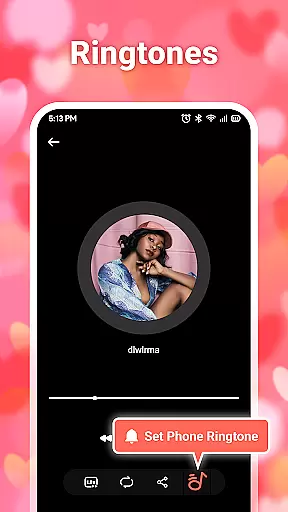
InSaver is a versatile tool designed for downloading and managing multimedia content from various social media platforms. This application allows users to download photos, videos, stories, and music directly to their devices without the need for login credentials. With features like batch downloads, high-definition quality options, and offline viewing capabilities, InSaver ensures that users can efficiently save and enjoy their favorite content anytime, anywhere.
The app stands out with its user-friendly interface and fast download speeds. It supports multiple formats and provides powerful multimedia management tools, enabling users to categorize, view, play, and delete downloaded files easily. Whether you're looking to save content from private accounts or simply organize your downloaded media, InSaver offers a comprehensive solution for all your social media downloading needs.
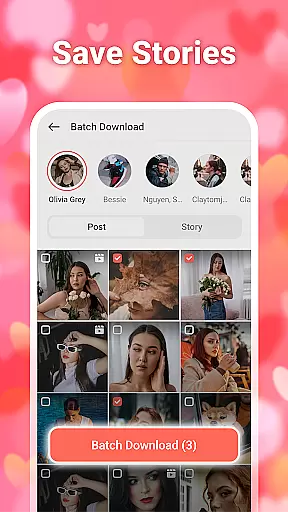
InSaver boasts an array of features that cater to diverse user requirements. One of its key highlights is the ability to download content in batches, which significantly reduces the time and effort needed to save multiple files. The app also supports high-definition downloads, ensuring that every video and photo retains its original quality.
Another standout feature is the powerful story downloader, which allows users to save stories from various social media platforms with just a single click. Additionally, InSaver's offline viewing capability means that once content is downloaded, it can be accessed without an internet connection, making it perfect for travel or areas with limited connectivity. The app's commitment to safety and reliability ensures that personal information remains protected throughout the downloading process.
In today's digital age, video content comes in various formats, resolutions, and codecs. InSaver addresses this challenge by offering comprehensive video format compatibility. This ensures that no matter the source of your video files from social media platforms, you can download and access them without worrying about format issues.
The application supports a wide range of video formats including MP4, AVI, MOV, and more. This versatility allows users to save videos from different social media platforms and enjoy them on their preferred devices without any conversion hassle. Whether you're downloading high-definition videos or standard clips, InSaver maintains the original quality while ensuring compatibility with most media players.
For users who frequently interact with international content or diverse social media platforms, this feature is particularly valuable. It eliminates the need for additional software or technical know-how to play back downloaded videos. With InSaver's robust format support, you can focus on collecting and enjoying your favorite content rather than troubleshooting playback issues.
Modern video players are increasingly incorporating artificial intelligence to enhance user experience, and InSaver stands at the forefront of this innovation. The app's AI-powered editing features provide users with intelligent tools to modify and improve their downloaded videos effortlessly. These capabilities go beyond basic playback, transforming InSaver into a versatile video management solution.
Key AI functionalities include automatic video enhancement, smart cropping, and intuitive filtering options. When you download a video using InSaver, the application analyzes its quality and suggests improvements to optimize visual appeal. For instance, it can automatically adjust brightness, contrast, and color balance to make your videos more vibrant and engaging.
Additionally, the AI-driven editing suite enables quick modifications such as aspect ratio adjustments for different social media platforms and automated tagging for easier content organization. These features not only save time but also empower users to create professional-looking edits without requiring advanced technical skills. By integrating these intelligent tools, InSaver elevates the video management experience while maintaining ease of use.
User-friendly interface
Fast download speeds
High-definition quality
Batch download support
Comprehensive format compatibility
Limited to social media content
No built-in player
Requires manual updates
Ads may appear
Occasional bugs reported

Connect 2 UVC devices for recording and broadcast video/audio stream
 3.90
3.90
Cast Videos from Web Browser, IPTV to Roku, Chromecast, DLNA, Smart TV +more
4.60
High-Quality USB Camera Viewer & HDMI Display
4.70
Stream Web Videos to Chromecast, Samsung, LG, Sony, Roku, Fire TV, DLNA + more
4.00
An easy-to-use and all-round screen recorder with audio
4.80
IPTV Loader, loads your own Playlist. DOES NOT CONTAIN ANY LIST OR CHANNELS
4.60
Web Browser for LG TV to stream webvideos, online movies and livestreams in HD
4.20
Download Hub, easy and private way to download and enjoy your videos offline
4.80
Video player with 4K & 1080P support, popup play, background play and subtitle.
4.20
Download videos and play them offline
4.70
Video Player - Unlimited features, 30 days money back guarantee.
4.60
Download website videos fast&privacy
4.40
Powerful, professional, versatile teleprompter. Developed by an active film crew
4.00
AI Video Editor:AI Music, Text to Video,Text to Speech,Auto Caption,Video Effect
4.00
Live TV, anywhere in your home
3.80
Manage your IPTV live channels and VOD playlists (no playlist included)
3.80
A full editing room to accompany your Insta360 cameras and handheld gimbals.
3.30
Browser for Sony TV to stream web videos, online movies and live tv
3.20
Video player with powerful streaming playback and various convenient features.
2.10


User Reviews