
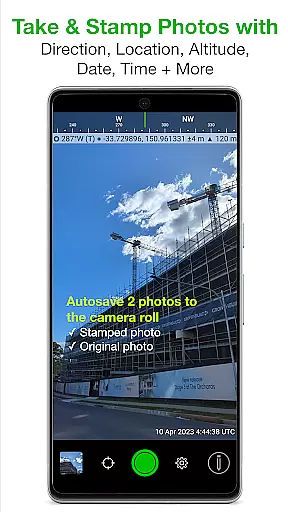
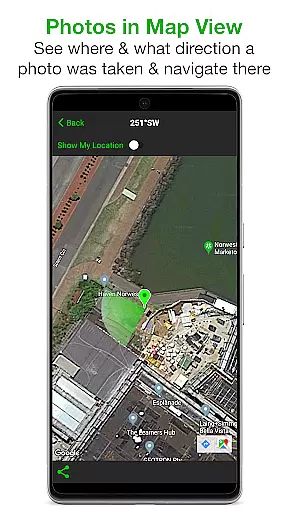
Solocator is a professional GPS camera app designed for fieldwork and photo documentation across various industries. The app allows users to overlay critical information such as location, direction, altitude, date, and time directly onto photos, making it an essential tool for proof and record-keeping. With the optional Industry Pack, users can capture additional field notes like project names and descriptions.
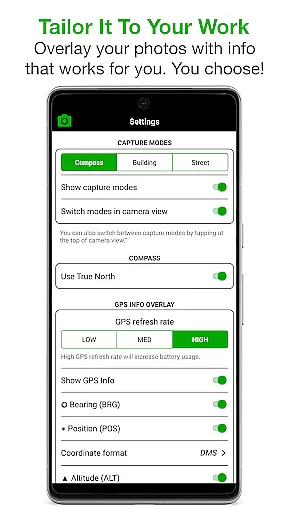
One of Solocator's standout features is its highly customizable overlay options. Users can tailor the information displayed on their images, including GPS coordinates, compass direction, tilt angles, and more. This flexibility ensures that professionals from different sectors can adapt the app to their specific needs. Whether you're documenting construction progress or conducting environmental surveys, Solocator provides accurate and detailed photo data.
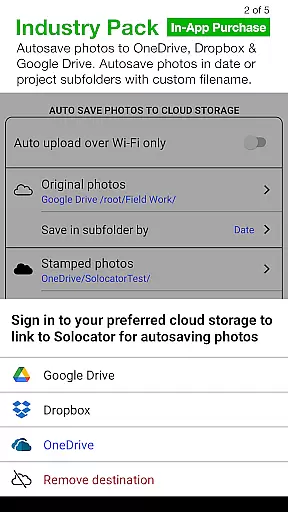
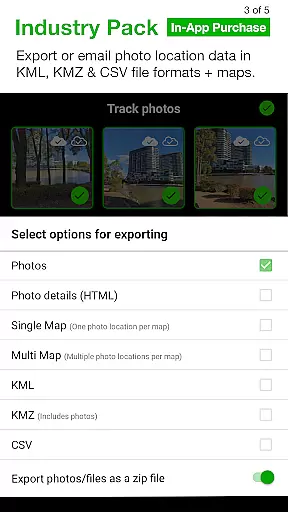
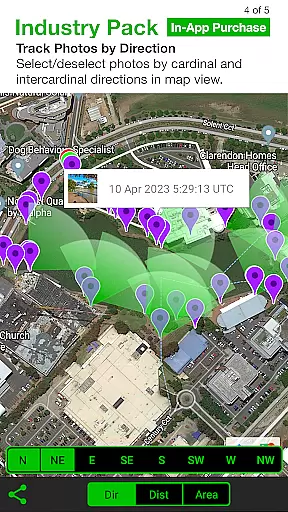
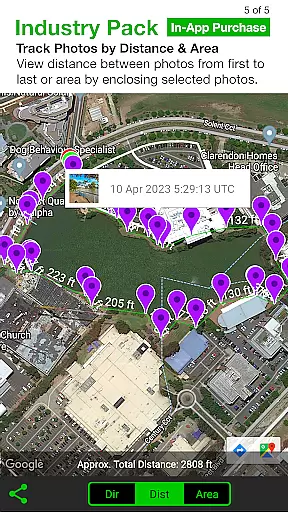
The app also offers advanced sharing and organizational capabilities. Photos can be sorted by time, location, or project name, and users can share them via email or cloud storage services like Google Drive and Dropbox. Additionally, Solocator supports exporting photo data in KML, KMZ, and CSV formats, enhancing its utility for GIS professionals and other specialists who require comprehensive data management solutions.
Solocator stands out with its robust set of features tailored for professional use. One of the core functionalities is the ability to overlay extensive metadata onto photos. This includes GPS position, compass direction, altitude, tilt and roll angles, and even street addresses with the Industry Pack. These overlays ensure that every photo contains all necessary documentation details, which is crucial for industries requiring precise records.
Another significant feature is the autosave functionality, which saves two versions of each photo: one with overlays and one original. This dual-saving system provides flexibility and security, ensuring that users always have an unedited version for reference. Furthermore, the app supports batch editing and custom export filenames, streamlining workflows for large projects. Users can define export filenames using various fields, making file management more efficient.
Solocator also excels in its sharing and integration capabilities. It allows users to share photos individually or as zip files and integrates seamlessly with cloud storage services like Google Drive, Dropbox, and OneDrive. The app's ability to export photo data in KML, KMZ, and CSV formats adds another layer of versatility, catering to GIS professionals and others who need to analyze spatial data. Overall, these features make Solocator a comprehensive solution for anyone needing reliable and detailed photo documentation.
Solocator excels in real-time capture and preview, allowing users to overlay critical information directly onto photos as they are taken. This feature is particularly valuable for professionals who require accurate documentation in fields such as construction, surveying, and environmental monitoring.
The app provides a comprehensive set of data points that can be stamped on images, including GPS coordinates, compass direction, altitude, tilt and roll angles, and time stamps based on the local time zone or UTC. These details ensure that each photo serves as a reliable record with precise spatial and temporal context.
With support for both front and back cameras, Solocator ensures flexibility in capturing images from different perspectives. The inclusion of pinch zoom and standard camera controls like self-timer and flash enhances the user experience, making it easier to take high-quality photos under various conditions.
By enabling real-time overlays, Solocator empowers users to verify the accuracy of their data immediately, reducing the risk of errors and ensuring that all necessary information is captured at the moment of image acquisition.
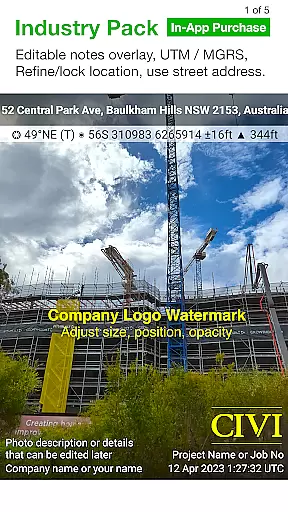
While Solocator does not focus on AI beauty enhancements typical in social media apps, it offers advanced features that enhance photo utility and authenticity. The Industry Pack, available as an in-app purchase, extends the app's capabilities by allowing users to add editable notes overlays, such as project names, descriptions, and watermarks, which serve as essential identifiers for professional use.
This functionality ensures that every photo taken is not only a visual record but also a detailed document that can be easily sorted, shared, or emailed. Users can include Exif metadata, compass direction, GPS position, altitude, tilt and roll, date and time, street address, and even elevation of building faces viewed, providing a complete contextual package for each image.
Solocator further enhances photo management through its autosave feature, which saves two versions of each photo: one with overlays and one without. This dual-saving system allows users to maintain original files while having fully annotated copies for documentation purposes.
Additionally, the ability to export photos with customized filenames and save them to cloud storage services like Google Drive, Dropbox, and OneDrive streamlines workflow processes. By integrating these practical enhancements, Solocator delivers a natural and professional approach to photo enhancement tailored for industry-specific needs.
User-friendly interface
Highly customizable overlays
Accurate GPS data
Comprehensive metadata options
Seamless cloud integration
Paid Industry Pack
Complex for casual users
Limited free features
Occasional GPS inaccuracies
Requires learning curve

Perfect photos with body shaping, BG changer and object remover.
 3.70
3.70
Create AI Photos, Improve and restore quality of blurry, old or damaged pics.
4.20
Take videos and pictures with the popular TikTok TIME WARP SCAN filter.
4.60
Photo Exif Editor allows to view, add and modify EXIF data of multiple photos
4.50
Amazing Photo Effects - The most fun you can have with your photos!
4.70
Movie camera, supports pro recording settings for filming. Try it and be amazed!
4.50
Raw Image Viewer. Gallery with support of raw images (.cr3, .cr2, .nef, .raf).
2.00
Unblur, enhance & restore photos with powerful AI photo enhancer tools.
4.60
Remote control the phone camera shutter from your smartwatch and take a picture
1.60
Collage your moments in one tap: 1000+ layouts, filters, stickers, and texts.
4.90
AI Photo Editor with 100+ Filters, Effects! Remove BG, Retouch & Photo Enhancer.
4.80
Light-weight Media Gallery app for Android made with Jetpack Compose
4.60
Easily create custom gifts, cards, photo books & more on the Shutterfly app!
4.60
Safe & smart flight with Go Fly drone controller for 40+ drone camera, zone map
4.50
HD Camera Pro with HD Video shooting, Panorama, Photo editor , Beauty Camera.
4.50
AI photo enhancer with Sora 2! Enhance, descratch, and colorize your old photos.
4.50
Luminar: Photo Editor - easy picture editing with AI
4.20
Professional camera app that brings DSLR manual photography controls to Android.
4.20
All-in-One Editor & AI Photo Enhancer, Collage, Cartoonify, Funny Stickers & BGS
4.10


User Reviews