
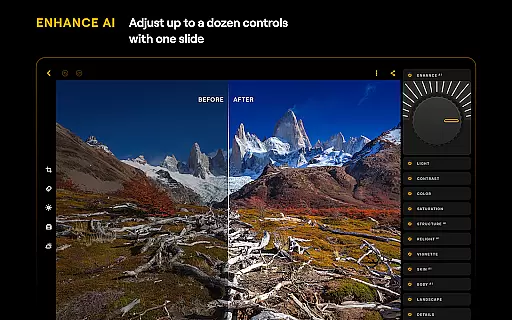
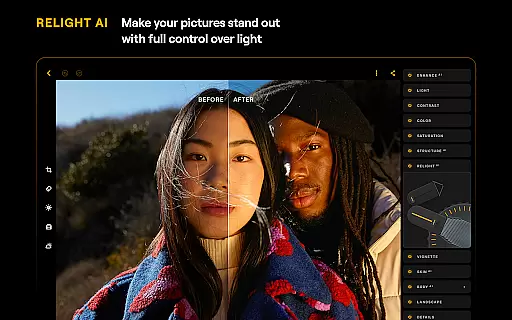
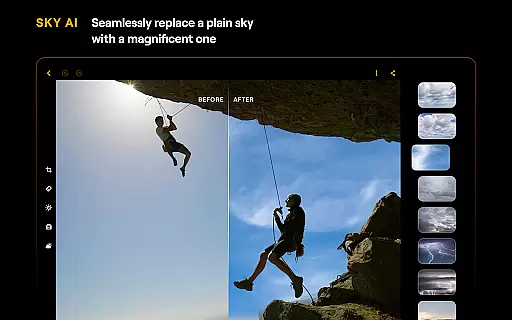
Luminar: Photo Editor is a comprehensive mobile photo editing application designed for both Android and ChromeOS users. This app combines powerful AI-driven tools with an intuitive, interactive interface that responds to touch gestures, providing a seamless editing experience. The streamlined design features smoothly gliding sliders and spinning dials, ensuring unparalleled control without complicated functions.
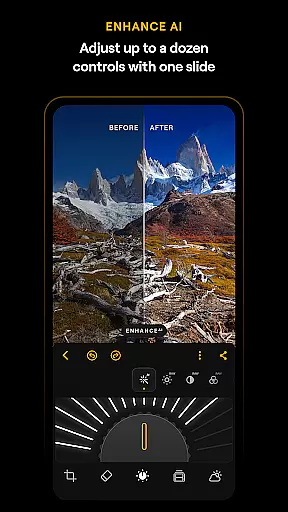
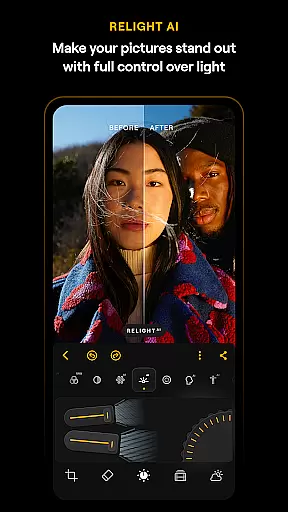
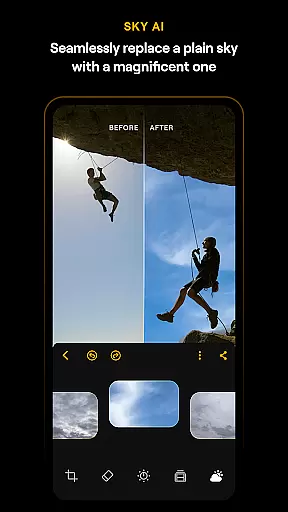
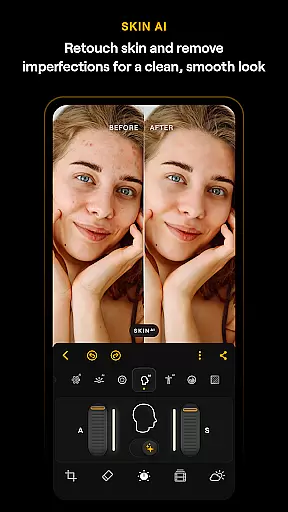
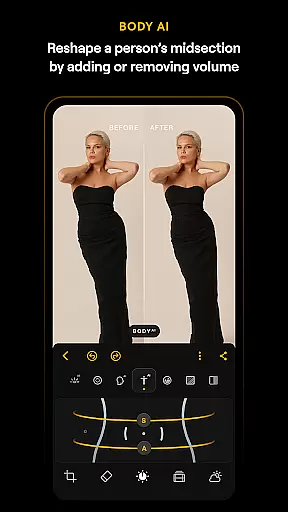
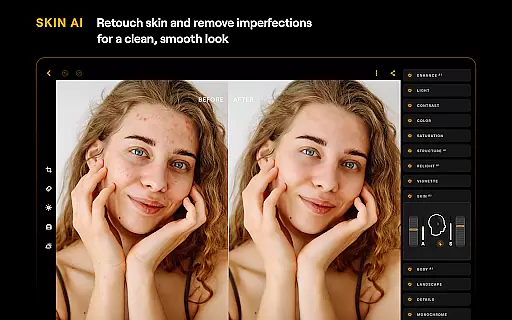
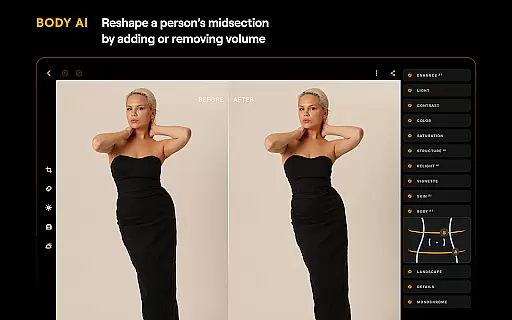
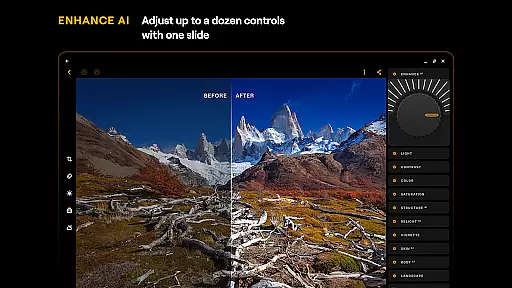
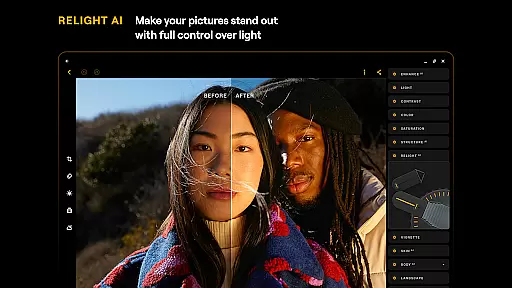
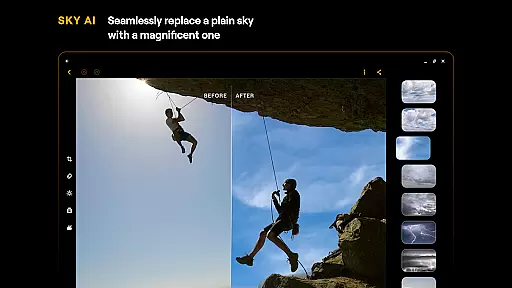
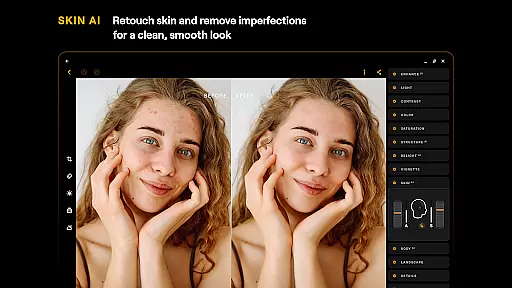
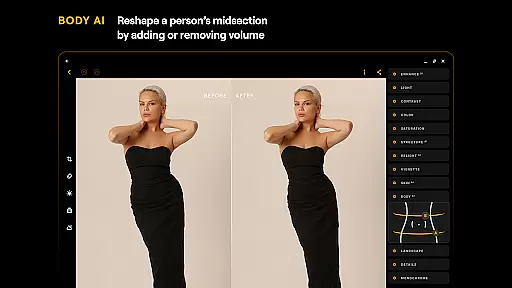
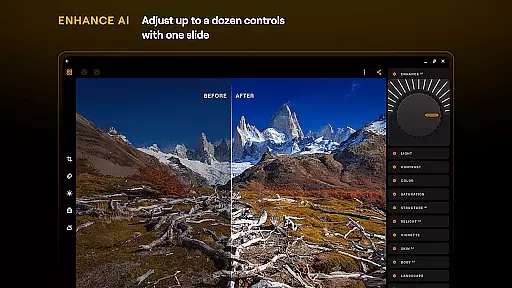
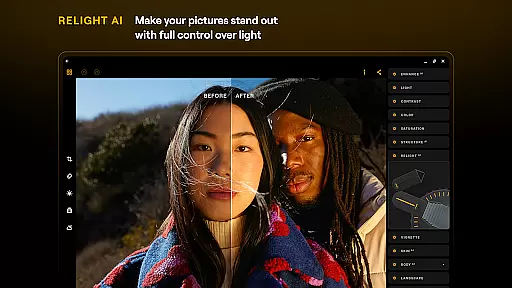
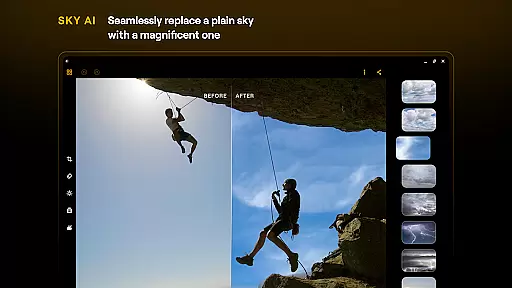
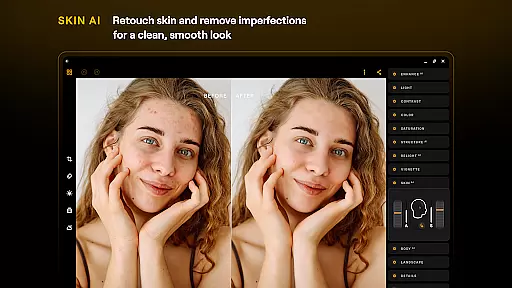
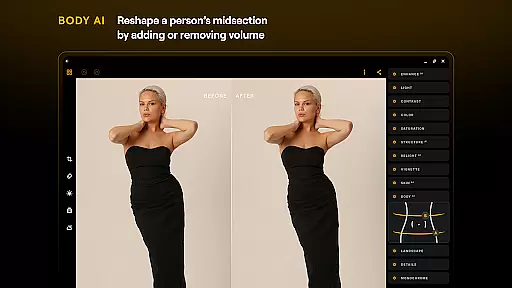
Equipped with smart AI enhancements like SkyAI, EnhanceAI, StructureAI, RelightAI, SkinAI, and BodyAI, Luminar allows users to effortlessly improve their photos with professional results in seconds. Whether you're looking to replace dull skies, adjust lighting, or retouch skin imperfections, this app delivers impressive outcomes. It also supports RAW file editing, making it a versatile tool for photographers of all skill levels.
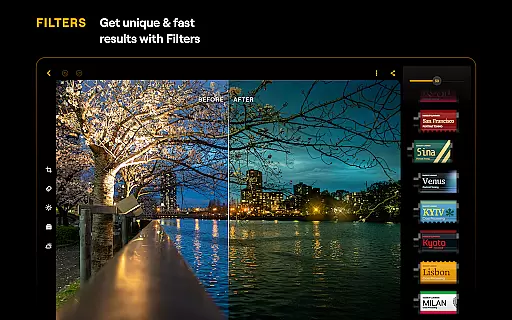
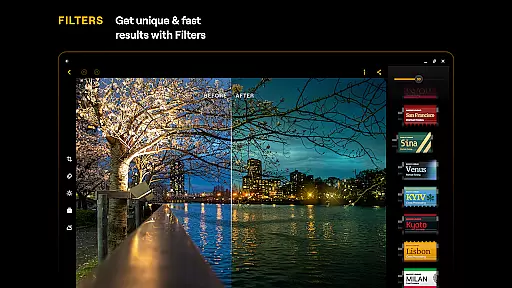
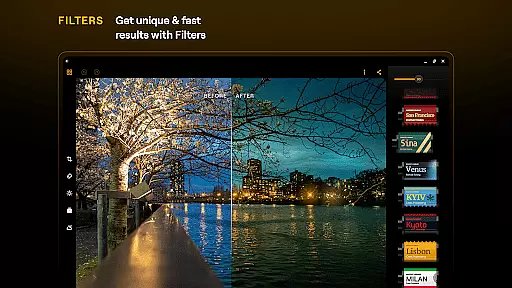
The app's compatibility with Android 11 or later and ChromeOS devices ensures a smooth user experience across platforms. With features like Curves, Details, Crop, Landscape, Monochrome, Erase, and Photo Filters, Luminar: Photo Editor provides everything needed for creative photo enhancement. Its subscription model offers flexible plans, including monthly, yearly, and lifetime licenses, catering to various user needs.
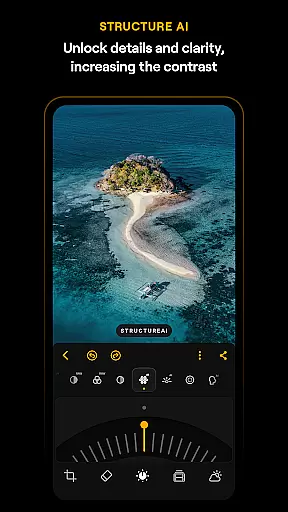
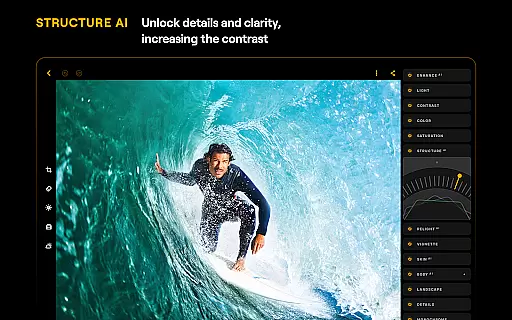
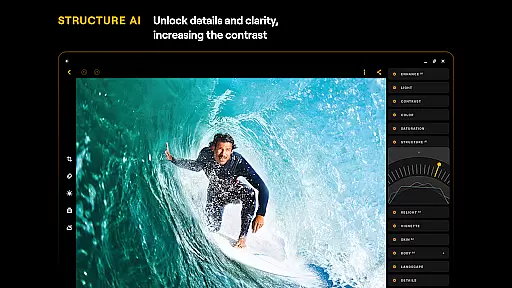
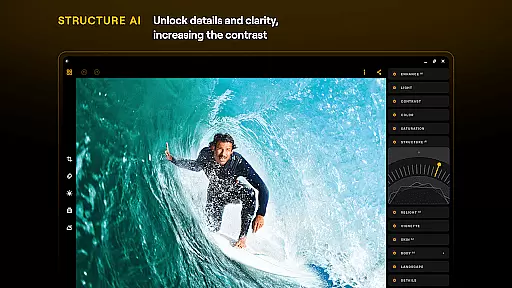
Luminar: Photo Editor stands out with its innovative AI-powered features that simplify complex editing tasks. The app includes SkyAI for sky replacement, EnhanceAI for quick quality adjustments, StructureAI for detail enhancement, RelightAI for dynamic lighting control, SkinAI for skin retouching, and BodyAI for realistic body shaping. These tools work together to deliver professional-grade edits with minimal effort.
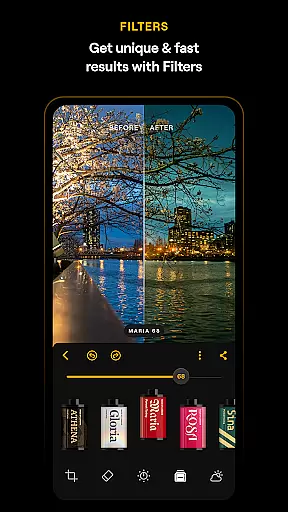
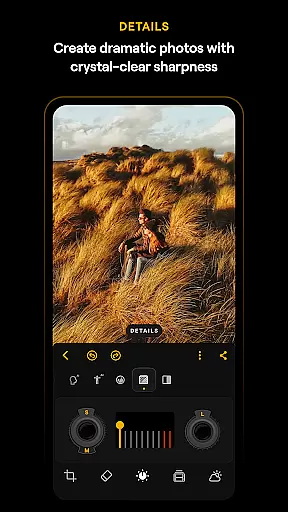
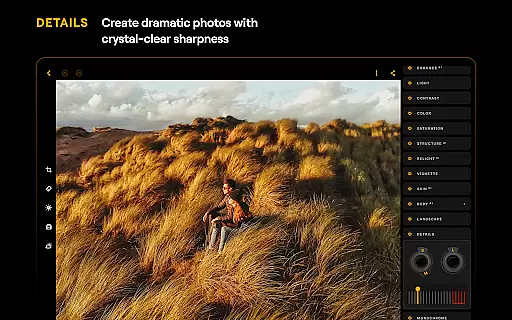
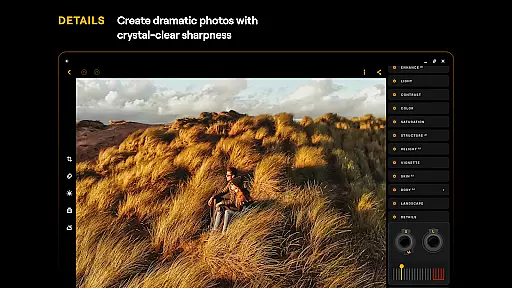
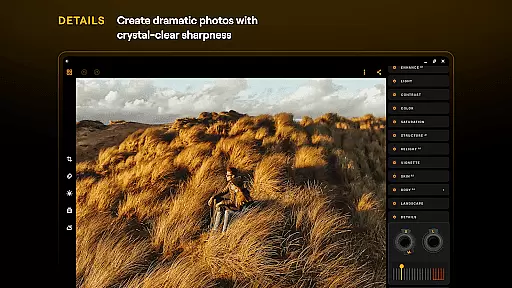
In addition to AI enhancements, Luminar offers precise manual controls such as Curves for color adjustments, Details for clarity enhancement, and Crop for perfect composition. The app also excels in creative effects with its Landscape, Monochrome, and Photo Filters tools, allowing users to transform ordinary photos into stunning masterpieces. The inclusion of RAW file support ensures maximum image quality and flexibility during post-processing.
Designed specifically for Android and ChromeOS, Luminar provides a responsive interface built for creativity on the go. The app's motion-responsive sliders and sound effects create an engaging editing experience. Its compatibility with devices running Android 11 or later, along with ChromeOS support, makes it accessible to a wide range of users. The subscription-based model offers flexible pricing options while maintaining high-quality performance across different hardware configurations.
Real-time capture and preview functionality is essential for modern mobile photography, allowing users to see exactly what the camera sensor is capturing. Luminar: Photo Editor excels in this area by providing a responsive interface that ensures every adjustment is immediately visible through the camera preview.
The application's intuitive design enables users to make precise modifications to their shots before taking them. With smoothly gliding sliders and spinning dials, photographers can adjust settings like exposure, white balance, and focus with realistic motion and sound feedback, ensuring accurate framing and composition.
This real-time interaction significantly enhances the creative process, as users can experiment with different effects and filters on-the-fly. Whether you're adjusting lighting conditions with RelightAI or enhancing details with StructureAI, the immediate visual feedback allows for more informed decisions, resulting in higher-quality photographs.
Ultimately, Luminar's real-time capture and preview features empower both amateur and professional photographers to unleash their creativity without any post-processing delays. This seamless experience makes photo editing more engaging and efficient, delivering professional results directly from your mobile device.
AI-powered beauty and enhancement tools have become a cornerstone of mobile photo editing, offering users the ability to refine and perfect their images effortlessly. Luminar: Photo Editor stands out by providing natural-looking enhancements that preserve the authenticity of the original photograph.
With advanced AI algorithms like SkinAI and BodyAI, the app intelligently retouches skin imperfections while maintaining a realistic appearance. These tools automatically smooth skin textures and adjust body proportions in a way that looks genuine, avoiding the over-processed effect common in other editors.
The emphasis on naturalness extends to various features such as EnhanceAI, which adjusts color, tone, and clarity with a single slide. Users can achieve professional-grade results without extensive manual edits, thanks to these smart enhancements that adapt to each unique image.
By prioritizing subtlety and realism, Luminar ensures that every edited photo retains its original charm and character. This approach not only saves time but also enhances user satisfaction, making it an ideal choice for those seeking high-quality yet natural photo improvements on their Android or ChromeOS devices.
User-friendly interface
Advanced AI tools
RAW file support
Cross-platform compatibility
Flexible subscription plans
Paid subscription required
Resource-intensive
Steep learning curve
Limited free features
Occasional performance issues

Search, tag and rate your way to an organized image gallery
 4.40
4.40
[3DSteroid Pro] is a stereoscopic application for Android.
4.30
Perfect body tune & face app - photo retouch, makeup, slim body & beautify face.
4.80
Over 800 film simulation recipes for Fujifilm. Black Friday Offer!
4.4
Add a dreamy vibe to your selfies and videos with soft style filters
4.5
Easily create custom gifts, cards, photo books & more on the Shutterfly app!
4.60
Unblur, enhance & restore photos with powerful AI photo enhancer tools.
4.60
Your Family Calendar + Photos. Manage your Skylight Calendar and Skylight Frame.
4.40
Photo & Video Gallery app to manage albums and save WA Status easily.
4.70
See your baby AI baby face generator AI baby maker Face generator babymaker fun!
4.70
Create collages easily! Nice pic collage maker & background eraser for Instagram
4.50
Create Business Headshots, Polaroid Filter, Retake Photos,Profile Pics,AI Photos
4.50
AI portrait generator and polaroid AI selfie, fun AI generated AI photo creator!
4.30
Turn your phone into a professional camera - full DSLR manual photography
4.30
AI-powered video creator by MiniMax - Where ideas meet cinema
4.20
Transform Photos: Edit, Beautify and Craft Memories & Make Collages!
4.10
Gallery Slideshow is slideshow maker app for slideshow from your gallery photos.
3.90
Superimpose one photo on top of another using the original Superimpose app!
3.20
Photo Album Watch Face shows your favorite pictures as a Watchface.
1.90


User Reviews