

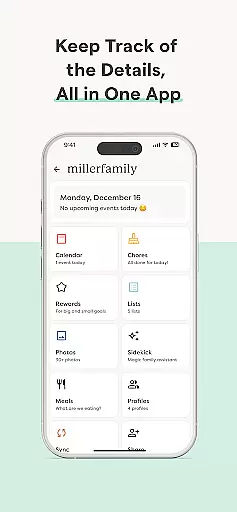


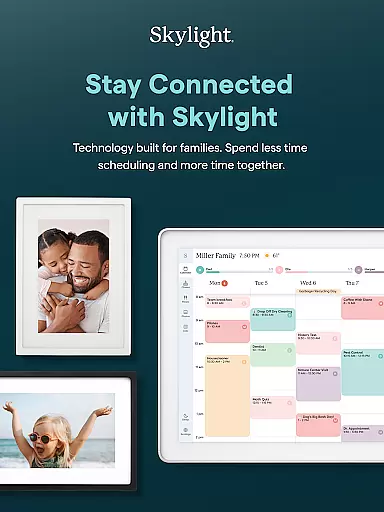

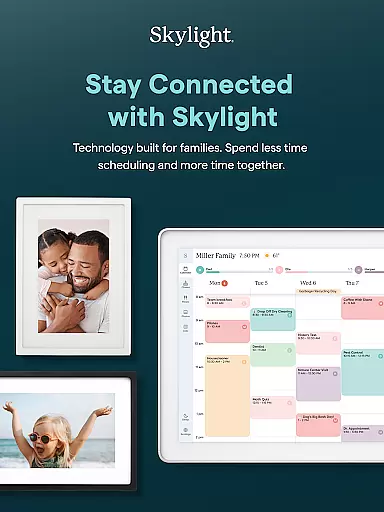

Skylight is a comprehensive family management application that consolidates calendars, lists, routines, and memories into a unified platform. Designed for families seeking better organization and connection, this app serves as the central hub for household coordination.
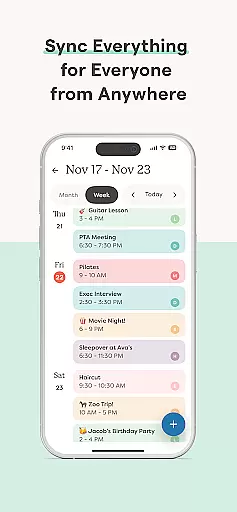
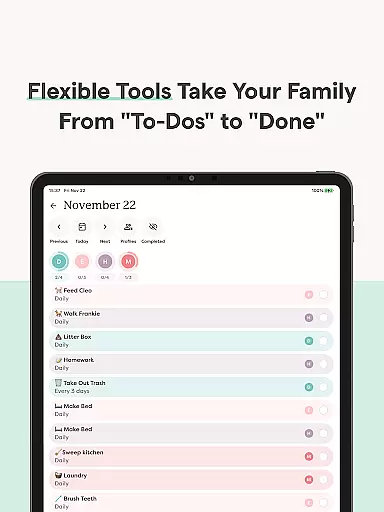
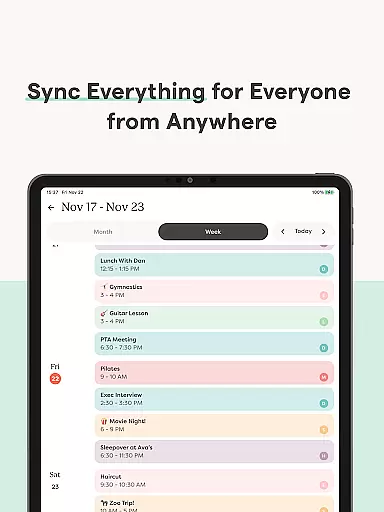
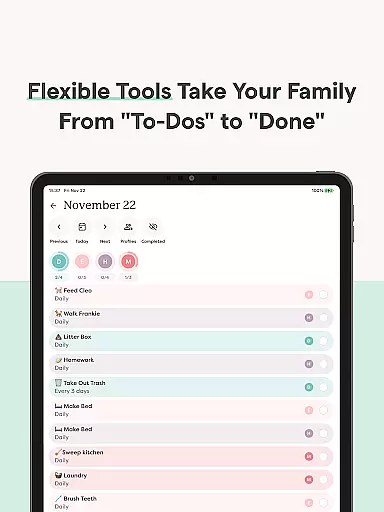
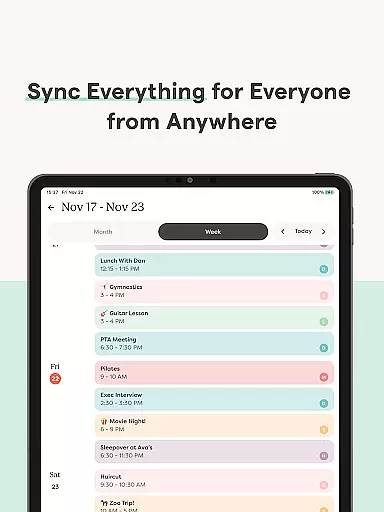
The application features robust calendar functionalities, allowing users to sync unlimited external calendars or create new events directly within the app. It also supports task management through recurring chores and routines, ensuring all family members stay aligned with shared responsibilities. Additionally, Skylight enhances family engagement by enabling photo and video uploads for digital frames, making it an ideal tool for both practical planning and preserving cherished memories.
Skylight offers a diverse range of features tailored to streamline family life. Its calendar system supports advanced functionalities such as setting recurring tasks, sharing grocery lists, and auto-importing events from external sources. These tools are complemented by gamification elements like earning stars and unlocking rewards for completed tasks, available in the PLUS version.
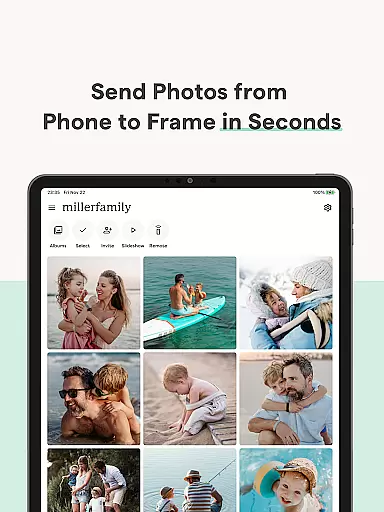
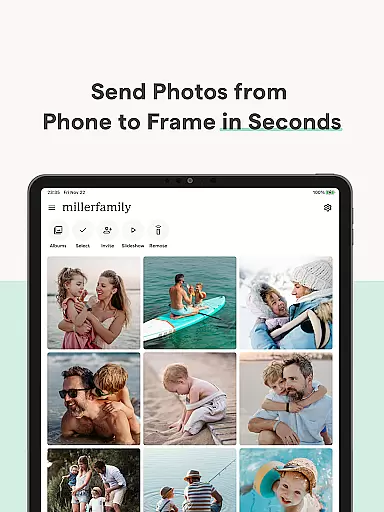
For visual content management, Skylight Frame provides seamless integration with the app, allowing users to upload photos and videos anytime, anywhere. The PLUS subscription further enhances this experience by enabling video uploads and display customization. With unlimited albums and caption options, families can curate their memories creatively while enjoying easy setup and intuitive controls.
All these features are designed to simplify daily routines and foster stronger family connections, making Skylight an indispensable tool for modern households.
Real-time capture and preview functionality is essential for ensuring that every photo taken meets the user's expectations without delay. Skylight provides an intuitive interface where users can see exactly what the camera captures before taking a shot, allowing for adjustments in framing, lighting, and composition on-the-fly.
The app ensures that the preview accurately reflects the final image quality, including color balance, exposure levels, and sharpness. This immediate feedback loop empowers users to make informed decisions about their photography, enhancing both amateur and professional experiences alike.
With real-time previews, families using Skylight Frames can instantly upload and display photos with confidence, knowing they look their best. This feature not only saves time but also enriches the overall experience by making photo sharing more engaging and interactive.
AI beauty and enhancement features are designed to subtly improve images while maintaining a natural appearance. Skylight leverages advanced algorithms to automatically adjust skin tones, smooth imperfections, and enhance facial features without creating an over-processed look.
This technology allows users to apply enhancements selectively, ensuring that personal touches remain authentic. Whether itu2019s refining portraits or boosting landscape details, the AI works intelligently to preserve the original essence of each photograph.
By integrating these enhancements seamlessly into the photo management workflow, Skylight makes it easy for families to curate beautiful memories. The result is a collection of pictures that reflect genuine moments enhanced with care, providing lasting value and enjoyment.
User-friendly interface
Comprehensive calendar sync
Task gamification
Unlimited photo albums
Customizable displays
Premium features locked
Limited free options
Subscription cost
Complex setup
Occasional bugs

Photo editor: face & body editor, beauty cam, filters and quality enhancer.
 4.00
4.00
Gallery show photo, video, slideshow, is perfect 3D effect private photo albums.
4.80
Trendy TikTok time warp scan funny filter app brings you unique photos & videos.
4.40
All-in-One Editor & AI Photo Enhancer, Collage, Cartoonify, Funny Stickers & BGS
4.10
Create collages easily! Nice pic collage maker & background eraser for Instagram
4.50
Photo editor: AI filters, photo enhancer, pic collage maker, AI art generator.
4.80
AI Photo Editor with 100+ Filters, Effects! Remove BG, Retouch & Photo Enhancer.
4.80
A light meter for true photographers.
4.20
A unique animation app. Powerful, easy to use, and lots of fun.
4.30
Collage your moments in one tap: 1000+ layouts, filters, stickers, and texts.
4.90
Perfect body tune & face app - photo retouch, makeup, slim body & beautify face.
4.80
Amazing Photo Effects - The most fun you can have with your photos!
4.70
Create & Edit with AI: AI Remove, Enhance, Retouch, Filter
4.10
Astrophotography with your smartphone, photo live stacking and much more!
3.90
Be your best in every shot! Fix, edit and retouch your face in selfies & photos.
3.70
Raw Image Viewer. Gallery with support of raw images (.cr3, .cr2, .nef, .raf).
2.00
Photo Album Watch Face shows your favorite pictures as a Watchface.
1.90
Remote control the phone camera shutter from your smartwatch and take a picture
1.60
Add a dreamy vibe to your selfies and videos with soft style filters
4.0


User Reviews