
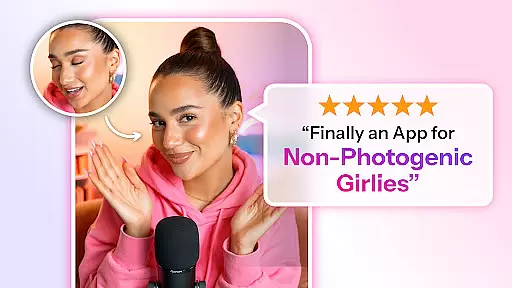
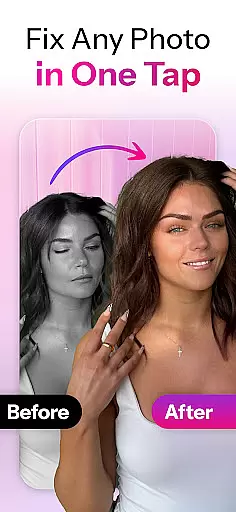

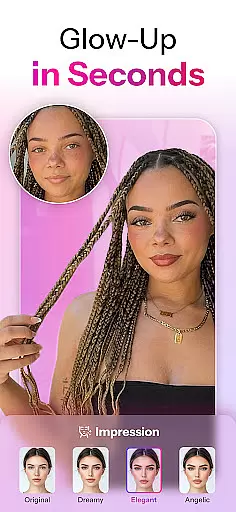
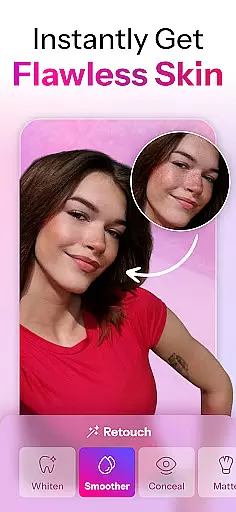
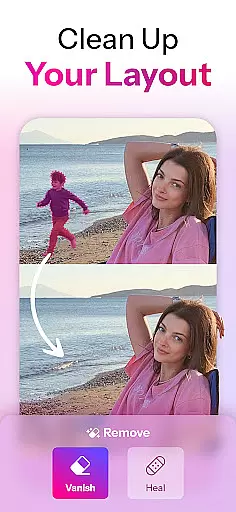
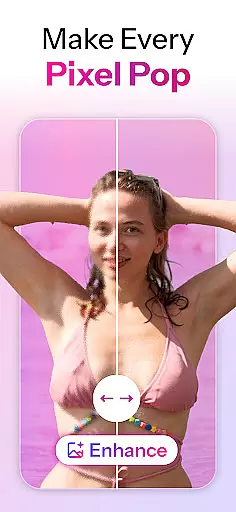
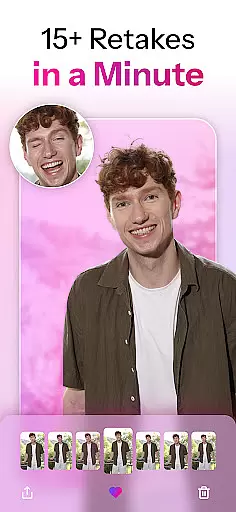
Retake AI represents a breakthrough in mobile photography applications, offering users unprecedented control over their photo editing experience. At its core, this app utilizes advanced artificial intelligence to transform ordinary snapshots into professional-quality images.
The application's primary function revolves around its realistic AI retakes, which can enhance any photograph while maintaining its natural appearance. Users simply upload 12 personal photos to create a customized AI model that forms the basis for future edits. This innovative approach sets Retake apart from conventional photo editing tools.
Designed for both casual photographers and social media enthusiasts, Retake AI proves particularly valuable for those seeking to elevate their Instagram presence. The app's ability to produce consistently excellent results makes it an indispensable tool for anyone looking to improve their digital photography without extensive technical knowledge.
Retake AI revolutionizes photography with its advanced AI engine that provides realistic retakes of any photo. Unlike typical photo editing apps, Retake focuses on reimagining images while preserving their natural essence.
The app's standout feature is its ability to generate a personalized AI model based on 12 uploaded photos. This tailored approach ensures every edited image reflects the user's unique characteristics. With one-tap functionality, users can effortlessly transform imperfect shots into stunning visuals.
Retake AI also includes seamless social media integration, allowing users to share their enhanced photos directly across platforms. The app's sophisticated algorithms ensure edits appear completely natural, making each post shine with authenticity.
Real-time capture and preview functionality is essential for ensuring that every photo taken with Retake AI meets the user's expectations immediately. This feature allows users to see a live view of their shot before capturing, providing an accurate representation of the final image.
Retake AI leverages advanced processing capabilities to offer a seamless real-time preview experience. The app ensures that all adjustments, such as lighting and focus, are reflected instantly on the screen. This immediate feedback empowers users to make necessary changes on the fly, ensuring the perfect shot without any guesswork.
The value of real-time capture and preview lies in its ability to enhance user confidence. With this feature, photographers can experiment with different angles and compositions, knowing they will achieve the desired outcome. This results in higher-quality photos and a more satisfying photography experience overall.
AI beauty and enhancement features have become a staple in modern photography apps, but Retake AI sets itself apart by prioritizing natural-looking results. Instead of applying heavy filters or unrealistic effects, the app uses sophisticated algorithms to subtly enhance facial features while maintaining authenticity.
This approach involves analyzing individual facial structures and making precise adjustments that complement the user's natural appearance. Whether smoothing skin texture or brightening eyes, Retake AI ensures that each modification looks genuine and unforced. This dedication to preserving the subject's true essence makes the app stand out in the crowded field of photo editors.
Users benefit from this natural enhancement by receiving photos that look polished yet remain true to life. This balance between improvement and realism boosts confidence when sharing images on social media platforms like Instagram and TikTok. Ultimately, Retake AI's commitment to natural beauty empowers users to present their best selves without sacrificing authenticity.
Realistic photo enhancements
One-tap editing simplicity
Personalized AI modeling
Natural-looking results
Social media optimization
Requires initial upload
Subscription fees apply
Internet connection needed
Limited free features
Privacy concerns possible

Edit like a pro with Hypic. Apply filters, AI effects, & magic touch.
 4.40
4.40
Create Business Headshots, Polaroid Filter, Retake Photos,Profile Pics,AI Photos
4.50
Over 800 film simulation recipes for Fujifilm. Black Friday Offer!
4.2
Add a dreamy vibe to your selfies and videos with soft style filters
4.5
Easily create custom gifts, cards, photo books & more on the Shutterfly app!
4.60
Pro version: AR sun/moon tracker for any date. Tool for photographers & planners
4.90
PhotoSync Bundle Add-On License. Enables all features and services in PhotoSync.
4.60
Effortlessly make high-quality GIFs from images & videos without any watermarks.
4.70
Photo & Video Gallery app to manage albums and save WA Status easily.
4.70
Perfect body tune & face app - photo retouch, makeup, slim body & beautify face.
4.80
AI Photo Editor with 100+ Filters, Effects! Remove BG, Retouch & Photo Enhancer.
4.80
Create collages easily! Nice pic collage maker & background eraser for Instagram
4.50
Transform photos into videos! Create realistic or anime-style images easily!
4.50
HD Camera Pro with HD Video shooting, Panorama, Photo editor , Beauty Camera.
4.50
Trendy TikTok time warp scan funny filter app brings you unique photos & videos.
4.40
Luminar: Photo Editor - easy picture editing with AI
4.20
Professional camera app that brings DSLR manual photography controls to Android.
4.20
All-in-One Editor & AI Photo Enhancer, Collage, Cartoonify, Funny Stickers & BGS
4.10
Catch sunlight, sunrise sunset times and sun phases with the AR sun tracker.
4.10


User Reviews