


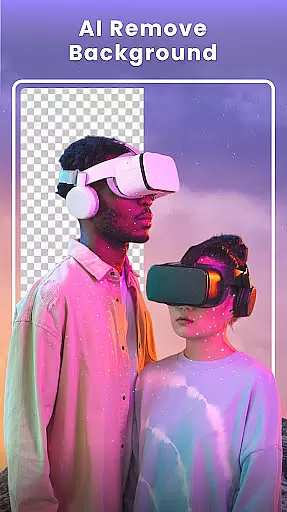

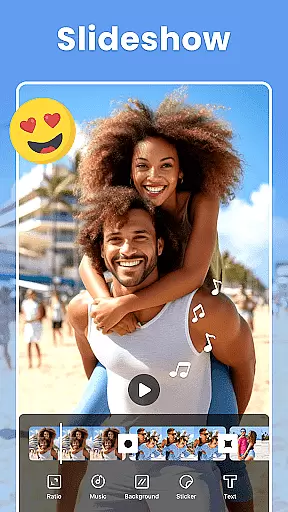

Photo Collage Maker - FunPic is a versatile photography app designed to help users create stunning photo collages and video stories. With over 300 layouts, it allows you to combine photos into eye-catching designs while offering unique shapes and grid options for more creative freedom. The app also provides advanced AI tools for background removal and photo editing, ensuring professional-quality results.
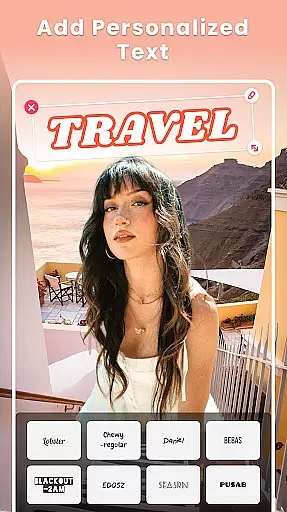
In addition to its collage-making capabilities, FunPic offers rich customization features including filters, text, stickers, and music integration. Whether you're crafting an Instagram feed or making a photo slideshow with transitions and animations, this app caters to various styles and occasions. Its intuitive interface makes it easy to adjust ratios, doodle on images, and add personalized touches that bring your memories to life.
FunPic stands out with its comprehensive suite of creative tools tailored for both casual users and design enthusiasts. One of the key highlights is the AI-powered photo editor, which allows seamless background removal and object erasing with precision. This feature ensures your collages remain clutter-free and visually appealing without requiring professional skills.
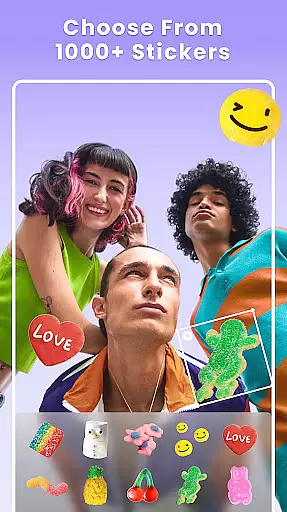
The app also excels in providing diverse content options such as 1000+ stickers, themed templates, and weekly updates for fresh materials. Users can experiment with freestyle canvas editing, where they have complete control over photo placement, resizing, and rotation. Additionally, the video collage maker lets you merge videos and photos, add music, and apply decorative elements like backgrounds and animations, making it ideal for storytelling through multimedia projects.
Real-time capture and preview functionality is essential for any photography app as it allows users to see exactly what their photo will look like before taking the shot. Photo Collage Maker - FunPic offers an intuitive real-time preview feature that ensures every collage, sticker, or text addition appears as intended on the final image.
This application provides a seamless experience by updating changes instantly across its 300+ layouts and various decorative elements such as filters, stickers, and backgrounds. Users can adjust ratios, apply artistic doodles, and add music with immediate visual feedback, ensuring that their creative vision is realized without surprises.
With the ability to combine videos and photos into captivating stories, users are granted a dynamic platform to express their creativity. The instant rendering of these edits allows for quick adjustments and experimentation, which is crucial for crafting the perfect Instagram feed or photo story.
The AI beauty and enhancement features in Photo Collage Maker - FunPic allow users to elevate their images with natural-looking improvements. By harnessing advanced AI technology, this app provides tools for background removal, object elimination, and avatar creation that maintain the authenticity of the original photo while adding a touch of refinement.
Users can take advantage of weekly updates to templates, stickers, and backgrounds to keep their creations fresh and stylish. With options like auto-remove background and edge refinement, each collage retains its realistic appeal even after extensive editing, offering a professional yet accessible level of photo enhancement.
In addition to beautifying photos, FunPic's comprehensive suite includes blur effects, cropping, rotating, and artistic filters that ensure every element from focus to composition meets high standards of quality and aesthetics. This makes it not just a collage maker but also an all-in-one photo editor designed to produce stunningly natural enhancements.
User-friendly interface
Extensive layout options
AI-powered editing tools
Versatile customization features
Regular content updates
Premium features locked behind paywall
Ads may disrupt workflow
Occasional glitches reported
Large file size
Limited free music tracks

Add Watermark - Sign your pictures with a text or logo. Effective, quick, easy!
 4.50
4.50
Application for remote controlling DSLR
3.00
Android Native system HD camera app. Never been so simple and faster.
4.70
Pet Camera
3.70
AI photo editor with hair editor, retouch tools, hair color changer & filters!
4.50
Transform photos into videos! Create realistic or anime-style images easily!
4.50
Amazing Photo Effects - The most fun you can have with your photos!
4.70
Professional photography on your mobile phone
4.20
AI photo enhancer with Sora 2! Enhance, descratch, and colorize your old photos.
4.50
Gallery show photo, video, slideshow, is perfect 3D effect private photo albums.
4.80
The original Rarevision VHS look seen everywhere!
4.70
A must-have app for landscape photographers
4.60
PhotoSync Bundle Add-On License. Enables all features and services in PhotoSync.
4.60
Edit like a pro with Hypic. Apply filters, AI effects, & magic touch.
4.40
AI portrait generator and polaroid AI selfie, fun AI generated AI photo creator!
4.30
Photo editor: face & body editor, beauty cam, filters and quality enhancer.
4.00
live datamoshing
4.00
Create amazing frames with up to five photos. Rounded corners, effects and more!
3.60
An interval timer to automate photo taking process for timelapse
2.90


User Reviews