
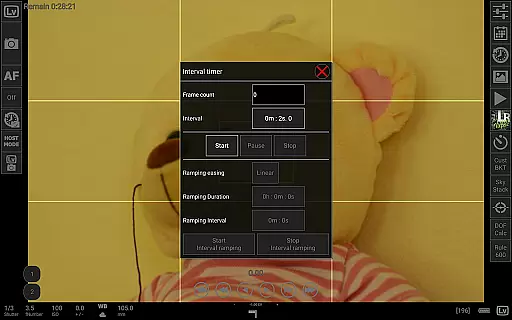
qDslrDashboard is a powerful photography application designed for DSLR camera enthusiasts who want to control their Nikon, Canon, or Sony cameras remotely. The app offers comprehensive functionality through USB OTG adapters or wireless connections, enabling users to manage multiple cameras simultaneously. With features like synchronized capture, live view with histogram analysis, and manual focus adjustments, it caters to both amateur and professional photographers.
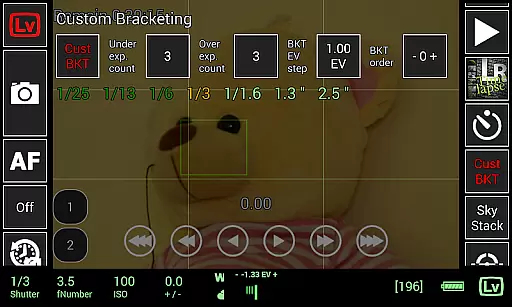
One of the standout capabilities of qDslrDashboard is its support for advanced photography techniques such as time-lapse creation, focus stacking, and custom bracketing. Users can also browse, transfer, and preview images directly on their Android devices. Whether you're conducting a photoshoot in a studio or capturing astrophotography under the stars, this app provides tools that enhance creativity and precision while streamlining workflows.
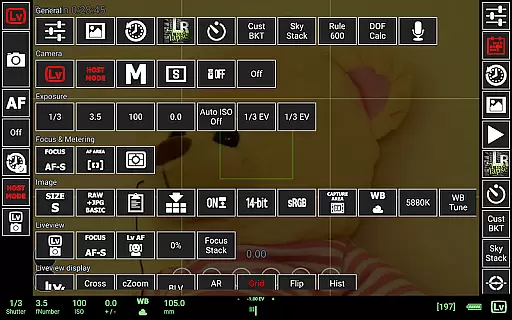
qDslrDashboard stands out with its extensive feature set tailored for photographers seeking granular control over their equipment. It supports multiple camera connections via USB OTG adapters or portable wireless routers (ddserver), allowing seamless integration into various setups. Key functionalities include remote capture, synchronized shooting across multiple cameras, and real-time property adjustments such as ISO, shutter speed, and aperture settings.
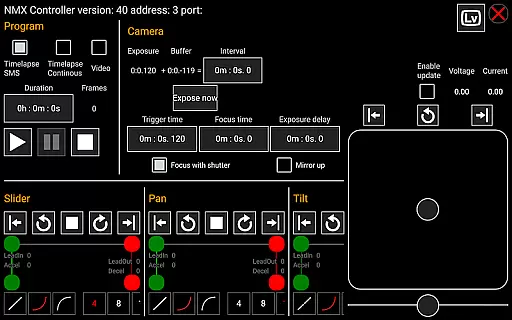
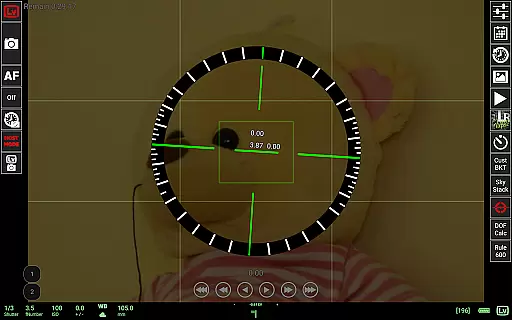
The app excels in creative applications like time-lapse photography, offering both simple and advanced modes with customizable control files. Additionally, features like live view with histogram display, manual focus movement during live view, and movie recording initiation provide unparalleled flexibility. For specialized tasks, qDslrDashboard includes sound-initiated capture, DoF calculators, Rule600 calculations for astrophotography, and even motion controller support for Dynamic Perception NMX systems via Bluetooth LE.
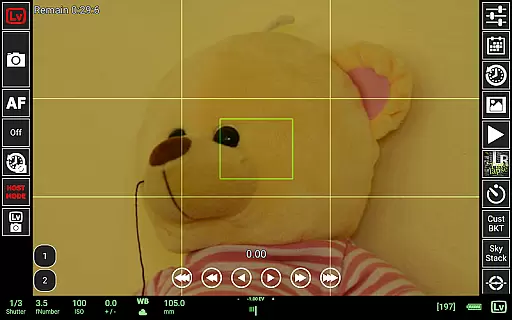
Real-time capture and preview functionality is essential for photographers who need precise control over their shots. qDslrDashboard offers a comprehensive solution that allows users to connect their Nikon, Canon DSLR, or Sony mirrorless camera via USB OTG adapter or wireless network.
The application enables multiple camera support with synchronized capture capabilities. This means you can manage several cameras simultaneously, ensuring all devices capture the exact moment you desire. The live view feature provides an instant preview of your shot directly on your Android device, giving you better framing and composition options.
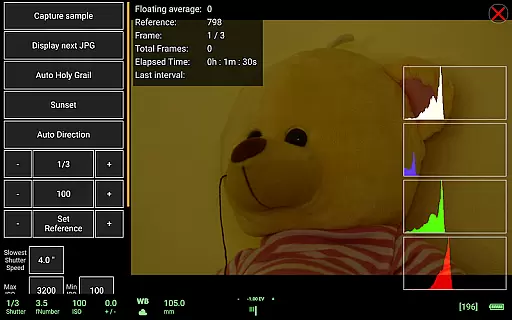
In addition to basic capture functions, qDslrDashboard includes advanced features like live view histogram and manual focus movement while in live view mode. These tools help photographers fine-tune exposure settings and achieve sharp focus without touching the camera, reducing the risk of camera shake.
Overall, qDslrDashboard's real-time capture and preview capabilities empower photographers by providing them with professional-grade controls right at their fingertips, enhancing both efficiency and creativity during photo sessions.
While qDslrDashboard does not specifically market itself as having AI beauty and enhancement features, it excels in delivering natural enhancements through its robust set of photographic tools. The application focuses on giving users the ability to make informed decisions about their photography rather than relying on automated enhancements.
One key aspect where this natural enhancement shines is in the live view histogram feature. By offering detailed histograms in real time, photographers can adjust exposure settings manually to ensure balanced lighting and color accuracy. This approach avoids artificial enhancements that might distort the original image quality.
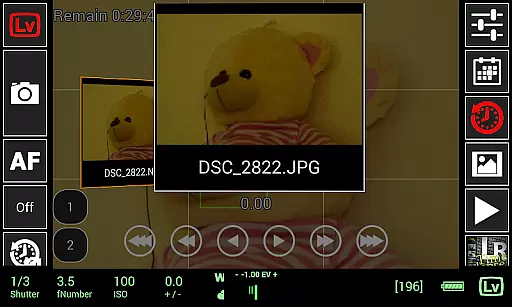
Additionally, qDslrDashboard supports transferring images from the camera to an Android device, allowing users to preview both JPG and RAW formats. This flexibility ensures that post-processing remains authentic and true to the photographeru2019s vision, maintaining the integrity of the original shot.
By prioritizing manual controls and high-quality previews, qDslrDashboard ensures that any enhancements made are deliberate and precise, resulting in naturally beautiful photographs that reflect the photographer's skill and intent.
User-friendly interface
Advanced time-lapse options
Live view with histogram
Supports multiple cameras
Wireless connectivity
Requires USB OTG adapter
Complex for beginners
Limited camera models
No iOS version
High learning curve

Search, tag and rate your way to an organized image gallery
 4.40
4.40
Easily stitch panoramas from multiple photos or video.
4.40
1M influencer's special filter
4.60
How old age camera Gender Swap App Face Shape Hairstyle App Hair Styler App fun!
4.00
AI photo editor with hair editor, retouch tools, hair color changer & filters!
4.50
Photo Exif Editor allows to view, add and modify EXIF data of multiple photos
4.50
Unblur, enhance & restore photos with powerful AI photo enhancer tools.
4.60
Astrophotography with your smartphone, photo live stacking and much more!
3.90
A light meter for true photographers.
4.20
Photo editor: AI filters, photo enhancer, pic collage maker, AI art generator.
4.80
A collection of tools and reference tables for DPs, ACs, DITs and Operators.
4.70
Android Native system HD camera app. Never been so simple and faster.
4.70
Amazing Photo Effects - The most fun you can have with your photos!
4.70
Viewfinder, Light meter, Reciprocity failure time, DOF & Bellows Extension
4.60
Transform photos into videos! Create realistic or anime-style images easily!
4.50
Trendy TikTok time warp scan funny filter app brings you unique photos & videos.
4.40
Virtual makeup, hair filters & body tuner—edit from face to full body!
4.20
All-in-One Editor & AI Photo Enhancer, Collage, Cartoonify, Funny Stickers & BGS
4.10
Be your best in every shot! Fix, edit and retouch your face in selfies & photos.
3.70


User Reviews