
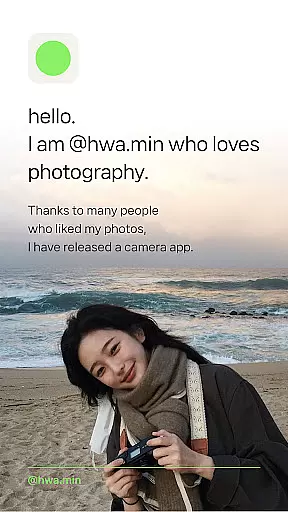
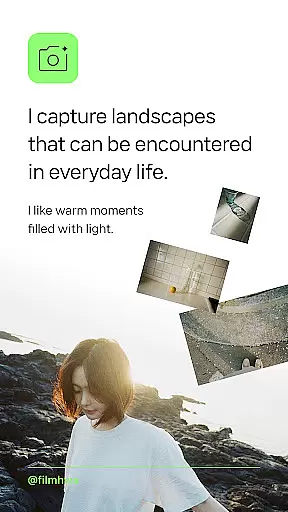
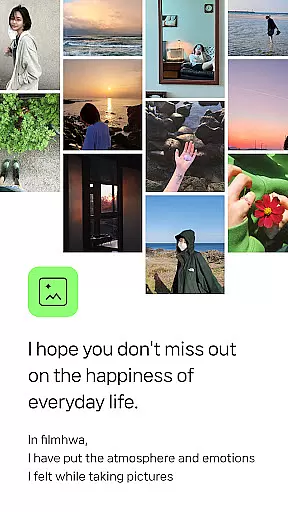
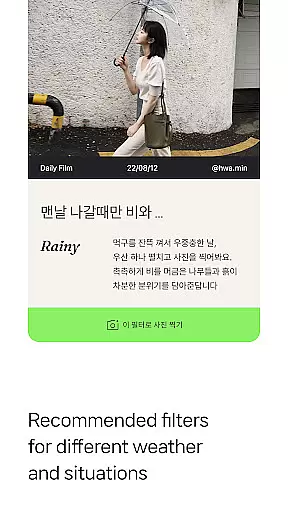
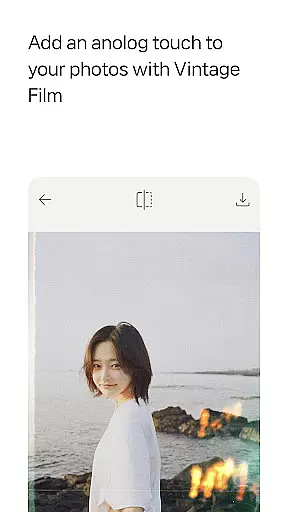
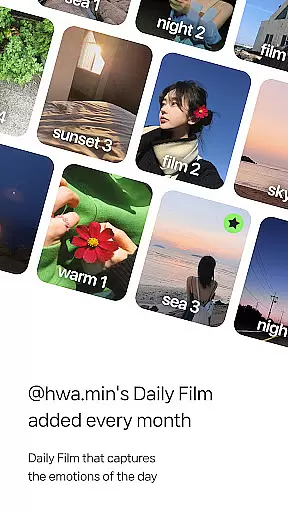
Filmhwa is a photography app that brings the unique color aesthetics of @hwa.min, an influencer with 1 million followers, to your fingertips. This specialized camera app offers distinctive photo filters and editing tools designed to capture the warmth and light of everyday moments.
With features tailored for users who appreciate analog film sensibility, Filmhwa allows you to create natural, basic camera effects perfect for capturing landscapes, light, sea, flowers, and trees. The app also provides weather- and situation-specific filters recommended by @hwa.min himself, along with detailed information about each filter.
The app's value lies in its ability to reproduce emotional colors through custom-made filters, alongside comprehensive photo and video editing tools. Whether you're adjusting brightness or adding grain effects, Filmhwa ensures your photos and videos reflect the vintage film atmosphere you desire.
Filmhwa stands out with its rich array of features designed to enhance your photography experience. The app includes unique atmosphere photo filters crafted by @hwa.min, which are updated monthly to keep your content fresh and engaging.
Beyond filters, Filmhwa offers robust photo and video shooting/editing tools. You can adjust basic settings like brightness, exposure, and contrast, while also applying various effects such as grain, light, and dust. The app supports different aspect ratios for Instagram posts and stories, ensuring your creations look perfect on any platform.
Additional functionalities include wide-angle shooting, silent mode, and skin texture correction, making Filmhwa a versatile tool for capturing both stills and moving moments with the distinct aesthetic of vintage film.
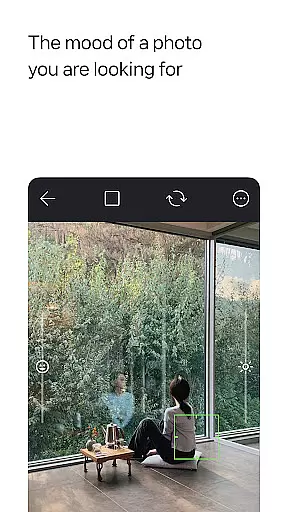
Real-time capture and preview functionality is essential for photography apps like filmhwa, allowing users to see exactly what the camera sees before taking a shot. This ensures that the framing, lighting, and overall composition are just right.
The app provides an authentic experience by integrating @hwa.min's unique filters directly into the viewfinder. Users can apply these filters in real time, seeing how they affect the scene instantly. This feature helps photographers make informed decisions about which filter best suits their subject.
With additional tools such as wide-angle shooting, silent mode, and skin texture correction, users have comprehensive control over their photo sessions. These features enhance the user's ability to capture moments with precision and creativity, ensuring each shot reflects their artistic vision.
AI beauty and enhancement features are increasingly popular in photography apps, offering users the ability to refine their images while maintaining a natural look. The filmhwa app excels in this area by providing subtle yet effective enhancements that preserve the original charm of the photograph.
Users can adjust various parameters such as brightness, exposure, contrast, grain, light, and dust effects. Each adjustment is designed to mimic traditional film photography techniques, giving photos an organic feel rather than appearing overly processed or artificial.
In addition to static images, filmhwa supports video shooting and editing with the same attention to detail. Videos captured using @hwa.minu2019s signature filters maintain a consistent aesthetic, allowing creators to produce content that aligns seamlessly with their photographic style. This holistic approach ensures both photos and videos reflect the distinctive analog sensibility that defines the filmhwa experience.
User-friendly interface
Unique photo filters
Monthly updates
Versatile editing tools
Wide-angle shooting
Limited to specific aesthetics
Requires frequent updates
Premium features may cost extra
Interface can be complex
Heavy app size

Photo Album Watch Face shows your favorite pictures as a Watchface.
 1.90
1.90
Perfect photos with body shaping, BG changer and object remover.
3.70
Easily stitch panoramas from multiple photos or video.
4.40
Create funny photos and videos with the popular Time Warp Scan filter.
4.90
Cut and paste photo editor & eraser to customize photos easy and swap faces fun
4.50
Create AI Photos, Improve and restore quality of blurry, old or damaged pics.
4.20
USB Storage Access for Photos, Videos, Music and Documents
3.80
Create AI photos & videos with Enhancer; restore, fix, beautify, enhance photos
4.50
Astrophotography with your smartphone, photo live stacking and much more!
3.90
Perfect body tune & face app - photo retouch, makeup, slim body & beautify face.
4.80
Safe & smart flight with Go Fly drone controller for 40+ drone camera, zone map
4.50
Photo Exif Editor allows to view, add and modify EXIF data of multiple photos
4.50
Movie camera, supports pro recording settings for filming. Try it and be amazed!
4.50
Turn your phone into a professional camera - full DSLR manual photography
4.30
Create & Edit with AI: AI Remove, Enhance, Retouch, Filter
4.10
Transform Photos: Edit, Beautify and Craft Memories & Make Collages!
4.10
Application for remote controlling DSLR
3.00
Professional video recording application with manual controls for filmmakers!
2.80
Raw Image Viewer. Gallery with support of raw images (.cr3, .cr2, .nef, .raf).
2.00


User Reviews