
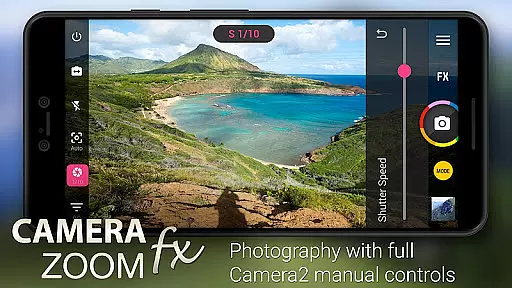
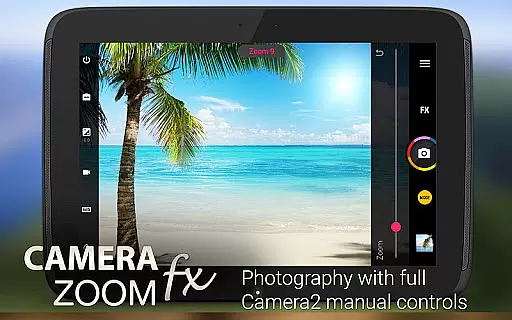
Camera ZOOM FX Premium is a feature-rich photography app that transforms your Android device into a professional-grade camera. With advanced manual controls and support for Camera API2, it offers DSLR-like functionalities including RAW capture, ISO adjustment, focus control, and customizable shutter speed settings.
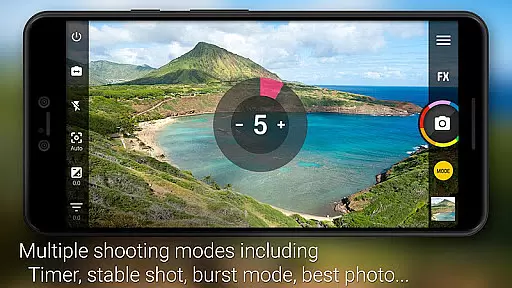
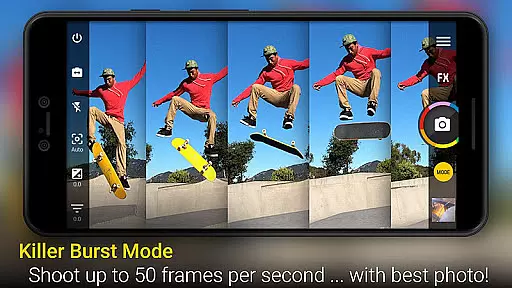
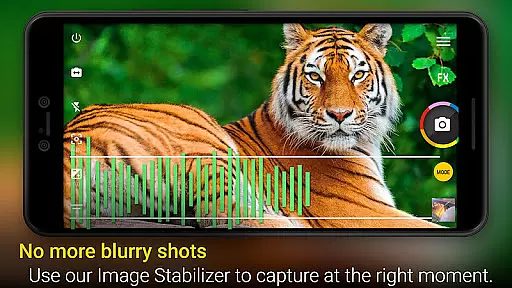
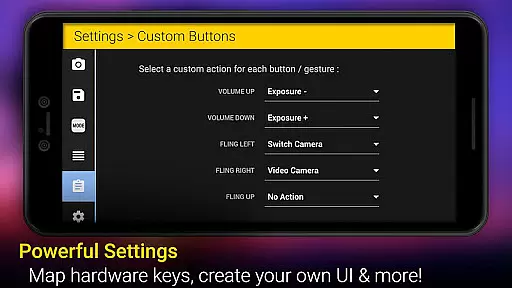
The app stands out with its powerful shooting modes such as Stable Shot, Timer, HDR Mode Pro, and Time Lapse, making it suitable for both amateur photographers and professionals. Its intuitive interface allows users to specify button orders and actions, providing a personalized experience. Whether capturing action shots or applying creative filters, this app ensures high-quality results across various scenarios.
Camera ZOOM FX Premium boasts an impressive array of features designed to enhance mobile photography. The app supports full manual DSLR controls using Camera API2, enabling users to adjust settings like ISO, focus distance, exposure, and shutter speed. This level of control is complemented by the ability to combine shooting modes, such as timer + HDR or stable + timelapse, offering unparalleled flexibility.
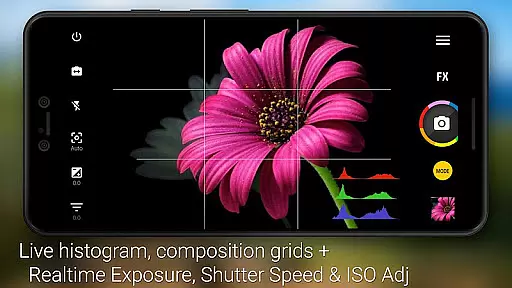
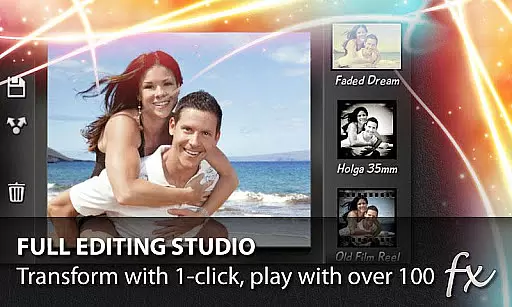
In addition to its core functionalities, the app includes creative tools like photo filters, collage maker, and tilt-shift effects. Users can access over 100 effects, including Vignette, Retro, Holga, Bokeh, and more. Practical features like grid overlays, horizon leveling, and multiple flash modes ensure precise composition, while optional add-ons provide fun props, famous 'buddies', and unique frames to elevate the photography experience.
Real-time capture and preview functionality is essential for ensuring that every photo taken meets the user's expectations. Camera ZOOM FX Premium offers a robust set of features that allow users to see exactly what the camera sees, in real time, before capturing the shot.
This app leverages advanced Camera2 API controls, providing users with DSLR-like manual adjustments. Users can fine-tune settings such as ISO, focus distance, exposure, and shutter speed directly from their Android devices, ensuring each photo is perfectly exposed and focused.
The benefits of this real-time functionality are numerous. Photographers can experiment with different settings and immediately see the results, allowing for quick adjustments and more creative freedom. This immediate feedback loop enhances the photography experience, making it more interactive and engaging.
Overall, the real-time capture and preview feature in Camera ZOOM FX Premium empowers users to take professional-quality photos with their smartphones, bridging the gap between mobile photography and traditional DSLR photography.
AI beauty and enhancement features have become increasingly popular in mobile photography, offering users the ability to enhance their photos with natural-looking effects. Camera ZOOM FX Premium incorporates sophisticated AI algorithms to provide users with tools that improve image quality without compromising authenticity.
With over 100 effects available, including Vignette, Retro, Holga, Bokeh, Lomo, and Hipster styles, users can apply various filters to their images. These filters are designed to enhance the natural beauty of the photo, ensuring that enhancements look realistic and not overly processed.
One significant advantage of using AI for beauty and enhancement is the level of customization it offers. Users can adjust parameters like intensity and style, tailoring the enhancements to their specific preferences. This flexibility ensures that each photo retains its unique character while benefiting from AI-driven improvements.
In summary, Camera ZOOM FX Premium's AI beauty and enhancement features provide users with powerful tools to elevate their mobile photography. By maintaining a balance between enhancement and naturalness, the app delivers professional-grade results that enhance the overall aesthetic appeal of photos without appearing artificial.
Advanced manual controls
RAW image capture
Fast burst mode
Versatile shooting modes
Extensive filter library
Paid premium version
Complex for beginners
Device compatibility issues
Occasional bugs reported
High storage requirements

Create & Edit with AI: AI Remove, Enhance, Retouch, Filter
 4.10
4.10
Cartoon and artistic effects for your photos and videos
4.70
Create AI photos & videos with Enhancer; restore, fix, beautify, enhance photos
4.50
GCamera allows all GCam features on all phone models! Better photos with GCamera
3.30
Luminar: Photo Editor - easy picture editing with AI
4.20
AI Photo Editor with 100+ Filters, Effects! Remove BG, Retouch & Photo Enhancer.
4.80
A unique animation app. Powerful, easy to use, and lots of fun.
4.30
Discover How to Plan any Sun, Moon and Milky Way Photo You Imagine in Seconds
4.70
Your Family Calendar + Photos. Manage your Skylight Calendar and Skylight Frame.
4.40
The original Rarevision VHS look seen everywhere!
4.70
HD Camera Pro with HD Video shooting, Panorama, Photo editor , Beauty Camera.
4.50
Fit multiple photos on one post. Create carousels & scroll layouts for Instagram
4.50
Search, tag and rate your way to an organized image gallery
4.40
Create AI Photos, Improve and restore quality of blurry, old or damaged pics.
4.20
A light meter for true photographers.
4.20
Transform Photos: Edit, Beautify and Craft Memories & Make Collages!
4.10
Photobooth mini FULL app will allow you to add more fun to your parties
4.00
Hair color changer, AI haircut app, fun hair editor and buzz cut filter for all!
3.80
Application for remote controlling DSLR
3.00


User Reviews