
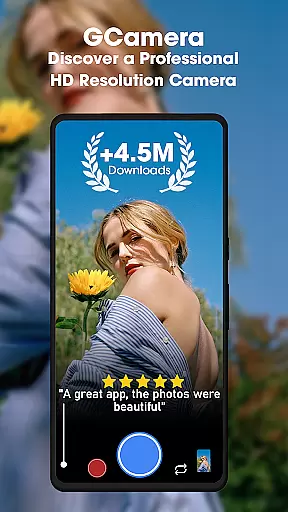
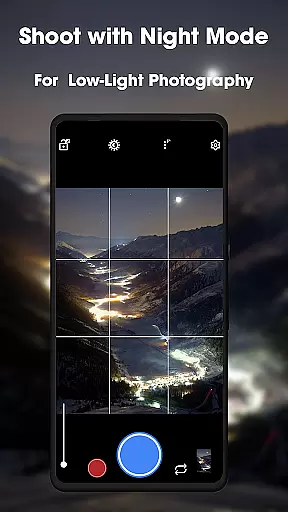
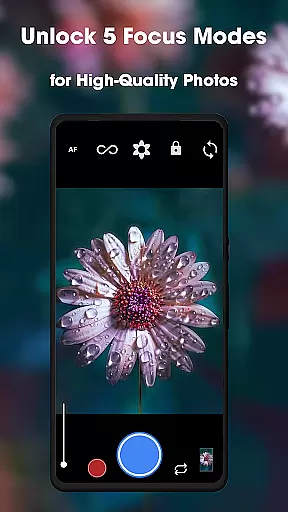
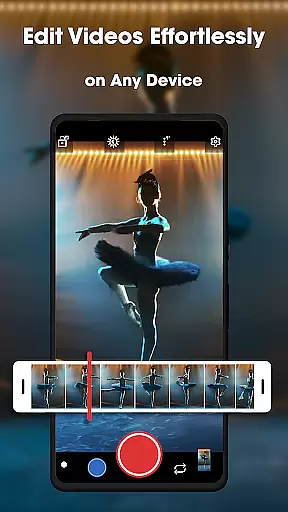
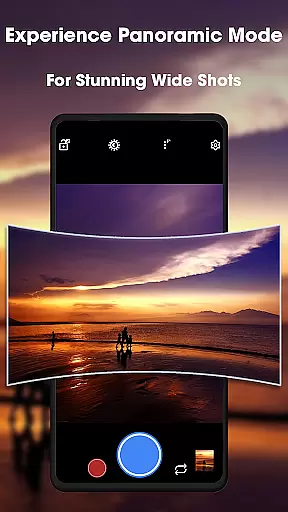
GCamera is a feature-rich photography app that transforms your smartphone into a professional-grade digital camera. With advanced modes like HDR+, Night Sight, and Astrophotography, it ensures stunning image quality in any lighting condition. Whether you're capturing landscapes, portraits, or night skies, GCamera delivers vibrant colors, sharp details, and impeccable dynamic range.
The app also includes Portrait Mode for artistic bokeh effects and an intuitive user interface that makes professional photography accessible to everyone. Its versatility and high-definition performance make it ideal for both amateur enthusiasts and seasoned photographers looking to elevate their craft.
Perfect for travel, events, or creative projects, GCamera empowers users to capture every moment with clarity and precision. By combining powerful tools with ease of use, this app redefines mobile photography and helps users create art with every shot.
GCamera stands out with its diverse and innovative features designed to enhance mobile photography. The HDR+ mode blends multiple shots using advanced algorithms, ensuring vibrant colors and balanced exposure even in challenging lighting conditions. This feature is particularly useful for outdoor scenes where contrast can be difficult to manage.
Night Sight revolutionizes low-light photography by capturing detailed images without requiring additional equipment. Meanwhile, Astrophotography mode allows users to photograph celestial objects like stars and galaxies with remarkable clarity. These specialized modes cater to creative professionals who want to push the boundaries of smartphone photography.
Additional highlights include Portrait Mode, which creates professional-looking bokeh effects, and an intuitive design that simplifies access to these powerful tools. Together, these features make GCamera not just a camera app but a comprehensive toolkit for producing high-quality photos effortlessly.
Real-time capture and preview functionality is essential for ensuring that every photo taken with GCamera meets professional standards. This feature allows users to see exactly what the camera sensor is capturing, providing a live view of the scene before taking the shot.
GCamera's real-time processing capabilities ensure that adjustments to settings like exposure, white balance, and focus are immediately visible on the screen. This instant feedback empowers photographers to make precise modifications, resulting in perfectly composed images without any guesswork.
The app's advanced algorithms work seamlessly in the background, delivering smooth and responsive previews even in challenging lighting conditions. Whether shooting in bright daylight or low-light environments, users can trust that the preview accurately represents the final image quality.
This real-time functionality not only enhances the photography experience but also saves time during post-processing. By getting the shot right the first time, photographers can focus more on their creative vision and less on editing, making GCamera an indispensable tool for both amateur enthusiasts and professional photographers.
AI-powered beauty and enhancement features have become increasingly popular in mobile photography, and GCamera sets a new standard for natural-looking results. The app's sophisticated AI algorithms analyze facial features and skin tones to apply enhancements that look authentic rather than artificial.
Unlike traditional beauty filters that often create unrealistic effects, GCamera's AI system intelligently smooths skin textures while preserving natural details like freckles and skin pores. This approach ensures that portrait subjects maintain their unique characteristics while benefiting from subtle improvements in skin appearance.
The enhancement process extends beyond just facial features. GCamera's AI also optimizes background elements, color balance, and lighting conditions to create harmonious compositions that enhance the overall image quality without appearing overly processed.
Photographers can adjust the intensity of these AI enhancements through intuitive controls, allowing for customized results that suit different preferences and photography styles. This combination of advanced AI technology and user control makes GCamera's beauty and enhancement features stand out in the competitive field of mobile photography applications.
User-friendly interface
Advanced HDR+ technology
Excellent low-light performance
Versatile shooting options
Professional-grade results
May drain battery quickly
Requires modern hardware
Limited manual controls
Occasional processing delays
Not all features work on older devices

Search, tag and rate your way to an organized image gallery
 4.40
4.40
What celebrity do you look like? Celebs will find your celebrity match!
4.10
Virtual makeup, hair filters & body tuner—edit from face to full body!
4.20
Create collages easily! Nice pic collage maker & background eraser for Instagram
4.50
Smart, light, and fast photo and video gallery
4.30
Astrophotography with your smartphone, photo live stacking and much more!
3.90
RAW video capture with advanced controls
4.40
Professional camera app that brings DSLR manual photography controls to Android.
4.20
Welcome to ProShot, the most powerful camera app on Android.
4.20
Photo editor: AI filters, photo enhancer, pic collage maker, AI art generator.
4.80
Gallery show photo, video, slideshow, is perfect 3D effect private photo albums.
4.80
The original Rarevision VHS look seen everywhere!
4.70
1M influencer's special filter
4.60
Safe & smart flight with Go Fly drone controller for 40+ drone camera, zone map
4.50
Shooting photos and records video easily and efficient with professional Camera
4.30
Turn your phone into a professional camera - full DSLR manual photography
4.30
Superimpose one photo on top of another using the original Superimpose app!
3.20
Application for remote controlling DSLR
3.00
Photo Album Watch Face shows your favorite pictures as a Watchface.
1.90


User Reviews