
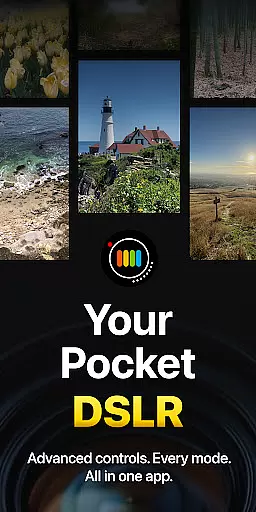
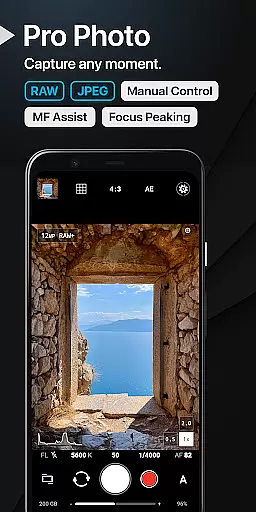
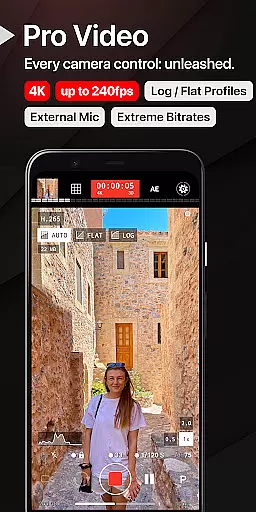
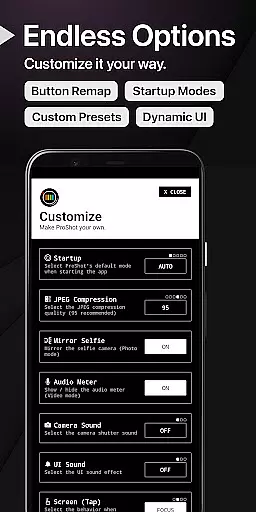
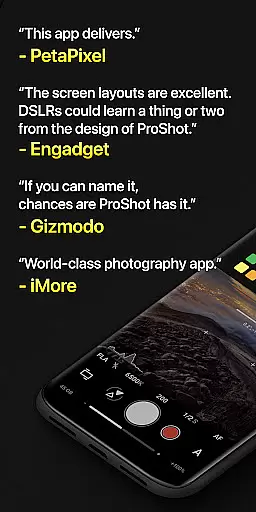
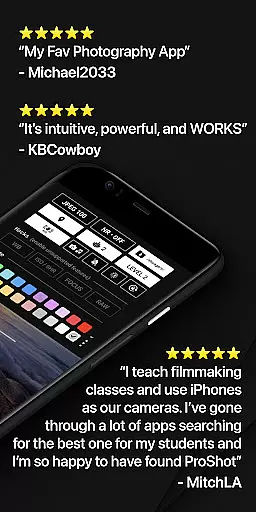
ProShot redefines mobile photography by transforming your Android device into a powerful tool reminiscent of professional DSLR cameras. Designed for photographers at any skill level, this application boasts an extensive array of manual, semi-manual, and automatic controls, enabling users to capture photos and videos with remarkable precision.
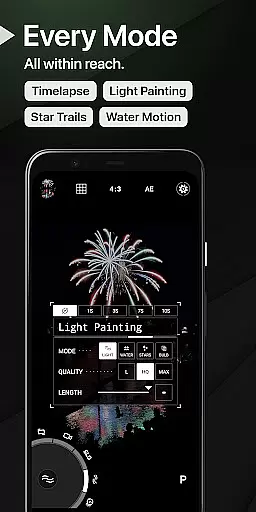
The hallmark of ProShot lies in its ability to offer DSLR-like functionalities within a smartphone app. Users can take advantage of comprehensive manual settings including ISO, shutter speed, white balance, and more. Moreover, the app facilitates shooting in RAW format, providing unparalleled flexibility during post-processing. Its intuitive interface incorporates innovative features such as the Dual Dial system for seamless setting adjustments and specialized modes like Light Painting and Bulb mode for creative experimentation.
Whether you're capturing everyday moments or embarking on professional projects, ProShot ensures you never miss an opportunity to create stunning visuals. With continuous development and regular updates, ProShot remains at the forefront of mobile photography solutions.
ProShot stands out as a feature-rich photography application tailored for both amateur enthusiasts and seasoned professionals. The app leverages the full potential of the Android camera2 API, providing users with an expansive suite of manual controls akin to those found in DSLR cameras.
Among its standout features is the unique Dual Dial system that allows swift navigation through camera settings. This ensures users can make quick adjustments without missing crucial moments. Additionally, ProShot offers specialized modes such as Light Painting and Bulb mode, which open creative avenues for capturing stunning images under challenging lighting conditions. For videographers, the app supports up to 8K video recording with advanced options like LOG and FLAT color profiles, ensuring high-quality footage suitable for post-production work.
Privacy-conscious users will appreciate ProShot's commitment to safeguarding personal data. Unlike many modern applications, ProShot refrains from harvesting user data, thus ensuring all captured images, videos, and associated metadata remain confidential and secure.
Real-time capture and preview functionality is essential for photographers who need to see exactly what their camera is capturing before taking the shot. ProShot offers a sophisticated real-time preview system that ensures every detail is captured as intended.
The app leverages advanced processing capabilities to provide an instantaneous view of the scene, allowing users to adjust settings like exposure, focus, and white balance on-the-fly. This immediate feedback loop empowers photographers to fine-tune their shots with precision.
With ProShot's real-time features, users can experiment with different modes such as Light Painting or Bulb mode without any lag, ensuring they never miss a fleeting moment. The responsive interface guarantees that adjustments are reflected instantly in the preview window.
This seamless integration of real-time capture and preview not only enhances the photography experience but also significantly improves the quality of photos taken using mobile devices. Photographers can trust that what they see on the screen is exactly what they will get in their final image.
While ProShot focuses primarily on professional-grade manual controls, it also incorporates AI-driven beauty and enhancement features that maintain natural aesthetics. These enhancements are designed to subtly improve image quality without compromising authenticity.
The AI algorithms analyze each photo to optimize elements like skin tone, lighting, and sharpness while preserving the original character of the subject. Unlike heavy-handed filters, ProShotu2019s approach ensures that edits enhance rather than overshadow the natural beauty of the photograph.
Users have access to various enhancement options, including noise reduction, tone mapping, and sharpness adjustments. Each setting is customizable, allowing photographers to apply enhancements that align with their artistic vision while maintaining a realistic appearance.
This balance between AI-powered enhancements and natural results makes ProShot an ideal choice for photographers seeking both control and quality. By prioritizing authenticity, ProShot ensures that every edited photo retains its genuine essence.
DSLR-like controls
RAW image support
Advanced video options
Privacy-focused design
Regular updates
Complex interface
Premium price
High learning curve
Drains battery
Occasional bugs

How would you look like with a differently shaped nose, chin or lips?
 3.90
3.90
How old age camera Gender Swap App Face Shape Hairstyle App Hair Styler App fun!
4.00
Create AI Photos, Improve and restore quality of blurry, old or damaged pics.
4.20
Photo editor & gallery. Crop pictures & edit photos offline, no wifi!
4.50
AI Photo Editor with 100+ Filters, Effects! Remove BG, Retouch & Photo Enhancer.
4.80
live datamoshing
4.00
Discover & download millions of art for The Frame TV or Hisense CanvasTV
4.60
A unique animation app. Powerful, easy to use, and lots of fun.
4.30
Edit photos with the picture generator: PS2 & AI Clay filters, cartoon effects.
4.50
Create funny photos and videos with the popular Time Warp Scan filter.
4.90
See your baby AI baby face generator AI baby maker Face generator babymaker fun!
4.70
Enhance, upscale, and transform your images — on your device, without limits
4.70
1M influencer's special filter
4.60
Viewfinder, Light meter, Reciprocity failure time, DOF & Bellows Extension
4.60
Trendy TikTok time warp scan funny filter app brings you unique photos & videos.
4.40
Natural Beauty, Selfie Retouch
4.30
Professional camera app that brings DSLR manual photography controls to Android.
4.20
Photo editor: face & body editor, beauty cam, filters and quality enhancer.
4.00
Professional quality photo edits with the new Snapseed.
4.00


User Reviews