
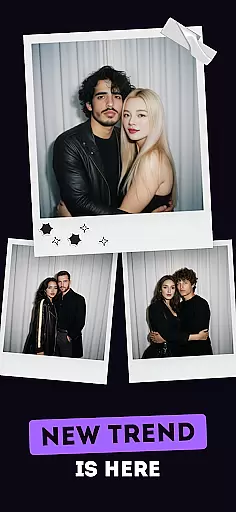
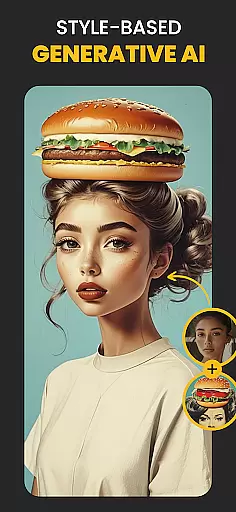
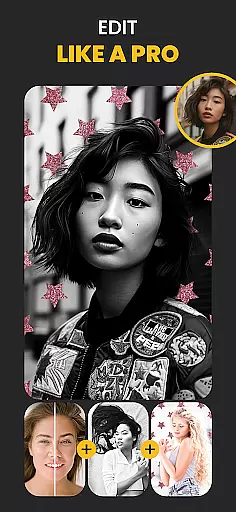
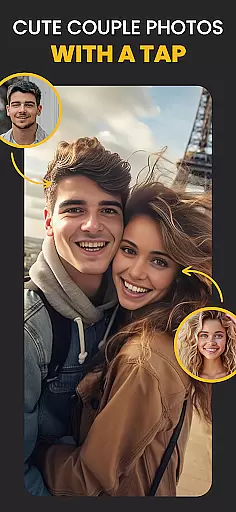
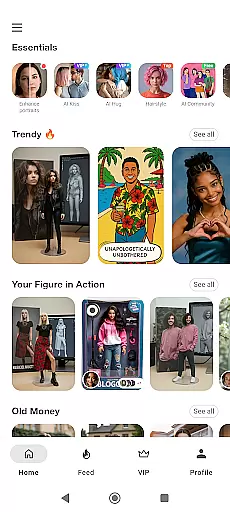
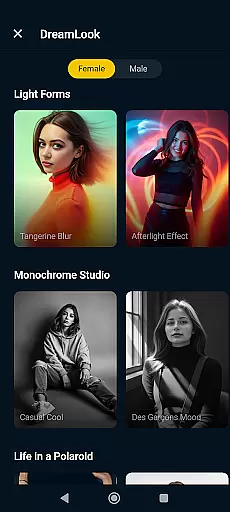
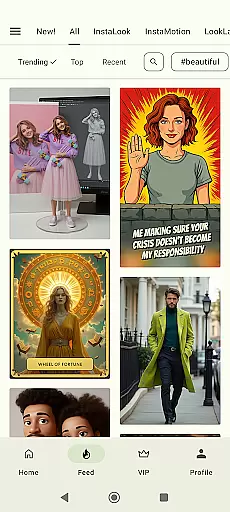
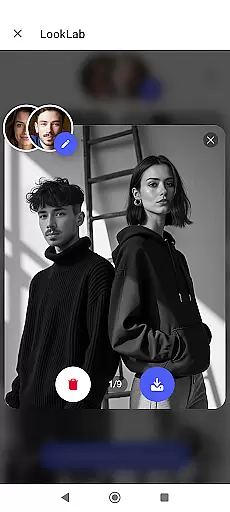
Photo Lab Picture Editor & Art is a feature-rich photography app that combines advanced AI technology with creative photo editing tools. This app allows users to transform their photos into stunning artworks using neural art styles, realistic photo effects, and face photo montages. With over 50 pre-set AI-powered styles and an array of photo filters, frames, and collages, it caters to both casual users and photography enthusiasts.
The app's standout features include automatic face detection for creating unique montages, background editing capabilities, and diverse artistic filters such as cartoon, vintage, and oil painting effects. These tools enable users to enhance their images effortlessly while maintaining professional-quality results. Whether you're looking to create eye-catching social media posts or personalized gifts, Photo Lab offers the resources to bring your creative vision to life.
As an Internet-based application, Photo Lab ensures smooth performance without consuming excessive device storage. The app is ideal for users who want to edit photos on-the-go and share them instantly across various platforms. Its intuitive interface and powerful editing options make it a valuable tool for anyone seeking to add originality and style to their photos.
Photo Lab Picture Editor & Art stands out with its innovative use of AI technology in photo editing. The app's neural art styles feature uses machine learning algorithms to apply over 50 artistic presets to any image, turning ordinary photos into impressive digital artworks. This functionality is particularly useful for users who want to experiment with different artistic expressions without requiring advanced technical skills.
In addition to AI-powered features, the app provides practical tools like photo frames, background changers, and collage makers. The automatic face detection algorithm simplifies complex photo montages, allowing users to create fun and creative selfies by swapping faces with cartoon characters or dolls. The background editor enables precise removal and replacement of image backgrounds, offering numerous creative templates for users to choose from.
The app also includes a comprehensive collection of photo filters and effects that cater to various aesthetic preferences. From vintage and black-and-white filters to modern 3D and anime effects, these tools help users establish distinct visual identities for their photos. The combination of professional-grade editing features with user-friendly implementation makes Photo Lab a versatile solution for mobile photo enhancement, suitable for both personal and professional use cases.
Real-time capture and preview functionality is essential for ensuring that users can see the results of photo edits immediately, allowing for instant adjustments and enhancements. Photo Lab Picture Editor & Art offers a dynamic real-time editing environment where changes are visible as soon as they are applied.
This application leverages advanced processing capabilities to deliver a seamless experience when applying filters, effects, or making alterations to photo backgrounds. Users can witness transformations unfold in real time, which significantly streamlines the editing process and empowers creators with immediate visual feedback.
The benefit to users is substantial, as it removes the guesswork from photo editing. With real-time previews, users can make precise modifications to their images, ensuring that the final output aligns perfectly with their creative vision without the need for trial and error.
AI beauty and enhancement features focus on improving the aesthetic appeal of photos while maintaining a natural look. Photo Lab Picture Editor & Art employs sophisticated AI algorithms to enhance facial features, apply skin smoothing, and adjust various elements within an image to create visually pleasing yet authentic results.
Through neural photo art styles and realistic photo effects, this app refines images with a level of detail that respects the original essence of the photograph. The AI-driven tools intelligently recognize and enhance key aspects such as eyes, smiles, and skin tones without over-processing, which preserves the genuineness of each edited picture.
Users gain the advantage of professional-grade enhancements at their fingertips, achieving polished photographs that retain their true-to-life quality. This approach not only elevates the visual impact of personal and shared content but also supports artistic expression by providing nuanced control over the enhancement process.
User-friendly interface
Extensive filter collection
AI-powered editing tools
Automatic face detection
Versatile collage options
Internet connection required
Some features are premium
Occasional processing delays
Limited offline functionality
Subscription-based pricing

Find time and duration of different sunlight phases at any location
 4.90
4.90
How old age camera Gender Swap App Face Shape Hairstyle App Hair Styler App fun!
4.00
Future baby face generator: AI kids generator, kid face! What my baby look like?
4.40
GCamera allows all GCam features on all phone models! Better photos with GCamera
3.30
Smart, light, and fast photo and video gallery
4.30
Transform Photos: Edit, Beautify and Craft Memories & Make Collages!
4.10
Professional camera app that brings DSLR manual photography controls to Android.
4.20
A unique animation app. Powerful, easy to use, and lots of fun.
4.30
Try an anime version, cartoon yourself, and generate AI hug or aging videos!
3.70
Enhance, retouch & create your story - Share the moment with Photoshop Express.
4.60
Photo Exif Editor allows to view, add and modify EXIF data of multiple photos
4.50
Create Business Headshots, Polaroid Filter, Retake Photos,Profile Pics,AI Photos
4.50
Create AI photos & videos with Enhancer; restore, fix, beautify, enhance photos
4.50
Shooting photos and records video easily and efficient with professional Camera
4.30
Create & Edit with AI: AI Remove, Enhance, Retouch, Filter
4.10
Remote control of the phone camera from your Wear OS smartwatch
3.70
Application for remote controlling DSLR
3.00
Remote control the phone camera shutter from your smartwatch and take a picture
1.60
HD Photo gallery and photo manager to edit, hide private photos, videos & albums
4.4


User Reviews