


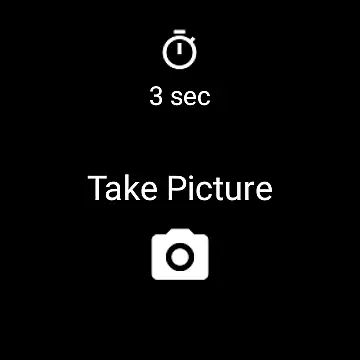
Camera Remote Watch is a smart photography tool that allows users to remotely control their phone's camera shutter directly from a smartwatch. This innovative app enables hands-free picture taking, making it perfect for group photos, selfies, or capturing moments without physically interacting with the phone. The application works seamlessly with Wear OS smartwatches and stores captured images in the phone's gallery while also providing a preview on the watch itself.
The app ensures convenience by allowing users to adjust the camera view on their phone before triggering the shutter from the watch. After taking a photo, users can instantly review it on their smartwatch to decide if another shot is needed. With compatibility across various devices, Camera Remote Watch provides an efficient solution for capturing high-quality images effortlessly.
Camera Remote Watch offers several advanced features tailored for photography enthusiasts. One of its standout capabilities is the remote shutter function, which lets users take pictures without touching their phone, reducing the risk of shaky shots. Additionally, the app provides instant feedback by displaying a copy of the captured image on the smartwatch screen, enabling users to assess photo quality immediately.
Another notable feature is its seamless integration with Wear OS smartwatches, ensuring broad compatibility and ease of use. Users can access detailed instructions and FAQs on the official website to troubleshoot common issues. The app also emphasizes connectivity, advising users to ensure their devices are paired correctly before use. These features collectively enhance the user experience by combining convenience with functional utility.
Real-time capture and preview functionality is essential for ensuring that every photo taken meets the user's expectations without delay. Camera Remote Watch excels in this area by allowing users to remotely control their phone's camera from a smartwatch, providing instant feedback on the watch screen.
This application ensures that after triggering the camera shutter from your watch, a copy of the captured image is promptly displayed on the watch. This immediate preview capability allows users to quickly assess the quality of the photo and decide whether another shot is necessary, streamlining the photography process.
The real-time aspect not only enhances convenience but also saves time, as users can make adjustments on the fly without needing to handle their phones directly. Whether capturing spontaneous moments or setting up the perfect shot, this feature guarantees that users have all the information they need right on their wrist.
While Camera Remote Watch does not explicitly market itself as having AI beauty and enhancement features, its ability to provide natural-looking photos is noteworthy. The app focuses on delivering authentic images captured through the phoneu2019s native camera capabilities, ensuring that enhancements are kept minimal and true to life.
Users can expect their photos to reflect genuine moments without exaggerated filters or effects, maintaining the integrity of the original scene. This approach caters to those who prefer subtlety over heavy editing, offering a more honest representation of each captured moment.
By prioritizing naturalness, Camera Remote Watch supports photographers who value realism and authenticity in their work. The absence of intrusive alterations ensures that every picture remains a faithful record of the moment it represents, aligning with modern preferences for unaltered, lifelike imagery.
User-friendly interface
Instant photo preview
Wide device compatibility
Hands-free operation
Seamless Wear OS integration
Slow photo download
Limited unsupported devices
Requires stable connection
No advanced editing tools
Dependent on phone gallery

A collection of tools and reference tables for DPs, ACs, DITs and Operators.
 4.70
4.70
Add Watermark - Sign your pictures with a text or logo. Effective, quick, easy!
4.50
HD Photo gallery and photo manager to edit, hide private photos, videos & albums
4.4
What celebrity do you look like? Celebs will find your celebrity match!
4.10
How old age camera Gender Swap App Face Shape Hairstyle App Hair Styler App fun!
4.00
Create & Edit with AI: AI Remove, Enhance, Retouch, Filter
4.10
See your baby AI baby face generator AI baby maker Face generator babymaker fun!
4.70
Use AI Video Generator to turn your words to ai generated videos.
4.50
Enhance, upscale, and transform your images — on your device, without limits
4.70
Create funny photos and videos with the popular Time Warp Scan filter.
4.90
Photo prints, cards, & gifts at Walgreens. Easy ordering & fast local pickup !
4.80
Photo editor: AI filters, photo enhancer, pic collage maker, AI art generator.
4.80
Transform photos into videos! Create realistic or anime-style images easily!
4.50
Photo Exif Editor allows to view, add and modify EXIF data of multiple photos
4.50
HD Camera Pro with HD Video shooting, Panorama, Photo editor , Beauty Camera.
4.50
Edit like a pro with Hypic. Apply filters, AI effects, & magic touch.
4.40
RAW video capture with advanced controls
4.40
Natural Beauty, Selfie Retouch
4.30
Catch sunlight, sunrise sunset times and sun phases with the AR sun tracker.
4.10


User Reviews