
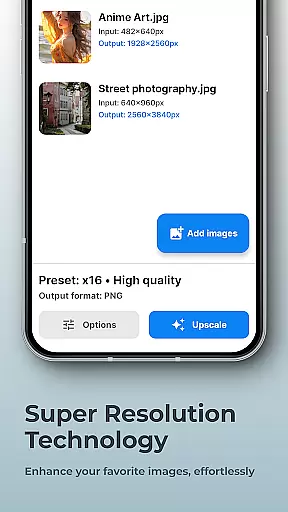


SuperImage Pro is an advanced AI-powered photo editing application designed for photography enthusiasts and professionals. This all-in-one photo toolbox offers exceptional features that run entirely on-device, ensuring maximum privacy and performance. Users can enhance, upscale, and transform their images without worrying about cloud storage or subscriptions.
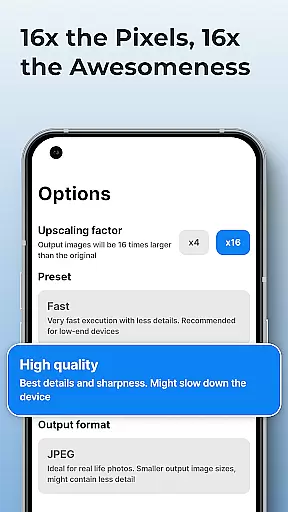
The app's core strength lies in its ability to process images locally using optimized AI models. Whether you need to remove backgrounds, sharpen portraits, or upscale images up to 16x resolution, SuperImage Pro delivers professional-grade results while keeping your photos completely private. Its powerful features make it ideal for photographers who demand both quality and security in their workflow.
SuperImage Pro stands out with its comprehensive set of AI-powered tools that cater to various image enhancement needs. The application runs complex AI models directly on your device, eliminating the need for internet connectivity while maintaining top-notch performance. This ensures that all your photo processing happens securely without ever leaving your device.
Among its notable features are background removal, portrait enhancement, and super-resolution upscaling capabilities. Users can import custom AI models in multiple formats including PyTorch, ONNX, and MNN, allowing for highly customized processing pipelines. The app also supports creating transparent cutouts and refining facial details, making it a versatile solution for both casual users and professionals seeking advanced photo manipulation capabilities.
Real-time capture and preview functionality is essential for photography apps as it allows users to see exactly what the camera is capturing before taking a shot. SuperImage Pro excels in this area by providing an intuitive interface that displays accurate colors, lighting, and details directly on your device's screen.
The app leverages advanced AI models optimized for modern hardware to ensure that the preview is smooth and responsive. This means you can adjust settings like exposure, focus, and white balance in real time, giving you greater control over the final image quality.
Users benefit from this feature by being able to make precise adjustments before capturing a photo, which reduces the need for post-processing and increases the likelihood of getting the perfect shot every time. The ability to preview changes instantly also enhances creativity, allowing photographers to experiment with different styles and compositions without any lag or delay.
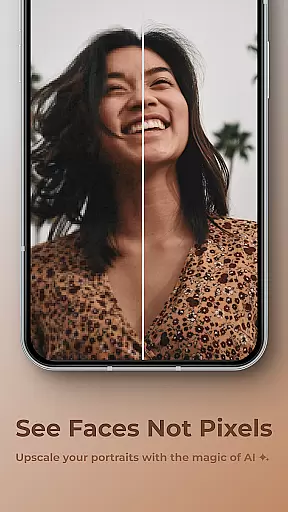
AI beauty and enhancement features are increasingly popular in photography apps, offering tools to refine facial features, enhance background clarity, and improve overall image quality. SuperImage Pro stands out by using on-device AI processing to ensure privacy while delivering natural-looking enhancements.
The app provides various options for enhancing portraits, such as sharpening details, refining facial features, and improving low-resolution images. These enhancements are applied intelligently, ensuring that the results look realistic rather than overly processed or artificial.
By prioritizing user privacy and running all processes locally on the device, SuperImage Pro ensures that personal data remains secure. Users can enjoy high-quality enhancements knowing their images never leave their device, making it an ideal choice for those who value both performance and privacy in their photo editing experience.
Fast processing speed
Advanced privacy protection
Wide format compatibility
Professional-grade tools
Customizable AI models
Steep learning curve
High system requirements
Limited beginner guidance
Premium price point
Occasional performance issues

Gallery show photo, video, slideshow, is perfect 3D effect private photo albums.
 4.80
4.80
How would you look like with a differently shaped nose, chin or lips?
3.90
1M influencer's special filter
4.60
An interval timer to automate photo taking process for timelapse
2.90
Natural Beauty, Selfie Retouch
4.30
Photo Exif Editor allows to view, add and modify EXIF data of multiple photos
4.50
Movie camera, supports pro recording settings for filming. Try it and be amazed!
4.50
A light meter for true photographers.
4.20
Effortlessly make high-quality GIFs from images & videos without any watermarks.
4.70
AI Photo Editor with 100+ Filters, Effects! Remove BG, Retouch & Photo Enhancer.
4.80
Automatically backup your photos and videos to computer, NAS and Cloud services
4.60
AI photo enhancer with Sora 2! Enhance, descratch, and colorize your old photos.
4.50
Use AI Video Generator to turn your words to ai generated videos.
4.50
Edit like a pro with Hypic. Apply filters, AI effects, & magic touch.
4.40
Virtual makeup, hair filters & body tuner—edit from face to full body!
4.20
Turn photos into cartoons & avatars! - Photo Editor, Cartoon Face!
3.90
Hair color changer, AI haircut app, fun hair editor and buzz cut filter for all!
3.80
Long exposure camera with computational photography
2.60
Raw Image Viewer. Gallery with support of raw images (.cr3, .cr2, .nef, .raf).
2.00


User Reviews