
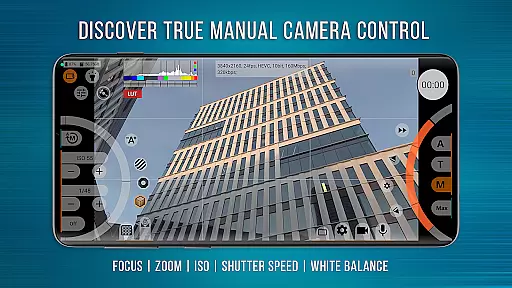
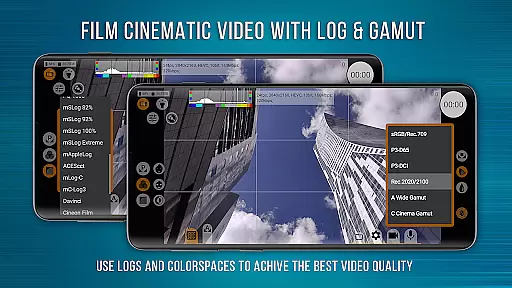
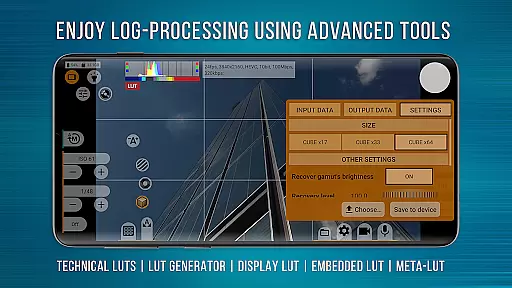
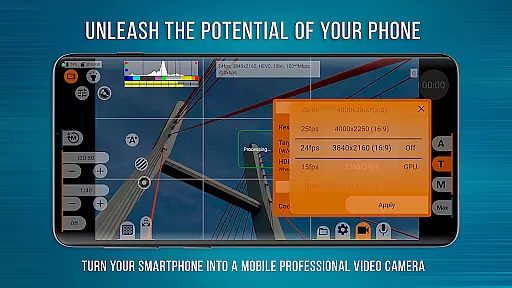
mcpro24fps Manual Video Camera represents the pinnacle of professional mobile videography on Android devices. Designed for advanced users, this app transforms your smartphone into a powerful cinema-grade camera system. It supports an extensive range of professional features including 10-bit shooting, Log video recording without GPU activation, and multiple Log modes for diverse shooting scenarios.
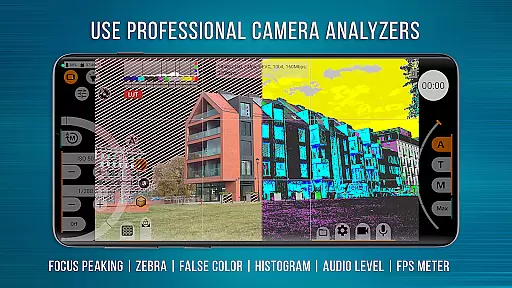
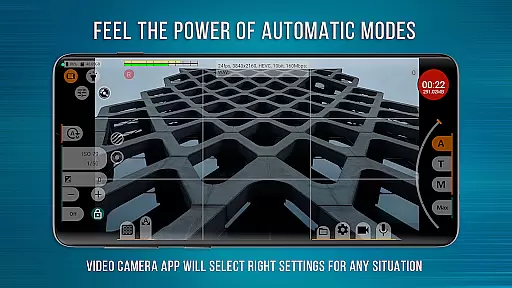
The application provides videographers with precise control over every aspect of video capture. Key functionalities include programmable focus and zoom controls, Focus Peaking, Expo Peaking, Spectral and Zebra exposure tools, and Kelvin-based white balance settings. The responsive interface ensures smooth operation even when utilizing complex features, while automatic modes offer convenient alternatives to manual settings.
Professional content creators worldwide rely on mcpro24fps for capturing high-quality footage for music videos, festival films, and commercial projects. The app's technical capabilities are matched by its creative potential, making it an essential tool for realizing ambitious artistic visions directly from your mobile device.
mcpro24fps distinguishes itself through its comprehensive feature set tailored for professional videography. The application supports advanced color management with technical LUTs for post-production, on-screen LUT for real-time monitoring, and various Log profiles that mirror professional camcorder capabilities. Its unique deanamorphing function enables perfect integration with external lenses.
Audio recording receives equal attention with support for multiple sound sources, different sampling rates, and both AAC and WAV formats up to 510 kb/s. The app maintains flexibility in video encoding through AVC (h264) and HEVC (h265) codecs, while offering bitrate options up to 500 Mb/s. Advanced users can configure GOP settings and manage metadata extensively.
Reliability is ensured through separate configuration profiles for multiple cameras, optical/digital stabilization, and hardware-level corrections for noise, sharpness, and hot pixels. The implementation of Camera2 API at Limited level or higher guarantees optimal performance across supported devices, though functionality may vary based on specific hardware capabilities.
Real-time capture and preview functionality is essential for any professional-grade camera application. mcpro24fps offers a responsive interface that ensures videographers can accurately frame and adjust their shots with precision.
The app supports multiple advanced features such as programmable focus and zoom, focus peaking, and expo peaking. These tools provide complete control over the framing process, allowing users to capture exactly what they envision.
Additionally, mcpro24fps provides on-screen LUTs for precise control of the frame during shooting. This feature helps videographers maintain creative consistency from capture through post-production, ensuring the final output matches their artistic intent.
With support for high frame rates and resolutions, videographers can rely on mcpro24fps to deliver professional-quality video that meets industry standards, making it an indispensable tool for capturing cinematic masterpieces.
While primarily focused on professional video capabilities, mcpro24fps also incorporates features that enhance video quality without compromising naturalness. The app utilizes GPU resources to apply technical LUTs and additional filters that improve image quality while maintaining authenticity.
One standout feature is the ability to record in Log profiles without engaging the GPU, similar to professional camcorders. This allows videographers to capture footage with a wide dynamic range, which can be seamlessly interpreted in post-production using the provided technical LUTs.
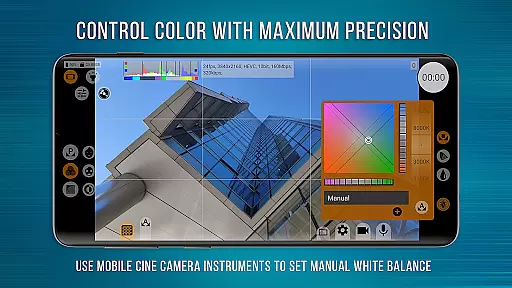
Furthermore, mcpro24fps includes advanced settings for white balance, exposure, and noise reduction. These manual controls enable videographers to fine-tune every aspect of their footage, ensuring that enhancements are subtle and true to life.
By balancing powerful enhancement tools with the need for natural-looking results, mcpro24fps empowers creators to produce visually stunning videos that retain their genuine character.
Advanced 10-bit recording
Professional Log modes
Precise manual controls
Extensive audio options
Responsive user interface
Complex for beginners
High device requirements
Feature-dependent on hardware
No iOS availability
Premium price point

Add Watermark - Sign your pictures with a text or logo. Effective, quick, easy!
 4.50
4.50
1M influencer's special filter
4.60
How old age camera Gender Swap App Face Shape Hairstyle App Hair Styler App fun!
4.00
Create AI Photos, Improve and restore quality of blurry, old or damaged pics.
4.20
Take videos and pictures with the popular TikTok TIME WARP SCAN filter.
4.60
The #1 app for B&W film developing featuring an advanced darkroom timer.
4.10
Future baby face generator: AI kids generator, kid face! What my baby look like?
4.40
Smart, light, and fast photo and video gallery
4.30
Astrophotography with your smartphone, photo live stacking and much more!
3.90
Find time and duration of different sunlight phases at any location
4.90
AI Photo Editor with 100+ Filters, Effects! Remove BG, Retouch & Photo Enhancer.
4.80
The original Rarevision VHS look seen everywhere!
4.70
Easily create custom gifts, cards, photo books & more on the Shutterfly app!
4.60
Fit multiple photos on one post. Create carousels & scroll layouts for Instagram
4.50
Easily stitch panoramas from multiple photos or video.
4.40
A reflected light meter with spot metering and incident light metering.
4.40
How would you look like with a differently shaped nose, chin or lips?
3.90
An interval timer to automate photo taking process for timelapse
2.90
Remote control the phone camera shutter from your smartwatch and take a picture
1.60


User Reviews