
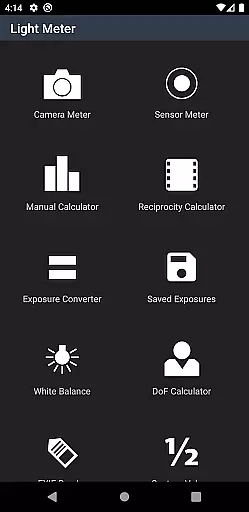
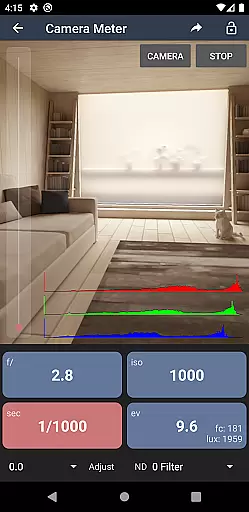
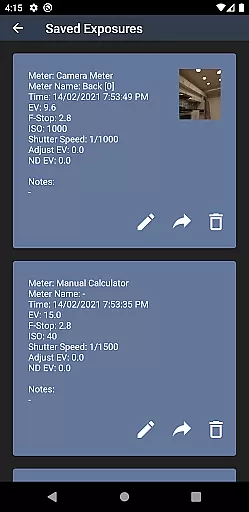
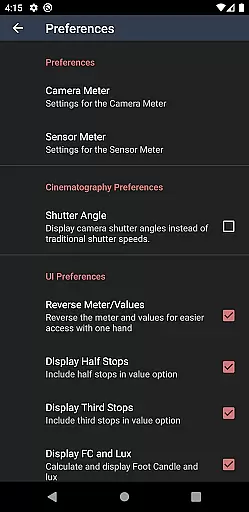
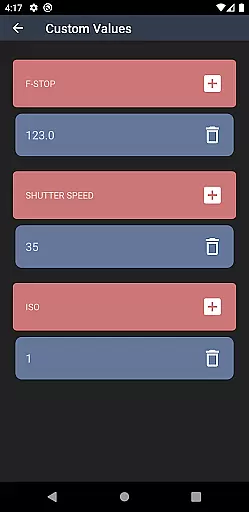
Light Meter is a comprehensive photography tool that combines both spot and incident light metering in one app. Designed for photographers of all levels, it delivers accurate exposure readings using the device's camera and light sensor. The app has been rigorously tested against industry-standard Gossen and Sekonic meters, ensuring reliable performance across most devices.
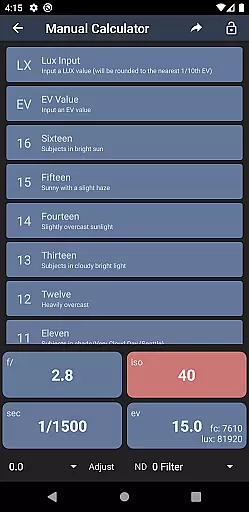
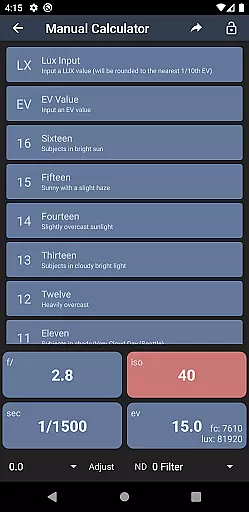
In addition to its core light metering capabilities, the app offers a suite of advanced features including Color Temperature measurement, Reciprocity calculation, Exposure conversion, Manual (Sunny Sixteen) calculations, Depth of Field estimation, and EXIF data reading. Whether you're shooting with a film SLR, pinhole camera, or working in cinematography, this app provides the tools necessary to achieve perfect exposure and precise camera settings.
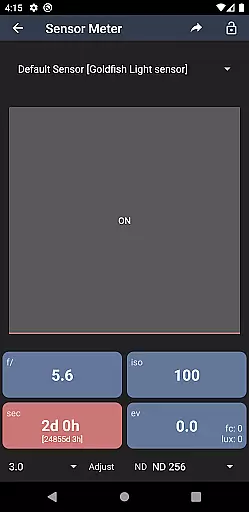
Light Meter stands out with its dual functionality, offering both reflected and incident light metering options. The reflected light meter uses the device's camera for spot metering, allowing users to measure specific areas of a scene. Meanwhile, the incident light meter leverages the device's light sensor to provide ambient light readings, making it versatile for various lighting conditions.
Beyond its primary functions, the app includes several specialized tools. Photographers can utilize the Color Temperature meter to set white balance accurately, while the Reciprocity calculator helps manage long exposures. Additional features like the Exposure Convert, Manual (Sunny Sixteen) calculator, Depth of Field calculator, and EXIF Reader further enhance the app's utility, catering to both amateur and professional needs.
The app's intuitive interface ensures ease of use, even for beginners, while its precision and reliability satisfy seasoned professionals. With compatibility across multiple camera types, Light Meter is an indispensable companion for achieving optimal exposure and creative control in any photographic endeavor.
Real-time capture and preview functionality is essential for photographers who need accurate exposure readings. Light Meter offers both reflected and incident light metering, ensuring precise measurements in various shooting conditions.
The app utilizes the device's camera for spot metering and its light sensor for incident metering. This dual approach provides flexibility and reliability, making it suitable for different types of photography, from film SLR to cinematographic projects.
Photographers can trust the app's accuracy as it has been tested against professional light meters like Gossen and Sekonic. The real-time feedback allows users to adjust settings on the fly, ensuring optimal exposure for every shot.
While primarily a light metering tool, Light Meter also includes features that enhance the photographic process without compromising naturalness. One such feature is the Color Temperature meter, which helps achieve correct white balance settings.
In addition to color accuracy, the app offers tools like Reciprocity Calculator and Exposure Convert. These features assist photographers in managing long exposures and converting between different exposure settings naturally and effectively.
The Depth of Field calculator and EXIF Reader further support photographers by providing detailed information about their shots. This ensures that enhancements are made with precision, maintaining the authenticity and quality of the final image.
Accurate light readings
Comprehensive toolset
User-friendly interface
Wide device compatibility
Reliable performance
Premium price point
Requires calibration
Limited offline support
No video tutorials
Occasional bugs

How would you look like with a differently shaped nose, chin or lips?
 3.90
3.90
HD Photo gallery and photo manager to edit, hide private photos, videos & albums
4.0
Photo prints, cards, & gifts at Walgreens. Easy ordering & fast local pickup !
4.80
Photo editor: AI filters, photo enhancer, pic collage maker, AI art generator.
4.80
Transform photos into videos! Create realistic or anime-style images easily!
4.50
Create amazing frames with up to five photos. Rounded corners, effects and more!
3.60
Professional photography on your mobile phone
4.20
See your baby AI baby face generator AI baby maker Face generator babymaker fun!
4.70
Luminar: Photo Editor - easy picture editing with AI
4.20
Easily create custom gifts, cards, photo books & more on the Shutterfly app!
4.60
Light-weight Media Gallery app for Android made with Jetpack Compose
4.60
Add Watermark - Sign your pictures with a text or logo. Effective, quick, easy!
4.50
Cut and paste photo editor & eraser to customize photos easy and swap faces fun
4.50
Natural Beauty, Selfie Retouch
4.30
Smart, light, and fast photo and video gallery
4.30
Virtual makeup, hair filters & body tuner—edit from face to full body!
4.20
live datamoshing
4.00
Remote control of the phone camera from your Wear OS smartwatch
3.70
Long exposure camera with computational photography
2.60


User Reviews