
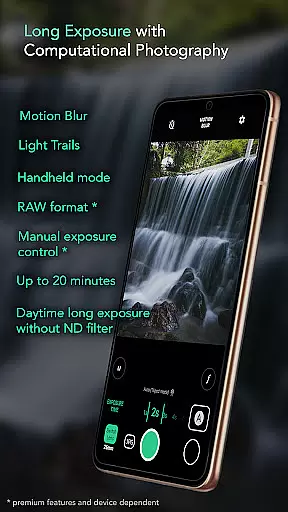
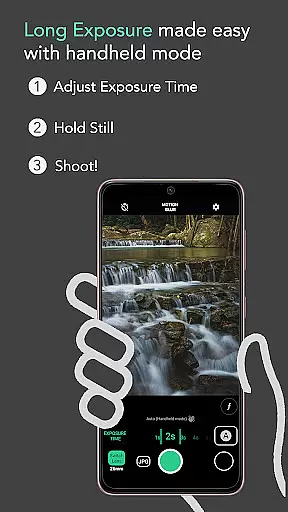
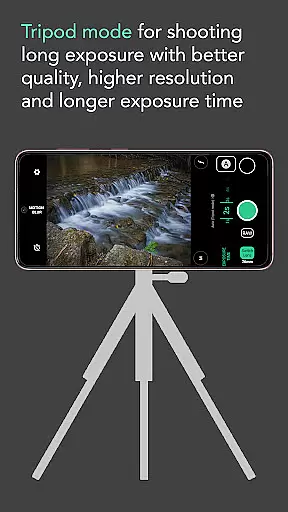
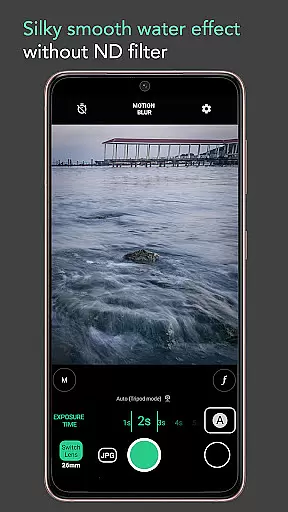
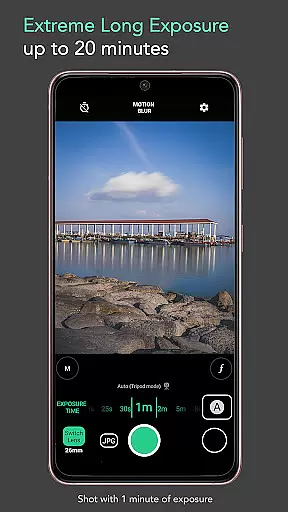
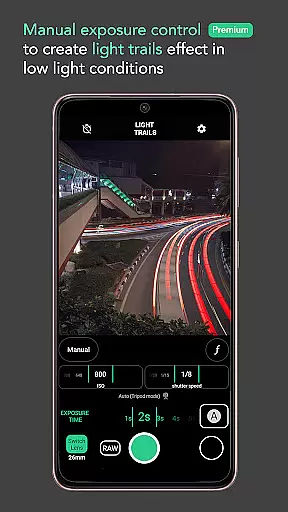
Motion ProCam is a specialized camera application designed to simplify the process of capturing long exposure photographs. This app allows users to effortlessly create stunning motion blur and light trails by intelligently combining multiple images into one final photo, without the need for an ND filter even in bright daylight conditions.
With its advanced computational photography techniques, Motion ProCam ensures sharp and well-exposed results every time. The intuitive interface makes it easy to adjust settings like exposure time while the app's auto-alignment feature compensates for any slight hand movements during shooting.
Whether you're looking to capture silky smooth waterfalls or vibrant light trails from passing cars, this app provides both amateur photographers and enthusiasts with professional-grade tools right at their fingertips.
Motion ProCam stands out with its unique set of features tailored specifically for creating impressive long exposure effects. One key aspect is its ability to automatically stabilize images when shooting handheld, supporting exposures up to five seconds without noticeable blurriness.
The app offers two selectable effect modes: Motion Blur and Light Trails, allowing users to experiment creatively with different visual outcomes. Additionally, it supports extended exposure times reaching up to twenty minutes, providing ample opportunity for artistic expression under various lighting scenarios.
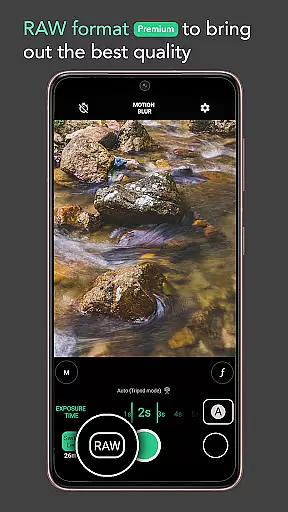
For those seeking ultimate control over their shots, premium features include RAW format support and manual exposure adjustments. These options empower photographers to fine-tune each image’s quality before processing, ensuring optimal results that meet even the most demanding standards.
Real-time capture and preview functionality is essential for ensuring that users can accurately frame and adjust their shots before capturing the final image. Motion ProCam offers a seamless experience by providing instant feedback on exposure settings and stabilization, allowing photographers to fine-tune their setup.
The app's computational photography techniques enable users to preview long exposure effects, including motion blur and light trails, in real time. This feature ensures that even without an ND filter, daytime long exposure shots can be perfectly exposed and aligned.
With real-time capture, users gain the confidence to shoot in various conditions, knowing they can rely on the app's auto-stabilization for handheld shots up to five seconds. This capability significantly enhances the creative possibilities, from silky smooth water effects to dynamic light trails, all visible in the preview before the final shot.
While Motion ProCam focuses primarily on long exposure photography, it incorporates advanced AI beauty and enhancement features that ensure natural-looking results. The app intelligently processes images to enhance details without over-smoothing or creating artificial appearances.
By leveraging computational photography, Motion ProCam combines multiple images to produce a final photo with enhanced clarity and balanced exposure. This process preserves the authenticity of scenes such as waterfalls, seascapes, and moving clouds while delivering professional-grade enhancements.
Premium features like RAW format and manual exposure control further contribute to the naturalness of enhancements. Enthusiasts can capture images with the highest possible quality, ensuring that post-processing retains the original scene's integrity while benefiting from AI-driven improvements in detail and color accuracy.
User-friendly interface
Auto stabilization technology
No ND filter required
Extended exposure capabilities
Premium editing options
Limited free features
Higher battery consumption
Occasional processing delays
Subscription cost for full access
Device compatibility issues

Search, tag and rate your way to an organized image gallery
 4.40
4.40
1M influencer's special filter
4.60
Photo editor: AI filters, photo enhancer, pic collage maker, AI art generator.
4.80
Create AI Photos, Improve and restore quality of blurry, old or damaged pics.
4.20
Create amazing frames with up to five photos. Rounded corners, effects and more!
3.60
Smart, light, and fast photo and video gallery
4.30
Collage your moments in one tap: 1000+ layouts, filters, stickers, and texts.
4.90
RAW video capture with advanced controls
4.40
Welcome to ProShot, the most powerful camera app on Android.
4.20
Create Business Headshots, Polaroid Filter, Retake Photos,Profile Pics,AI Photos
4.50
Safe & smart flight with Go Fly drone controller for 40+ drone camera, zone map
4.50
Fit multiple photos on one post. Create carousels & scroll layouts for Instagram
4.50
Use AI Video Generator to turn your words to ai generated videos.
4.50
Edit like a pro with Hypic. Apply filters, AI effects, & magic touch.
4.40
[3DSteroid Pro] is a stereoscopic application for Android.
4.30
Virtual makeup, hair filters & body tuner—edit from face to full body!
4.20
Photobooth mini FULL app will allow you to add more fun to your parties
4.00
Perfect photos with body shaping, BG changer and object remover.
3.70
Raw Image Viewer. Gallery with support of raw images (.cr3, .cr2, .nef, .raf).
2.00


User Reviews