
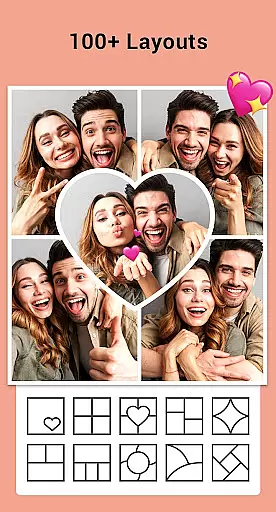


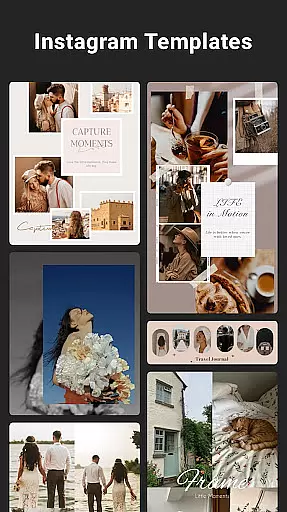

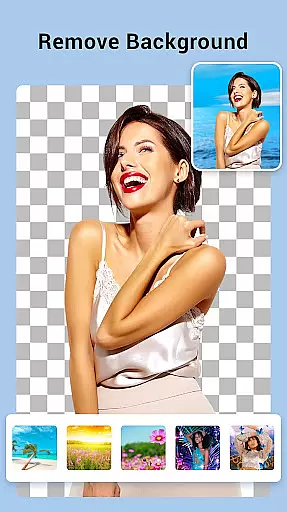
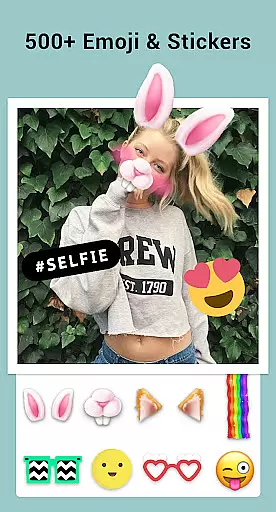

Collage Maker is a versatile photo collage and editing application designed for creative enthusiasts. The app allows users to instantly combine multiple photos into stunning collages using over 100 layouts, backgrounds, stickers, fonts, and other customization tools. With its AI Photo Enhancer feature, users can transform low-quality or damaged images into high-definition masterpieces with just one tap.
In addition to creating collages, the app supports advanced editing features such as cropping, applying filters, adding text, doodles, and frames. Whether you're designing Instagram posts, YouTube thumbnails, or scrapbook-style stories, Collage Maker provides all the necessary tools in an intuitive interface. Its multi-fit functionality ensures that your creations are optimized for various social media platforms, making it an essential tool for digital artists and casual users alike.
Collage Maker stands out with its extensive range of features tailored for both beginners and advanced users. One of its core strengths is the ability to combine up to 100 photos into a single collage, offering unparalleled flexibility for creative projects. Users can choose from hundreds of customizable layouts, including grid styles and freeform designs, while also adjusting borders, ratios, and backgrounds to suit their preferences.
The app includes professional-grade editing tools like filters, text overlays, stickers, and drawing options. Its AI-powered photo enhancement technology automatically improves image quality, making it ideal for restoring old or blurry photos. Additionally, the app supports multi-ratio formatting, ensuring compatibility with platforms like Instagram and Snapchat. These robust features make Collage Maker not only a powerful photo editor but also a comprehensive storytelling tool for modern creators.
Real-time capture and preview functionality is essential for photography apps like Collage Maker, allowing users to see exactly what their final creation will look like as they design it. This feature ensures that every adjustment, from layout changes to the addition of stickers and text, is immediately visible.
Collage Maker excels in this area by providing instant feedback on all edits. Whether you're cropping images, applying filters, or adding decorative elements, the app updates the preview in real time. This allows for precise adjustments and creative freedom without any lag or delay.
The benefit to users is significant. Real-time previews eliminate guesswork, ensuring that the final collage meets their expectations before saving or sharing. It enhances the overall user experience by making the editing process intuitive and engaging.
Ultimately, this feature empowers users to create professional-quality collages with confidence. By seeing every change instantly, users can experiment with different styles and designs, leading to more personalized and visually appealing results.
AI Beauty and Enhancement features are revolutionizing photo editing by offering natural-looking improvements without manual intervention. In Collage Maker, this translates to automatic enhancements that make photos pop while maintaining authenticity.
The app's AI Photo Enhancer transforms blurry, damaged, or old photos into stunning HD quality with just one tap. This feature intelligently sharpens details, corrects colors, and removes imperfections, ensuring that every image looks its best. The emphasis on naturalness means enhancements are subtle yet effective.
Users gain immense value from this feature. Instead of spending time manually editing each photo, they can rely on AI to deliver consistent, high-quality results. This saves time and effort, especially when working with large numbers of images in a single collage.
By integrating advanced AI technology, Collage Maker sets itself apart in the photography category. Users can trust that their collages will not only be visually striking but also retain the genuine essence of their original photos, enhancing both individual images and the overall composition.
User-friendly interface
Extensive layout options
AI photo enhancement
Versatile editing tools
Social media optimization
Ads may disrupt workflow
Premium features locked
Occasional lag on older devices
Limited offline functionality
Storage permissions required

Create & Edit with AI: AI Remove, Enhance, Retouch, Filter
 4.10
4.10
Pet Camera
3.70
Amazing Photo Effects - The most fun you can have with your photos!
4.70
Enhance, retouch & create your story - Share the moment with Photoshop Express.
4.60
Use AI Video Generator to turn your words to ai generated videos.
4.50
AI-powered video creator by MiniMax - Where ideas meet cinema
4.20
Pro version: AR sun/moon tracker for any date. Tool for photographers & planners
4.90
The original Rarevision VHS look seen everywhere!
4.70
Photo & Video Gallery app to manage albums and save WA Status easily.
4.70
Find time and duration of different sunlight phases at any location
4.90
Photo editor: AI filters, photo enhancer, pic collage maker, AI art generator.
4.80
Easily view, share, delete photos with Gallery.
4.70
Take videos and pictures with the popular TikTok TIME WARP SCAN filter.
4.60
A must-have app for landscape photographers
4.60
Discover & download millions of art for The Frame TV or Hisense CanvasTV
4.60
Search, tag and rate your way to an organized image gallery
4.40
[3DSteroid Pro] is a stereoscopic application for Android.
4.30
live datamoshing
4.00
Hair color changer, AI haircut app, fun hair editor and buzz cut filter for all!
3.80


User Reviews