
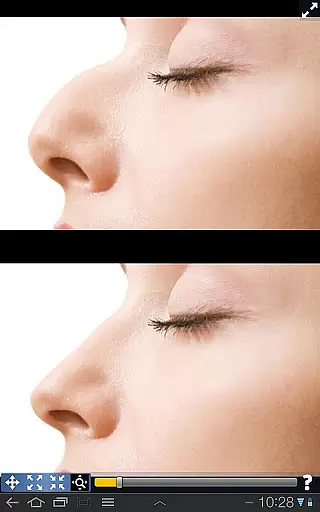
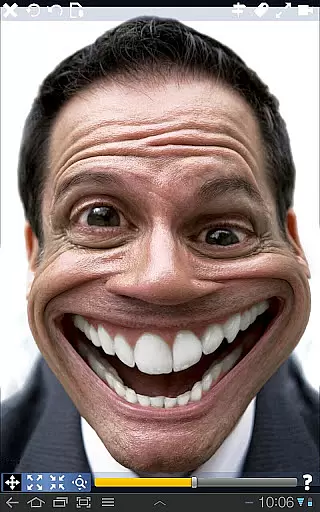
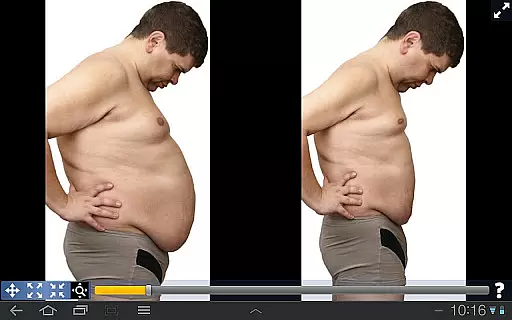
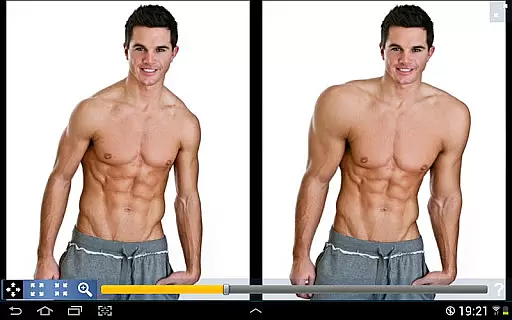
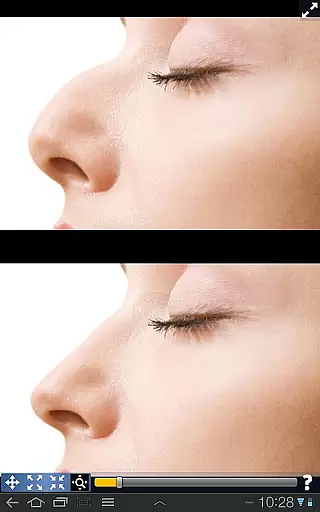
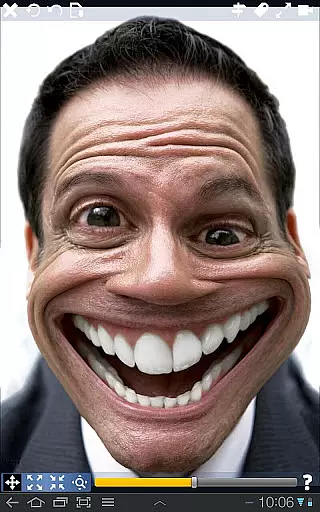
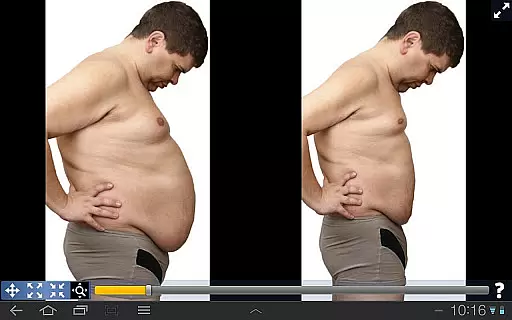
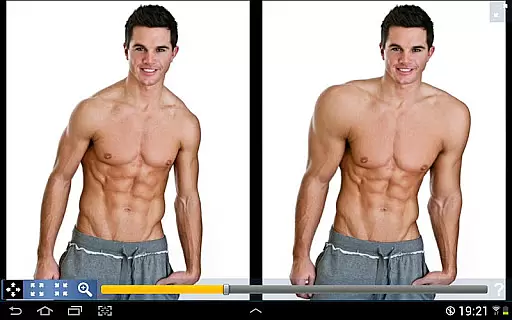
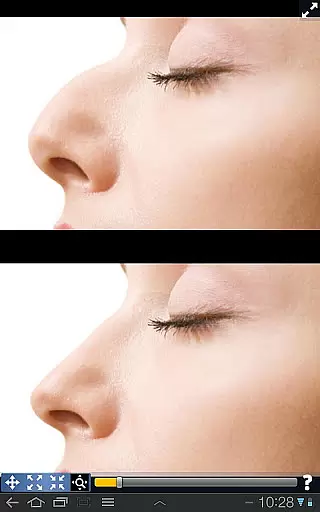
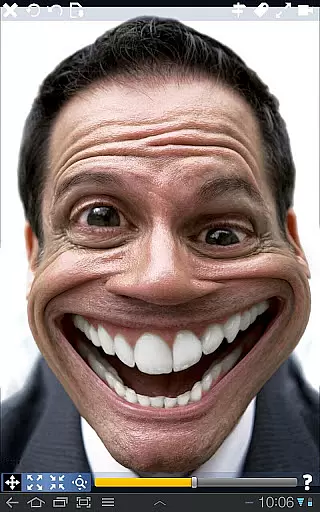
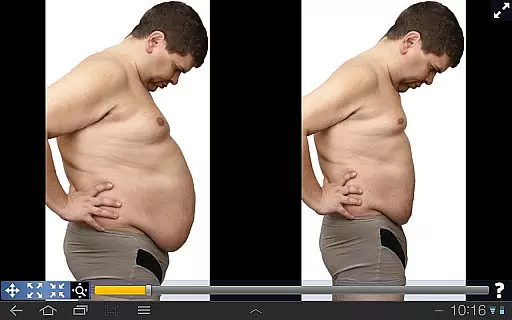
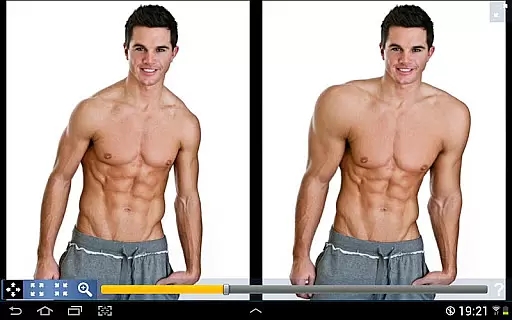
Plastic Surgery Simulator is a versatile photo editing application designed for creative image manipulation. The app's core functionality lies in its powerful photo distortion capabilities, allowing users to simulate realistic body transformations with remarkable ease. Whether you're looking to experiment with facial features like reshaping your nose or chin, enhancing muscle definition, or simply having fun with playful image warping, this app delivers smooth and natural-looking results.
What sets Plastic Surgery Simulator apart is its innovative dual display mode. This feature provides an unobstructed editing experience by cloning your image across the screen when you rotate your device, eliminating the common issue of fingers blocking the editing area. The app's sophisticated distortion algorithm ensures professional-grade transformations while maintaining user-friendly accessibility, making it an ideal tool for both casual entertainment and serious photo editing projects.
The app boasts several distinctive features that enhance the user experience. Its advanced photo distortion algorithm stands as the cornerstone of the application, enabling users to achieve seamless transformations with precision. The intuitive drag-and-drop interface allows for effortless manipulation of various body parts, while the adjustable intensity controls provide complete creative freedom in modifying facial features and body shapes.
A particularly innovative aspect is the dual display functionality, which automatically activates when users rotate their devices to landscape orientation. This feature effectively solves the common problem of obstructed views during editing by displaying a mirrored version of the image, allowing users to see exactly what they're modifying without their fingers getting in the way. Additionally, the app supports social media integration, enabling users to directly share their transformed images across various platforms, making it perfect for both personal experimentation and social sharing purposes.
Real-time capture and preview functionality is essential for photography applications as it allows users to see the effects of their edits instantly. This feature ensures that users can make precise adjustments without delay.
Plastic Surgery Simulator excels in this area by providing a dual display mode. When you rotate your device, the image is cloned into the other half of the screen, allowing you to modify your image without your finger obstructing the view. This makes the editing process seamless and efficient, particularly on smaller touch devices like phones.
The app's powerful photo distortion algorithm further enhances the real-time experience by producing smooth transformations. Whether you're adjusting facial features or body parts, the changes appear instantly and look natural, offering an engaging user experience.
AI beauty and enhancement features are increasingly popular in photography apps, aiming to improve appearance while maintaining a natural look. The effectiveness of these enhancements can significantly impact user satisfaction.
Plastic Surgery Simulator stands out with its advanced photo distortion capabilities. The app allows users to simulate various body transformations, such as altering the nose, chin, or lips, or enhancing muscle definition. These modifications are rendered smoothly, ensuring that the results look realistic rather than exaggerated.
Moreover, the app's intuitive interface enables users to drag, grow, or shrink specific areas effortlessly. This ease of use, combined with the app's sophisticated algorithm, ensures that enhancements are both effective and natural-looking, thus preserving the authenticity of the original image.
User-friendly interface
Realistic transformation effects
Innovative dual display mode
Smooth distortion algorithm
Social media integration
Limited free features
Occasional processing lag
Subscription required
Ads in free version
Learning curve for beginners

Perfect photos with body shaping, BG changer and object remover.
 3.70
3.70
Safe & smart flight with Go Fly drone controller for 40+ drone camera, zone map
4.50
Transform photos into videos! Create realistic or anime-style images easily!
4.50
Amazing Photo Effects - The most fun you can have with your photos!
4.70
GCamera allows all GCam features on all phone models! Better photos with GCamera
3.30
Luminar: Photo Editor - easy picture editing with AI
4.20
AI Photo Editor with 100+ Filters, Effects! Remove BG, Retouch & Photo Enhancer.
4.80
Turn photos into cartoons & avatars! - Photo Editor, Cartoon Face!
3.90
Astrophotography with your smartphone, photo live stacking and much more!
3.90
Gallery show photo, video, slideshow, is perfect 3D effect private photo albums.
4.80
Add Watermark - Sign your pictures with a text or logo. Effective, quick, easy!
4.50
Create collages easily! Nice pic collage maker & background eraser for Instagram
4.50
Create Business Headshots, Polaroid Filter, Retake Photos,Profile Pics,AI Photos
4.50
Trendy TikTok time warp scan funny filter app brings you unique photos & videos.
4.40
Natural Beauty, Selfie Retouch
4.30
Smart, light, and fast photo and video gallery
4.30
All-in-One Editor & AI Photo Enhancer, Beautify & Retouch, Collage, Cartoonify
4.20
Virtual makeup, hair filters & body tuner—edit from face to full body!
4.20
HD Photo gallery and photo manager to edit, hide private photos, videos & albums
4.2


User Reviews