
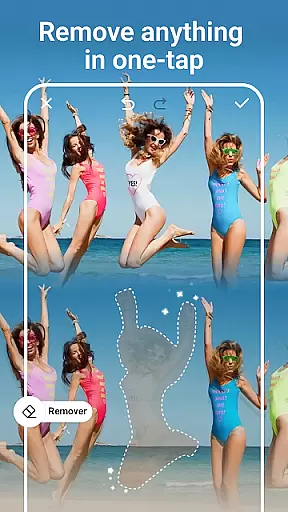
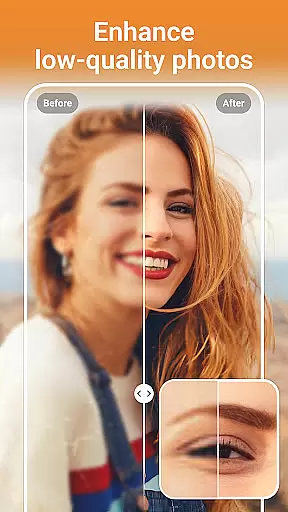
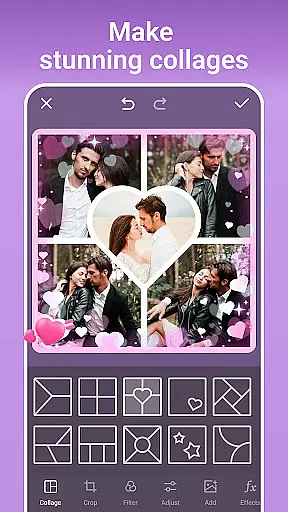

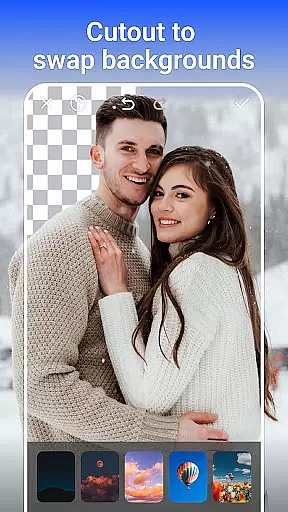
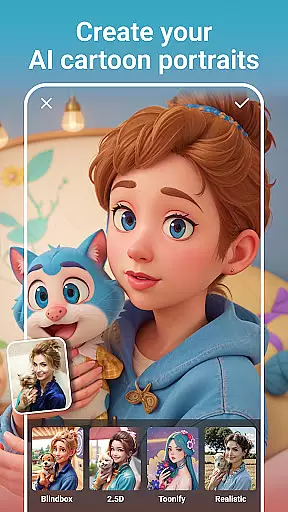
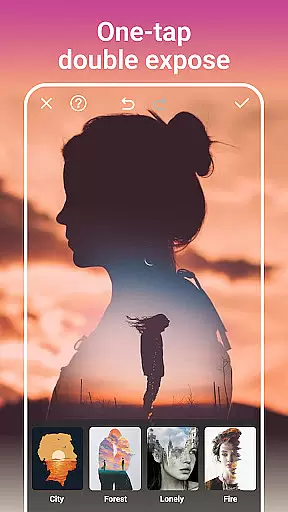
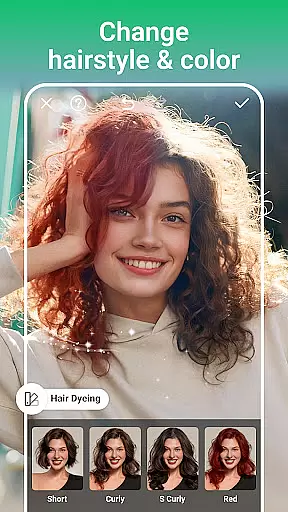
AI Photo Editor - PhotoArt is a robust photography application designed to meet all your photo editing requirements using artificial intelligence. This all-in-one editor provides essential tools like One-Tap Enhance, Magic Eraser, and AI Face Swap, alongside creative features such as cartoon filters, double exposure, and artistic effects.
With over 100 filters and customizable editing options, PhotoArt empowers users to embrace their signature style. Whether you're enhancing portraits, creating collages, or experimenting with light effects, the app delivers professional-grade results without needing prior expertise. It also supports advanced functionalities like background removal and resolution boosting, making it suitable for various creative projects.
Available for free download on Google Play Store, PhotoArt is ideal for photographers, social media enthusiasts, and hobbyists looking to elevate their photo editing game. Its intuitive interface and powerful AI-driven tools ensure high-quality outputs tailored to individual preferences.
PhotoArt offers an extensive suite of AI-powered photo editing tools that cater to both beginners and professionals. The app includes innovative features such as AI Face Swap, which allows users to seamlessly exchange faces in photos, and AI Background Removal, enabling creators to isolate subjects with precision.
In addition to its core functionalities, PhotoArt provides artistic enhancements like 100+ filters, double exposure effects, and light effects that transform ordinary images into extraordinary works of art. Advanced tools such as HSL, Curves, and Split Tone give users complete control over color grading, while restoration features help enhance resolution and revive old photos.
The app also supports creative storytelling through collages, stickers, text overlays, and graffiti options. With easy sharing capabilities to platforms like Instagram and Facebook, PhotoArt ensures users can showcase their work effortlessly. These comprehensive features make it a go-to solution for diverse photo editing needs.
Real-time capture and preview functionality is essential for any photography app, allowing users to see exactly what their final image will look like before taking the shot. PhotoArt excels in this area by providing a seamless experience where every adjustment, filter, or effect applied is instantly visible through the camera preview.
The app leverages advanced AI algorithms to ensure that all enhancements, such as lighting adjustments, background changes, or even cartoon transformations, are accurately reflected in real time. This empowers users to make precise modifications without guesswork, ensuring the captured photo matches their creative vision perfectly.
With real-time previews, users can experiment with over 100 filters and effects, including retro styles, double exposure, and light effects, seeing immediate results on their screen. This feature not only saves time but also enhances the overall user experience by making photo editing intuitive and engaging.
Ultimately, PhotoArt's real-time capture and preview capabilities enable both amateur and professional photographers to produce high-quality images effortlessly, boosting confidence in their creative process while delivering stunning, watermark-free results ready for sharing across platforms like Instagram and Facebook.
AI-powered beauty and enhancement features have become a cornerstone of modern photo editing, aiming to improve aesthetic appeal while maintaining a natural look. PhotoArt stands out by offering sophisticated AI tools that intelligently retouch portraits without compromising authenticity.
The app provides an array of options for perfecting portraits, from skin smoothing and blemish removal to facial reshaping and makeup application. Each tool uses AI to analyze facial features and apply enhancements that look realistic rather than artificial, preserving the subjectu2019s unique characteristics.
For instance, users can reshape body figures or increase height naturally within full-body shots, ensuring edits remain subtle and lifelike. The AI-driven background removal and replacement feature further accentuates subjects by isolating them from distracting elements while retaining a soft, believable transition between foreground and backdrop.
By prioritizing naturalness in its AI enhancements, PhotoArt allows users to elevate their photos professionally yet unobtrusively, creating visually appealing images that still feel genuineu2014a crucial factor for social media sharing and personal satisfaction alike.
Wide range of AI tools
User-friendly interface
High-quality photo outputs
Regular feature updates
Free with premium option
Some features require premium access
Occasional ads may appear
Advanced tools have learning curve
Export quality depends on subscription
Interface can feel cluttered

Virtual makeup, hair filters & body tuner—edit from face to full body!
 4.20
4.20
Natural Beauty, Selfie Retouch
4.30
Photo editor: AI filters, photo enhancer, pic collage maker, AI art generator.
4.80
Professional photography on your mobile phone
4.20
Create AI photos & videos with Enhancer; restore, fix, beautify, enhance photos
4.50
Professional quality photo edits with the new Snapseed.
4.00
Transform Photos: Edit, Beautify and Craft Memories & Make Collages!
4.10
Catch sunlight, sunrise sunset times and sun phases with the AR sun tracker.
4.10
Try an anime version, cartoon yourself, and generate AI hug or aging videos!
3.70
AI Photo Editor with 100+ Filters, Effects! Remove BG, Retouch & Photo Enhancer.
4.80
Perfect body tune & face app - photo retouch, makeup, slim body & beautify face.
4.80
1M influencer's special filter
4.60
Photo Exif Editor allows to view, add and modify EXIF data of multiple photos
4.50
Use AI Video Generator to turn your words to ai generated videos.
4.50
RAW video capture with advanced controls
4.40
Shooting photos and records video easily and efficient with professional Camera
4.30
The #1 app for B&W film developing featuring an advanced darkroom timer.
4.10
Turn photos into cartoons & avatars! - Photo Editor, Cartoon Face!
3.90
An interval timer to automate photo taking process for timelapse
2.90


User Reviews