
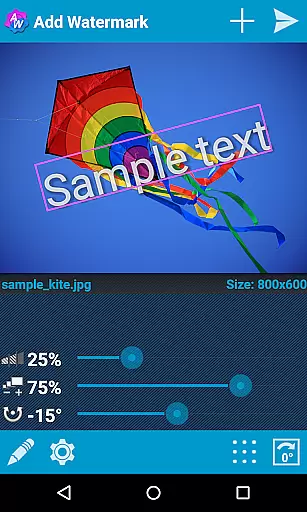
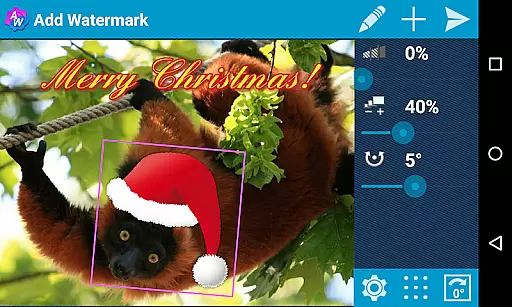
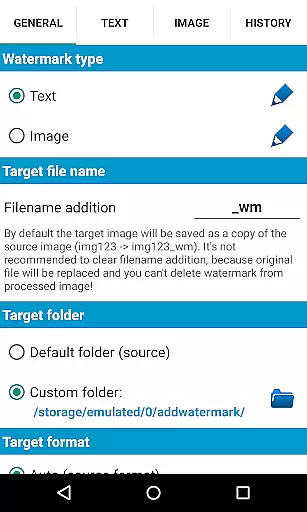
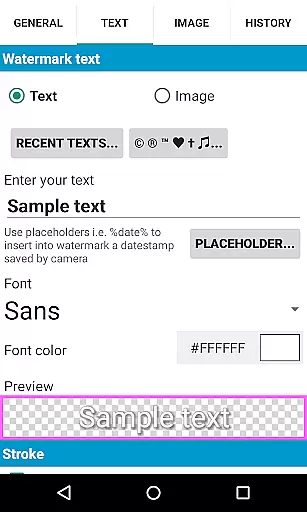
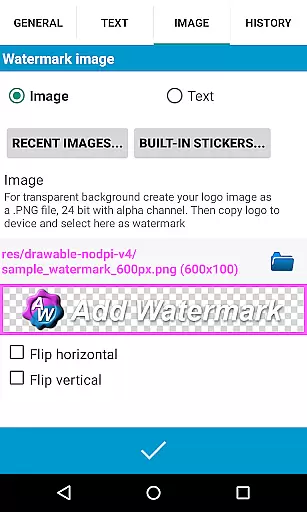
Add Watermark is a powerful photography app designed to help users protect their digital images by adding customizable watermarks. The application allows you to embed text or logo watermarks into your photos, offering extensive customization options such as size adjustment, transparency settings, rotation, and alignment. Whether you're a professional photographer or a casual blogger, this tool provides the means to safeguard your content while maintaining high-quality output.
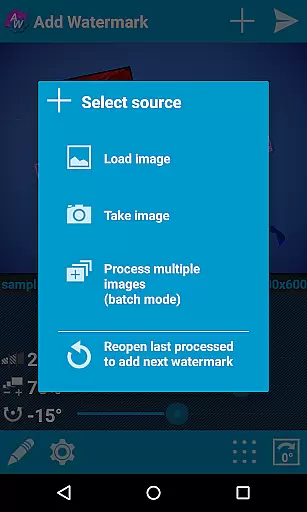
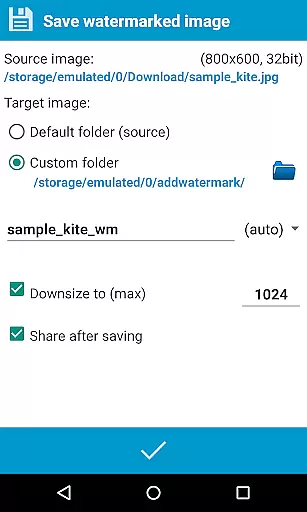
One of the standout features of Add Watermark is its batch processing capability, enabling users to watermark multiple images simultaneously. This feature, combined with automatic processing through sharing from other apps, makes it an essential tool for streamlining workflows. With support for EXIF and XMP metadata, 360° panoramas, and various saving formats like .jpg or .png, the app ensures that your watermarked images retain all necessary properties and are ready for sharing across platforms such as Instagram, Facebook, and Flickr.
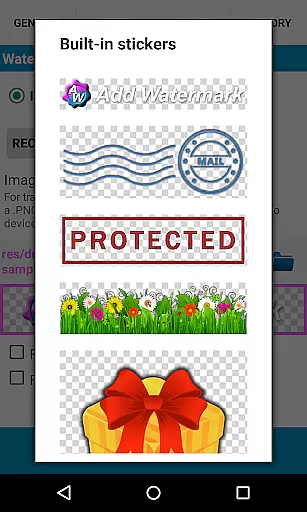
Add Watermark offers a comprehensive set of features tailored for both amateur and professional use. The app supports a variety of customization options including 72 built-in fonts and the ability to import up to 20 custom fonts, providing flexibility in text watermarking. Users can also apply color effects and utilize a built-in sticker collection to enhance their watermarks further. Additionally, the app supports transparent .png images as watermarks, allowing for seamless integration with your photos.
The Full version of Add Watermark unlocks advanced functionalities such as batch mode for processing multiple images at once and auto-processing through sharing images from other apps. It also includes timestamp insertion, filename, GPS tags, and other properties as text watermarks. These features ensure that users can automate repetitive tasks while maintaining control over the watermarking process. Furthermore, the app provides backup settings on the device or in the cloud, making it easy to manage and restore preferences as needed.
Real-time capture and preview functionality is essential for ensuring that users can accurately place watermarks on their images. Add Watermark provides a seamless experience by allowing users to see the changes in real time as they adjust the watermark's size, transparency, rotation, and alignment.
This app offers an intuitive interface where users can experiment with different settings and immediately view the results. This feature is particularly beneficial for professional photographers who need precise control over how their brand is represented on images.
By enabling real-time adjustments, Add Watermark ensures that users can achieve the desired effect without any guesswork. The instant feedback provided by the preview function allows for quick iterations, saving valuable time during the editing process.
Ultimately, this feature enhances user satisfaction by providing a dynamic and responsive environment for watermarking images, which is crucial for maintaining brand consistency across various media platforms.
While primarily focused on watermarking, Add Watermark also includes features that enhance the natural beauty of images through AI-powered tools. These enhancements ensure that the watermark does not detract from the overall quality of the image but rather complements it.
The application supports transparent PNG images as watermarks, allowing for a more natural integration into photos. Users can adjust the transparency levels to ensure that the watermark blends seamlessly with the underlying image, preserving its aesthetic appeal.
Additionally, the app offers various effects and color adjustments for text-based watermarks. These options enable users to create visually appealing watermarks that maintain the integrity and beauty of the original photo.
By focusing on the natural enhancement of images alongside robust watermarking capabilities, Add Watermark caters to both functional and aesthetic needs, making it a versatile tool for photographers and content creators alike.
User-friendly interface
Extensive customization options
Batch processing capability
Supports EXIF and XMP metadata
Cloud backup functionality
Free version has limitations
Advanced features require purchase
Complexity may overwhelm beginners
Limited free font options
No direct watermark removal

AI portrait generator and polaroid AI selfie, fun AI generated AI photo creator!
 4.30
4.30
Photo editor: AI filters, photo enhancer, pic collage maker, AI art generator.
4.80
Cartoon and artistic effects for your photos and videos
4.70
Superimpose one photo on top of another using the original Superimpose app!
3.20
HD Camera Pro with HD Video shooting, Panorama, Photo editor , Beauty Camera.
4.50
Photo editor & gallery. Crop pictures & edit photos offline, no wifi!
4.50
Easily view, share, delete photos with Gallery.
4.70
Welcome to ProShot, the most powerful camera app on Android.
4.20
Photo & Video Gallery app to manage albums and save WA Status easily.
4.70
Photo prints, cards, & gifts at Walgreens. Easy ordering & fast local pickup !
4.80
Fit multiple photos on one post. Create carousels & scroll layouts for Instagram
4.50
Effortlessly organize, view and share your photos & videos with Gallery app!
4.40
Search, tag and rate your way to an organized image gallery
4.40
[3DSteroid Pro] is a stereoscopic application for Android.
4.30
Smart, light, and fast photo and video gallery
4.30
A light meter for true photographers.
4.20
What celebrity do you look like? Celebs will find your celebrity match!
4.10
live datamoshing
4.00
Add a dreamy vibe to your selfies and videos with soft style filters
4.4


User Reviews