
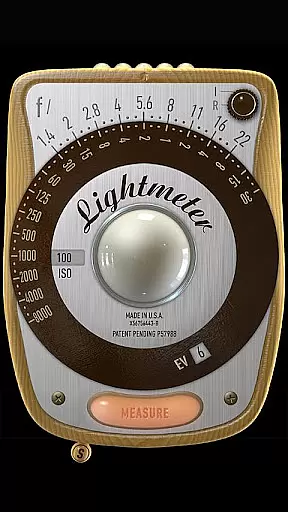
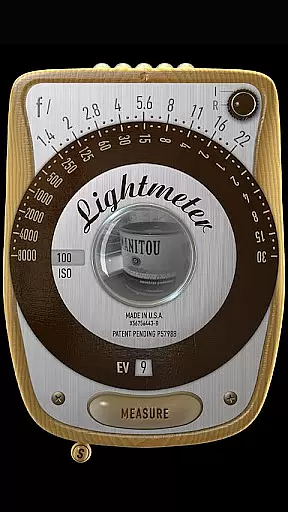
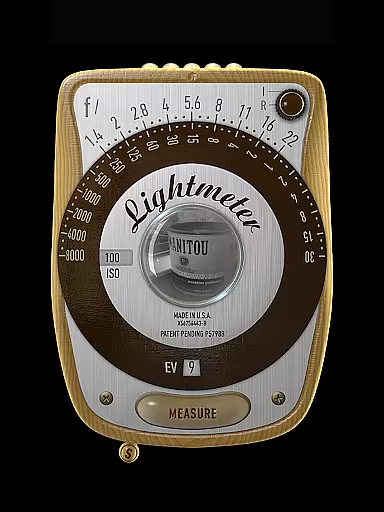
LightMeter is a specialized photography app designed for analog photographers who appreciate the art of old-school techniques. This application provides both reflected and incident light metering capabilities, making it an essential tool for achieving accurate exposure in film photography. With support for ISO ranges from 3 to 6400 and compatibility with devices that can save exposure data to EXIF, LightMeter offers reliable solutions for both amateur and professional photographers.
The app's unique features include a low light alert, camera mute functionality (where supported), and calibration options for precision readings. Its ability to display EXIF and sensor information on-screen adds another layer of convenience for users. Whether you're shooting in various lighting conditions or need precise spot measurements, LightMeter delivers the tools necessary to capture the perfect shot while supporting high-resolution screens for optimal viewing.
LightMeter stands out with its comprehensive set of features tailored specifically for analog photography enthusiasts. The app supports an extensive ISO range from 3 to 6400, catering to diverse shooting environments. It offers two primary modes of light metering: incident, which requires a light sensor, and reflected, compatible only with select cameras capable of saving exposure data to EXIF. These modes ensure flexibility and adaptability in different photographic scenarios.
Additional functionalities enhance user experience significantly. A low light alert warns photographers when conditions are not ideal, while vibration feedback confirms successful measurements. Users can also hold incident light readings for later reference and customize their ISO settings using the alternative selector. Furthermore, the app remembers its state upon resuming, allowing seamless continuation of work without losing previous configurations. These thoughtful features collectively contribute to a more intuitive and efficient photography process.
LightMeter offers a unique real-time capture and preview feature that caters to the needs of old school photographers and advanced amateurs in analog photography. This functionality allows users to accurately gauge the lighting conditions before taking a shot, ensuring optimal exposure settings.
The app supports both incident and reflected light metering, providing flexibility depending on device capabilities. Incident light metering works on any device with a light sensor, while reflected light metering is compatible with select cameras. This dual approach ensures broader device compatibility while maintaining reliable light measurement.
With additional features like low light alerts, vibration feedback on measure/hold, and optional display of Exif and sensor information, LightMeter enhances the user's ability to capture perfectly exposed images consistently. The calibration feature further refines measurement accuracy based on specific camera characteristics.
While primarily focused on professional-grade light metering, LightMeter also incorporates intelligent features that enhance the overall photography experience without compromising natural results. The app's alternative ISO selector and state recall functions demonstrate thoughtful design considerations for serious photographers.
The application maintains authenticity by prioritizing accurate measurements over artificial enhancements. Its spot measurement capability, available when using cameras with zoom functionality, enables precise light readings from specific areas of the frame. This feature particularly benefits photographers seeking natural-looking results without heavy post-processing.
Supporting all screen types including extra high resolution displays, LightMeter ensures that both the interface and resulting images maintain their natural quality across various devices. The developer's commitment to authenticity is further evidenced by the app's transparent approach to limitations and device-dependent precision.
User-friendly interface
Wide ISO range
Low light alerts
Vibration feedback
EXIF info display
Limited device compatibility
No advanced editing tools
Basic UI design
Camera mute restrictions
Dependent on hardware quality

Remote control of the phone camera from your Wear OS smartwatch
 3.70
3.70
Photo Album Watch Face shows your favorite pictures as a Watchface.
1.90
How would you look like with a differently shaped nose, chin or lips?
3.90
Create Business Headshots, Polaroid Filter, Retake Photos,Profile Pics,AI Photos
4.50
The #1 app for B&W film developing featuring an advanced darkroom timer.
4.10
Luminar: Photo Editor - easy picture editing with AI
4.20
AI Photo Editor with 100+ Filters, Effects! Remove BG, Retouch & Photo Enhancer.
4.80
Hair color changer, AI haircut app, fun hair editor and buzz cut filter for all!
3.80
Welcome to ProShot, the most powerful camera app on Android.
4.20
Photo editor: AI filters, photo enhancer, pic collage maker, AI art generator.
4.80
Enhance, upscale, and transform your images — on your device, without limits
4.70
1M influencer's special filter
4.60
Unblur, enhance & restore photos with powerful AI photo enhancer tools.
4.60
AI photo editor with hair editor, retouch tools, hair color changer & filters!
4.50
Fit multiple photos on one post. Create carousels & scroll layouts for Instagram
4.50
Use AI Video Generator to turn your words to ai generated videos.
4.50
Perfect photos with body shaping, BG changer and object remover.
3.70
GCamera allows all GCam features on all phone models! Better photos with GCamera
3.30
Remote control the phone camera shutter from your smartwatch and take a picture
1.60


User Reviews