
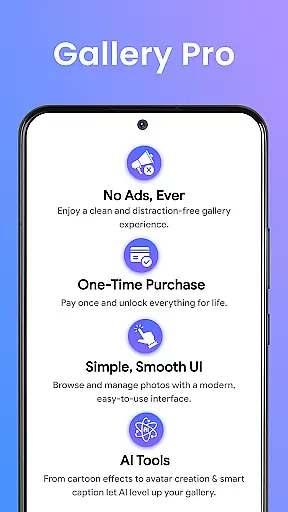
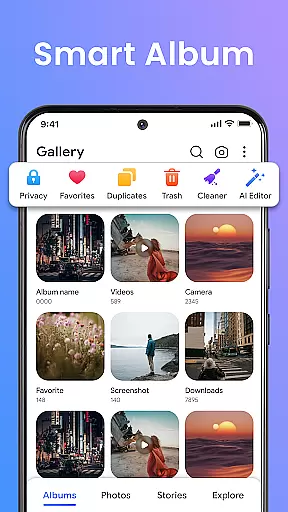
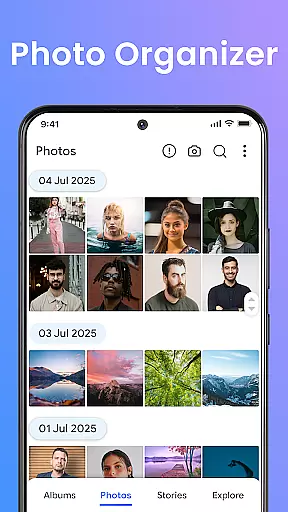
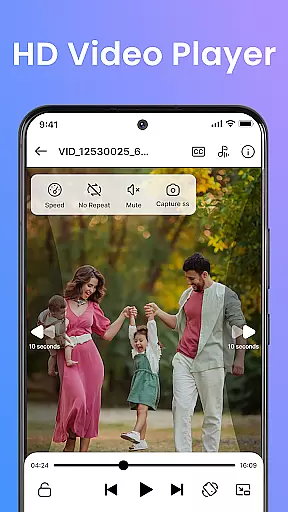
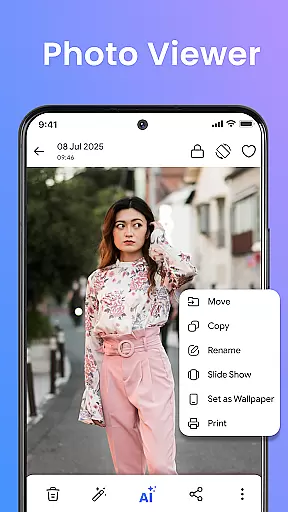


Gallery Pro is a comprehensive HD photo gallery app designed to help users organize, manage, and secure their photos and videos. With its clean and intuitive interface, the app offers effortless media management through features like a gallery vault, intelligent photo organizer, and seamless slideshow creator. Whether you need to sort your albums, view high-quality images, or protect private moments, Gallery Pro provides all the necessary tools in one place.
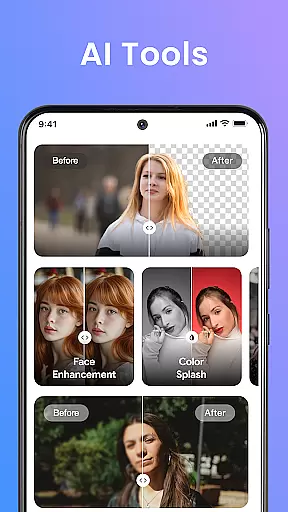
The app stands out with its advanced functionalities that cater to both everyday and power users. The built-in photo editor allows for quick enhancements, while the AI-powered tools offer creative options such as avatar creation and smart cleanup. Additionally, the Story Memories feature lets users relive special moments from the past. With security being a top priority, Gallery Pro ensures that sensitive media stays private through an encrypted vault system.
Designed for Android users, this app is perfect for photo lovers who want to display their favorite moments, privacy-focused individuals who need to secure personal content, and everyday organizers looking to maintain a tidy digital space. By combining performance with protection, Gallery Pro delivers a premium experience for managing and enjoying your media collection.
Gallery Pro boasts an array of powerful features that make it a standout choice for photography enthusiasts. One of its key strengths is the Smart Photo Organizer, which allows users to create albums, add tags, and utilize advanced search capabilities to quickly locate specific memories. This feature ensures that your media library remains well-structured and easily accessible at all times.
In addition to organization tools, Gallery Pro includes a robust built-in photo editor. Users can enhance their images with simple editing functions like crop and rotate, or take advantage of AI-powered features such as object removal and background blur. These tools enable users to refine their photos with minimal effort, providing professional-quality results without the need for additional software.
Security is another major highlight of Gallery Pro. The app's Vault feature keeps sensitive photos and videos safe in an encrypted folder, ensuring that private content remains protected from unauthorized access. Furthermore, the HD Slideshow Creator lets users transform their cherished memories into stylish presentations, perfect for sharing with friends and family. With these comprehensive features, Gallery Pro offers a complete solution for managing and enjoying your digital media.
Real-time capture and preview functionality is essential for any photography app, ensuring that users can instantly see the results of their shots before finalizing them. Gallery Pro offers a seamless experience in this aspect by providing an intuitive interface where users can quickly browse, sort, and organize their photos with a clean and responsive HD viewer.
The app's advanced features include creating photo albums, adding tags, and using an advanced search feature to find favorite memories instantly. This smart photo organizer allows users to manage their media effectively, making it easier to relive moments through the 'Story Status' feature, which shows what happened on this day last year or last month.
Gallery Pro also includes a built-in photo editor that lets users enhance images easily with tools like crop, rotate, and AI-powered features such as object removal or background blur. These capabilities ensure that users can perfect their photos in real-time, seeing changes immediately and adjusting accordingly.
With its focus on security, Gallery Pro ensures that sensitive media remains private. The appu2019s encrypted vault keeps private photos and videos safe, while the MANAGE_EXTERNAL_STORAGE permission helps maintain secure storage. This comprehensive approach provides users with both powerful editing tools and peace of mind regarding their privacy.
AI beauty and enhancement features are crucial for modern photography apps, allowing users to refine their images naturally without losing authenticity. Gallery Pro excels in this area by offering AI-powered tools that enhance photos intelligently, ensuring natural-looking results. Users can access helpful features like avatar creation, photo enhancements, and smart cleanup right inside the app.
The built-in photo editor provides simple yet effective tools such as crop, rotate, and advanced AI functionalities like object removal or background blur. These features enable users to make precise adjustments, enhancing their photos while maintaining the original essence and natural appearance.
Gallery Prou2019s commitment to security extends to its AI enhancements, ensuring that all edits remain private and secure within the encrypted vault. This means users can experiment with various enhancements knowing their original and edited images are protected from unauthorized access.
For those who prioritize privacy, Gallery Pro offers robust protection measures. The app requests necessary permissions to keep hidden files secure even after reinstallation, ensuring continued access to your vault and preventing unauthorized access to sensitive media. This blend of AI-driven enhancements and stringent security makes Gallery Pro a top choice for photographers seeking both creativity and confidentiality.
User-friendly interface
Advanced security features
Versatile photo editing tools
Efficient media organization
Story Memories functionality
Requires storage permission
Premium features may cost extra
Limited cross-platform support
Occasional performance issues
Learning curve for new users

Search, tag and rate your way to an organized image gallery
 4.40
4.40
Perfect photos with body shaping, BG changer and object remover.
3.70
Photo prints, cards, & gifts at Walgreens. Easy ordering & fast local pickup !
4.80
A must-have app for landscape photographers
4.60
Snap photos remotely using your Garmin watch as the camera trigger
4.4
A light meter for true photographers.
4.20
PhotoSync Bundle Add-On License. Enables all features and services in PhotoSync.
4.60
Enhance, upscale, and transform your images — on your device, without limits
4.70
Solocator stamps photos you take with GPS location, Compass Direction, Date/Time
3.80
Safe & smart flight with Go Fly drone controller for 40+ drone camera, zone map
4.50
Photo Exif Editor allows to view, add and modify EXIF data of multiple photos
4.50
HD Camera Pro with HD Video shooting, Panorama, Photo editor , Beauty Camera.
4.50
Create AI photos & videos with Enhancer; restore, fix, beautify, enhance photos
4.50
AI photo enhancer with Sora 2! Enhance, descratch, and colorize your old photos.
4.50
Future baby face generator: AI kids generator, kid face! What my baby look like?
4.40
AI-powered video creator by MiniMax - Where ideas meet cinema
4.20
What celebrity do you look like? Celebs will find your celebrity match!
4.10
How would you look like with a differently shaped nose, chin or lips?
3.90
Raw Image Viewer. Gallery with support of raw images (.cr3, .cr2, .nef, .raf).
2.00


User Reviews