

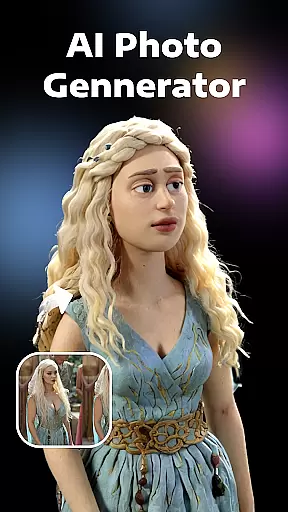


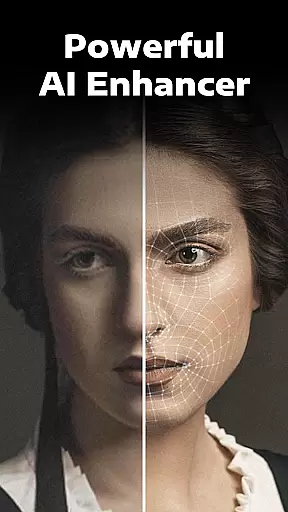
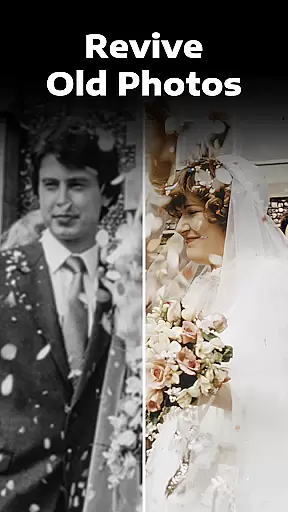

Evoke - AI Photo Enhancer is a cutting-edge photography app designed to breathe new life into your old and damaged photos. Using advanced AI technology powered by Gemini 2.5 Flash Image, this app specializes in high-quality image restoration and enhancement. Whether you're dealing with black-and-white images, faded colors, scratches, or blurriness, Evoke provides instant fixes that make your photos clearer and more vibrant than ever before.
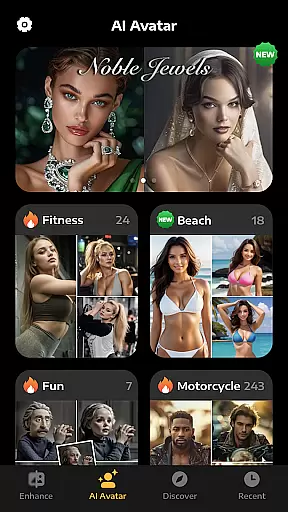
Beyond basic photo restoration, the app offers creative features like AI video generation and AI Portraits, allowing users to explore alternate versions of themselves in various roles and scenarios. The intuitive interface makes it easy for anyone to use, requiring just a few clicks to transform cherished memories into stunning, high-definition visuals. This powerful tool not only preserves precious moments but also adds a new dimension of creativity to personal photography.
Evoke - AI Photo Enhancer stands out with its comprehensive suite of features tailored to meet diverse photo restoration needs. At its core, the app employs state-of-the-art AI algorithms capable of intelligent recognition, particularly excelling in human face restoration. The super algorithm ensures ultimate high-definition results, delicately restoring every detail from strands of hair to skin texture, and even accessories and backgrounds.
In addition to its powerful enhancement capabilities, Evoke offers specialized tools such as Colorize, which transforms black-and-white photos into vivid color images, and Descratch, which repairs wrinkled and scratched areas. The AI Portraits feature takes creativity a step further, generating fun and imaginative portraits that place users in different roles and scenarios. These innovative features ensure that whether you're preserving family memories or exploring creative possibilities, Evoke delivers professional-grade results with minimal effort.
Real-time capture and preview functionality is essential for photography apps as it allows users to see exactly what the camera is capturing before taking a shot. This ensures that the framing, lighting, and composition are all perfect before the shutter is pressed.
AI Photo Enhancer leverages advanced AI technology to provide an enhanced real-time preview experience. The app processes images instantly, offering users a glimpse of how their photos will look after enhancement without any delay. This feature is particularly useful when trying to restore old or damaged photos, as it gives users confidence in the outcome.
The benefit of this real-time functionality is significant for users who need immediate results. Whether you're working with black-and-white images, faded pictures, or scratched photographs, the ability to preview enhancements ensures that your final image meets expectations. This saves time and effort by reducing the likelihood of unsatisfactory shots.
By integrating real-time capture and preview features, AI Photo Enhancer not only improves the user experience but also sets itself apart from other photo editing tools. Users can trust that their enhanced photos will retain their original charm while gaining a fresh, vivid look.
AI beauty and enhancement features have become increasingly popular in photography applications, allowing users to improve their photos while maintaining a natural appearance. This balance between enhancement and authenticity is crucial for delivering professional-quality results.
With AI Photo Enhancer, the app employs cutting-edge AI algorithms to intelligently recognize and enhance human faces. The super algorithm delicately restores every detail, from strands of hair to skin texture, ensuring that each element looks realistic and unaltered. This attention to detail guarantees that enhancements appear seamless and true to life.
Users benefit greatly from this focus on natural enhancement. Whether colorizing black-and-white photos or repairing damaged images, the app ensures that modifications enhance the original photo's charm without introducing artificial elements. This approach helps preserve the emotional connection and authenticity of cherished memories.
Ultimately, AI Photo Enhancer's commitment to natural enhancement elevates its value proposition. By combining powerful AI technology with a dedication to preserving the integrity of original images, the app delivers a superior user experience that satisfies both casual photographers and professionals alike.
Advanced AI technology
User-friendly interface
Fast processing speed
Versatile enhancement tools
Creative AI portrait options
Limited free features
Subscription required
Internet connection needed
Occasional processing delays
Privacy concerns

All-in-One Editor & AI Photo Enhancer, Beautify & Retouch, Collage, Cartoonify
 4.20
4.20
Virtual makeup, hair filters & body tuner—edit from face to full body!
4.20
Edit like a pro with Hypic. Apply filters, AI effects, & magic touch.
4.40
Take videos and pictures with the popular TikTok TIME WARP SCAN filter.
4.60
Add a dreamy vibe to your selfies and videos with soft style filters
4.0
Professional photography on your mobile phone
4.20
Collage your moments in one tap: 1000+ layouts, filters, stickers, and texts.
4.90
Unlock the full potential of your DJI drone with Litchi
4.50
Photo & Video Gallery app to manage albums and save WA Status easily.
4.70
Pro version: AR sun/moon tracker for any date. Tool for photographers & planners
4.90
A collection of tools and reference tables for DPs, ACs, DITs and Operators.
4.70
[3DSteroid Pro] is a stereoscopic application for Android.
4.30
Natural Beauty, Selfie Retouch
4.30
Smart, light, and fast photo and video gallery
4.30
AI-powered video creator by MiniMax - Where ideas meet cinema
4.20
live datamoshing
4.00
Astrophotography with your smartphone, photo live stacking and much more!
3.90
Hair color changer, AI haircut app, fun hair editor and buzz cut filter for all!
3.80
Be your best in every shot! Fix, edit and retouch your face in selfies & photos.
3.70


User Reviews