
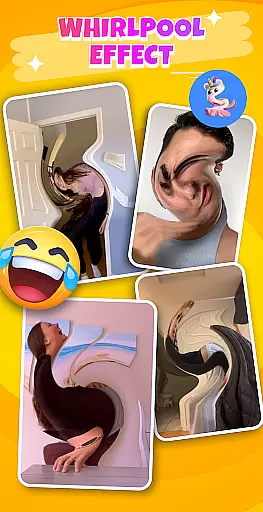

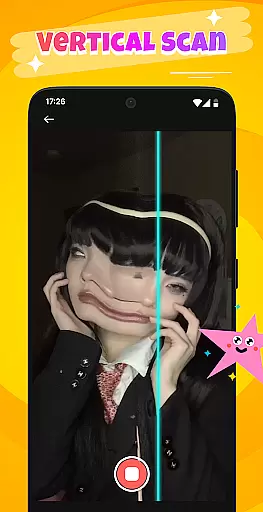
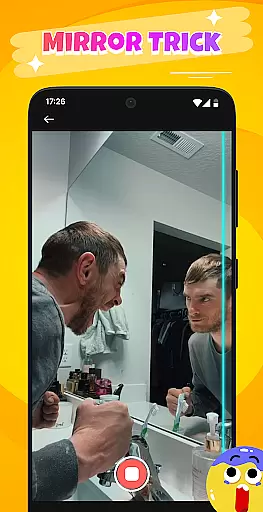
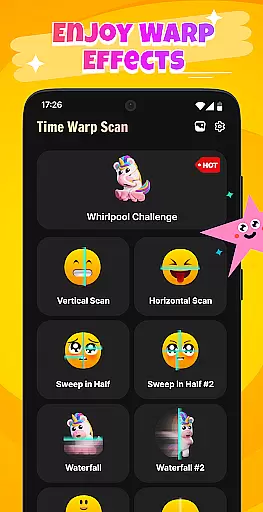
Time Warp Scan: Scanner Filter is an innovative photography app that brings magical time warp effects and creative face filters to your mobile device. The app's core functionality lies in its ability to distort images in real-time as a scan line moves across the screen, creating impressive "virtual but real" visual effects. This unique approach to photo manipulation allows users to transform ordinary images into extraordinary works of art.
The app particularly excels in its Whirlpool Filter feature, which creates mesmerizing space-twisting effects, stretching and distorting objects into soft, illogical forms. Additionally, it offers powerful video capture capabilities with scanning effects, enabling users to create viral-worthy content for social media platforms. Whether you're looking to create magical facial transformations or experiment with creative object manipulations, this app provides a comprehensive toolkit for digital artists and casual users alike.
Perfect for content creators and social media enthusiasts, Time Warp Scan finds its sweet spot in helping users generate unique, eye-catching visuals that stand out in today's crowded digital landscape. From magical eyebrows to flowing water-like mouth effects, the app empowers users to push creative boundaries while maintaining professional-grade results.
Time Warp Scan distinguishes itself through several remarkable features that set it apart from traditional photo editing applications. The app's signature capability is its real-time image distortion technology, which processes visual data instantly as the scan line moves across the screen. This creates dynamic, fluid transformations that appear both natural and supernatural simultaneously.
A standout feature is the Whirlpool Effect filter, which employs advanced algorithms to stretch, twist, and distort objects into surreal, flexible forms while maintaining their recognizable characteristics. The app also incorporates professional-grade video recording functionality with integrated scanning effects, allowing seamless creation of special effect clips without requiring additional editing software.
What truly makes Time Warp Scan exceptional is its collection of specialized filters designed for maximum social media impact. These include magical facial transformation tools, body modification effects, and artistic rendering options like sunset drawing and holiday-themed filters. Each feature is optimized for quick processing and easy sharing, making sophisticated visual effects accessible to users of all skill levels.
Real-time capture and preview functionality is essential for any photography app, allowing users to see the effects applied to their images or videos instantly. This immediate feedback ensures that users can make necessary adjustments on the fly, enhancing their creative process.
Time Warp Scan: Scanner Filter excels in this area by providing unique scanning effects that distort the image as the scan line moves across the screen. The real-time distortion creates a 'virtual but real' effect, making each captured moment not just a recording, but an artistic expression.
Users benefit from this feature by being able to instantly see the impact of whirlpool effects and other filters, ensuring that their final content meets their expectations before sharing it with friends or on social networks. This instant gratification and assurance boost user confidence in their creations.
The value of real-time capture and preview in Time Warp Scan lies in its ability to transform ordinary moments into extraordinary visual stories, encouraging creativity and experimentation without the wait, which is crucial for maintaining user engagement and interest.
AI beauty and enhancement features are increasingly popular in photography apps, offering users the ability to refine and beautify their images naturally. The importance of maintaining the authenticity of the original image while enhancing it cannot be overstated, as overly processed images can appear artificial.
With Time Warp Scan: Scanner Filter, AI enhancements are integrated seamlessly to ensure that all transformations, such as magical eyebrows or leg lengthening, look believable and retain the essence of the subject. The app uses sophisticated algorithms to apply these effects in a way that complements the natural features.
This results in users feeling confident that their edited photos and videos will not only impress their friends but also remain true to their original appearance. The balance between enhancement and naturalness is key to creating share-worthy content that resonates with audiences on social platforms.
Ultimately, the AI beauty and enhancement capabilities of Time Warp Scan empower users to push creative boundaries while keeping the results grounded in reality, thus amplifying the appeal of their visual storytelling without compromising on genuineness.
Real-time distortion effects
Unique Whirlpool Filter
Easy one-touch operation
Viral video potential
Creative face transformations
Processing may lag on older devices
Limited free filter options
Subscription fees required
Steep learning curve
Battery consumption high

AI portrait generator and polaroid AI selfie, fun AI generated AI photo creator!
 4.30
4.30
Photo Album Watch Face shows your favorite pictures as a Watchface.
1.90
What celebrity do you look like? Celebs will find your celebrity match!
4.10
Create collages easily! Nice pic collage maker & background eraser for Instagram
4.50
Take videos and pictures with the popular TikTok TIME WARP SCAN filter.
4.60
Over 800 film simulation recipes for Fujifilm. Black Friday Offer!
4.5
AI photo enhancer with Sora 2! Enhance, descratch, and colorize your old photos.
4.50
Remote control the phone camera shutter from your smartwatch and take a picture
1.60
Try an anime version, cartoon yourself, and generate AI hug or aging videos!
3.70
Find time and duration of different sunlight phases at any location
4.90
Enhance, upscale, and transform your images — on your device, without limits
4.70
1M influencer's special filter
4.60
AI photo editor with hair editor, retouch tools, hair color changer & filters!
4.50
Trendy TikTok time warp scan funny filter app brings you unique photos & videos.
4.40
AI-powered video creator by MiniMax - Where ideas meet cinema
4.20
A light meter for true photographers.
4.20
Turn photos into cartoons & avatars! - Photo Editor, Cartoon Face!
3.90
Astrophotography with your smartphone, photo live stacking and much more!
3.90
Perfect photos with body shaping, BG changer and object remover.
3.70


User Reviews