
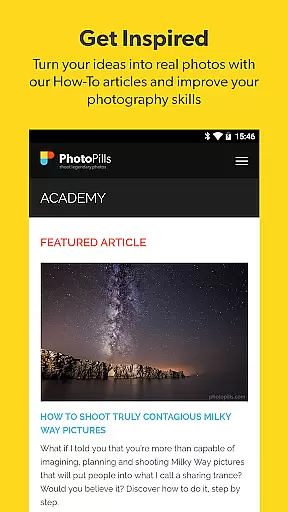
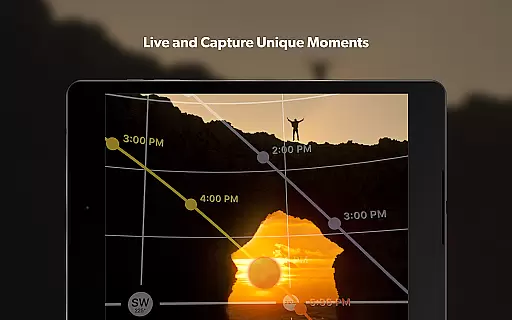
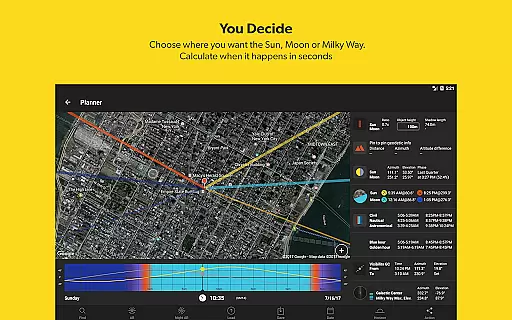
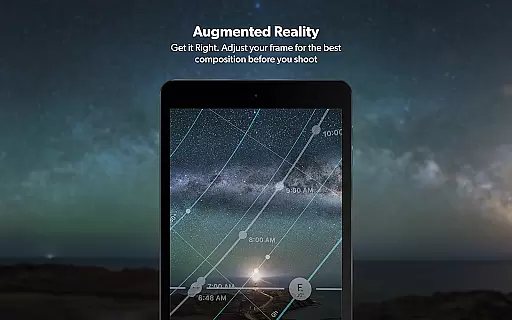


PhotoPills is an all-in-one photography planning app designed to unlock creative potential in capturing Sun, Moon, and Milky Way scenes. The app provides photographers with essential tools such as a 2D map-centric planner, augmented reality views, and photo plan management. Whether capturing landscapes or celestial events, PhotoPills ensures that every shot is perfectly planned and executed.
With features like the Sun, Moon Alignments Fast Finder and 3D Augmented Reality for various celestial bodies, PhotoPills caters to both professional and amateur photographers. Its intuitive interface allows users to visualize their shots beforehand, ensuring optimal composition and timing. This makes it an invaluable tool endorsed by renowned photographers worldwide.
The app's utility extends beyond just planning; it helps execute these plans with precision. Users can create detailed photo plans, scout locations, and even participate in the PhotoPills Awards. With comprehensive daily information available at a swipe, PhotoPills becomes an indispensable companion for anyone serious about photography.
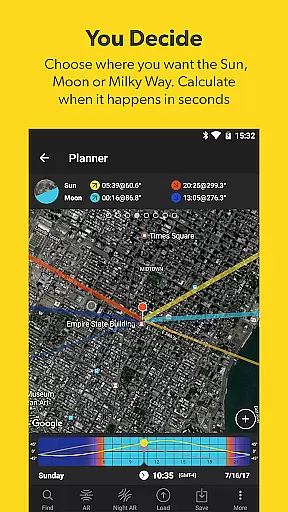
PhotoPills stands out with its robust set of features tailored for meticulous photo planning. One of its core functionalities is the 2D Map-Centric Planner, which allows users to visualize sun, moon, and Milky Way positions over chosen landscapes. This feature is complemented by the Sun, Moon Alignments Fast Finder, enabling quick identification of perfect shooting times.
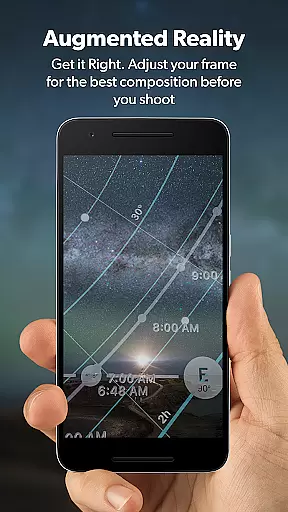
Another significant feature is the 3D Augmented Reality view, offering immersive experiences by visualizing celestial bodies' positions in real-time. This includes views of the celestial equator, Polaris, depth of field (DoF), and field of view (FoV). These AR capabilities ensure that photographers can accurately frame their shots before pressing the shutter.
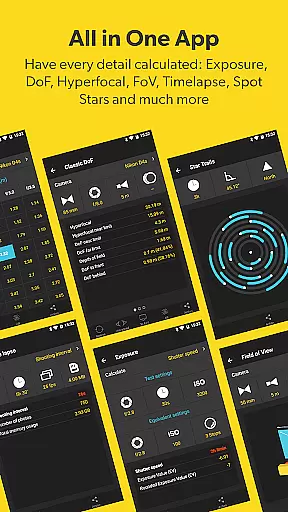
Additionally, PhotoPills offers practical tools like Long Exposure and Timelapse calculators, Spot Stars, Star Trails, Hyperfocal Table, and more. Widgets provide quick access to critical information, while the Location Scouting Tool helps discover and save great shooting spots. Altogether, these features make PhotoPills an essential tool for achieving legendary photos consistently.
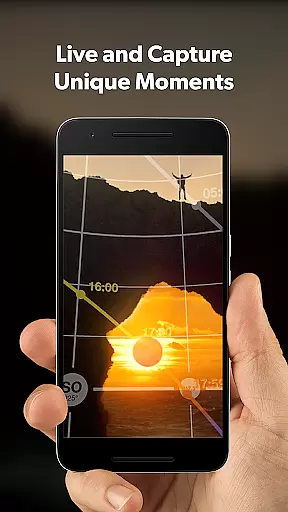
Real-time capture and preview functionality is essential for photographers who need to ensure their shots are perfectly composed before pressing the shutter. PhotoPills offers this feature through its advanced 3D Augmented Reality views, allowing users to visualize exactly where the Sun, Moon, and Milky Way will appear in their shots.
This innovative tool helps photographers adjust their framing with precision, ensuring that celestial bodies align perfectly within the desired composition. By providing an accurate preview of the scene, PhotoPills enables users to plan their shots down to the last detail, making every photo a masterpiece.
The real-time preview feature not only enhances creative control but also saves time by eliminating guesswork. Photographers can experiment with different angles and compositions, knowing precisely how the final image will look. This capability is particularly valuable for capturing once-in-a-lifetime moments like supermoons or unique alignments.
Ultimately, PhotoPills' real-time capture and preview empower photographers to turn their creative visions into reality, delivering stunning images that meet professional standards. Whether shooting landscapes, night skies, or special events, users can trust PhotoPills to get the shot right the first time.
AI beauty and enhancement features have become increasingly popular in photography apps, aiming to improve image quality while maintaining natural aesthetics. PhotoPills stands out by focusing on enhancing the authenticity of photos rather than applying heavy filters or unrealistic effects.
The app's AI-powered tools assist photographers in achieving optimal results by offering precise calculations for depth of field, field of view, and exposure settings. These features ensure that each photo maintains its natural beauty without compromising on technical accuracy. For instance, the Spot Stars calculator helps capture clear starry skies, preserving the natural wonder of the night.
PhotoPills also includes widgets and calculators that aid in long exposure and timelapse photography, further enhancing the natural essence of captured scenes. By providing detailed information on sunrise, sunset, and twilight timings, the app ensures that users can take advantage of the best lighting conditions for their shots.
In summary, PhotoPills' AI beauty and enhancement features focus on delivering natural-looking enhancements that elevate the photographic experience. Users can rely on these tools to produce high-quality images that remain true to life, capturing the genuine beauty of any scene they encounter.
User-friendly interface
Comprehensive planning tools
Augmented reality views
Endorsed by photography masters
Regular updates and support
High learning curve
Premium pricing
Device compatibility issues
Complex for beginners
Limited offline functionality

Cut and paste photo editor & eraser to customize photos easy and swap faces fun
 4.50
4.50
Android Native system HD camera app. Never been so simple and faster.
4.70
Photo prints, cards, & gifts at Walgreens. Easy ordering & fast local pickup !
4.80
Professional photography on your mobile phone
4.20
Luminar: Photo Editor - easy picture editing with AI
4.20
Professional quality photo edits with the new Snapseed.
4.00
Fit multiple photos on one post. Create carousels & scroll layouts for Instagram
4.50
Use AI Video Generator to turn your words to ai generated videos.
4.50
Solocator stamps photos you take with GPS location, Compass Direction, Date/Time
3.80
Find time and duration of different sunlight phases at any location
4.90
Your personal guide to the sun and moon. Plan ahead, visualize and predict!
4.70
Easily create custom gifts, cards, photo books & more on the Shutterfly app!
4.60
PhotoSync Bundle Add-On License. Enables all features and services in PhotoSync.
4.60
AI photo enhancer with Sora 2! Enhance, descratch, and colorize your old photos.
4.50
Gallery Slideshow is slideshow maker app for slideshow from your gallery photos.
3.90
Astrophotography with your smartphone, photo live stacking and much more!
3.90
USB Storage Access for Photos, Videos, Music and Documents
3.80
Remote control the phone camera shutter from your smartwatch and take a picture
1.60
Snap photos remotely using your Garmin watch as the camera trigger
4.3


User Reviews