
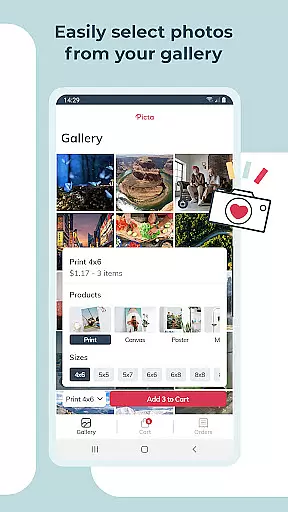
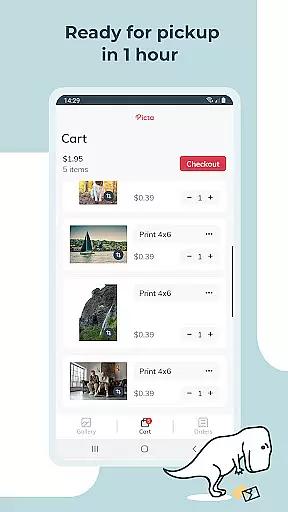
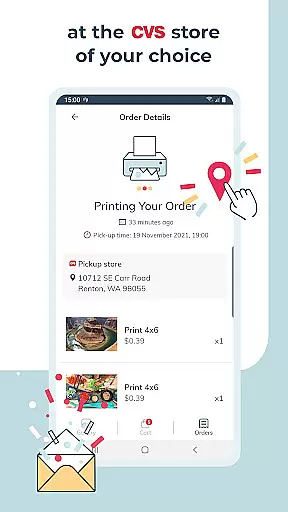
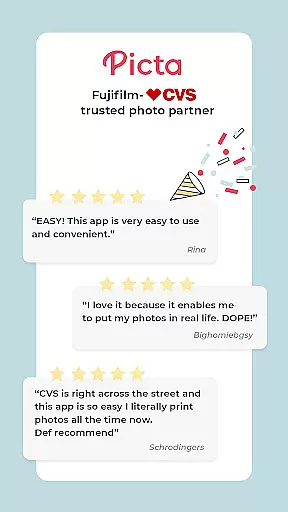
Picta x CVS Photo Print is a mobile application designed to simplify the process of photo printing. This app allows users to effortlessly print their digital photos directly from their smartphones and pick them up at their nearest CVS store within an hour. With its user-friendly interface, customers can choose from various print sizes including 4x6, 5x7, square prints, and even create custom products like magnets or greeting cards.
The app stands out with features such as real-time order tracking, easy photo editing tools, and organizing galleries by date. It also offers professional-quality photo printing on glossy paper in multiple sizes, making it perfect for turning memorable moments into tangible keepsakes. Whether you're looking to print Instagram photos or create personalized gifts, Picta x CVS Photo Print provides a fast, convenient, and high-quality solution for all your photo printing needs.
Picta x CVS Photo Print boasts several notable features that enhance the photo printing experience. One key aspect is the ability to customize print jobs extensively; users can crop and zoom pictures easily within the app, select from a variety of print sizes, and even design custom products such as magnets and greeting cards. The app's advanced CVS store locator ensures that users can find the most convenient location for same-day pickup.
Another significant feature is the app's gallery organization, which automatically sorts photos by the date they were taken, simplifying the selection process. Additionally, Picta x CVS Photo Print guarantees professional-quality results using glossy photo paper, available in standard and custom sizes. The service is not only quick and secure but also cost-effective, with exclusive app-only deals and opt-in notifications ensuring users never miss a discount. These comprehensive features make photo printing more accessible and enjoyable than ever before.
Real-time capture and preview functionality is essential for ensuring that users can accurately select and edit photos before printing. Picta x CVS Photo Print offers a seamless experience by allowing users to crop and zoom each picture easily within the app.
This feature ensures that every photo meets the user's expectations before it is sent for printing. By providing an intuitive interface, the app makes it simple to adjust images, thus enhancing the overall quality of printed photos.
Users benefit from the ability to see exactly how their photos will look once printed. This eliminates any guesswork and ensures satisfaction with the final product, whether they are printing standard 4x6 photos or custom creations like magnets and cards.
AI beauty and enhancement features in photo apps aim to improve image quality while maintaining a natural look. In Picta x CVS Photo Print, these enhancements are integrated to ensure that every photo print reflects professional-quality standards without appearing overly processed.
The app uses advanced algorithms to enhance colors, contrast, and sharpness, making sure that each photo looks its best. These enhancements are applied automatically but can also be adjusted manually, giving users control over the final appearance of their prints.
By focusing on naturalness, Picta x CVS Photo Print ensures that memories captured in photos remain authentic and true to life. This approach not only improves the aesthetic appeal of prints but also preserves the emotional integrity of cherished moments.
User-friendly interface
Fast same-day pickup
Wide range of print sizes
Real-time order tracking
Professional print quality
Limited to CVS stores
No direct payment option
Requires physical pickup
Occasional delays
App-only deals may vary

Remote control of the phone camera from your Wear OS smartwatch
 3.70
3.70
Trendy TikTok time warp scan funny filter app brings you unique photos & videos.
4.40
Be your best in every shot! Fix, edit and retouch your face in selfies & photos.
3.70
Create AI Photos, Improve and restore quality of blurry, old or damaged pics.
4.20
A reflected light meter with spot metering and incident light metering.
4.40
USB Storage Access for Photos, Videos, Music and Documents
3.80
AI photo enhancer with Sora 2! Enhance, descratch, and colorize your old photos.
4.50
Snap photos remotely using your Garmin watch as the camera trigger
4.3
Enhance, upscale, and transform your images — on your device, without limits
4.70
Cartoon and artistic effects for your photos and videos
4.70
Light-weight Media Gallery app for Android made with Jetpack Compose
4.60
Enhance, retouch & create your story - Share the moment with Photoshop Express.
4.60
Photo editor & gallery. Crop pictures & edit photos offline, no wifi!
4.50
Effortlessly organize, view and share your photos & videos with Gallery app!
4.40
Turn your phone into a professional camera - full DSLR manual photography
4.30
Transform Photos: Edit, Beautify and Craft Memories & Make Collages!
4.10
Catch sunlight, sunrise sunset times and sun phases with the AR sun tracker.
4.10
Professional quality photo edits with the new Snapseed.
4.00
Gallery Slideshow is slideshow maker app for slideshow from your gallery photos.
3.90


User Reviews