
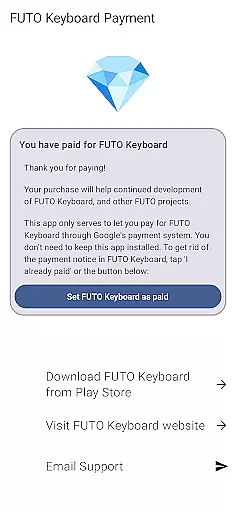
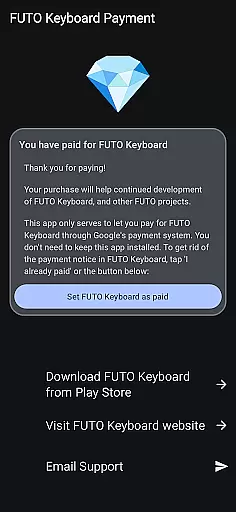
Payment for FUTO Keyboard is a specialized tool application designed to facilitate payment for the main FUTO Keyboard app. This app itself does not include any keyboard functionality but serves as a payment gateway for users who wish to support the development of FUTO Keyboard through Google Play.
The primary purpose of this app is to allow users to make in-app purchases that will remove payment notifications from the main FUTO Keyboard interface. It's important to note that before purchasing, users must have the FUTO Keyboard installed on their devices to benefit from this service.
This app is particularly useful for those who have already paid for FUTO Voice Input or FUTO Keyboard through other channels and want to ensure their support is recognized. By purchasing through this app, users can enjoy an uninterrupted typing experience without seeing payment reminders.
Payment for FUTO Keyboard offers several notable features that enhance the user experience with the main keyboard application. Firstly, it provides a seamless way to contribute financially to the development of FUTO Keyboard by making payments directly through Google Play.
Another significant feature is the ability to remove payment notices from the FUTO Keyboard interface. Once a purchase is made via this app, users will no longer see prompts or reminders about supporting the app financially, leading to a cleaner and more focused typing environment.
Additionally, this app ensures that previous payments made through different platforms are acknowledged. Users who have already supported the project elsewhere can verify their status and enjoy the benefits of being a contributor without needing to pay again.
For an application like Payment for FUTO Keyboard, core function accuracy and effectiveness are paramount. This app serves as a payment gateway to unlock features in the main FUTO Keyboard app. It ensures that once a user has made a payment, the corresponding features within the primary keyboard app are accurately unlocked without errors.
The app achieves this by seamlessly integrating with the Google Play payment system, ensuring that all transactions are processed securely and efficiently. The verification process is instant, allowing users to enjoy an uninterrupted experience when switching from the free version to the premium version of the FUTO Keyboard.
Users benefit from knowing that their payments are handled with precision, eliminating unnecessary follow-ups or errors that could disrupt their typing experience. This reliability fosters trust between the user and the application, encouraging continued use of the FUTO ecosystem.
A simple and intuitive interface is crucial for any utility app, including Payment for FUTO Keyboard. Despite its limited functionality, the app provides clear instructions and direct links to the main keyboard app, streamlining the user's journey from installation to purchase.
The design focuses on guiding users through necessary stepsu2014such as installing the main keyboard app and understanding payment prerequisitesu2014without overwhelming them with complex options or settings. This straightforward approach minimizes confusion and enhances user satisfaction.
By maintaining a minimalistic yet informative layout, the app ensures that even first-time users can navigate effortlessly. This simplicity not only aids in quicker transactions but also aligns with modern UI/UX standards, making it accessible for a broad audience seeking efficient solutions for their typing needs.
User-friendly payment process
Removes payment notices effectively
Acknowledges previous contributions
Supports ongoing development
Seamless integration with Google Play
No standalone functionality
Requires separate keyboard installation
Limited to Google Play purchases
Potential confusion for new users
Dependent on third-party app

Transfer Files, APK from Phone to Watch & Install.
 4.3
4.3
A recovery soft,it features photo recovery, video recovery, file recovery.
3.40
FV File Manager Pro, Fast and powerful file manager for Android
4.60
Amateur Radio app for APRS: Track friends, exchange messages, get tactical info.
3.90
A non-root local ADB shell client. READ BELOW!
3.40
PC precision for mobile gaming: dominate with keyboard and mouse!
4.30
Undelete and recover your lost or deleted files with DiskDigger!
3.40
A simple app to back up and restore SMS & MMS messages and call logs.
4.10
Enhance your Beats
3.70
The ultimate tool for network analysis, wifi scanning and problem detection.
4.90
Small and simple app to Verify Root Access and BusyBox Install!
4.70
Head tracking for PC sim games such as MSFS 2024 or Elite:Dangerous. No headset!
4.50
eXtended Permission Manager - a small app to manage permissions and AppOps
4.50
Forza Tuning Calculator App for Forza Horizon 5, Motorsport and Earlier Titles
4.40
Making emulation easy for everyone!
4.30
Carry a FTP server in your pocket and avoid USB cables for file transfer
4.20
Signal Strength, Mobile, Wifi, Speed Test, Bad Signals, Cellular, 5G, LTE, 4G
4.20
Screen Mirroring with sound for Samsung TV, LG TV, Sony TV, Smart TV and Browser
4.20
Unleash gamepad precision for ultimate mobile gaming dominance.
3.90


User Reviews