
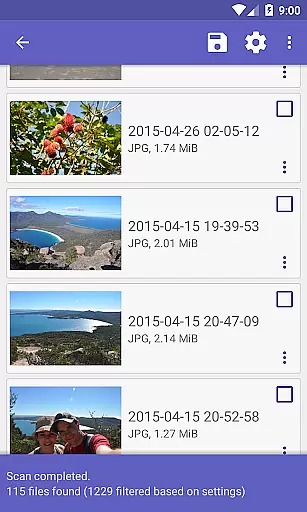
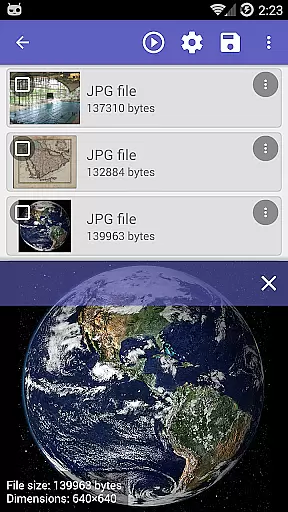
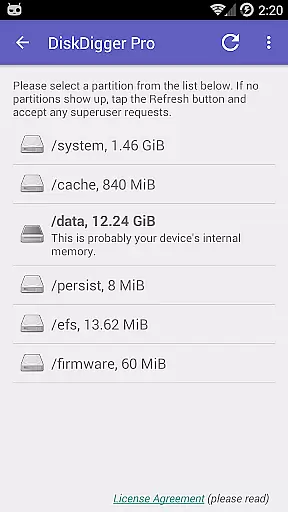
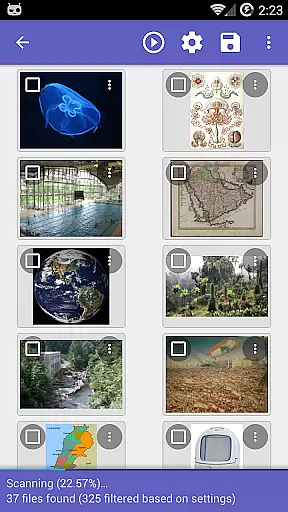
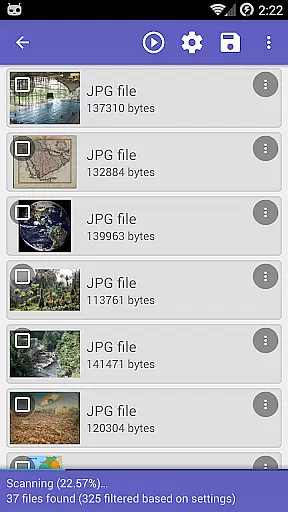
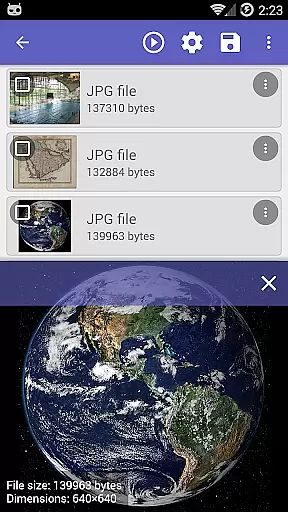
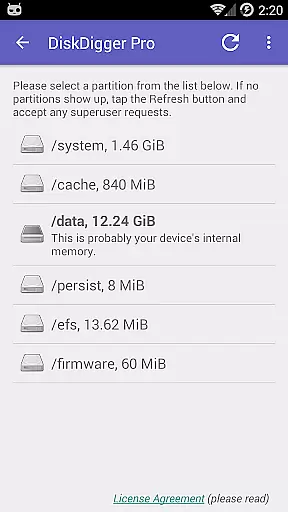
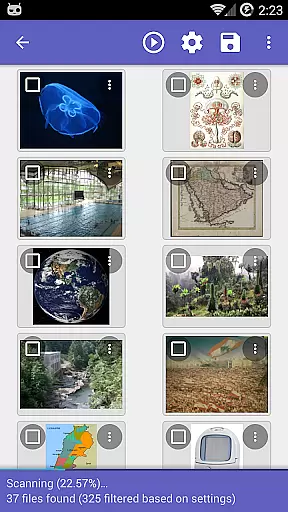
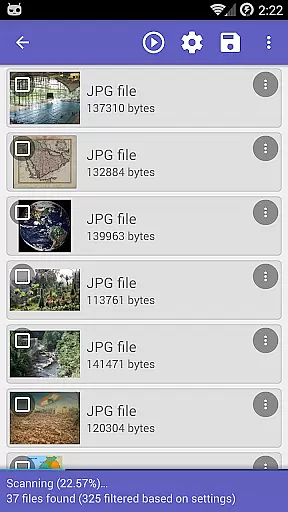
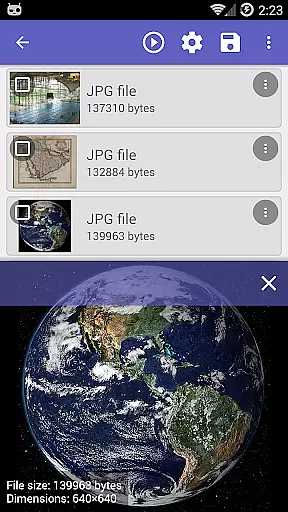
DiskDigger Pro is a powerful file recovery tool designed for rooted Android devices. This application specializes in retrieving lost or deleted files, including photos, documents, videos, and music from your device's memory card or internal storage. With its advanced scanning capabilities, DiskDigger Pro can recover files even after accidental deletion or memory card reformatting.
For non-rooted devices, the app offers limited functionality, allowing recovery of lower-resolution images found in cache and thumbnail directories. The app also features options to permanently delete unwanted files and wipe free space to prevent future recovery of deleted items. DiskDigger Pro supports a wide range of file types and integrates with cloud services like Google Drive and Dropbox for easy file restoration.
DiskDigger Pro stands out with its comprehensive data recovery features tailored for both rooted and non-rooted Android devices. For rooted devices, it provides deep scanning capabilities that can recover a multitude of file types, including JPG, PNG, MP4, DOCX, PDF, and more. The app employs sophisticated algorithms to scan both internal and external storage spaces thoroughly.
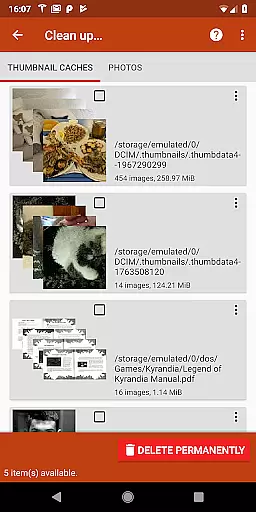
One notable feature is the ability to clean up unnecessary files post-recovery, although this option is currently experimental. Additionally, users can utilize the 'Wipe free space' function to ensure deleted files remain unrecoverable. Integration with cloud services such as Google Drive, Dropbox, and FTP servers enables seamless file uploads and management. These features collectively make DiskDigger Pro an indispensable tool for anyone needing robust file recovery solutions on their Android device.
DiskDigger Pro specializes in data recovery with precision and efficiency, targeting lost files from memory cards or internal storage on rooted Android devices. Its powerful scanning technology ensures that photos, documents, videos, music, and other file types can be retrieved even after accidental deletion or memory card reformatting.
The app supports a wide range of file formats including JPG, PNG, MP4, PDF, DOCX, and more, making it versatile for various recovery needs. With options to scan both the cache and deeper file systems, DiskDigger Pro offers flexibility depending on whether the device is rooted, though full functionality is unlocked on rooted devices.
Users benefit from its ability to restore high-resolution files when used on rooted devices, while also providing the option to recover lower-resolution versions on non-rooted devices. This dual capability ensures users can retrieve valuable data without requiring advanced technical knowledge.
By delivering reliable recovery results and supporting multiple file formats, DiskDigger Pro establishes itself as an essential tool for anyone needing to recover lost files quickly and effectively.
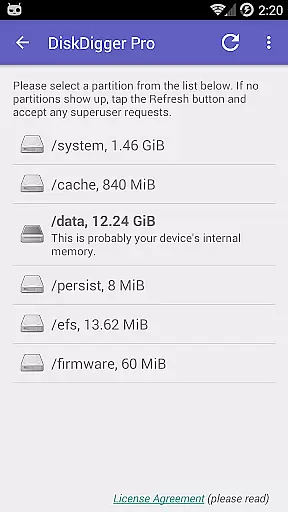
The user interface of DiskDigger Pro is designed to simplify the complex process of data recovery, ensuring users can operate the app with minimal learning curve. Clear navigation and well-organized menus guide users through the scanning and recovery process step-by-step, making it accessible even for beginners.
After completing a scan, users are presented with straightforward options to either recover files or clean up unnecessary data. The 'Clean up' feature helps permanently delete unwanted items, while the 'Wipe free space' option ensures deleted files cannot be recovered by overwriting free space, adding an extra layer of security.
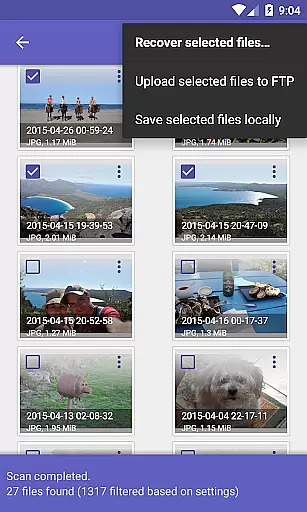
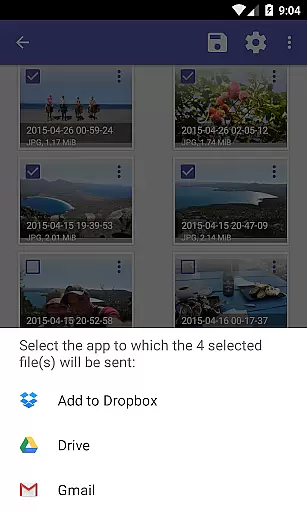
Additionally, DiskDigger Pro provides multiple recovery destinations, allowing users to upload files directly to cloud services like Google Drive or Dropbox, send them via email, or save them locally. These intuitive options enhance user convenience and ensure recovered files are easily manageable.
With its focus on clarity and ease of use, DiskDigger Pro combines powerful functionality with an interface that prioritizes user experience, making data recovery simple and stress-free.
Powerful recovery
Wide file support
Cloud integration
Free space wiping
User-friendly
Limited on non-rooted
Root required
Experimental cleanup
Paid version
Complex for beginners

 4.50
4.50
Quickly switch to an encrypted DNS server on Android TV
4.50
Head tracking for PC sim games such as MSFS 2024 or Elite:Dangerous. No headset!
4.50
Universal TV remote control all TVs, Roku, LG, Samsung, Fire, Vizio, Sony, TCL.
4.40
Small and simple app to Verify Root Access and BusyBox Install!
4.70
Mirror your screen to Fire TV - Super fast and simple
4.40
Fun lie-detection pranks for friends and parties.
3.80
Clean up your phone, find files, play media, and share files offline
4.50
fast and easy mp3 music downloader
4.80
Enjoy smooth gameplay with Game Booster
4.90
Powerful collection of electronics tools and reference.A must for any enthusiast
4.90
The Ultimate Flex Drivers Utility App - Convenient Tapping & Block Filters
4.70
HD Camera captures every special moment.
4.60
Mirror your screen to Chromecast and Android TV - Super fast and simple
4.60
Clean up large files and similar photos, fast and easy to use
4.40
Making emulation easy for everyone!
4.30
App that Recover your pictures, videos or files after you delete them.
4.20 4.10
4.10
A convenient photo, video, and file recovery tool.
4.00


User Reviews