
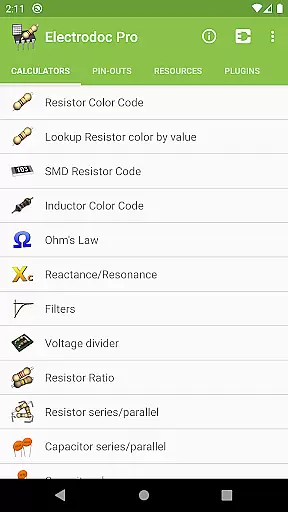
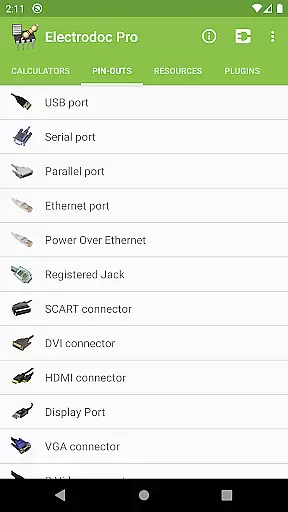
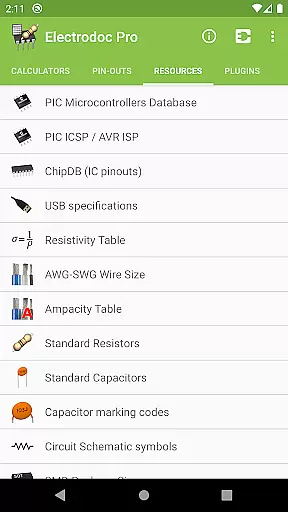
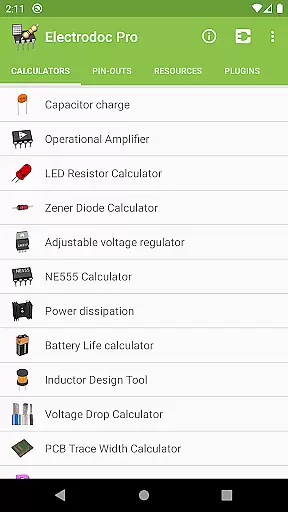
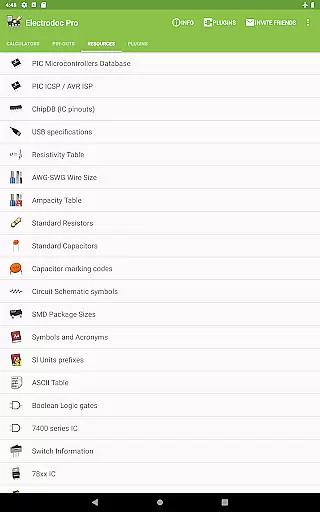
Electrodoc Pro is a comprehensive electronics toolkit designed for professionals, hobbyists, and students alike. This application serves as an all-in-one reference and calculator suite for various electronic components and circuits. With its extensive range of calculators, pin-out diagrams, and technical references, Electrodoc Pro eliminates the need for multiple apps or bulky handbooks.
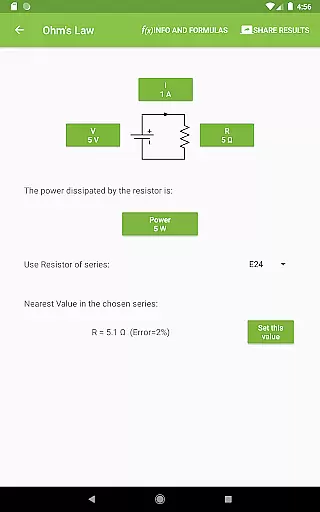
The app includes advanced tools such as Resistor Color Code decoders, Ohm's Law calculators, and complex circuit design utilities like Inductor Design Tools and PCB Trace Width Calculators. These features are meticulously crafted to provide accurate results while saving users valuable time during their projects. Whether you're designing a new PCB or troubleshooting an existing circuit, Electrodoc Pro offers indispensable resources to streamline your workflow.
One notable use case is its application in educational settings. Engineering students can utilize the app's detailed pin-out diagrams and component calculators to verify their designs or study complex circuit behaviors. The PRO version removes ads and provides additional functionality, making it an essential tool for anyone serious about electronics.
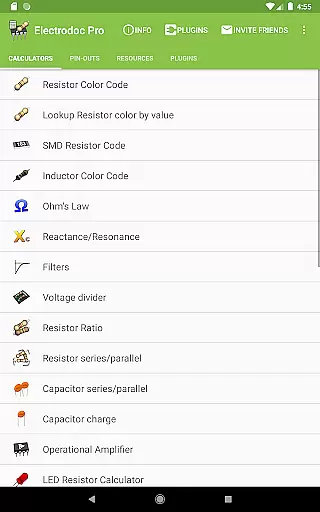
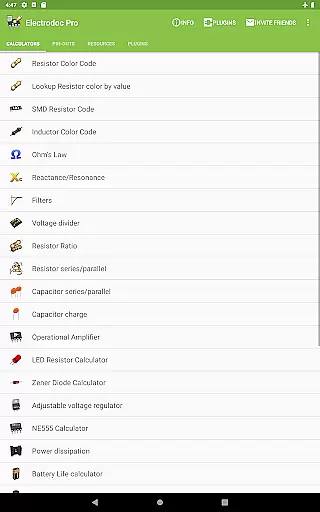
Electrodoc Pro stands out with its rich collection of specialized tools tailored for electronics enthusiasts. The app boasts over 30 distinct calculators covering resistor codes, capacitor series, voltage dividers, and more. Each calculator is designed with precision, ensuring reliable results for both simple and complex electronic computations. The inclusion of EIA resistor series support across all calculators demonstrates the app's attention to industry standards.
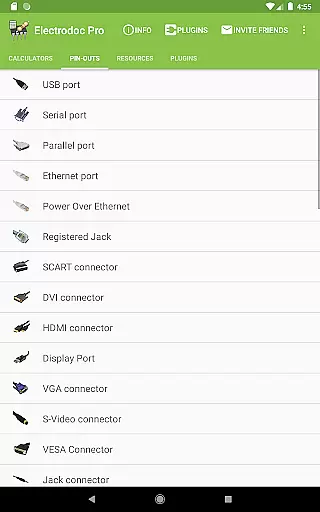
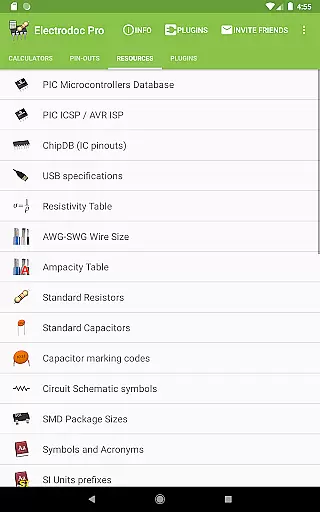
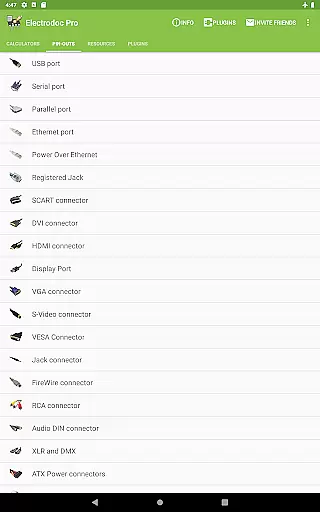
Beyond its calculation capabilities, Electrodoc Pro offers an exhaustive reference section featuring port pin-outs, technical resources, and component databases. Users can access detailed information about various connectors, IC pinouts, and standard electrical specifications. The app's plugin architecture further extends its functionality, allowing integration with microcontroller databases and parts search engines. This modular approach ensures that the app remains relevant and expandable as new technologies emerge.
What truly sets Electrodoc Pro apart is its commitment to comprehensive coverage. From Analog-Digital Converters to Thermocouple color codes, each feature is implemented with practical usability in mind. The app's interface organizes these numerous tools into intuitive categories, enabling quick access to frequently used functions. This combination of depth and accessibility makes Electrodoc Pro an invaluable asset for anyone working in electronics.
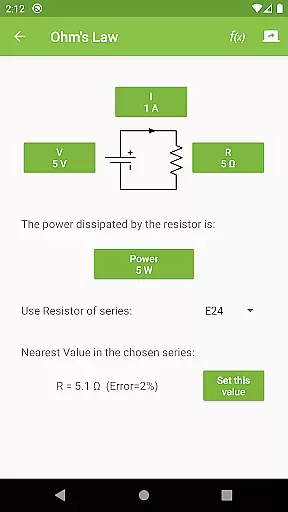
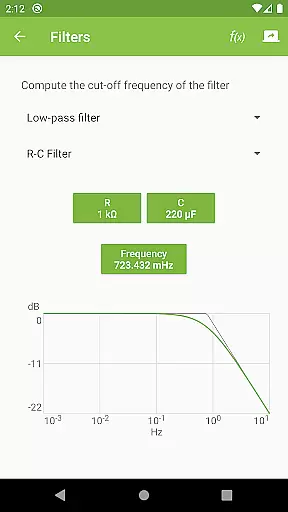
Electrodoc Pro stands out in the Tools category by delivering highly accurate and effective core functionalities that are essential for electronics enthusiasts and professionals. The app provides precise calculations and references, such as Resistor Color Code, Ohm's Law, and Reactance/Resonance calculators, ensuring users can rely on it for their electronics projects.
The application goes beyond basic features by including advanced tools like the NE555 Calculator, Power dissipation calculator, and PCB Trace Width Calculator. These specialized functions have been designed to give users comprehensive support in designing and troubleshooting complex electronic circuits with confidence.
Users benefit from Electrodoc Pro's commitment to precision engineering. Each tool within the app is crafted to deliver reliable results, empowering engineers, hobbyists, and students to execute their work with accuracy. This reliability helps save time and resources by minimizing errors during the design or repair process.
Moreover, Electrodoc Pro enhances user productivity by streamlining access to critical electronics data and calculations. With its intuitive interface and efficient processing, users can swiftly navigate through various tools, making it an indispensable companion for anyone involved in electronics work.
A key feature of Electrodoc Pro is its emphasis on interface simplicity and intuitiveness, which ensures a seamless user experience. The app's clean layout allows users to quickly locate and utilize its extensive range of electronics tools without a steep learning curve, catering to both beginners and seasoned professionals.
Every tool and reference within Electrodoc Pro is organized logically, enabling users to access desired functionalities with minimal effort. Clear labels and straightforward navigation paths contribute to an environment where users can focus on their tasks rather than figuring out how to use the app.
The intuitiveness of Electrodoc Pro extends to its interactive elements. Features like the Resistor Color Code and Lookup Resistor color by value are designed for ease of use, allowing users to input data and receive accurate results promptly. This thoughtful design reduces cognitive load and enhances overall usability.
By prioritizing a user-friendly interface, Electrodoc Pro not only simplifies complex electronics calculations but also encourages more frequent use. Users can efficiently integrate the app into their workflow, knowing they have a reliable and accessible tool at their fingertips whenever needed.
User-friendly interface
Comprehensive toolset
Regular updates
Ad-free experience
Plugin support
Premium price point
Steep learning curve
Occasional bugs
Limited beginner guidance
Heavy storage usage

A recovery soft,it features photo recovery, video recovery, file recovery.
 3.40
3.40
1-Click close all background apps on Android TV
3.90
Optimize your WiFi network, turn your phone into Wifi Analyzer
4.70
Keep track of your Palia friendships, tasks, and inventory with Palia Notebook
4.60
Small and simple app to Verify Root Access and BusyBox Install!
4.70
MS-DOS in your pocket. Play old DOS games anywhere you are ;)
4.10
Connect wirelessly to your computer to watch movies, browse the web, play games
5.00
Button mapper, mouse toggle, sleep timer and a lot of another features
4.50
Fast VPN USA for any country. Super secure VPN for calls, streaming, games, TV.
4.40
Support Fossify apps with a warm thank you!
5.00
Extremely fast, secure, and protects your privacy
4.80
Monitor car performance in real time and troubleshoot malfunctions.
4.80
HD Camera captures every special moment.
4.60
Canon PRINT is a companion app for your Canon printer.
4.60
With videos, electrical calculators, and built-in ebook, Ugly’s has your answer.
4.50
Just swipe the edge to do something!
4.40
Just one-tap to easy translate in any language after calls within seconds.
4.20
Unleash gamepad precision for ultimate mobile gaming dominance.
3.90
Transfer Files, APK from Phone to Watch & Install.
4.5


User Reviews