
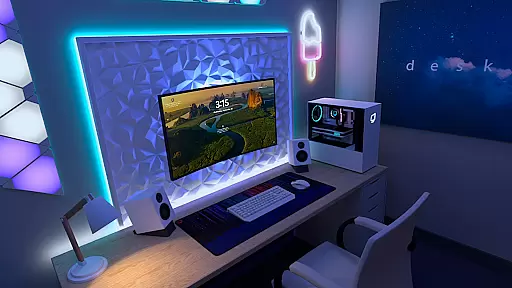
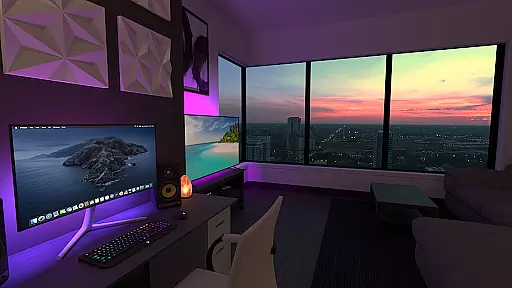
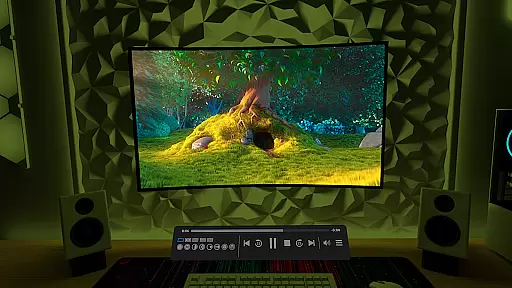
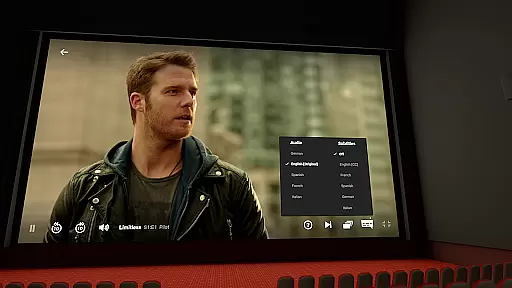
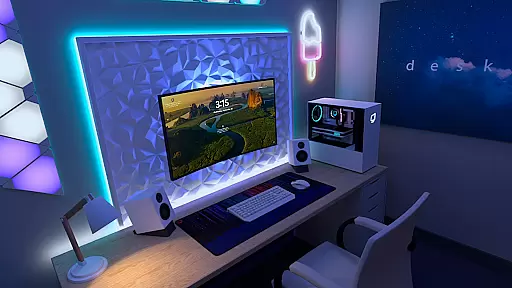

Virtual Desktop is a powerful tool that allows users to connect wirelessly to their computers for an immersive experience. With the ability to watch movies, browse the web, and even play games on a large virtual screen, this app transforms how users interact with their PCs. The application supports streaming of PCVR games, making it ideal for gamers who want to enjoy high-quality VR experiences without being tethered to their desktops.
The app is optimized for low latency and high-quality streaming, ensuring smooth performance. It works seamlessly with most PCs and laptops running Windows 10 or 11, as well as macOS Catalina or later. Whether you're looking to stream videos directly from your computer or use Bluetooth peripherals like mice, keyboards, and gamepads, Virtual Desktop provides a versatile solution for remote computing needs.
Virtual Desktop offers a range of features designed to enhance user experience. One standout feature is its support for multi-monitors, allowing users to extend their workspace across multiple displays. This includes both physical monitors and virtual ones, providing flexibility in how users organize their work environments. Additionally, the app supports 3D Side-by-Side and Over-Under content, catering to users interested in immersive media formats.
Another key aspect is the Microphone passthrough option, which enables clear audio communication during remote sessions. For those needing access to various types of video content, the Videos tab lets users download or stream regular, 180-degree, and 360-degree videos directly from their computers. Remote connections over the internet are also supported, provided UPnP is enabled on the router, making it convenient for users who need to connect from different locations.
Virtual Desktop excels in delivering a seamless and high-quality streaming experience by focusing on core functionalities that matter most to users. The application is optimized for low latency, ensuring that whether you are watching movies, browsing the web, or playing games, the interaction feels instantaneous and smooth.
The app supports both local and remote connections, allowing users to connect wirelessly to their computers. This feature is particularly beneficial for those who wish to enjoy a giant virtual screen experience without being tethered by cables. By requiring a Gigabit Ethernet connection, Virtual Desktop ensures stable and fast data transmission, which is crucial for maintaining the quality of streamed content.
Moreover, the support for multi-monitors and 3D content enhances the versatility of the application, catering to various user needs from productivity to entertainment. These features collectively contribute to an effective and reliable tool that maximizes user convenience and satisfaction.
Achieving a balance between powerful functionality and user-friendly design, Virtual Desktop offers an intuitive interface that simplifies complex tasks. Users can easily navigate through different tabs such as Videos, which allows for downloading or streaming videos directly from their computers, enhancing accessibility and convenience.
The inclusion of Bluetooth support for mice, keyboards, and gamepads further enriches the user experience by providing familiar control options. This compatibility ensures that users can interact with their virtual desktops using devices they are already comfortable with, reducing the learning curve associated with adopting new technology.
Additionally, the Microphone passthrough option adds another layer of practicality, making Virtual Desktop not just a tool for media consumption but also for communication and collaboration. Such thoughtful design choices result in an interface that is both simple to use and rich in features, appealing to a wide range of users seeking efficiency and ease of use.
User-friendly interface
High-quality streaming
Multi-monitor support
Wide compatibility
Flexible connectivity options
Requires Gigabit Ethernet
Limited mobile device support
Dependent on network stability
Higher system requirements
Premium pricing model

Quickly switch to an encrypted DNS server on Android TV
 4.50
4.50
A convenient photo, video, and file recovery tool.
4.00
Extremely fast, secure, and protects your privacy
4.80
Canon PRINT is a companion app for your Canon printer.
4.60
Quickly & easily calculate the spacing of handrail balusters
4.20
Signal Strength, Mobile, Wifi, Speed Test, Bad Signals, Cellular, 5G, LTE, 4G
4.20
Remote Play with FSR upscaling, low latency & full controller support
4.80
Pro Emulator is an easy to use game console emulator for a range of consoles.
4.40
fast and easy mp3 music downloader
4.80
Best leveling tool for your Android device. Hang paintings like a pro.
4.90
Navigate with Ease and Style
4.90
Fast Video Downloader, Movie Downloader, Torrent Downloader & Adblock Browser
4.70
FV File Manager Pro, Fast and powerful file manager for Android
4.60 4.50
4.50 4.50
4.50
A simple app to back up and restore SMS & MMS messages and call logs.
4.10
Automate everything from settings to photos, SMS to speech. ADC2 prize winner.
4.10
Create your own custom widget with endless possibilities
3.90
Download any file easily and quickly with Downloader
4.2


User Reviews