
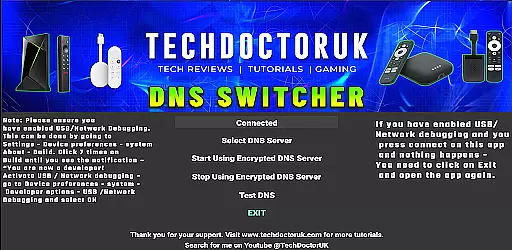
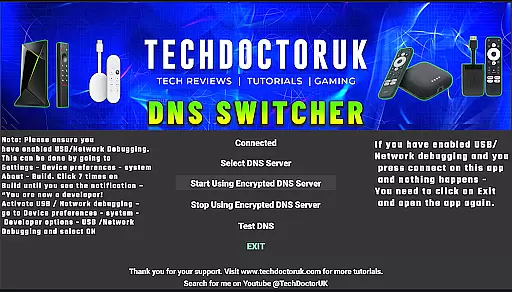
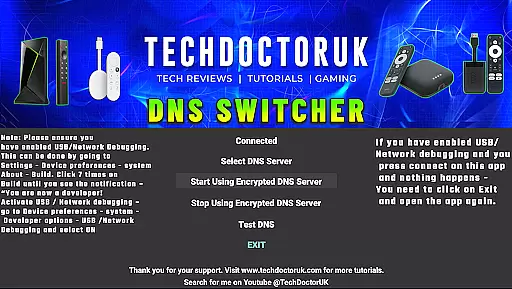
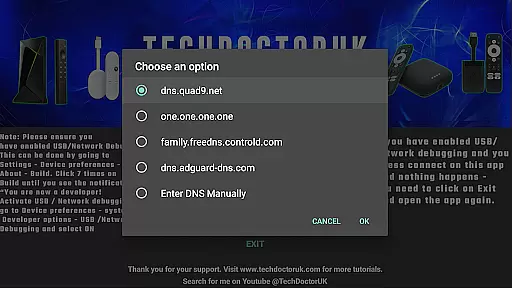
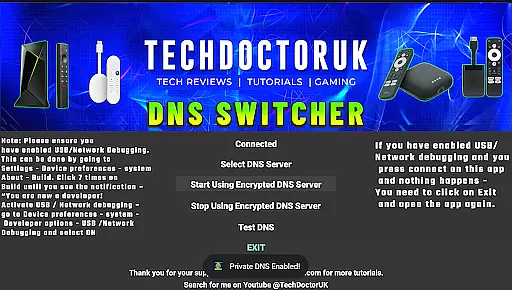
TDUK DNS Switcher is a specialized tool designed to enhance your Android TV's security by enabling encrypted DNS usage. This application allows users to select from popular encrypted DNS servers or configure custom ones, ensuring privacy and protection for all DNS requests. By activating USB or Network Debugging beforehand, users can seamlessly integrate this app into their setup, providing peace of mind through secure internet connectivity.
The app's straightforward interface simplifies the process of switching DNS settings, making it accessible even to those with minimal technical expertise. Whether you're looking to safeguard personal data or ensure a safer browsing experience on your smart TV, TDUK DNS Switcher offers a reliable solution tailored for privacy-conscious individuals.
TDUK DNS Switcher stands out with its ability to support both predefined and user-defined encrypted DNS servers, offering flexibility and control over network security settings. The app provides a streamlined process for configuring these settings without requiring extensive technical knowledge, thanks to its intuitive design and clear instructions.
Additionally, the necessity of enabling USB or Network Debugging prior to use ensures that only authorized users can modify DNS configurations, adding an extra layer of security. With TDUK DNS Switcher, users gain not just enhanced privacy but also the assurance that their digital activities remain confidential and protected against unauthorized access.
TDUK DNS Switcher focuses on providing accurate and effective core functionality by enabling users to configure encrypted DNS servers on their Android TV devices. This ensures that all DNS requests are securely processed through trusted servers, protecting user privacy.
The app allows selection from well-known encrypted DNS providers or the option to input custom server details. This flexibility guarantees that users can tailor their DNS settings according to specific security needs while maintaining optimal performance levels.
By ensuring USB or Network Debugging is enabled before use, the application establishes a reliable connection with the device, enhancing the precision of DNS configurations. This step is crucial for seamless integration and sustained protection.
The interface of TDUK DNS Switcher is designed to be simple and intuitive, allowing users to easily navigate through available options without requiring advanced technical knowledge. The straightforward layout ensures quick access to essential features.
With clear instructions provided within the app, users can efficiently enable necessary debugging settings and proceed with configuring their preferred DNS servers. This approach minimizes complexity and enhances overall usability.
Additionally, the minimalistic design reduces cognitive load, making it easier for users to understand and manage their DNS settings effectively. Such an intuitive interface promotes a hassle-free experience when securing DNS communications.
Enhances privacy
Easy to use
Supports custom DNS
Secure configuration
Intuitive interface
Requires debugging
Limited to Android TV
No automatic updates
Basic customization
Dependent on network

pdf merge, word to pdf, jpg to pdf, edit pdf, convert to pdf and much more!
 4.20
4.20
Fluid navigation gestures for all of us!
4.30
Save any video in HD - paste the link, download fast and watch offline.
4.3
ADB support Android 4.X-Android 13(Support wireless pair mode).No root required!
4.70
Mirror your screen to Chromecast and Android TV - Super fast and simple
4.60
Mirror your screen to Fire TV - Super fast and simple
4.40
Automate everything from settings to photos, SMS to speech. ADC2 prize winner.
4.10
Clean up large files and similar photos, fast and easy to use
4.40
The ideal app to be the digital eye of your family
3.40
Unit and currency converter with easy and simple UI.
4.80 4.50
4.50
With videos, electrical calculators, and built-in ebook, Ugly’s has your answer.
4.50
Complete kernel toolbox with features to manage and tweak your rooted device
4.30
Remote for Roku, Fire TV, Samsung TV, LG TV, Android TV, Chromecast and VIZIO TV
4.20
Carry a FTP server in your pocket and avoid USB cables for file transfer
4.20
Introducing Smart Printer, your ultimate destination for printing solutions!
4.00
Amateur Radio app for APRS: Track friends, exchange messages, get tactical info.
3.90
Transfer Files, APK from Phone to Watch & Install.
4.2
Unlock your Essential Key. Create custom shortcuts to your favorite apps!
4.4


User Reviews