
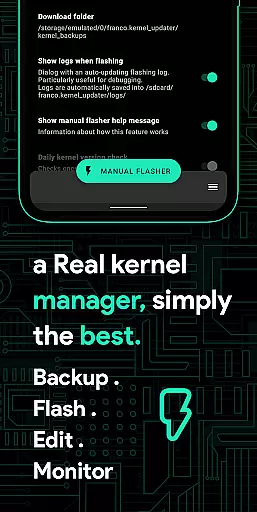
Franco Kernel Manager is a comprehensive toolbox designed for rooted Android devices, offering an extensive range of features to optimize and manage your device's kernel. With its user-friendly interface, it caters to both beginners and advanced users, providing tools for performance enhancement, battery optimization, and system customization.
This app allows you to flash mods without a custom recovery, monitor battery usage with detailed analytics, and tweak various system settings such as CPU frequencies, GPU settings, and display controls. Its powerful capabilities make it an essential tool for anyone looking to supercharge their Android device.
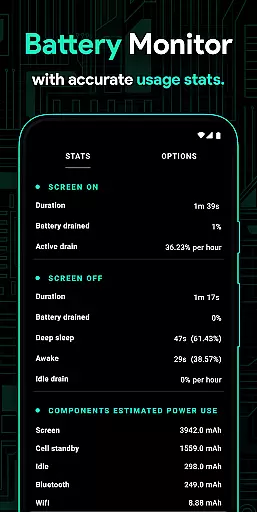
Franco Kernel Manager stands out with its rich feature set tailored for comprehensive device management. The app includes a Battery Monitor notification that provides insights into power consumption, charging time estimates, and more. It also offers detailed battery stats, build.prop editing, and the ability to auto-flash kernels and mods without a custom recovery.
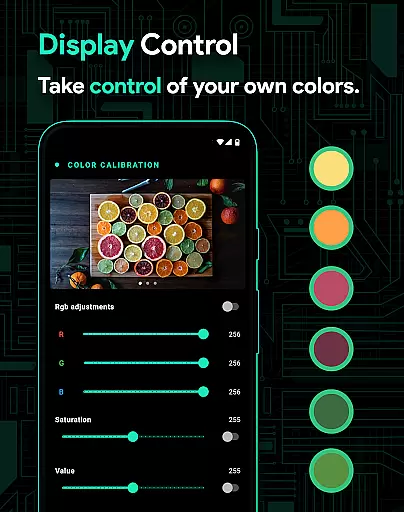
Users can benefit from powerful battery-saving tips, display color temperature presets, and support for various GPUs. Additionally, the app supports per-app profiles, system health monitoring, automatic night shift, and CPU temperature notifications. These features collectively provide a superior experience for optimizing and personalizing your device.
Franco Kernel Manager offers a comprehensive suite of tools designed to enhance kernel management with precision and efficiency. The app provides detailed battery stats, including power consumption metrics for individual components like WiFi, screen, and signal, ensuring users have accurate insights into their device's energy usage.
With features such as auto-flash kernels, Magisk modules, and flashable zips without the need for custom recovery, the app streamlines complex processes. This functionality not only simplifies tasks but also reduces potential errors, making kernel management accessible even to less experienced users while still catering to experts.
The inclusion of powerful battery-saving tips, display color temperature presets, and support for various GPUs showcases the app's dedication to delivering effective solutions. These tools empower users to optimize performance and battery life effortlessly, providing tangible benefits that enhance the overall user experience.
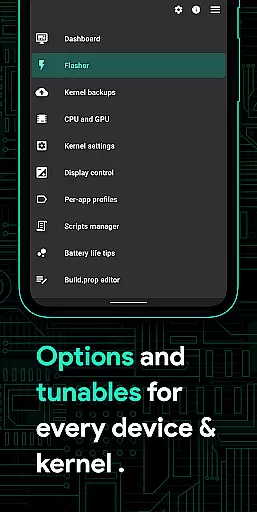
The user interface of Franco Kernel Manager is crafted to ensure ease of use without compromising on advanced functionalities. With an intuitive design, the app allows both novice and expert users to navigate through its rich feature set seamlessly. Clear categorization and well-organized menus make it simple to locate and utilize specific tools.
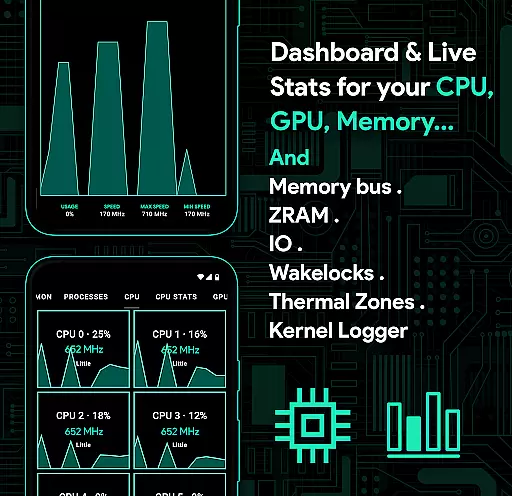
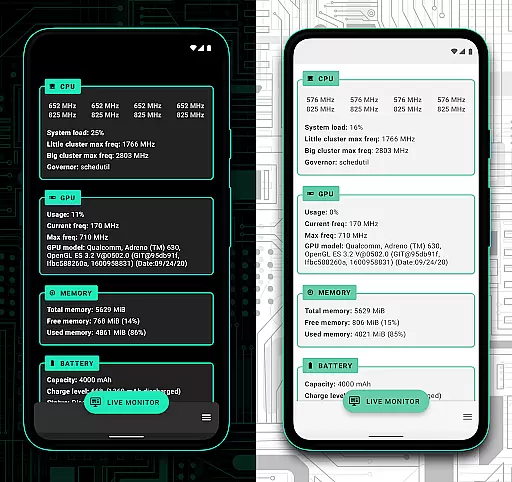
Features like the System Health monitor present real-time data on CPU, GPU, RAM, and more in a visually appealing and easy-to-understand format. This approach helps users quickly grasp their device's current state and make informed decisions regarding performance tweaks or resource allocation.
Additionally, the app supports light and dark themes compatible with the latest Android versions, enhancing visual comfort and accessibility. By prioritizing a clean and straightforward interface, Franco Kernel Manager ensures that users can efficiently manage their devices without a steep learning curve, thus improving overall productivity and satisfaction.
Comprehensive feature set
User-friendly interface
Performance optimization
Battery life extension
Customizable settings
Requires root access
Complex for beginners
Limited to Android
No iOS support
Some features are device-specific

Transfer Files, APK from Phone to Watch & Install.
 4.5
4.5
Clean the junk files on your device
3.40
Carry a FTP server in your pocket and avoid USB cables for file transfer
4.20
Excellent scientific calculator with symbolic algebra, integrals, derivatives
4.80
View detailed information about your Nissan Leaf the dealer never shows you.
4.10
PC precision for mobile gaming: dominate with keyboard and mouse!
4.30
Remote Play with FSR upscaling, low latency & full controller support
4.80
Your personal health butler
3.60
The ideal app to be the digital eye of your family
3.40
HD Camera captures every special moment.
4.60
HD Video player and downloader for all formats, fast & smooth 4K video playback.
4.60 4.50
4.50
Quickly switch to an encrypted DNS server on Android TV
4.50
Screen Mirroring for Roku Sticks, Roku TCL TV and Roku Hisense TV
4.50
VESC Tool can monitor and configure VESC-compatible devices over BLE and Wifi
4.20
MS-DOS in your pocket. Play old DOS games anywhere you are ;)
4.10
Detect hidden spy camera with advanced scanning {{ Premium version }}
4.00
1-Click close all background apps on Android TV
3.90
A powerful, easy-to-use flight computer on your phone or tablet!
3.80


User Reviews