
Leaf Spy Pro is a specialized diagnostic tool designed for Nissan Leaf electric vehicle owners. This application, through a Bluetooth connection with an ELM327 OBDII adapter, provides detailed insights into the vehicle's battery health and other critical parameters typically accessible only to dealers. With its latest version, Leaf Spy Pro now supports advanced Bluetooth 4.x LE adapters like LELink, offering seamless connectivity and reduced power consumption.
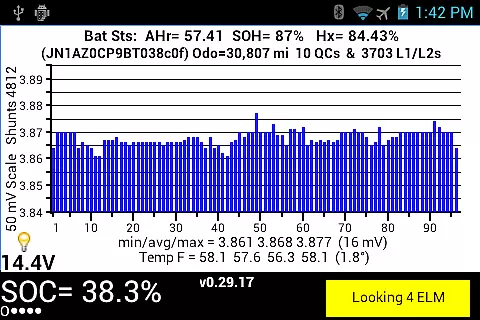
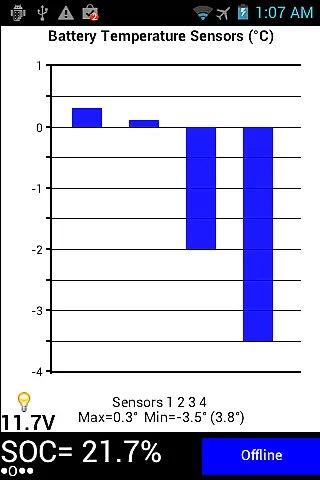
The app displays comprehensive data such as voltage readings of each cell pair, battery temperature, state of charge (SOC), distance to empty (DTE), and tire pressure monitoring. Additionally, it offers unique features including logging functions that save data into CSV files for further analysis. These capabilities make Leaf Spy Pro an essential tool for Leaf owners who want to maintain optimal vehicle performance and diagnose potential issues without visiting the dealership.
Leaf Spy Pro stands out with its extensive feature set tailored for Nissan Leaf owners. The app provides detailed battery diagnostics by displaying individual cell voltages, temperatures, and overall battery capacity in real-time. Its compatibility with Bluetooth 4.x LE adapters ensures a stable and energy-efficient connection, enhancing user convenience.
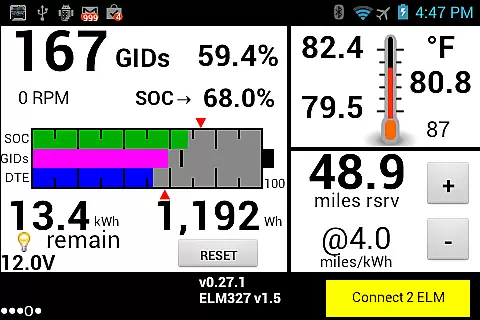
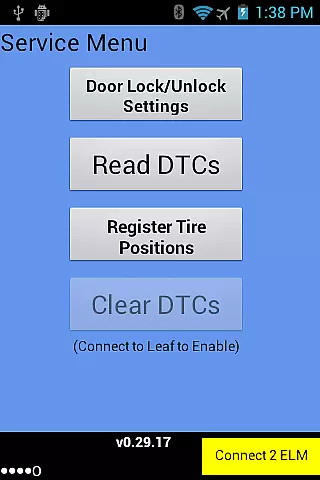
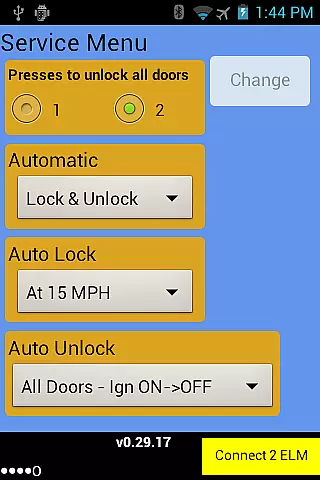
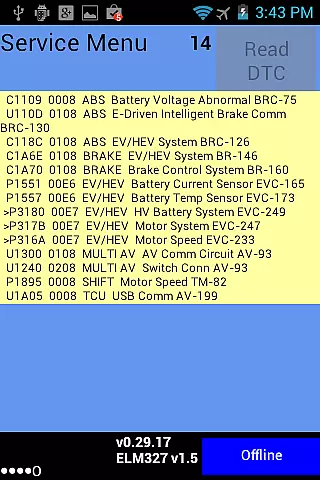
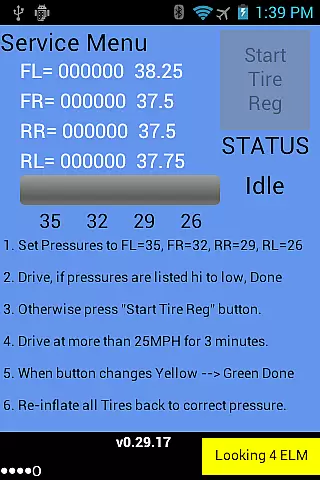
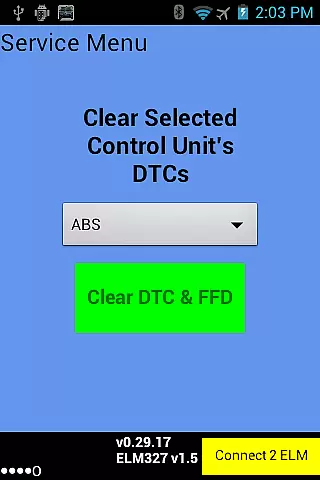
Beyond basic monitoring, Leaf Spy Pro allows users to perform advanced functions such as changing automatic door lock settings, reading diagnostic trouble codes (DTC), and resetting DTCs from selected ECUs. It also includes a graphic display of SOC, GIDs, and DTE, along with tire pressure monitoring and ambient temperature readings. These features collectively empower Leaf owners to take full control of their vehicle's maintenance and performance optimization.
Leaf Spy Pro exemplifies core function accuracy by providing precise monitoring of a Nissan Leaf's battery and vehicle information. This includes detailed data such as the voltage of each cell pair, battery temperature readings, and the battery's AHr rating, which indicates remaining capacity.
The app effectively utilizes an ELM327 OBDII Bluetooth adapter to access this information, normally only visible to dealers. With features like histogram displays for cell voltages and graphic representations of SOC, GIDs, and DTE, users receive clear insights into their vehicle's performance.
For owners, this means they can make informed decisions regarding their vehicle's maintenance and efficiency. The accuracy in displaying essential metrics ensures that any anomalies or potential issues are caught early, saving both time and money.
Despite its technical depth, Leaf Spy Pro maintains interface simplicity and intuitiveness. Users can easily navigate through various screens to access critical vehicle data without requiring specialized knowledge.
The app smartly organizes information into digestible sections. For instance, it provides straightforward displays for battery energy levels in GIDs & kWh, resettable energy usage meters, and tire pressure readings with warnings for low pressure.
This intuitive design allows users to quickly understand their vehicle's status at a glance. Such accessibility is crucial for ensuring that all Nissan Leaf owners, regardless of technical expertise, can utilize Leaf Spy Pro to maintain optimal vehicle health.
User-friendly interface
Comprehensive battery diagnostics
Advanced dealer-level functions
Real-time data logging
Bluetooth 4.x LE support
Requires compatible adapter
Limited to Nissan Leaf models
Additional purchase for Pro features
Complex for beginners
Dependent on Bluetooth stability

Change your GPS location instantly. Simulate routes anywhere in the world.
 4.90
4.90
A convenient photo, video, and file recovery tool.
4.00
Just one-tap to easy translate in any language after calls within seconds.
4.20
Remote for Roku, Fire TV, Samsung TV, LG TV, Android TV, Chromecast and VIZIO TV
4.20
Quickly & easily calculate the spacing of handrail balusters
4.20
An open-source APK explorer for Android!
4.10
The Ultimate Bluetooth Keyboard & Mouse. Securely control your PC, Mac, and more
4.50
A simple app to back up and restore SMS & MMS messages and call logs.
4.10
Creation, Learning, Entertainment & More — The All-in-One AI Search Engine
4.70
Support Fossify apps with a warm thank you!
5.00
Easily install aab(Android App Bundle) files on your Android device with our app
4.80
WiFi Signal Strength Meter help you detect WiFi Signal Strength in real time.
4.80
Play your X-Box games remotely in 1080p with any controller and zero latency
4.60
Head tracking for PC sim games such as MSFS 2024 or Elite:Dangerous. No headset!
4.50
Complete kernel toolbox with features to manage and tweak your rooted device
4.30
Effortlessly run ADB commands directly on your device without a PC.
4.20
1-Click close all background apps on Android TV
3.90
Undelete and recover your lost or deleted files with DiskDigger!
3.40
card-reader app
2.20


User Reviews