
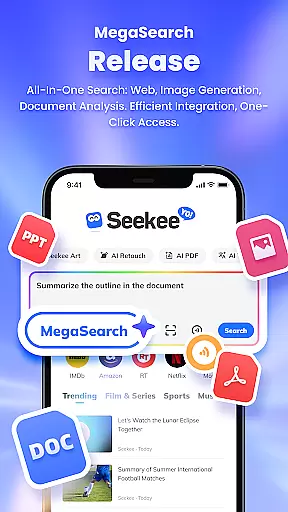
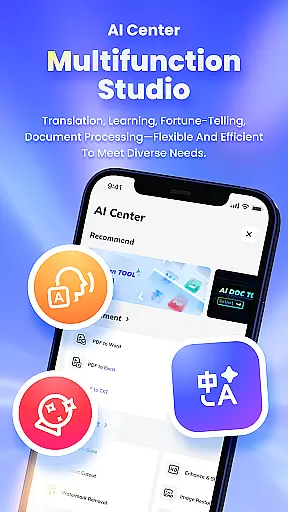
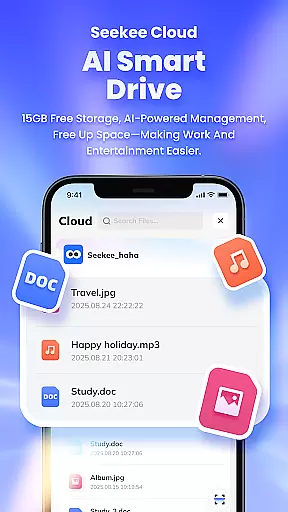
Seekee is an innovative productivity tool that redefines how users interact with digital content through its unique MegaSearch Bar. This single interface serves as an all-in-one AI assistant, enabling users to quickly extract key information from the web, engage in multi-layered Q&A sessions, and manage various content types including images and documents.
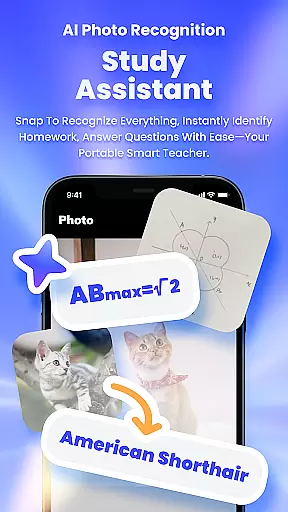
The app's standout feature is its ability to handle complex tasks through simple interactions. Users can capture photos to generate answers, create mind maps from lengthy documents, and perform comprehensive file management. Whether you're a student needing homework assistance or a professional requiring efficient document processing, Seekee provides the necessary tools to enhance your workflow.
This versatile application finds particular value in educational and professional settings where users need to process large amounts of information efficiently. By combining multiple functions into one intuitive interface, Seekee streamlines various digital tasks that traditionally required multiple specialized applications.
Seekee distinguishes itself through a comprehensive suite of AI-powered features designed to enhance productivity. The MegaSearch Bar serves as the central hub for various advanced functions, including intelligent web searching and contextual follow-up questioning capabilities.
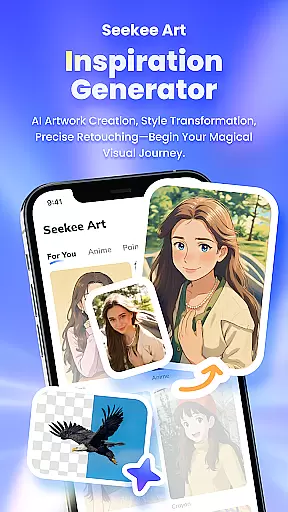
The application excels in creative and analytical tasks alike. Users can leverage AI Creation tools for content generation, utilize sophisticated image editing features for professional-quality modifications, and employ intelligent PDF processing for efficient document management. The app's learning assistance features provide valuable support for students through automated homework checking and intelligent question answering.
What sets Seekee apart is its seamless integration of diverse functionalities into a unified platform. From real-time language translation to visual content analysis, each feature is engineered to save time while maintaining high-quality results. The app's ability to transform complex information into digestible formats makes it particularly valuable for both academic research and professional projects.
Seekee's core functions are designed to deliver precision and efficiency across multiple use cases, making it an indispensable tool for both personal and professional tasks. The app leverages advanced AI technologies to ensure that every feature performs optimally, whether you're drafting emails, editing images, or processing PDFs.
The AI Creation tool is a standout feature, offering users the ability to generate high-quality content with minimal effort. Whether it's crafting detailed work summaries or sparking creativity in image generation, Seekee ensures that the output aligns perfectly with user expectations. This level of accuracy not only saves time but also enhances productivity by delivering reliable results consistently.
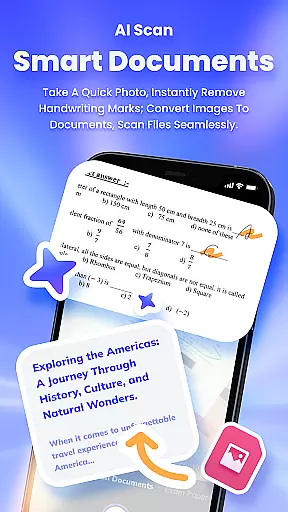
Another key aspect is the app's intelligent document handling. With features like PDF editing and file conversion, Seekee simplifies complex workflows. Users can effortlessly manage their documents, convert between formats, and even summarize lengthy texts into concise notes or mind maps. These capabilities demonstrate Seekee's commitment to providing effective solutions that cater to diverse user needs.
Seekee excels in providing an intuitive and user-friendly interface that makes navigating its extensive features a seamless experience. The MegaSearch Bar serves as the central hub, allowing users to access all functionalities through a single, streamlined interface. This design choice significantly reduces the learning curve, enabling users to quickly adapt to the app's offerings.
The layout is thoughtfully organized, ensuring that each tool is easily accessible without overwhelming the user. For instance, features like AI Image Editing and Intelligent Translation are just a tap away, promoting ease of use. This simplicity extends to more complex operations such as document scanning and homework corrections, which are presented in a straightforward manner that doesn't compromise on functionality.
Furthermore, Seekee's interface is designed to enhance user engagement by providing real-time updates and interactive elements. From tracking global trends to snapping photos for instant analysis, every interaction feels natural and responsive. This blend of simplicity and power ensures that users can fully leverage Seekee's capabilities without any unnecessary complexity.
Comprehensive AI tools
Unified search interface
Advanced image editing
Efficient document processing
Multilingual support
Steep learning curve
Resource intensive
Premium features locked
Occasional inaccuracies
Limited offline capability

 4.50
4.50
FV File Manager Pro, Fast and powerful file manager for Android
4.60
Keep track of your Palia friendships, tasks, and inventory with Palia Notebook
4.60
Monitor car performance in real time and troubleshoot malfunctions.
4.80
Mirror your screen to Chromecast and Android TV - Super fast and simple
4.60
WiFi Signal Strength Meter help you detect WiFi Signal Strength in real time.
4.80
Quickly check the frequency of the Earth
4.30
The Ultimate Flex Drivers Utility App - Convenient Tapping & Block Filters
4.70
Protect your device with antivirus, storage cleanup, and system monitoring
4.70
Planner and Tracker for Stardew Valley
4.60
Connect instantly to a fast, encrypted VPN with one tap
4.60
Button mapper, mouse toggle, sleep timer and a lot of another features
4.50
Just swipe the edge to do something!
4.40
Quickly & easily calculate the spacing of handrail balusters
4.20
MS-DOS in your pocket. Play old DOS games anywhere you are ;)
4.10
Introducing Smart Printer, your ultimate destination for printing solutions!
4.00
Amateur Radio app for APRS: Track friends, exchange messages, get tactical info.
3.90
Fun lie-detection pranks for friends and parties.
3.80
card-reader app
2.20


User Reviews