

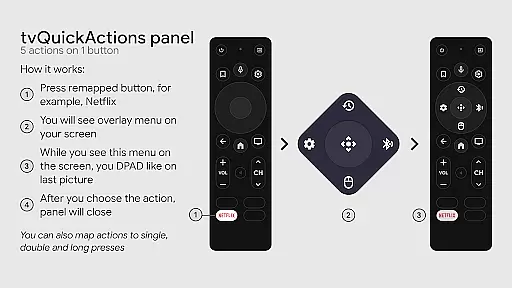
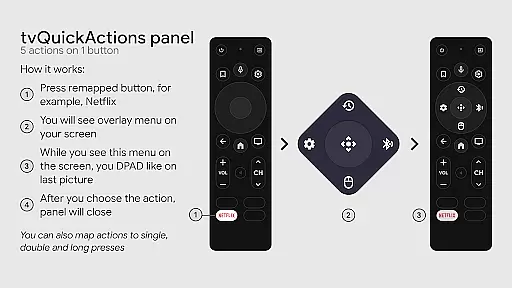
tvQuickActions Pro is an advanced button/key mapper specifically designed for TV devices, compatible with Android TV, Google TV, and AOSP on most devices. Its standout feature allows users to assign up to five actions to a single remote button, significantly enhancing device functionality.
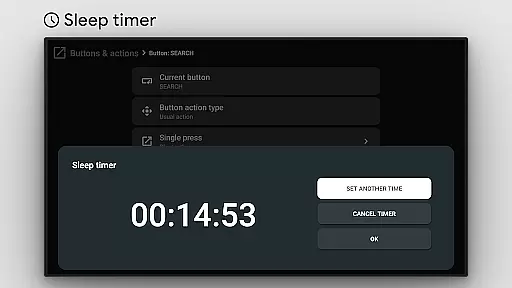
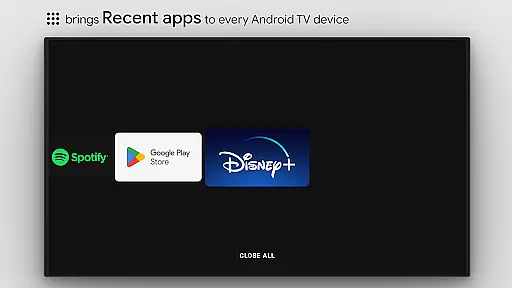
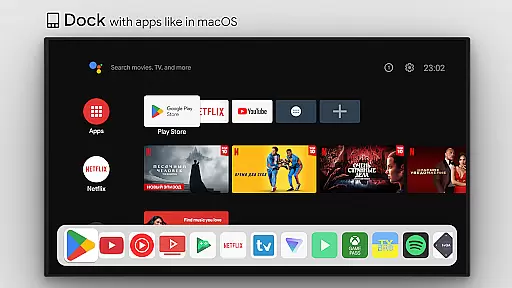
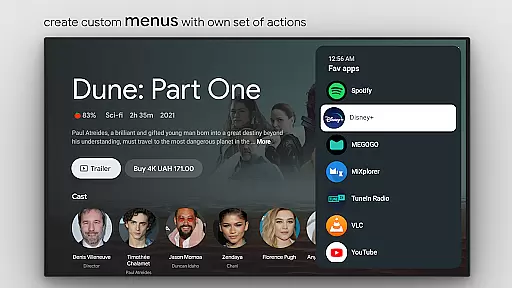
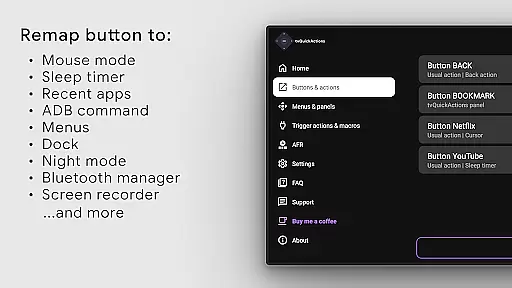
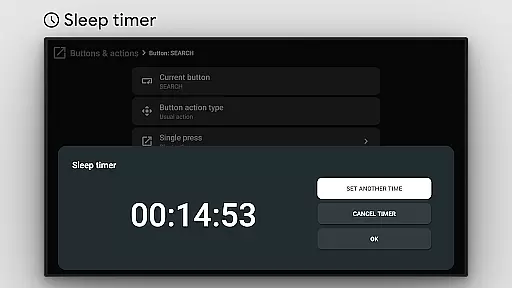
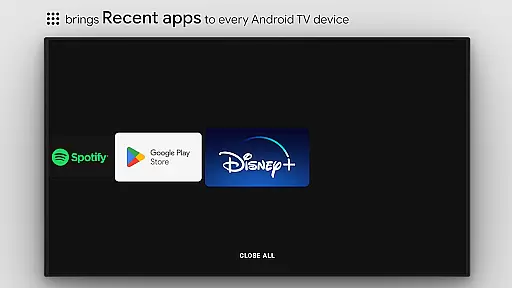
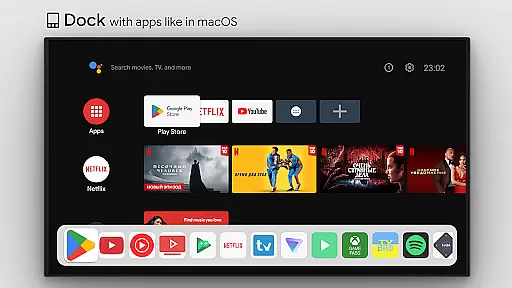
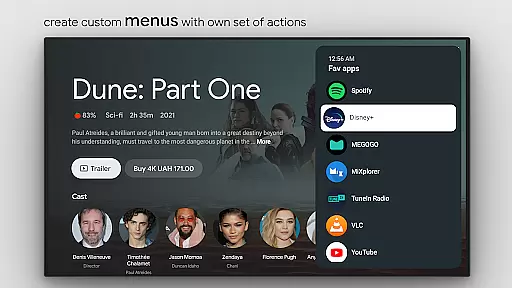
The app offers a variety of useful features including a dock system similar to macOS/iPadOS, recent apps management, custom action menus, and support for ADB commands. It also provides practical tools like a sleep timer, dialpad, screen recording, night mode, and Bluetooth manager, making it a comprehensive solution for TV device power users.
With its ability to remap buttons on popular streaming devices and offer extensive customization options, tvQuickActions Pro transforms standard TV remotes into powerful control centers, greatly improving user experience and productivity.
tvQuickActions Pro stands out with its extensive feature set tailored for TV device enthusiasts. The app's key innovation lies in its ability to map multiple actions to a single remote button, allowing users to maximize their remote's potential.
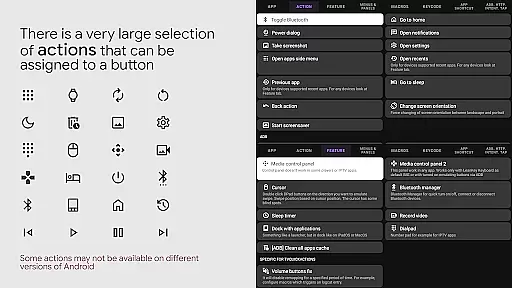
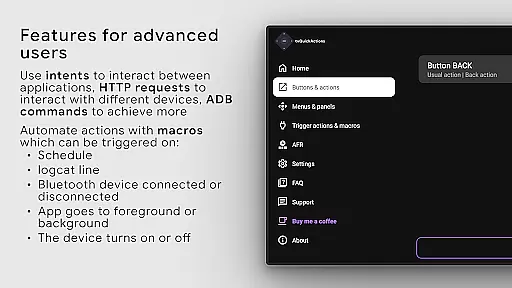
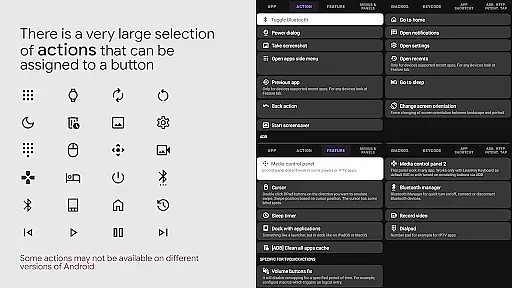
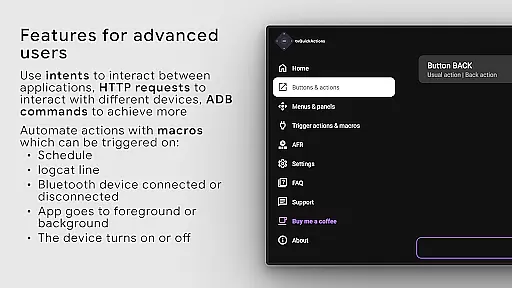
The application provides numerous advanced capabilities such as creating custom channels for Android TV home screens, setting actions for power events, and locking apps. Users can choose from various actions including opening apps, sending keycodes, toggling system settings, controlling media playback, and even executing ADB commands.
Notably, the app supports unique features like AutoFrameRate for Amlogic devices and remapping of special buttons on specific devices. Through its AccessibilityService API implementation, tvQuickActions Pro enables seamless button remapping while providing essential tools for power users to customize their TV experience.
tvQuickActions Pro is designed to provide highly accurate and effective button remapping for TV devices, ensuring that each assigned action performs reliably as intended. The app leverages Android's AccessibilityService API, which allows it to listen to and intercept key events from your remote control, making sure that every button press triggers the correct corresponding action.
The tool offers an extensive range of functions, including opening apps, controlling media playback, toggling device settings like WiFi and Bluetooth, and even executing ADB commands. This versatility ensures that users can customize their TV experience exactly how they want, with each function executing precisely as mapped. Whether you're looking to launch a specific app or toggle night mode, tvQuickActions Pro delivers consistent performance.
For advanced users, the app supports creating custom menus and channels, adding another layer of personalization and control. These features are implemented with meticulous attention to detail, ensuring smooth operation across different devices running Android TV, Google TV, or AOSP. By allowing up to five actions per button, the app maximizes the utility of every button on your remote, transforming rarely used ones into powerful tools.
Despite its powerful capabilities, tvQuickActions Pro maintains a simple and intuitive interface that makes customization accessible even to less tech-savvy users. Upon launching the app, users are greeted with a clean layout that organizes features logically, allowing for easy navigation through various settings and options without feeling overwhelmed by complexity.
The app provides clear instructions and visual cues to guide users through the process of assigning actions to buttons. With straightforward menus and descriptive labels, configuring advanced functionalities such as ADB commands or custom channels becomes an intuitive task rather than a technical challenge. This thoughtful design ensures that all users can take full advantage of the appu2019s potential without needing extensive technical knowledge.
Moreover, tvQuickActions Pro includes helpful tooltips and contextual help, ensuring that users understand each feature's purpose and functionality at a glance. This commitment to user-friendly design extends to its support for double-click actions, enabling users to retain original button functions while adding new ones. Overall, the app strikes a perfect balance between offering robust tools and maintaining ease of use.
Extensive customization
Wide device compatibility
Innovative multi-action mapping
Comprehensive feature set
Unique TV-focused tools
Complex setup process
Device compatibility issues
Requires technical knowledge
Some features may not work
Steep learning curve

Learn the vast amount of system information about device and monitor it's state
 4.70
4.70
This app unlocks the Pro features of the Central for DayZ app
3.60
VESC Tool can monitor and configure VESC-compatible devices over BLE and Wifi
4.20
View detailed information about your Nissan Leaf the dealer never shows you.
4.10
Create your own custom widget with endless possibilities
3.90
Fun lie-detection pranks for friends and parties.
3.80
Protect your device with antivirus, storage cleanup, and system monitoring
4.70
Screen recorder with audio to record high-quality videos and take screenshots.
4.40
The ideal app to be the digital eye of your family
3.40
Support Fossify apps with a warm thank you!
5.00
Navigate with Ease and Style
4.90
Remote Play with FSR upscaling, low latency & full controller support
4.80
ADB support Android 4.X-Android 13(Support wireless pair mode).No root required!
4.70
The Ultimate Flex Drivers Utility App - Convenient Tapping & Block Filters
4.70 4.50
4.50
Making emulation easy for everyone!
4.30
Quickly check the frequency of the Earth
4.30
Quickly & easily calculate the spacing of handrail balusters
4.20
Effortlessly run ADB commands directly on your device without a PC.
4.20


User Reviews