
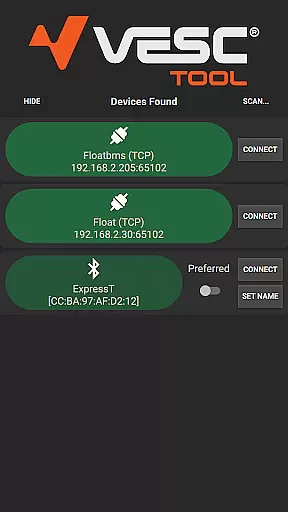
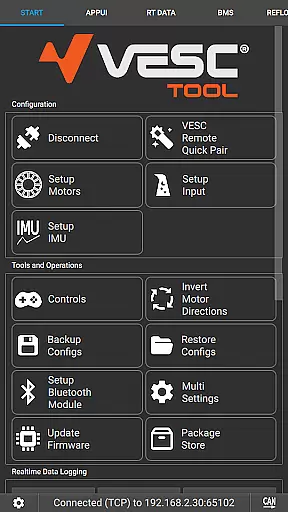
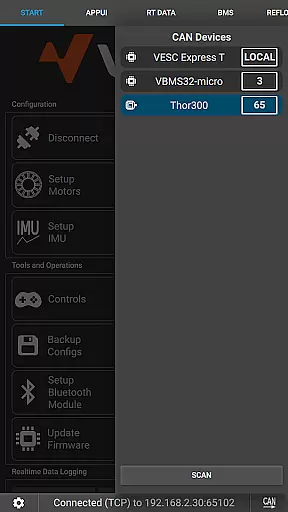
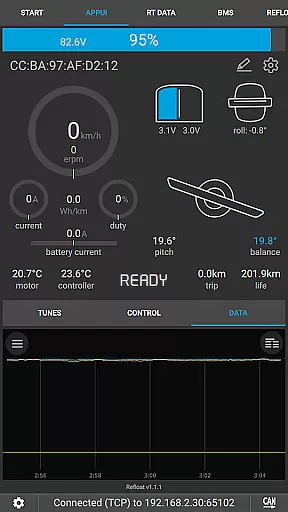
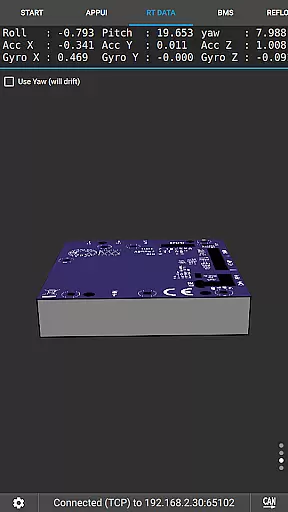
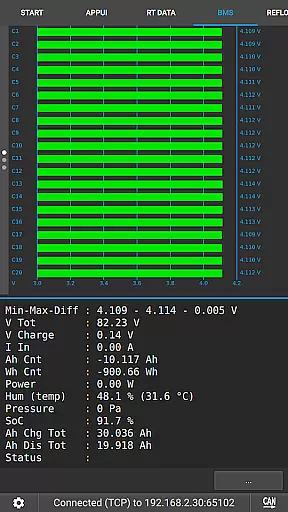
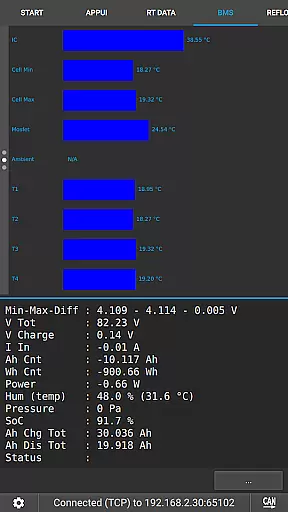
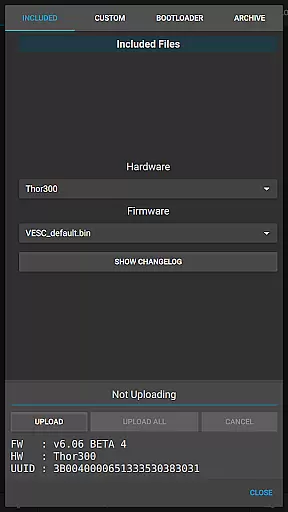
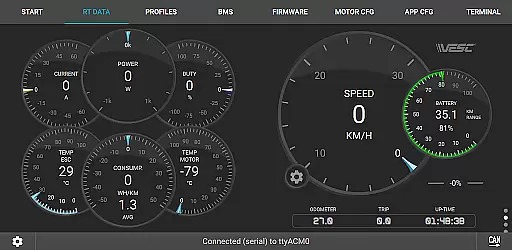
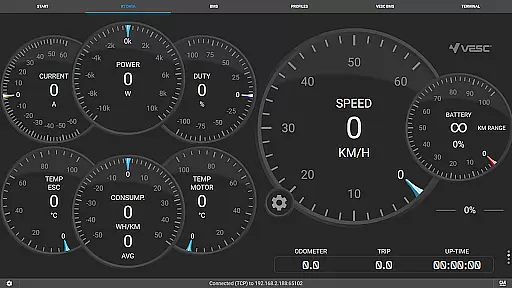
VESC Tool is a powerful mobile application designed for users who work with VESC-based hardware. This tool allows you to configure your hardware over BLE or WiFi, stream live data, update firmware, and log important information. Whether you are a hobbyist or a professional, the app provides an intuitive interface to manage all aspects of your VESC devices.
One of the standout features of VESC Tool is its compatibility with both BLE and WiFi modules, offering flexibility in connectivity options. The app also supports firmware updates, ensuring that your hardware remains up-to-date with the latest features and improvements. With its comprehensive functionality, VESC Tool is an essential companion for anyone using VESC technology.
The app is particularly useful for those involved in electric vehicle projects, robotics, or any application requiring precise motor control. By providing detailed data streaming and logging capabilities, it empowers users to optimize performance and troubleshoot issues efficiently.
VESC Tool offers a wide array of features tailored for managing VESC-based hardware. One of its primary functions is the ability to configure hardware settings directly from your mobile device. This includes adjusting parameters such as motor currents, speed limits, and other critical configurations, all through an easy-to-navigate interface.
In addition to configuration, the app excels in data management. Users can stream live data from their devices, allowing real-time monitoring of performance metrics. The firmware update feature ensures that your hardware is always running the latest version, which is crucial for accessing new functionalities and maintaining security.
Another notable feature is the data logging capability, which enables users to record sessions for later analysis. This is especially beneficial for troubleshooting and performance optimization. Furthermore, the app's compatibility with both BLE and WiFi modules provides versatile connectivity options, making it adaptable to various project requirements.
VESC Tool is designed to provide precise control and configuration of VESC-based hardware, ensuring that users can effectively manage their devices. The app supports both BLE and WiFi connections, enabling seamless interaction with the hardware to configure settings, stream live data, and update firmware. This level of connectivity ensures that all operations are performed accurately, minimizing the risk of errors during configuration or data transfer.
The effectiveness of VESC Tool is further enhanced by its ability to log data and perform a wide range of functions crucial for maintaining and optimizing VESC hardware. Whether it's adjusting parameters to improve performance or diagnosing issues through detailed logs, users have access to a comprehensive suite of tools. These capabilities ensure that users can achieve optimal performance from their devices, making the app an essential companion for any VESC hardware user.
By offering compatibility with ESP32C3 or NRF52 chipsets, VESC Tool caters to a broad spectrum of hardware configurations. This flexibility not only expands its usability but also guarantees that the core functionalities remain robust across different setups. As a result, users can rely on VESC Tool to deliver consistent and accurate performance regardless of the specific hardware they are using.
The interface of VESC Tool is crafted to offer a straightforward and intuitive user experience, allowing both novice and experienced users to navigate its features with ease. Despite the complexity of tasks it performs, such as firmware updates and live data streaming, the app maintains a clean layout that prioritizes usability. This approach ensures that users can quickly find and utilize the functions they need without being overwhelmed by unnecessary complexity.
One of the standout aspects of VESC Tool's design is its emphasis on providing clear feedback and guidance throughout the user journey. Whether configuring hardware settings or monitoring live data streams, users receive real-time updates and prompts that help them understand what actions are being performed. This transparency not only simplifies the interaction process but also builds trust in the app's ability to handle critical tasks reliably.
Furthermore, the availability of resources such as the official website and documentation enhances the overall intuitiveness of the app. Users seeking additional information or troubleshooting tips can easily access these materials, which complement the app's built-in functionalities. By combining a user-friendly interface with readily available support resources, VESC Tool ensures that users can fully leverage its capabilities without facing steep learning curves.
User-friendly interface
Comprehensive configuration options
Real-time data streaming
Firmware update support
Versatile connectivity options
Requires compatible module
Limited to VESC-based hardware
No offline mode
Advanced features may overwhelm beginners
Dependent on network stability

A powerful, easy-to-use flight computer on your phone or tablet!
 3.80
3.80
1-Click close all background apps on Android TV
3.90
Canon PRINT is a companion app for your Canon printer.
4.60
App to pay for FUTO Keyboard
4.60
Unleash gamepad precision for ultimate mobile gaming dominance.
3.90
A simple app to back up and restore SMS & MMS messages and call logs.
4.10
NFC Tools can read and write NFC tags.
4.70
Pro Emulator is an easy to use game console emulator for a range of consoles.
4.40
Clean up your phone, find files, play media, and share files offline
4.50
Support Fossify apps with a warm thank you!
5.00
Navigate with Ease and Style
4.90
Powerful collection of electronics tools and reference.A must for any enthusiast
4.90
Unit and currency converter with easy and simple UI.
4.80
HD Camera captures every special moment.
4.60
Button mapper, mouse toggle, sleep timer and a lot of another features
4.50
Fluid navigation gestures for all of us!
4.30
Detect hidden spy camera with advanced scanning {{ Premium version }}
4.00
Family Locator, Share location, StayConnect with your family in real time
3.90
Smart and comfortable browsing experience.
3.80


User Reviews