
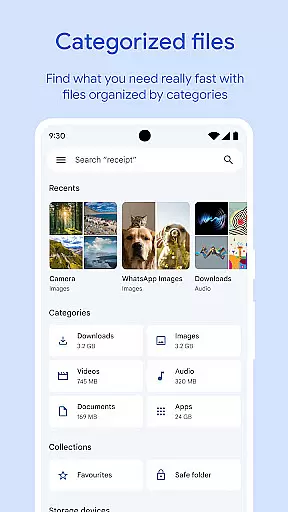
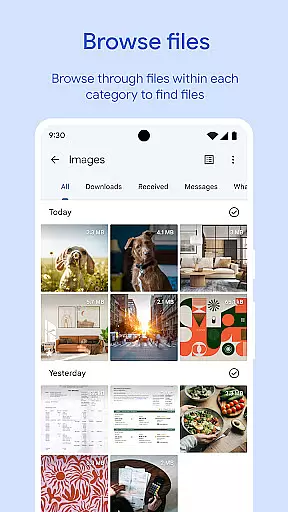
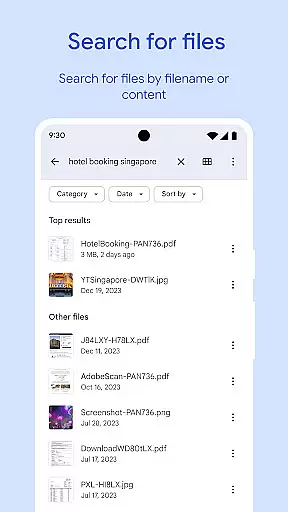
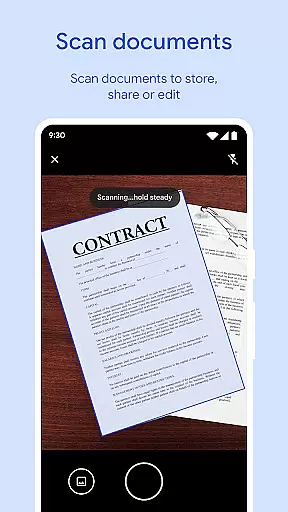
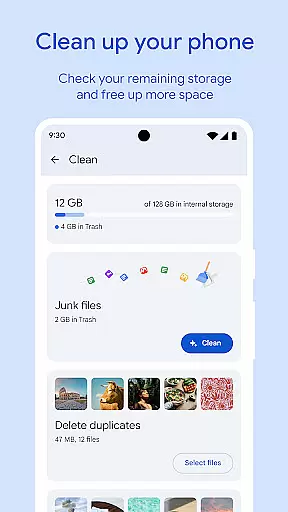
Files by Google is a powerful file management tool designed to help users efficiently organize and manage their device storage. The app provides comprehensive features for file searching, cleaning, and sharing while ensuring security and convenience. With its intuitive interface, users can easily monitor storage usage across their device, SD card, and USB drives. The app's smart recommendation system helps identify unnecessary files, including old photos, duplicate files, and cached data, enabling users to free up valuable space.
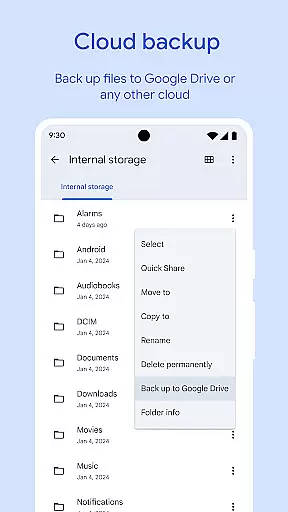
In addition to storage optimization, Files by Google offers fast offline file sharing through Quick Share, allowing transfers at speeds up to 480 Mbps with end-to-end encryption. It also supports backing up files to cloud services like Google Drive or external storage options such as SD cards. Whether securing sensitive files with a unique PIN or enjoying offline media playback with advanced controls, this app ensures both functionality and user-centric design.
Files by Google stands out with its diverse range of practical features tailored for efficient file management. One of its core functionalities is the ability to quickly locate files using advanced search and browsing options. Users can sort files by size, type, or date, making it easier to understand storage consumption patterns. Additionally, the app provides smart cleaning recommendations that improve over time based on user behavior, helping maintain optimal device performance.
Another notable feature is Quick Share, which facilitates rapid offline file transfers between Android devices and Chromebooks. With transfer speeds reaching up to 480 Mbps and enhanced security via end-to-end encryption, users can share photos, videos, apps, and more without requiring an internet connection. Furthermore, the app allows users to secure their private files using a separate PIN or pattern lock, independent of the device’s primary security settings. These robust features collectively enhance productivity while maintaining ease of use.
Files by Google excels in delivering core functions with remarkable accuracy and effectiveness, ensuring users can manage their device storage efficiently. The app provides cleaning recommendations to free up space, helping identify old photos, duplicate files, and cache that consume valuable storage.
In addition to cleaning, the app offers powerful search capabilities and simple browsing options, allowing users to find files faster. Whether it's locating a specific document or sorting files by size, Files by Google ensures you spend less time searching and more time using your files.
Another standout feature is Quick Share, enabling fast and secure file sharing offline. With transfer speeds reaching up to 480 Mbps and end-to-end encryption, users can share photos, videos, apps, and more without needing an internet connection. This functionality underscores the app's commitment to both speed and security.
The interface of Files by Google is designed with simplicity and intuitiveness in mind, making it accessible for users of all technical backgrounds. Upon opening the app, users are greeted with a clean layout that highlights essential features such as storage overview, cleaning recommendations, and quick access to recent files.
Navigating through the app is straightforward, thanks to well-organized sections and clear labels. Users can easily browse through different file types like photos, videos, and documents, or use the search bar to quickly locate specific files. Sorting options further enhance usability by letting users understand whatu2019s taking up space on their devices.
Moreover, advanced controls for offline media playback, including playback speed and shuffle, add another layer of convenience. These intuitive controls ensure that even when offline, users have a seamless experience playing their media files. Overall, Files by Google combines simplicity with powerful functionality, creating an effective tool for managing digital content.
User-friendly interface
Fast offline sharing
Smart cleaning suggestions
Secure file protection
Cloud backup support
Limited iOS compatibility
Requires Google account
Occasional bugs reported
Ads in some regions
Dependent on Google services

HD Camera captures every special moment.
 4.60
4.60
Extremely fast, secure, and protects your privacy
4.80
This app unlocks the Pro features of the Central for DayZ app
3.60
Smart and comfortable browsing experience.
3.80
A simple app to back up and restore SMS & MMS messages and call logs.
4.10
Automate everything from settings to photos, SMS to speech. ADC2 prize winner.
4.10
Introducing Smart Printer, your ultimate destination for printing solutions!
4.00
Enjoy a smooth mobile reading experience!
3.60
fast and easy mp3 music downloader
4.80
Best leveling tool for your Android device. Hang paintings like a pro.
4.90
The ultimate tool for network analysis, wifi scanning and problem detection.
4.90
Monitor car performance in real time and troubleshoot malfunctions.
4.80
Small and simple app to Verify Root Access and BusyBox Install!
4.70 4.50
4.50
Quickly switch to an encrypted DNS server on Android TV
4.50
Head tracking for PC sim games such as MSFS 2024 or Elite:Dangerous. No headset!
4.50
Just swipe the edge to do something!
4.40
Mirror your screen to Fire TV - Super fast and simple
4.40 4.10
4.10


User Reviews