

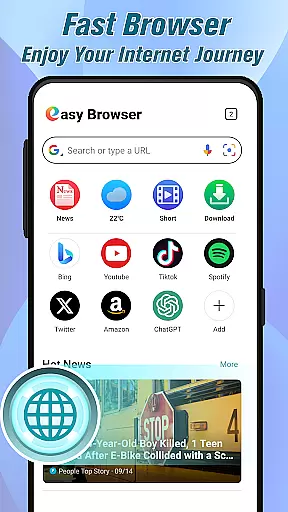
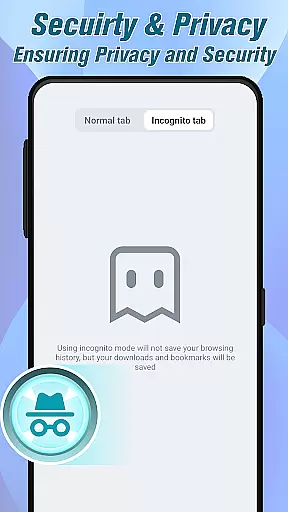
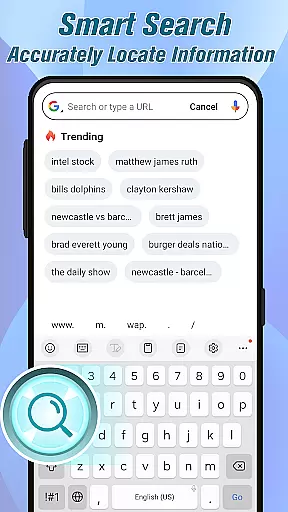

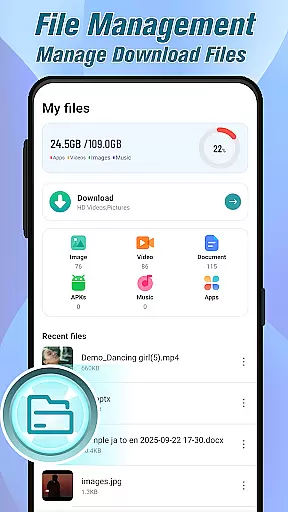
Easy Browser - Easy & Smart is a versatile and user-friendly mobile browser designed to simplify your online activities. With its clean interface and robust features, the app ensures secure browsing while protecting your privacy. It offers fast page loading, intelligent search capabilities, and seamless video playback with download options in multiple formats.
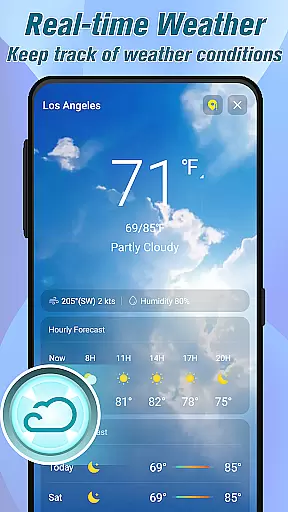
In addition to its core browsing functionality, the app provides real-time news updates, accurate weather forecasts, and built-in file management tools. These features allow users to stay informed, organized, and prepared throughout their day. Whether you're shopping online, streaming videos, or managing downloaded files, Easy Browser combines essential tools into one lightweight package, making it an ideal choice for everyday use.
This browser stands out by integrating multiple functions such as secure browsing, smart search, and media handling without unnecessary complexity. Its simplicity and efficiency make it suitable for all types of users who seek a reliable, all-in-one browsing solution that enhances productivity while ensuring safety and convenience.
Easy Browser - Easy & Smart distinguishes itself through a range of innovative features tailored to enhance your browsing experience. One of its standout capabilities is the advanced security system, which ensures private browsing sessions and protects personal data from potential threats. This feature allows users to explore the web confidently, knowing their information remains safeguarded.
The app also excels in multimedia support, offering smooth video playback and the ability to download videos in various formats for offline access. The integrated video player eliminates the need for third-party apps, streamlining the viewing process. Additionally, the browser's optimized performance ensures quick page loads and effortless navigation across websites, whether you're shopping or engaging on social platforms.
Other notable features include intelligent search functionality, real-time news updates, comprehensive file management, and accurate weather forecasts. These tools collectively create a multi-functional yet lightweight browser that saves time and effort. By combining essential online utilities into a single platform, Easy Browser delivers a smarter, more efficient way to browse, watch, read, and organize content.
At the heart of Easy Browser - Easy & Smart lies its commitment to delivering core functions with precision and efficiency. This browser is designed not just for basic web exploration but to ensure that every feature, from video playback to smart search, operates seamlessly. The intelligent search functionality exemplifies this dedication by providing users with quick and accurate results, saving both time and effort.
The browser's video capabilities further enhance its functional accuracy. Users can enjoy smooth video streaming directly within the platform or download videos in multiple formats for offline access. With an integrated video player, there's no need to switch between apps, ensuring a fluid experience. Additionally, the file management system allows users to organize downloads effortlessly, making it easy to save, open, and access documents, images, and videos without requiring external tools.
Easy Browser also excels in offering real-time updates on weather and news, which are crucial for staying informed and planning daily activities effectively. These features demonstrate how the application goes beyond traditional browsing by integrating essential tools into one efficient package. By focusing on these key areas, Easy Browser ensures that each function performs optimally, enhancing user satisfaction through reliable performance.
Easy Browser - Easy & Smart stands out for its interface simplicity and intuitiveness, making it accessible to users of all technical backgrounds. The design philosophy centers around creating a clean and straightforward layout that minimizes learning curves while maximizing usability. This approach ensures that even those new to digital navigation can quickly adapt to using the browser efficiently.
A significant aspect of this intuitive design is the streamlined control scheme. Users can perform tasks such as searching, downloading files, or checking the weather with minimal steps, thanks to well-placed controls and clear instructions. The absence of unnecessary complexity means that everyday actions like loading pages or managing downloaded content happen swiftly without overwhelming the user with options.
Moreover, security features are integrated thoughtfully into the interface, reinforcing privacy without complicating usage. Enhanced protection measures work quietly in the background, allowing users to browse confidently knowing their personal information remains safeguarded. Overall, Easy Browser's focus on maintaining an uncluttered yet powerful interface underscores its mission to provide a smart and easy online experience for everyone.
Fast page loading
Secure browsing
Video download
Lightweight design
Smart search
Limited customization
No ad blocker
Few extensions
Basic UI
Offline only

Transfer Files, APK from Phone to Watch & Install.
 4.2
4.2
Connect instantly to a fast, encrypted VPN with one tap
4.60
Keep track of your Palia friendships, tasks, and inventory with Palia Notebook
4.60
card-reader app
2.20
App to pay for FUTO Keyboard
4.60
PC precision for mobile gaming: dominate with keyboard and mouse!
4.30
Fast Video Downloader, Movie Downloader, Torrent Downloader & Adblock Browser
4.70
The Ultimate Flex Drivers Utility App - Convenient Tapping & Block Filters
4.70
Enhance your Beats
3.70
Monitor car performance in real time and troubleshoot malfunctions.
4.80
Bedrock Together: Join any bedrock server on Xbox/PS
4.80
Creation, Learning, Entertainment & More — The All-in-One AI Search Engine
4.70
HD Video player and downloader for all formats, fast & smooth 4K video playback.
4.60 4.50
4.50
eXtended Permission Manager - a small app to manage permissions and AppOps
4.50
With videos, electrical calculators, and built-in ebook, Ugly’s has your answer.
4.50
Fluid navigation gestures for all of us!
4.30
A powerful, easy-to-use flight computer on your phone or tablet!
3.80
Smart and comfortable browsing experience.
3.80


User Reviews